🚀 Upgrade your speed game — don’t get left behind!
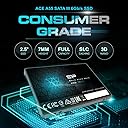
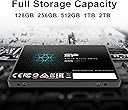
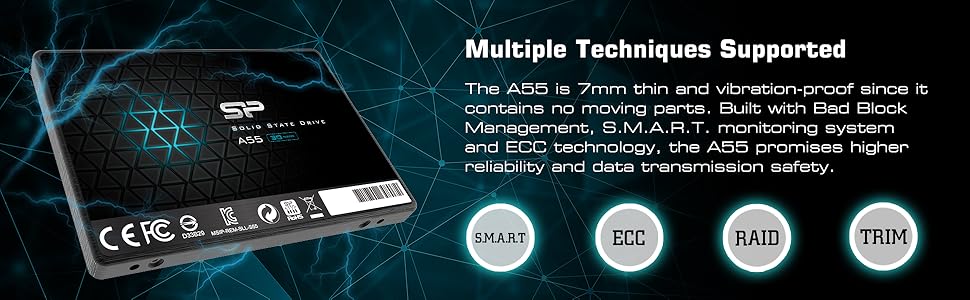
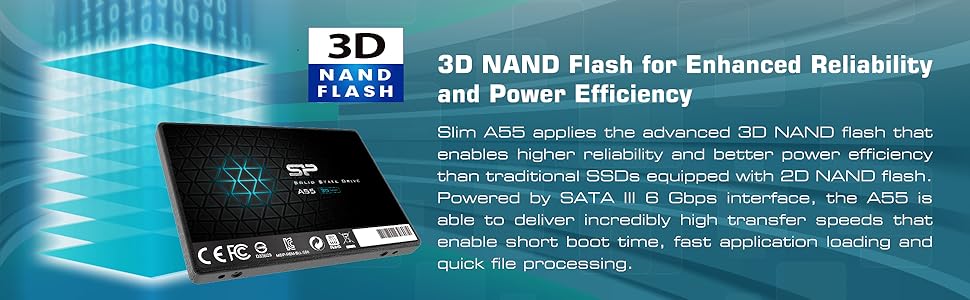
The Silicon Power 1TB A55 SSD combines high-speed 3D NAND flash with advanced SLC Cache technology to deliver up to 3500MB/s read speeds and enhanced durability. Its slim 7mm design is perfect for ultrabooks, while built-in ECC, TRIM, and Bad Block Management ensure data integrity and long-term reliability. Backed by a 3-year warranty and smart health monitoring software, this SSD is a powerhouse for professionals demanding fast, dependable storage.


| ASIN | B07B4G19X3 |
| ASIN | B07B4G19X3 |
| Best Sellers Rank | 186,614 in Computers & Accessories ( See Top 100 in Computers & Accessories ) 1,126 in Internal Solid State Drives |
| Brand | SP Silicon Power |
| Country of origin | Taiwan |
| Country of origin | Taiwan |
| Customer Reviews | 4.5 4.5 out of 5 stars (11,167) |
| Customer reviews | 4.5 4.5 out of 5 stars (11,167) |
| Date First Available | 26 Feb. 2018 |
| Is discontinued by manufacturer | No |
| Item model number | SP001TBSS3A55S25 |
| Manufacturer | Silicon Power |
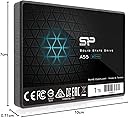
| Product Dimensions | 10.01 x 6.99 x 0.71 cm; 50 g |
| Product Name | Silicon Power 1TB SSD A55 SLC Cache Performance Boost SATA III 2.5" 7mm (0.28") Internal Solid State Drive |
T**N
The company spec is a bit conservative. I get about 3500 for read and around 3200 for write with CrystalDiskMark benchmark. At about 250-300GB of usage, the cache will run out and starts to slow down like an old school hard drive. This happened when I was cloning a backup disc only. Update - It's been 5.5 years and the drive still works great with no drive errors or heating problems. I'm currently in the market for a new Gen 4 SSD so I came back to look up the brand and leave a quick update. I highly recommend this brand for quality and affordable SSD.
S**I
fast and cheap 1 week delivery
D**A
Most All M.2 / NVME drives deliver performance. Silicon Power's 512GB offers everything a Samsung M.2 has at a lower cost. (I own two of these). This review will start out with practical information the moving into the more technical aspect of the SP 512GB NVME drive. This will be a long review. The biggest concern for anyone buying this is: "How can I use this if I don't have a slot on my motherboard for a M.2 SSD?". You need to get an adapter like this: QNINE NVME PCIe Adapter, M.2 NVME SSD to PCI Express 3.0 Host Controller Expansion Card This M.2 NVME SSD is the right "key" for the above adapter. The "key" is just the notched pattern for the NVME drive. (without getting too technical about it). You can put the drive + adapter into any PC that has a PCI-e slot. BOOTING from the NVME Drive may or may not be supported by your motherboard. Your operating system has to be 84-bit and supports UEFI; Windows 7*, 8*, 8.1* or Windows® 10. (Check your motherboard information about UEFI and NVME) If all this sounds technically confusing you can do this: 1) boot off a regular 2.5 inch SSD drive (have your Operating system on it). 2) install the PCIe adapter + M.2 NVME drive into your PCI-e (x4){version 3.x} slot (check your motherboard specs) 3) make the M.2 a secondary drive like D: or E: or F: (all you have to do is format it, windows will give it the drive letter) 4) install any heavy loading programs on the M.2 I have this above outline configuration. Heavy programs or data goes to my M.2 Drives. You can even get two of these and make the M.2s into a RAID 0 stripped drive for double the speed. My advice is to format the M.2 as ReFS.ReFS protects against data corruption. (see attached image) (SKIP this section if you are not interested in ReFS formatting) Checking if TRIM is set for your ReFS formatted drive: 1) click on start or type in the windows 8/10 search box "CMD" 2) once you see CMD right click on the black icon and select "Run as Administrator" 3) type in the black window (Command Prompt) that just opened: a) fsutil behavior query DisableDeleteNotify 1) NTFS DisableDeleteNotify = 0 (says that TRIM is active for NTFS) 2) ReFS DisableDeleteNotify = 0 ((says that TRIM is active for ReFS) 3) if you get = "is not currently set" for either NTFS or ReFS You can enable it with the following command: a) fsutil behavior set DisableDeleteNotify ReFS 0 (this will set TRIM for ReFS) b) fsutil behavior set DisableDeleteNotify NTFS 0 (this will set TRIM for ReFS) Silicon Power M.2 NVME Drive: Speeds: (Crystal Disk Mark) {See attached image} (NTFS formatted) - READ and WRITE speeds: 2,000 MB/s (ReFS formatted) - READ speeds: 2,000 MB/s - WRITE speed: 634 MB/S (due to error/checksum checking) Write speeds are slower on ReFS due to error/checksum checking. 634MB/s is still SSD fast. ALL NVME drives are subject to thermal throttling which means once the M.2/NVME drive reaches a certain temperature the onboard chips will throttle down the speed/transfer to save the chips from overheating. Larger, longer transfers will trip the "thermal throttling" so just be aware it isn't the manufacturer's fault but the nature of the NVME design overall (across all manufacturers) My systems have SP SSD drives installed. I do large data transfers almost daily. SP drives keep pace with Samsung on speeds. Reliability can't be gauged on a short-term basis. Most of my drives are a year or younger in age. I do suggest trying either this M.2 drive or one of SP's other SSD drives. If you have an older system that doesn't have PCI-e (3.0) or greater to go with a regular 2.5" SSD drive. You really won't notice the difference. If all this sounds overwhelming find a geeky friend to help you out. I hope this information helps someone out. I always try to revise my reviews as needed.
B**L
The SP 1TB SSD (Model SP001TBSS3A55S25) is a straightforward, no-nonsense solution for breathing new life into older systems or expanding storage on a budget. After using it for several weeks in both a laptop and desktop, here’s what stands out: Performance & Usability: The SATA III interface delivers exactly what you’d expect—speedy boot times, quick application launches, and snappier file transfers compared to a traditional HDD. The SLC Cache ensures consistent performance during large file operations, like moving 50GB of photos, without the slowdowns I’ve experienced with cheaper drives. While it won’t match NVMe speeds, it’s a night-and-day improvement for SATA-bound systems. Installation: Installation was hassle-free. The 2.5” 7mm design slid seamlessly into my laptop and desktop bays. No mounting brackets were included, but most users repurposing older drives likely have these already. Cloning my old drive using free third-party software took under an hour, and the SP SSD recognized immediately. Build & Reliability: The 3D NAND technology inspires confidence in longevity, and the drive stays cool even under sustained use. While SP isn’t as household a name as Samsung or Crucial, the build quality feels robust, and the 3-year warranty (check manufacturer’s site for specifics) adds peace of mind. Value: At its price point, this SSD offers excellent value. The 1TB capacity is ideal for moderate users, balancing cost and storage needs. It’s priced competitively against similar drives, making it a smart pick for budget-conscious upgrades. Verdict: If you’re upgrading an older PC, laptop, or need affordable secondary storage, the SP 1TB SSD delivers reliable performance without breaking the bank
R**I
Speeds as advertised for random 4k reads/writes as measured with CrystalDiskMark. I was upgrading the system drive that came with my MSI Apache GE62-6QD. Installation was a breeze once I got the case open. Fortunately, stand-off and mounting screw were present. Make sure you have the latest BIOS to ensure your MB recognizes NVME drives. Both My Ubuntu 16.04 and Win 10 recognized the drive. Migration failed when I tried to restore backups with my paid version of Acronis True Image 2017. Tried Minitool Partition Wizard Free - migrate OS option and it worked first time - very impressive. My only minor complaint is that the management software offered by SP caused my AVG antivirus to freak out when I tried to install it so I didn't bother. The drive does not appear to have a heat sink so if you plan to push it, expect thermal throttling. It works fine for my purposes. Edit: For those that are concerned about the quality, it is still running fine after 4 years. I don't use it every day but every time I need it, It has not let me down. In fact, between this drive and switching from Windows to Ubuntu, I have had much better user experiences.
Trustpilot
3 weeks ago
1 month ago