

Desert Online General Trading LLC
Dubai, United Arab Emirates
Desert Online General Trading LLC
Dubai, United Arab Emirates
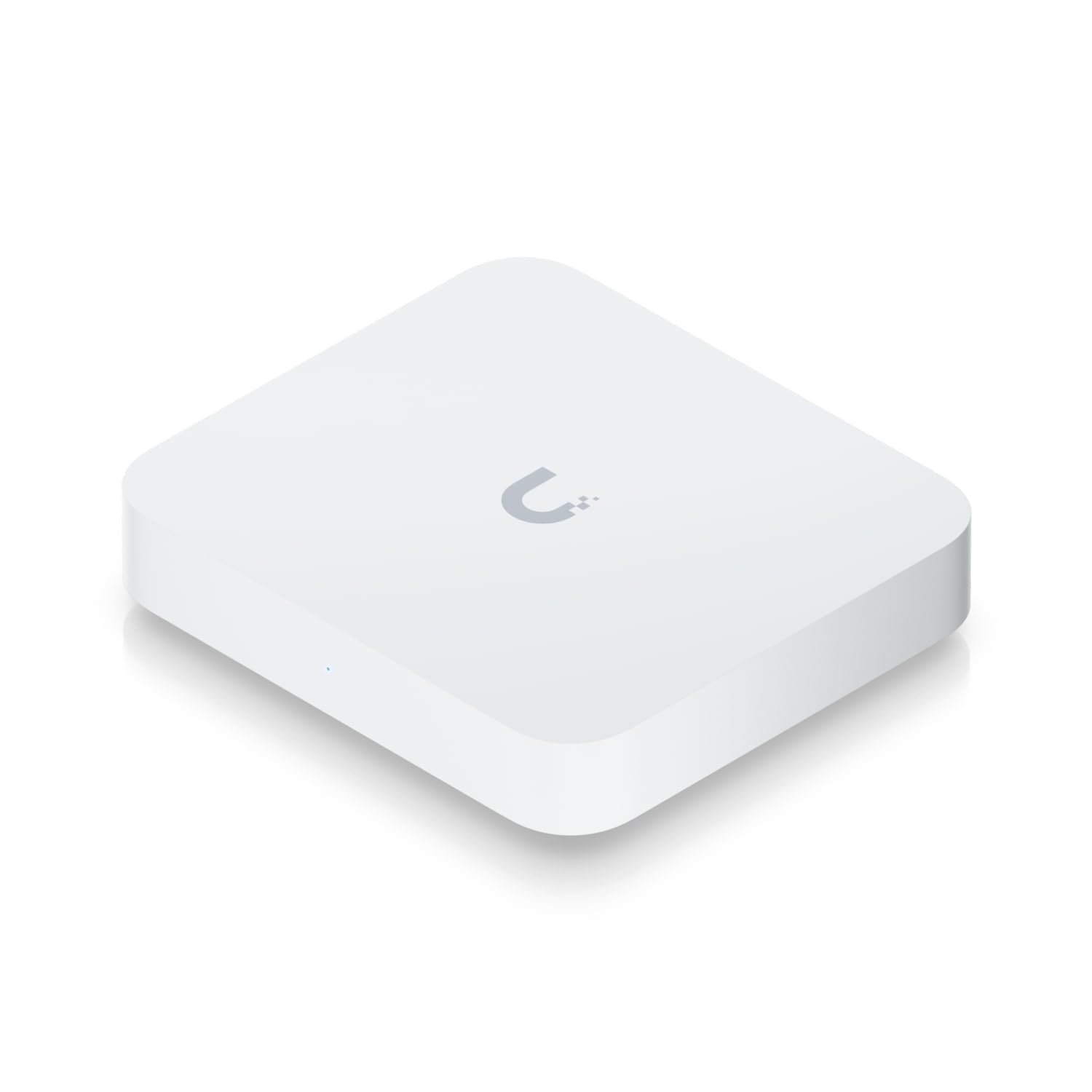
🚀 Elevate your network game with next-gen 2.5G speed and smart control!
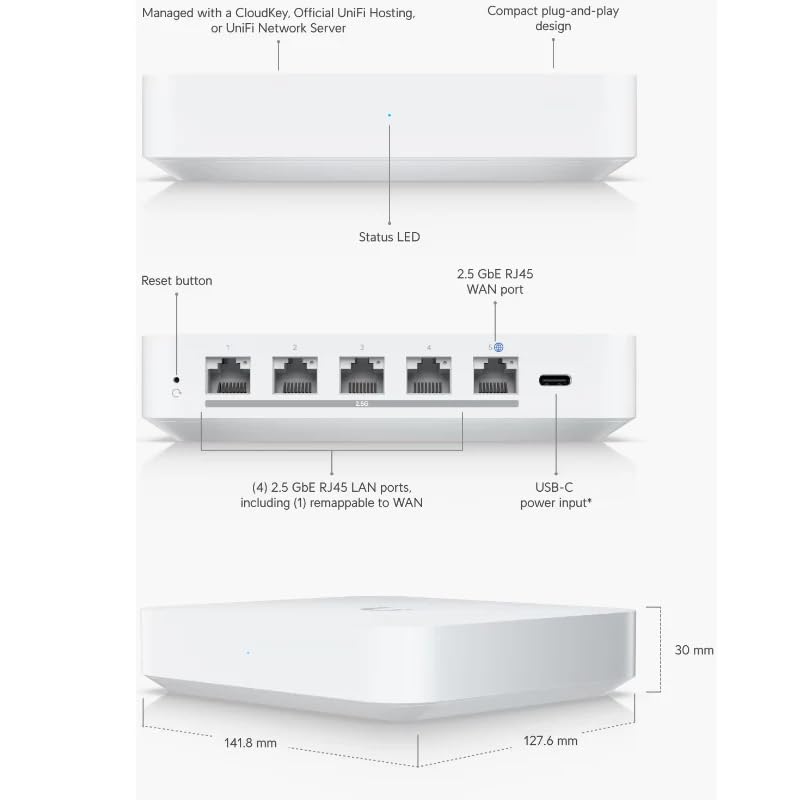
The Ubiquiti Gateway Max is a compact, multi-WAN security gateway designed for small to medium sites, featuring 2.5 GbE WAN and LAN ports, managed exclusively via UniFi Network Controller platforms. Powered by a 1.5 GHz ARM Cortex-A53 processor, it delivers up to 1.5 Gbps routing throughput under ideal conditions, balancing high performance with energy efficiency in a sleek, durable polycarbonate enclosure.
| Color | White |
| Connectivity Technology | Ethernet |
| Control Method | App |
| Data Transfer Rate | 1.5 Gigabits Per Second |
| AntennaType | Internal |
| Maximum Upstream Data Transfer Rate | 2.5E+3 Megabits Per Second |
| Frequency | 5 GHz |
| Is Modem Compatible | Yes |
| Controller Type | CloudKey, Official UniFi Hosting, or UniFi Network Server |
| Antenna Location | Business |
| Compatible Devices | Laptop, Personal Computer, Tablet, Smartphone |
| LAN Port Bandwidth | 2.5 Gbps |
| Security Protocol | wpa2-psk, wpa3 |
| Is Electric | Yes |
| Operating System | Unifi OS |
| Number of Ports | 4 |
| Additional Features | WPS |
M**K
Excellent piece of kit - You need a controller though
In 2014 I first discovered Ubiquiti and used one of their non Unifi security gateways, being impressed I built up a full Unifi system with 4 APs, a USG-Pro (upgraded with Nocturna fan and 4GB SODIMM), 6 switches, Unifi Protect UCKg2 and 10Gbe.When we moved home i reluctantly sold it all.I have just finished setting up our new home with professionally installed Cat6, in 4 bedrooms, study, lounge, garage (for the ONT) and cupboard under the stairs (home for this and a Unifi POE switchWith so many new Unifi gateways I had to research them all (and what’s with the Max and Ultra monikers?, in my mind ultra should be better than Max), and some need a separate controller and some don’t.This one does, and rather than go back to a UCK G2 with 1Tb HDD, I decided to host the controller on one of my NAS (DS224+ 6GB RAM). This works extremely well and saved me around £250 it’s easy to do, YouTube is your friend if you decide to do similar, in fact there’s probably a use case for something like a Lincstation N1 with NVME and self hosted controller being not much more expensive, more versatile and significantly more powerful.Anyway back to this, setting it up was “fun” even with my prior experience of Unifi kit. Using the phone ap with the self hosted controller and plusnet’s PPoE, meant a lot of going round in circles. Here’s my advice.Setup the controller first (if self hosting, ensure you have your Unifi uI account setup and your name and password ready.Then setup the Max using your phone. (Advanced options to enter your PPoE details), Now diconnect your current router and connect your home network and WAN (ISP) cables to the MaxNow using a computer, navigate using your web browser to the contollers s IP address (192.168.1.220:8080 in my case), and entering UI account details I was connected and could adopt the Max to the controller and internet was up and running.I reviously was using a Synology RT6600AX with WiFi switched off with a TP link BE-65 Deco Mesh in AP mode (I don’t trust TP link’s security and will not use them as a router),The max is far superior for routing speed and security, the 4x2.5Gbe ports are great too.Openreach are installing FTTH (Full gigabit fibre today) and I’m looking forward to seeing if the Max can handle this with IDS/IPS and DPI switched on at full speed, apparently it can. I will updateWhat makes the Max so good? It’s SOC is reasonably power ful but its backed up by a NPU (in this case a Network Processing Unit) a dedicated “chip” (more likely a dedicated part of the SOC) which is optimised to process networking stuff. It also has more than sufficient RAM (3GB from memory).Overall I am extremely happy and would recommend this to you if you have a good home lab and want to start a Unifi system although if your new to Unifi, then get one of the gateways with the controller on board as it will be far easier to setup.
Trustpilot
1 day ago
2 weeks ago
3 weeks ago
1 week ago