Desert Online General Trading LLC
Dubai, United Arab Emirates
Desert Online General Trading LLC
Dubai, United Arab Emirates



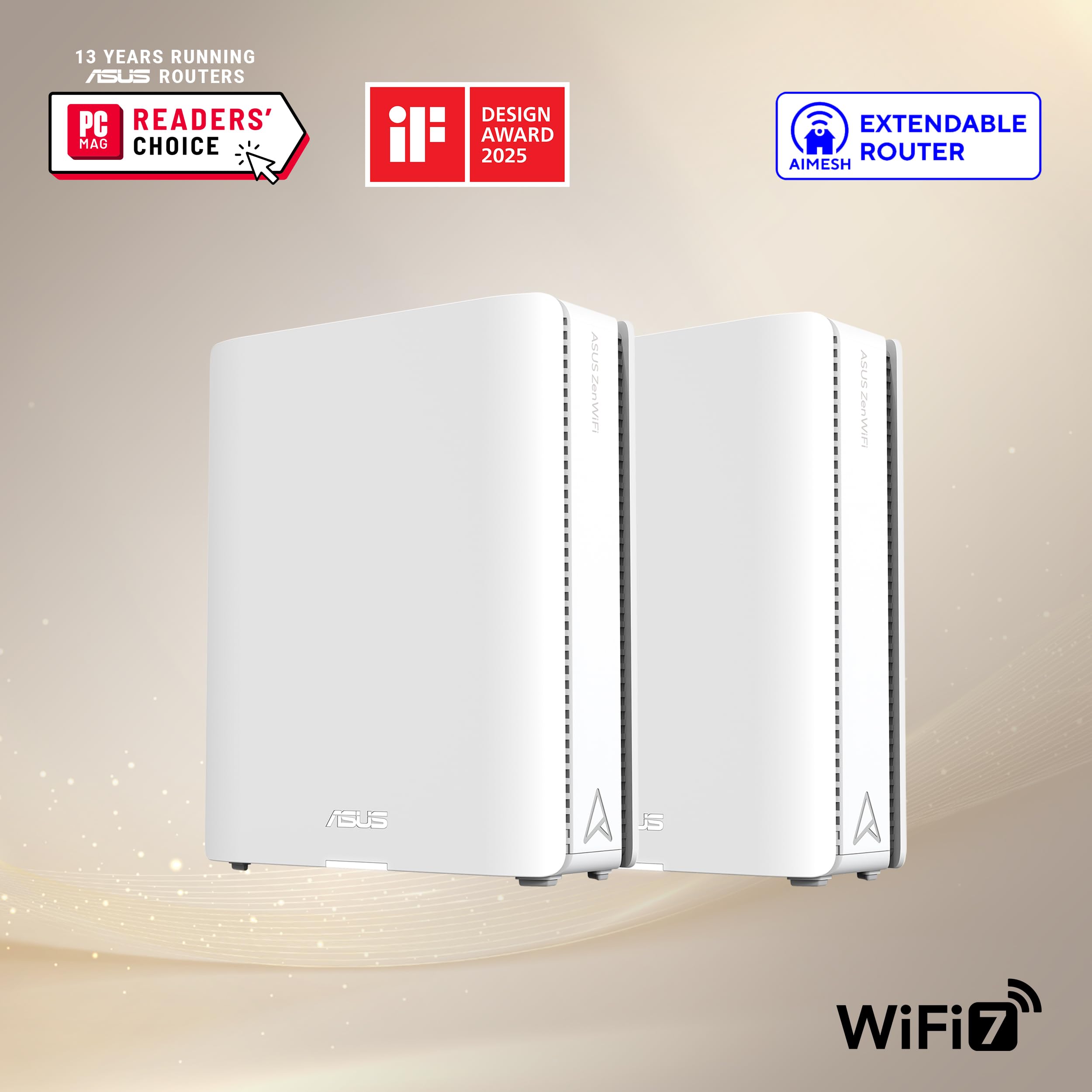


🚀 Elevate your network game with ASUS RT-BE88U — where speed meets security and style!
The ASUS RT-BE88U is a premium WiFi 7 router delivering blazing 7200Mbps speeds, dual 10G wired ports including SFP+, and a powerful 2.6GHz quad-core CPU. It features advanced AI-driven WAN management, commercial-grade security with AiProtection Pro, and flexible mesh networking via AiMesh. Designed for professionals and tech-savvy homes, it supports multiple SSIDs, VPN capabilities, and future-proof connectivity for the ultimate high-performance network experience.


| Wireless Type | 802.11ax, 802.11ac, 802.11.be |
| Brand | ASUS |
| Series | RT-BE88U |
| Item model number | RT-BE88U |
| Operating System | ASUSWRT |
| Item Weight | 2.5 pounds |
| Product Dimensions | 7.4 x 2.4 x 11.8 inches |
| Item Dimensions LxWxH | 7.4 x 2.4 x 11.8 inches |
| Color | BLACK |
| Manufacturer | ASUS |
| ASIN | B0D55SWRSM |
| Country of Origin | Vietnam |
| Date First Available | June 10, 2024 |
M**E
Asus RT-BE88U just works!!
Amazon Rview: Read through to get to the Asus RT-BE88U....This review will most likely not get posted. I purchased the Netgear RS700S as "refurbished," which generally means that it was returned and some how repaired (or at least double check to make sure it is working per manufacturer specs). It was not. Router would continuously drop signal. So it appears that Amazon just repackaged it and sold it, as is.Router Review:1. Administrator menu is very limited on what you can do.2. When accessing the router's admin menu, it times you out after about 15-20 seconds while your trying to read the documentation for settings. You must re-sign in EVERY SINGLE TIME!3. You can NOT change the admin user name. You must use "admin." Without the ability to change the admin name Netgear reduced your router access security by 50%.4. In order to gain access to the needed security for the router, you MUST pay an annual subscription!!5. Netgear customer service people are rude to you if you turn down the subscription sales pitch, and then reqest to get I.T. support on an issue. They actually hung up on me. At first I thought the over-seas phone line dropped. However, when I called back 2 or 3 times, they would not even answer the phone.CONCLUSION:I returned the RS700S for a full refund and bought an ASUS RT-BE88U router. Everything mentioned above is NOT an issue. Their admin user name can be changes, you have a huge amount of control within the admin menu (including how long you wish the menu to time-out.) NO annual subscription fees. Signals on 2.4, 5, and 6G are very solid. I have 15 devices and not one of them has ever dropped a signal. Also, reboot times are much fast than Netgear's.Great router, security, menu interface, and performance! Customer service wasn't needed because this router just WORKS!!
A**Z
ASUS = TOP QUALITY
This thing rocks! Only have had it for a day but the settings are top notch, easy to use and understand and blaaaaazing fast. Bought used in “acceptable” condition and it was like brand new. Love ASUS products anytime I get them. They are reliable and down right impressive!
J**I
Simple setup, high speeds
Works great. Paired with a compatible Ethernet cable, and 2.5gb Ethernet port on your computer and you can get the full speed of your fiber optic plan. When I signed up to fidium fiber, I got the 2gb up/down but what they neglect to tell people is that it’s bandwidth only and they do not provide you with a router capable of getting 2gbps in speed, this router allows you to utilize max bandwidth to your computer, but also allows you to get the max speed. There are cheaper options if you are a networking junky, but this is a simple solution for your speed problems.
A**R
Very Good
After several months I can say this is the best router I have owned. The VPN fusion works like a champ. The traffic analyzer keeps Cox cable honest :)
G**L
Worked for less than six months and customer service is horrendous
We purchased this on August 30th, and less than six months later it quit working. My husband has been on the phone with tech support all afternoon and was finally told it’s dead and he can contact Amazon for a replacement (it’s well outside the 30-day window) or mail it to them for repair. And I guess…go without internet for a month? We paid several hundred dollars for this, and will not buy this brand again.Husband update: We received an e-mail very shortly after sending it in saying it could not be repaired and to wait for someone to contact us about a replacement. Days later it was still crickets, so I called. The CS rep told me she was listing it as a "priority" and to again wait for contact about a replacement. The next week rolls around, and still nothing. I call again. This time it's, "We don't have any stock. You'll be contacted when we do." So who knows when I'll get my six-month lifespan, $300 paperweight. I'd also add the phone connections with every CS person I've spoken with were absolute garbage. I can only assume they use their own routers to connect the phones, because navigating through their painfully bad connections was maddening. Our last ASUS router, which we ordered years ago, still works, but it's old/slower tech, hence buying a replacement. What happened to this company? It's clearly a shell of its former self. We're done with them and highly recommend you avoid them too.ANOTHER UPDATE 3-15-24: a refurbished replacement arrived yesterday. So a month is the time it takes to get a defective Asus router replaced.
Trustpilot
2 weeks ago
4 days ago