Desert Online General Trading LLC
Dubai, United Arab Emirates
Desert Online General Trading LLC
Dubai, United Arab Emirates






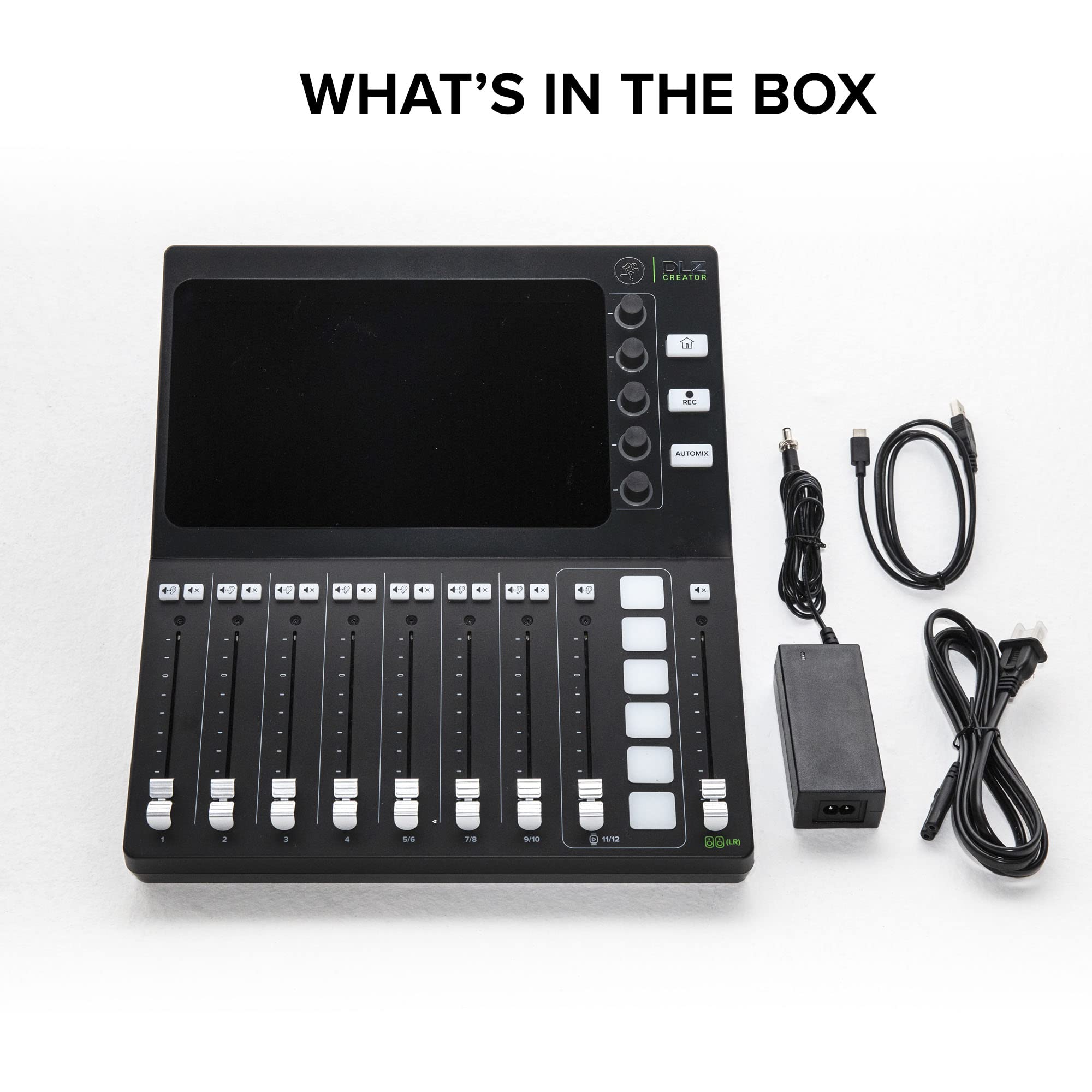

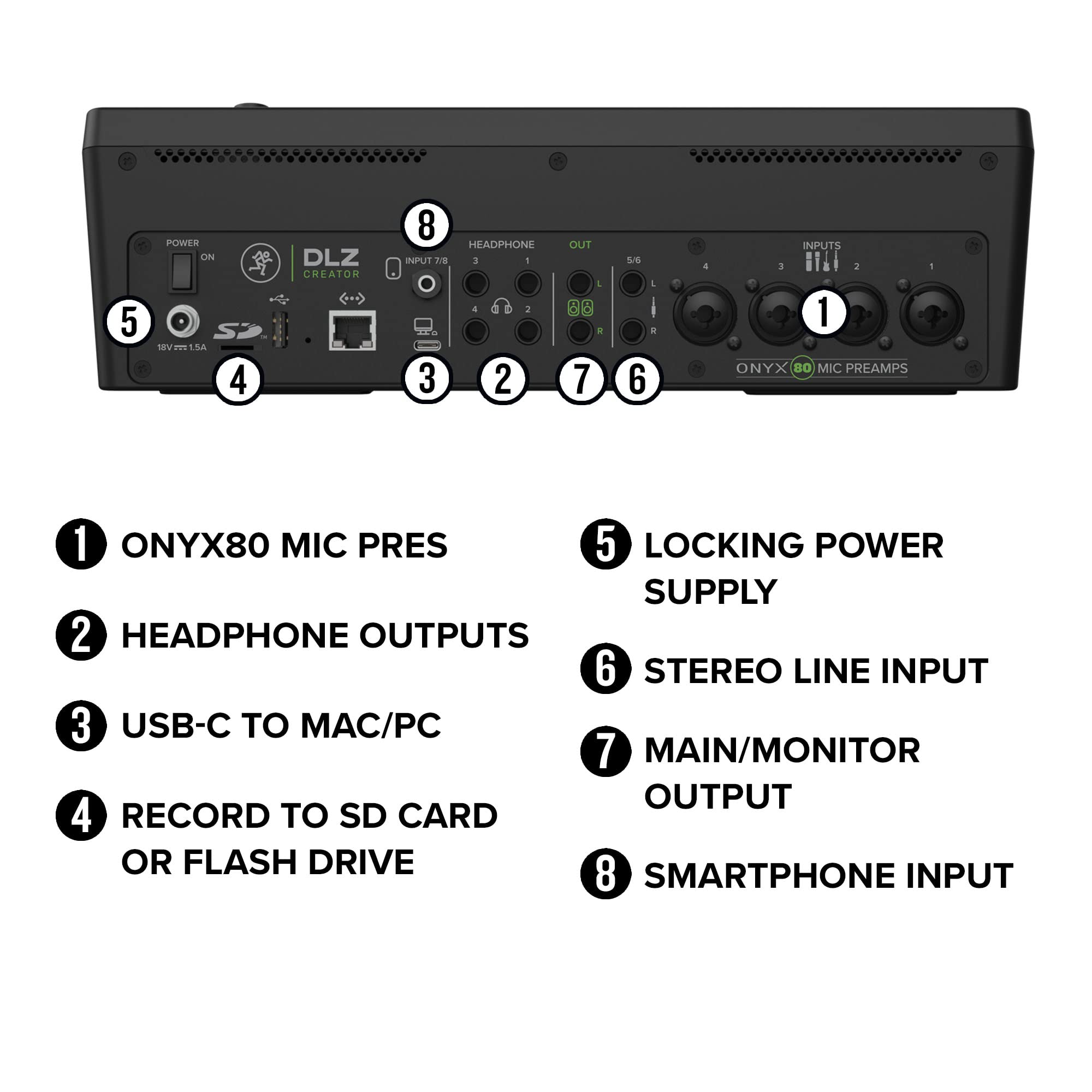

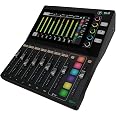
🎙️ Elevate your podcast game with pro-level mixing made effortless!
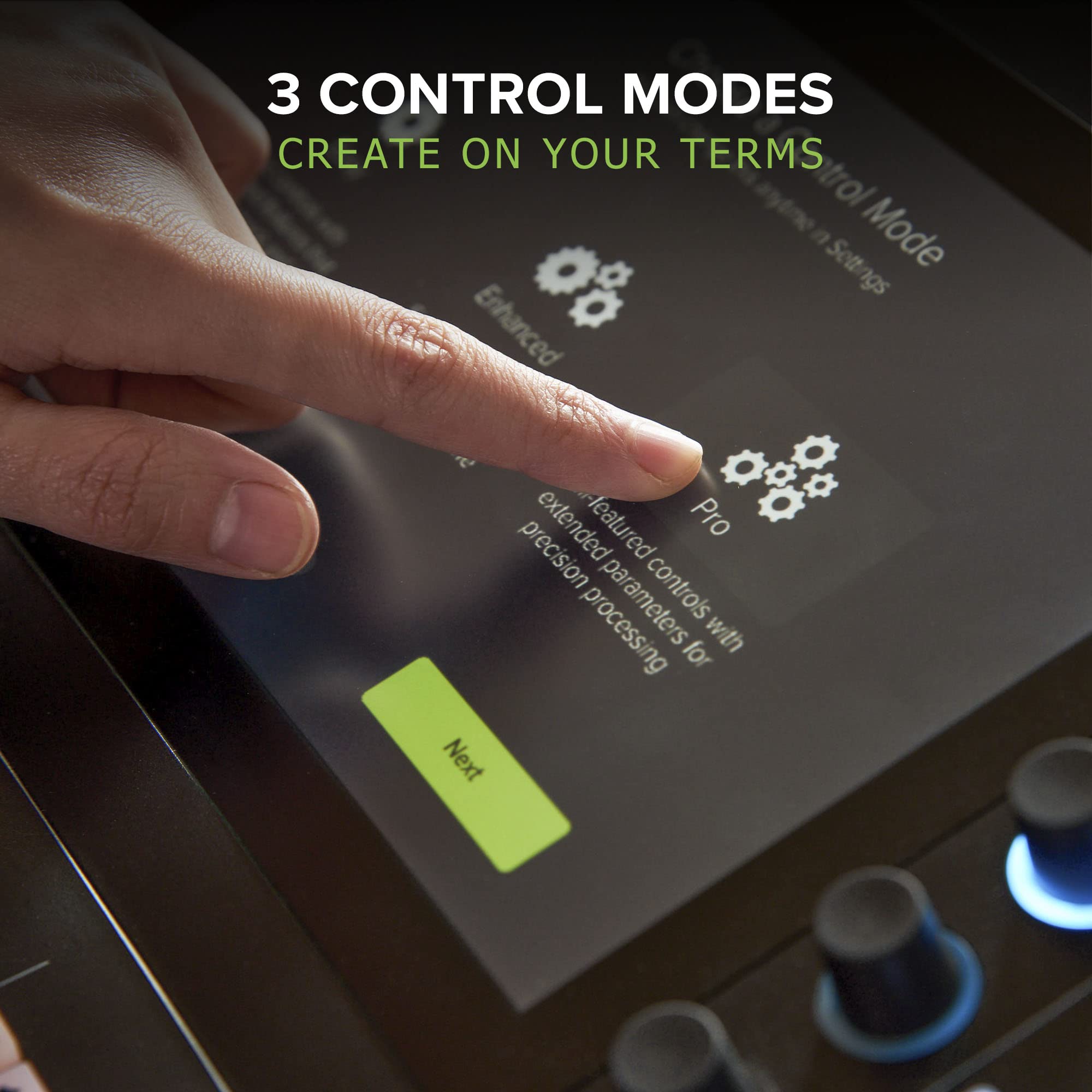
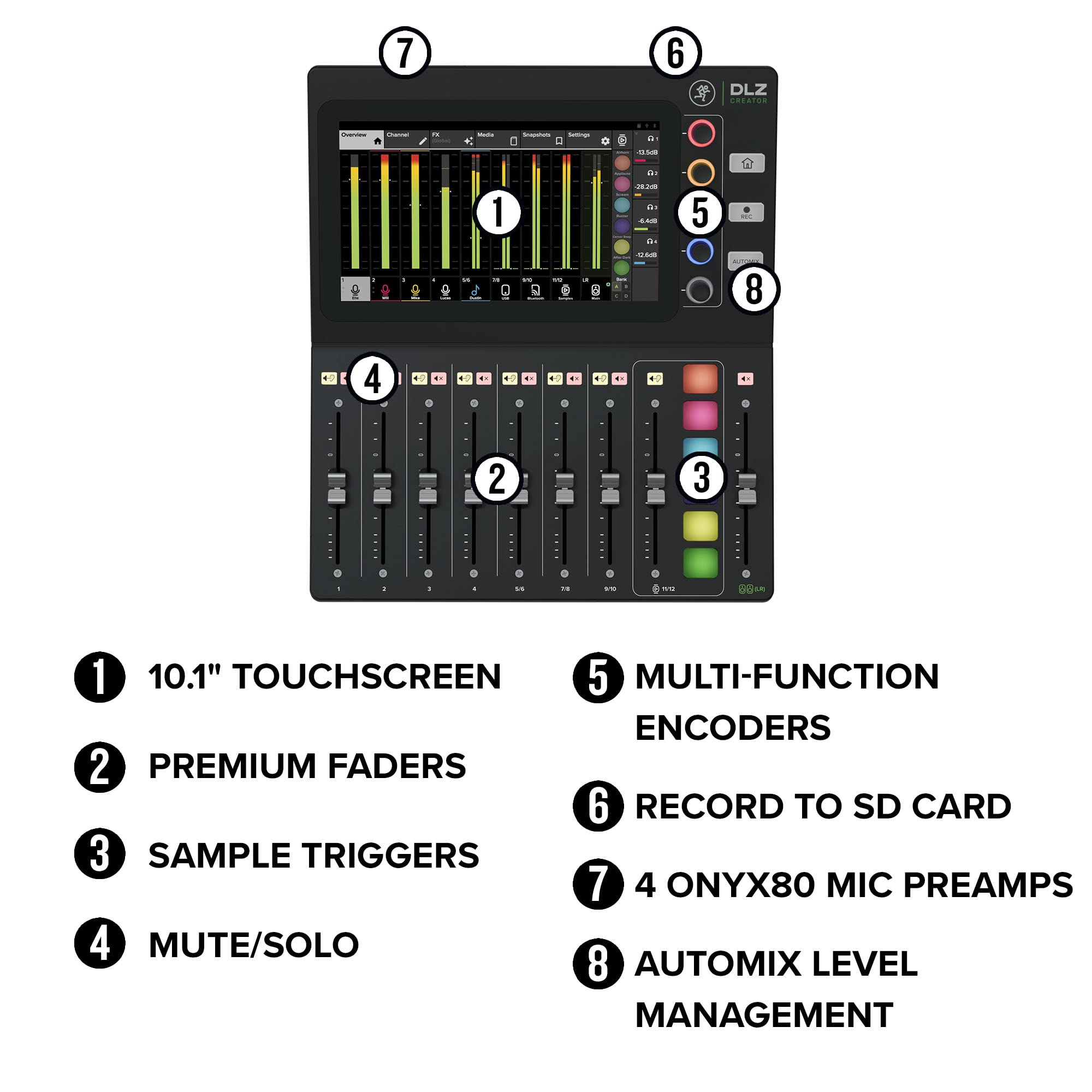
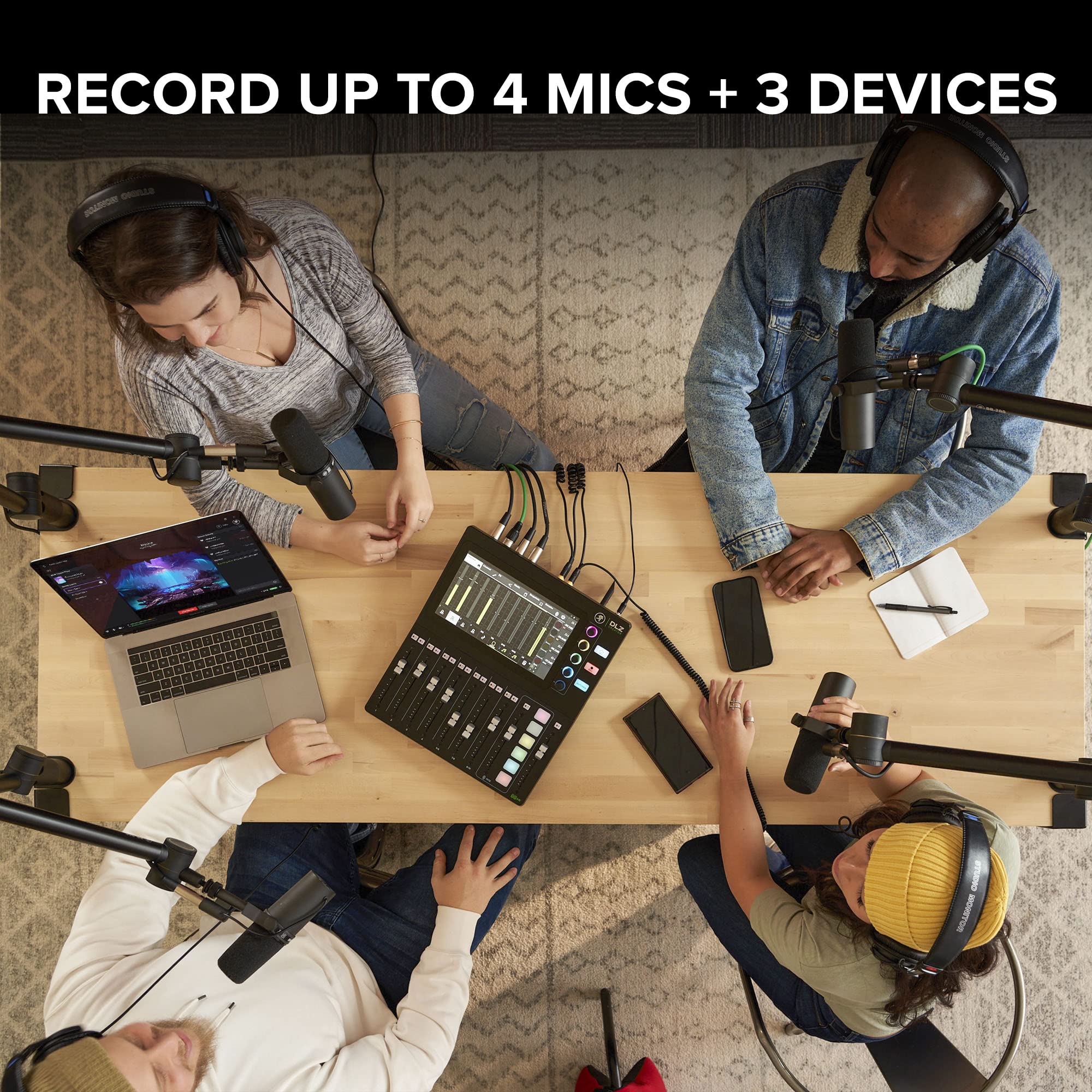
The Mackie DLZ Creator Adaptive Digital Mixer is a 12-channel powerhouse designed for podcasters, streamers, and YouTubers. Featuring three user modes, AutoMix for up to four mics, Mix Agent virtual assistant, and multiple recording options including USB-C and SD card, it delivers professional sound quality with intuitive control. Lightweight and versatile, it’s the ultimate all-in-one mixer for content creators seeking flawless audio and streamlined workflows.



| Audio Input | XLR |
| Power Source | Corded Electric |
| Number of Channels | 12 |
| Connectivity Technology | USB |
| Item Weight | 9.1 Pounds |
| Item Dimensions D x W x H | 15"D x 13"W x 4.1"H |
G**.
Seamless Sound Mastery: Elevating My Podcasting Journey with Mackie DLZ
I recently purchased the Mackie DLZ Creator for my home podcasting setup, and I couldn't be more thrilled with the results. This compact audio interface has truly elevated the quality of my recordings and made the entire podcasting experience smoother.Firstly, the DLZ Creator's sleek design caught my eye, but it's the functionality that stole the show. The preamps deliver crystal-clear audio, capturing every nuance of my voice without any unwanted background noise. Setting it up was a breeze – the plug-and-play feature made the installation process hassle-free, allowing me to focus on my content rather than technicalities.One standout feature is the intuitive control app that comes with the DLZ Creator. It provides a user-friendly interface to fine-tune audio settings, giving me the flexibility to customize the sound according to my preferences. The real-time monitoring capability ensures that I can make on-the-fly adjustments, ensuring a professional-sounding podcast every time.Whether you're a seasoned podcaster or just starting, the Mackie DLZ Creator is a game-changer. Its impressive performance, user-friendly design, and attention to detail make it a top-notch choice for anyone looking to step up their podcasting or livestreaming game. I highly recommend the DLZ Creator for a seamless and professional audio experience.
T**E
I LOVE THIS MIXER!
Everything just works for my use-case... I am serious about BIG, RICH, and CLEAN VOCALS... and it delivers with the built -in Noise gate and Compression and even offers Reverb and Delay. Love the Trigger Pads. However, The Learning curve may be a bit much for a beginner by in having to manually route the recorded files to playback from the SD card to a channel. Also, the non-ability to access files on the SD Card from your Computer via some sort of companion software app; that will also drag and drop audio to the trigger pads. Currently, the SD card has to be removed and put directly into the computer, add the files, then re-insert the SD card the route everything where you need it to go. I am hoping since Rode bought Mackie that some great firmware updates are on the way (Similar to the Rodecaster Pro 2).... Including, but not limited to, some sort of companion app.
M**S
Wanted to Love It
I have been using the Rodecaster Pro 1 and 2, but in using the RCP2, I have been having trouble with the USB connection cutting out when live streaming, which would sabotage my whole stream. So I kept an eye on the Mackie DLZ Creator, but I was really needing the voice fx. When I saw the XS version available that had voice fx, I took the dive, because I need something strong and realiable for podcasting and live streaming. I tried both theFrom the beginning, I have been completey disappointed with the performance of this board.- The setup to make this work with OBS for streaming is a lot of steps and most of the links didn't work. At the end the day, I couldn't get the instructions to work, so had to try a few work arounds. This was a major red flag that exhausted my initial setup.- The touch screen and small knobs makes this clunky to work through settings. At each page, you have to figure out which knob goes to what.- There is no connection to the PC, where you can transfer recordings. You have to take out the micor SD card or a thumb drive to do the transfering.- The mic gains are very noisy. At first, I thought it was picking up the heat vents, but realized when I turned everything off, it was still an incredibly loud and noisy gain. I tried setting it automatically on my SM7b, and the gain was so loud. When I turned the gains down, they were so low, the output wasn't loud enough. I have to remove all presets that were given for the SM7b and just go with dynamic mic settings. I spent hours on this. With the RCP2, I can plug in and setup any mic in like 5 minutes and get quality sound.- The gains on the headphone jacks need more room.I have enough experience with pro audio to work through mic settings, compression and noise gate. I tried two days worth of broadcasting and was spending way too much time trying to work through settings.It seems many people like this mixer. But it was just not a good experience for me.I will have to go back to the Rodecaster Pro 2 and gamble on the USB working or not.
J**.
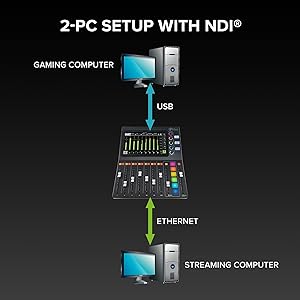
Great little mixer with NDI support
I'm using this mixer to drive audio at my desk from multiple sources (personal machine, work machine via Bluetooth, a third laptop via 3.5mm jack. Having the audio controls right in front of me helps when transitioning between different screens and audio sources when working with others remotely. I'm using the NDI output hooked up with OBS studio - working great to get my audio feed over virtual camera for Teams/Zoom calls. Has a decent effects engine included for reverb and delay -- really lets you tune the sound to match your room profile. Overall I think this device would be good even for a beginner (there are separate control modes based on how advanced of an audiophile you are).Mixing pads are a little clunky to use (switching between banks is a really small arrow on the touch screen. I wish the dials could be remapped to different sources rather than being stuck on the same input/output. The web interface works decently from an actual web browser but on mobile doesn't seem to respond well to touch input (tried on FireFox, Chrome, and Safarai in iOS). Overall I'm happy with the purchase!
K**S
Mackie DLZ Creator Review
The media could not be loaded. Best Mixer Board I’ve ever had. It doesn’t freeze up like my Tascam did. Simple to use and looks GREAT. I’ve had over the years at least 10 Mixers and this outshines them all Y’all.
C**Z
Amazing Digital Mixer!
This product does everything a YouTuber, podcast or streamer is looking for. It is easy to setup and even easier to use. It’s fully customizable and that makes it a great buy. The big 10” screen makes it even easier to use because you get your levels and some digital dials on there. If you ask me this was an excellent buy!
Trustpilot
2 months ago
1 month ago
2 weeks ago
1 month ago