We remain fully operational. Our teams are working around the clock to ensure your deliveries continue safely.

DOWNLOAD THE APP


Customer Services
Copyright © 2025 Desertcart Holdings Limited
DOWNLOAD THE APP

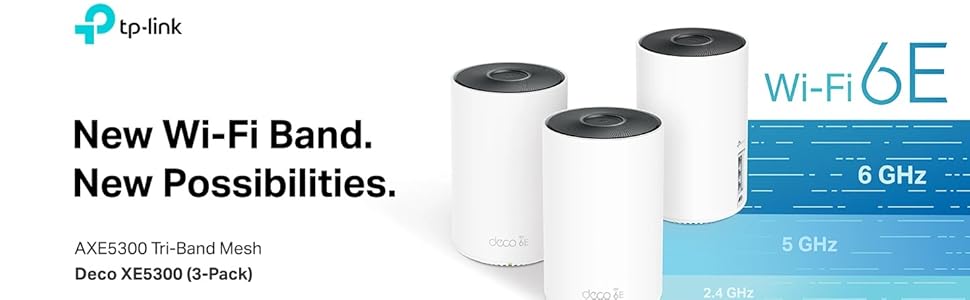
🚀 Elevate your home network to warp speed and never miss a beat!
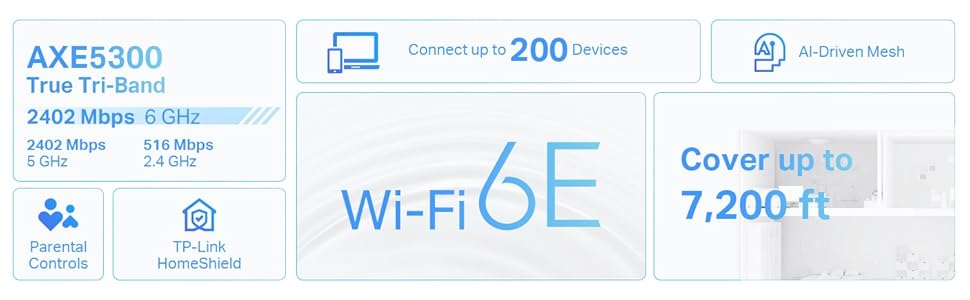
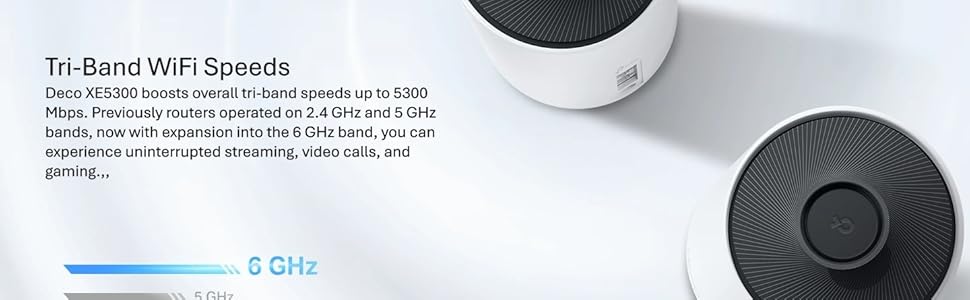
The TP-Link Deco AXE5300 is a renewed Wi-Fi 6E tri-band mesh system featuring a new 6GHz band, delivering speeds up to 5.3 Gbps and covering up to 7,200 sq ft. Its tri-band design supports up to 200 devices simultaneously, ensuring seamless connectivity across your entire home. Compatible with all Wi-Fi devices and ISPs, it offers easy setup and advanced parental controls via the Deco app, making it a top-tier choice for modern, connected households.









| ASIN | B0BGQLRLW4 |
| Best Sellers Rank | #9,683 in Electronics ( See Top 100 in Electronics ) #46 in Whole Home & Mesh Wi-Fi Systems |
| Customer Reviews | 4.5 4.5 out of 5 stars (245) |
| Date First Available | September 28, 2022 |
| Item Weight | 6.03 pounds |
| Item model number | AXE5300 |
| Manufacturer | TP-link |
| Product Dimensions | 12 x 10 x 4 inches |
S**E
Great
Got this to replace my few years orbi mesh system. It was easy setting it up, just download the deco app and follow the instructions. I like that you can use any unit to be your main router. Also the minute the main router/unit is up. U just need to plug the rest of units to the power and you ready to go. Coverage is really good. I have 1500SF house and a big yard. I still have 2 bars on the other side of my yard. I had to change the sattalites placement though to get the best coverage. I love that you can do everything through the deco app. So far so good. I'm happy I got it. UPDATE:1/4/2026 So far so good. Everything working great. I was hesitant buying a refurbished one. I'm glad I did get it.
D**Y
Fast, Efficient, and Secure - cant ask for more
Fantastic. replaced the office google mesh with this bad boy. The speed is night and day, the coverage is excellent, and the vpn server option was gravy on an already delicious meal. I can now support all the boxes in the house while on the road. No more facetime staring at screens
A**D
Nice Wifi, with a few (minor) issues.
This is a pretty great option for switching to Wifi 6E if you are wanting to do so. However, if you have a more advanced use case, look elsewhere. One idiosyncrasy/complaint I have is that if one of the units loses power, the other two default to wireless backhaul. There is no way to completely disable wireless backhaul. (This bit is more of an advanced section for network admin types): I was hoping for a way to put the Wifi radios on separate VLANs; I wanted my IoT devices on a separate VLAN than the rest of my wireless devices (as well as a guest network). You are able to activate guest networks and I did do that, but there is no way to separate the wireless into separate VLANs once they leave the wireless device. In the Router mode there is a way to select a VLAN but there is only one choice; all traffic coming from the device is on one VLAN. Regardless, the Access Point mode is what I use, and it works great for that. I'll keep these in use for a few years and wait for more advanced features on Wifi 6E access points to come down in price.
C**S
Good upgrade to wireless mesh network
Would never have known it was refurbished if not for the listing saying it was. VERY easy to set up with the app, very good area of coverage. Speed is very good.
L**A
Easy to install, nice strong signals
Easy to install, works well through concrete
G**R
Had an issue but it was promptly resolved
One thing to help troubleshooting at the end of this. The setup with these went really smoothly. I like the app. What I like the most is how simple they are. All three units are identical. So whichever one you plug in first because the primary router and the other ones become the satellites. So this means that you could keep on expanding if you wanted since you just need to keep adding satellites. Since these were renewed I knew there was a chance that I would run into an issue. So one of my satellites didn't work. I didn't want to send everything back to Amazon since I had already set it all up and everything else was working. So I just contacted the seller directly, spoke to a real person in Brooklyn. She sent me an RMA label for the faulty satellite, and about a week later I received a replacement satellite which worked perfectly. Also, in the meantime, all of our devices just connected to the next-closest unit, which still gave us good connections for what we needed. But now that all three are in the system again I do feel that we have better throughput wherever we go. One note you may like to know is that even if you set up your new network with the same name and password as the old one, not all of your devices will connect to it automatically. If this happened, all I had to do was turn wi-fi off and on on the device, and then it reconnected and was good. I'm sure if you understand networking this will make sense to you. But an easy fix for anyone.
V**O
Refurbish with power and price
I saved a little with a refurbish unit that works the same as a brand new one, just without all the new packaging. I don't mind because all that stuff is going into recycling or trash. Setting up the unit was easy. Although I had to reset one of the mesh unit multiple times to get it to recognize the wifi signal. I could've used one to cover the whole house (2100 sq/ft), but chose to use all three-mesh unit using one as a router and other two for support. Have not used the back haul yet due to lines are Coax connection. I did have to reconnect all my smart home devices onto the new network, it was a pain, but took time. Speeds have increased and so far, not had any drop in connection among my smart home set up. I've got one unit upstairs and the other two downstairs opposite of each other. So far everything is working great and I'm happy with performance and set up.
J**N
Let there be Wi-Fi!
I plugged them in, paired them with my existing system, made one of the new ones the main deco, unplugged the old system, and everything is working, seamlessly. Worth the buy!
F**O
Al principio dude en comprarlo por ser un producto reacondicionado, pero no me arrepiento, salió de muy buena calidad y alcance, resolvió mis problemas de conexión de internet, lo recomiendo. Fácil de configurar. También quiero mencionar que llegó antes de lo establecido.
S**X
Update: Despues de casi 2 años de uso tengo que reportar un par de asuntos con el dispositivo, el mas importante es que en 2 de 3 unidades empezo a fallar uno de los puertos de ethernet ya sea al punto de dejarlo inutil o bien de limitar la conexión a 100 Mbps, checando el internet parece que es un problema bastante común con este modelo, si todo lo conectas WiFi esto no te efectara mucho, pero si aun tienes algunos dispositivos que prefieres conectar con cable en definitiva se volvera un dolor de cabeza, en mi caso el puerto 1 es el puerto de coneccion al modem, con el puerto 2 conecto mi unidad principal a la segunda y con el puerto 3 conectaba mi PC, pero ahora eso no es posible. Otro asunto es que para ser dispositivos tan costosos carecen de ciertas opciones avanzadas, por ejemplo no se puede especificar un DNS encriptado por TLS o HTTPS, ademas si quieres usar Adguard o pihole para bloquear publicidad los dispositivos conectados a la red de invitados o IoT pierden la conectividad porque no pueden acceder a dispositivos conectados en la red principal y esto incluye al dispositivo donde tengas pihole o adguard, y no hay una opción para especificar un DNS alternativo para estas redes, de igual manera el sistema no tiene capacidad para llevar un registro de los datos consumidos, ni en general ni en particular, algo importante ahora que TotalPlay quiere cobrarte por navegar "de mas"... Excelente opción para los que no quieren dejar ni un espacio de su casa sin señal WiFi, fácil de configurar pero con opciones muy avanzadas disponibles. Velocidades de hasta 90 MB/s (unos 800 Mbps) entre dispositivos de manera inalámbrica, es de ir casi igual que si usarán cable Ethernet. Si tienes una conexión a Internet de más de 1000 Mbps lo mejor es irse por el modelo Pro que soporta hasta 2500 Mbps, pero para los mortales como yo la versión normal es más que suficiente.
Trustpilot
2 months ago
1 week ago