

Desert Online General Trading LLC
Dubai, United Arab Emirates
Desert Online General Trading LLC
Dubai, United Arab Emirates


🎛️ Master your smart home scenes with a tap — no wires, no limits!
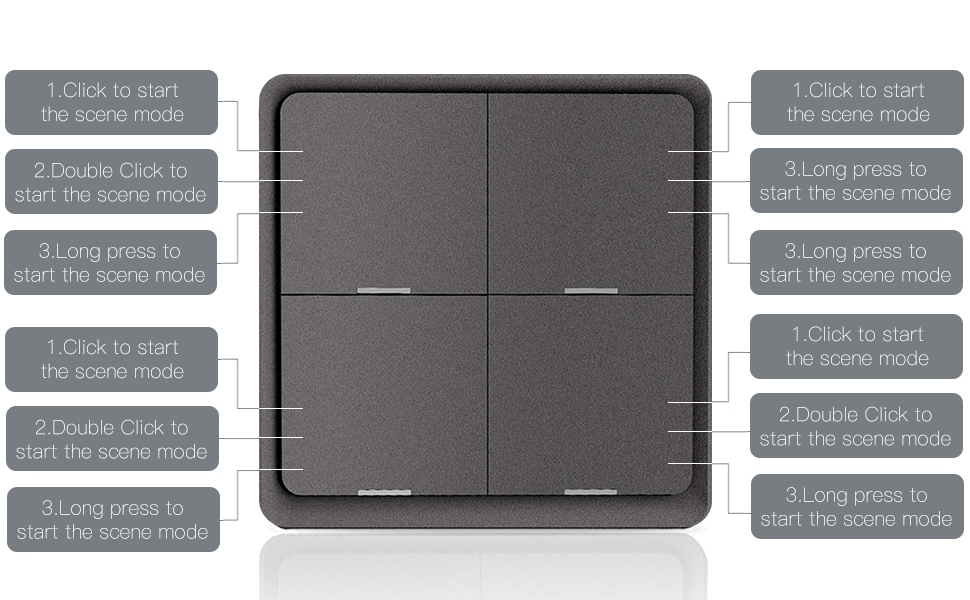
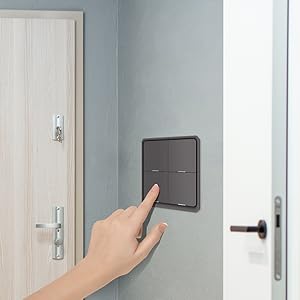
The ZigBee Scene Switch Push Button is a sleek, battery-powered 4-gang smart switch requiring a Tuya ZigBee hub. It supports 12 customizable automation scenes via the Smart Life app, operates independently of WiFi for faster response, and offers versatile placement with included double-sided tape. Note: Alexa and Hue are not supported.





| Manufacturer | WENZHOU NOVA NEW ENERGY CO.,LTD |
| Part number | ZT-SY-EU-G-4S-WH-MS |
| Item Weight | 95 g |
| Package Dimensions | 10.1 x 10 x 2.2 cm; 95 g |
| Item model number | 4bdb4758-5d1a-4c0f-aac8-6eb23088ace6 |
| Size | 4 Gang |
| Colour | White |
| Wattage | 3E+1 |
| Switch Type | multi-way |
| Plug profile | Wall Mount |
| Batteries included? | No |
| Batteries Required? | No |
S**U
Works well with home assistant
Works very well with home assistant and a ZigBee network in place without a delay when activated. Easy to set up and instructions are clear. When first installing you do need to go through every actin such as single double and hold with each button before they show up as actions in home assistant. Will be using more of this brand scene switches.
A**R
Home assistant to WLED
The media could not be loaded. I'm using the switches to control wled through esp32 Via home assistant. Connected flawlessly and works as it should, recommended.
A**R
Much better than expected
I had very low expectation of this but the quality of the product is much better than expected. The device feels premium despite being all plastic with nice clicky buttons. Came with a battery despite saying it dosnt and connected to home assistant straight away. My only complaint is that this is the older TS0044 model which really should be stated in the product listing which is the reason for only 4/5 stars. Otherwise a great product that I will consider buying more of if the price drops back down to £17 I paid for it.
J**N
Great alternative to light switch
We have all our table lamps on smart plugs. When you don't want t weo say "hello Google" or "Alexa" you can program this to turn your light on or off. Simple. Each of the 4 switched has 3 modes. Single click, double, triple so you have 12 commands. Only thing is, you have to remember what they are!This is thin, lightweight, you can stick it to a wall (where you need it, not where the old light switch wired into the wall happens to be), on a table, carry it with you... Buy two (one at the top of bottom of stairs). Means you don't have to shout at Alexa across the hall etc etc.Really good.V pleased
J**I
Can't install
Just can't get it to bl**dy Install... tried the Moes app (fail) zigbee, network (fail), Homey (installed as unknown and fails). Waste of money
R**L
Easy to use
Works perfect, easy to program and use
S**R
Great
This is a great switch pairs very easy and easy to program
C**N
It’s ok…
The Moes 4 button switch could have been a game changer for Zigbee wireless control in my house. 4 separate clear buttons to switch multiple devices in a room, and to be clear, it does (eventually) do that. Bought on Prome Day for £18.Let me break it down in to parts:Construction / The Switch itselfIt’s of adequate construction, it’s cheap plastic but seems durable and fit for purpose. The buttons have a nice click to them and haven’t really faded in a few days use. The battery is a weird CR2040 which one was included in the box for me, it couldn’t have costed much to added usb charging to this surely?Connecting to Home AssistantRight then, this is where it starts letting itself down. First off, there is no instruction in the manual how to put the switch into pairing mode. I found this out properly from Zigbee2MQTT - you need to press buttons 2 & 4 (top right and bottom right) for 10 seconds. Once it got paired to my Zigbee2MQTT for reasons I still can’t explain, it kicked off two Sonoff plugs and two Innr plugs and caused the Zigbee2MQTT docker to crash, multiple times. After re-adding all four plugs everything seems to be working again. Also, the switch has two modes, button mode and dimmer mode, dimmer is the default. Hold down button 3 (bottom left) for 10 seconds to change to switch mode. The manual and page say there should be 4 modes to each button, however without fiddling in Zigbee2MQTT you will only get 4 buttons appear in Home Assistant.In use:Comes with stickers to hold it to a wall or in my case over a traditional light switch. The clickly buttons are satisfying in use and clear to the user it’s been pressed. Assigning in Home Assistant is done through automation page, select the switch, select what you want it to do. Simple enough.Overall impressions:Ok so would I buy another for my house? In short? No. Built quality feels adequate, but for similar money you can use Philips Hue switches which feels so much better, and pairs so much easier. The plastic already looks like it’s been used for 6 months after 4 days. The lack of clear instructions for someone not using Tuya Zigbee hub is stupid. Zigbee is designed to be interoperable and shouldn’t insist on it being used with just one method. The weird battery choice is also, well, weird and all the buttons not showing up in home assistant isn’t great either. And just overall, not impressed with it, 3 stars only.
Trustpilot
3 weeks ago
1 month ago