


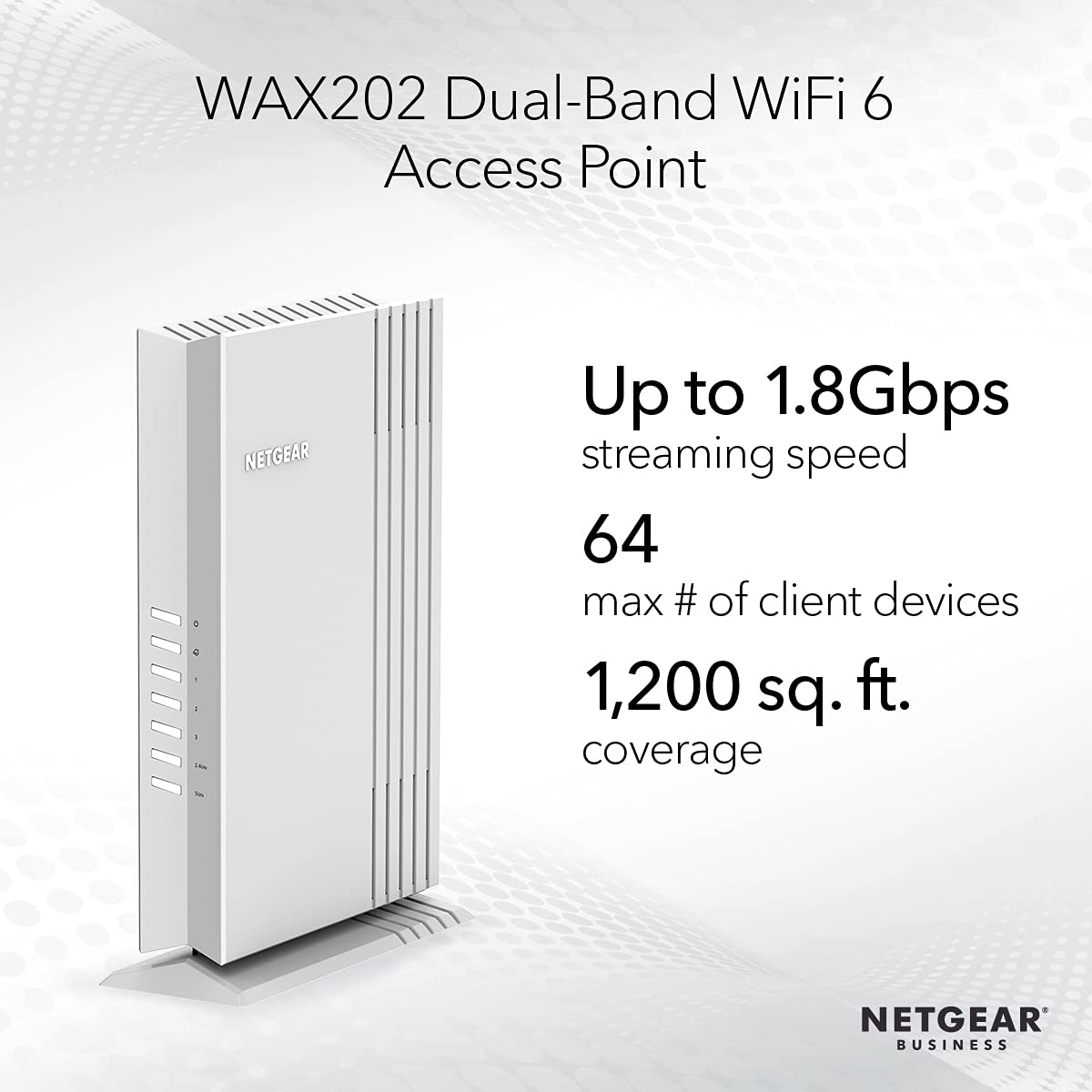

🚀 Elevate your WiFi game with WAX202 — coverage, speed, and security in one sleek package!
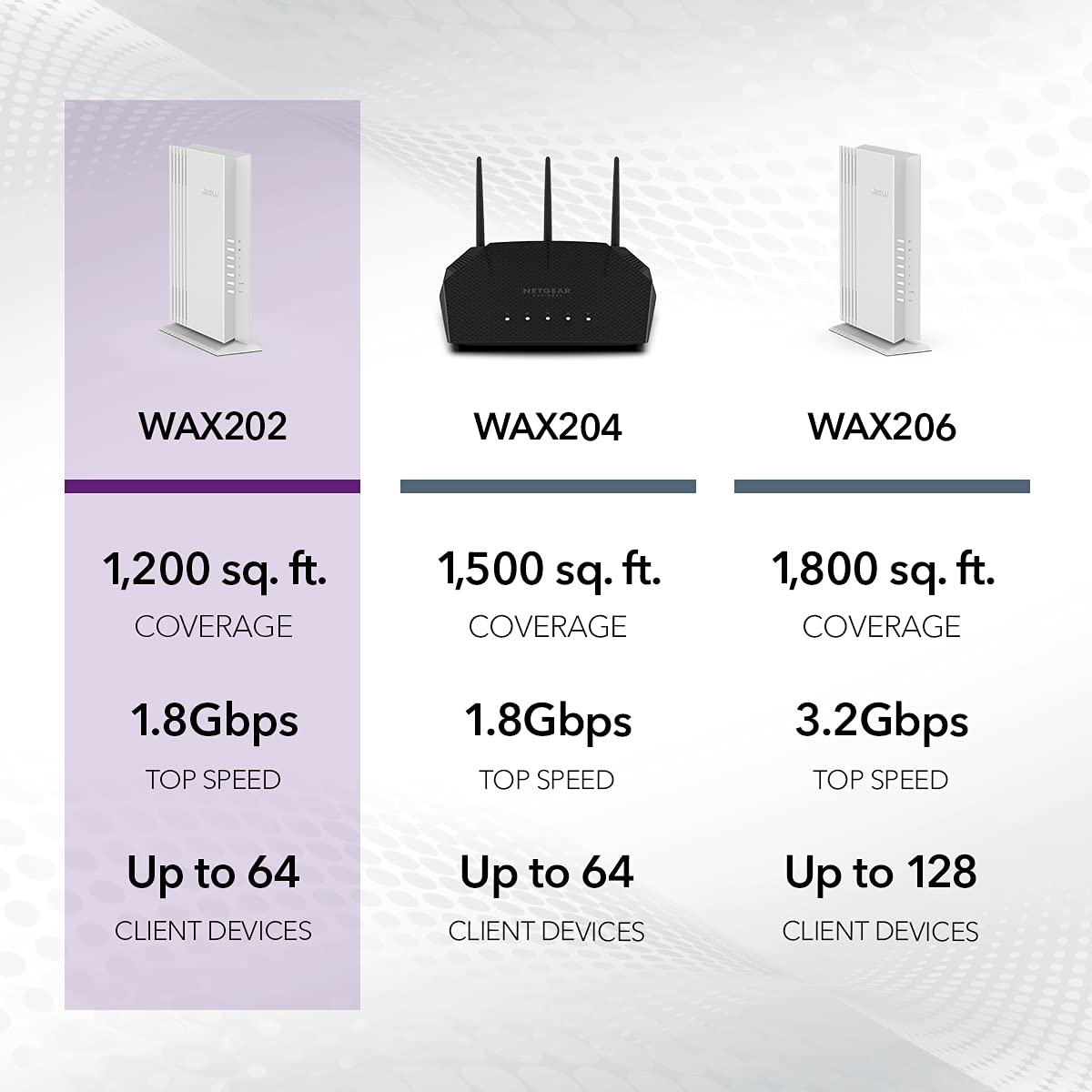
The NETGEAR WAX202 is a powerful WiFi 6 dual-band access point delivering AX1800 speeds and coverage up to 1,200 sq.ft. It supports up to 64 devices simultaneously with MU-MIMO technology and offers three gigabit Ethernet ports for wired connections. Designed for easy installation and management via an instant setup wizard, it also features advanced security protocols including WPA3 and supports up to 3 SSIDs, making it ideal for home offices, dorms, or any dedicated secure WiFi environment.


| ASIN | B098FGSHXH |
| Are Batteries Included | No |
| Best Sellers Rank | 81,455 in Computers & Accessories ( See Top 100 in Computers & Accessories ) 188 in Wireless Access Points |
| Brand | NETGEAR |
| Colour | White |
| Customer Reviews | 4.2 4.2 out of 5 stars (484) |
| Date First Available | 1 July 2021 |
| Form Factor | PRINTER |
| Guaranteed software updates until | unknown |
| Item Weight | 1 kg |
| Item model number | WAX202-100EUS |
| Manufacturer | NETGEAR |
| Operating System | Netgear OS |
| Product Dimensions | 24.2 x 17 x 6.3 cm; 1 kg |
| Series | WAX202 |
| Wattage | 3600 watts |
| Wireless Type | 802.11a, 802.11ac, 802.11ax, 802.11n |
B**L
Easy Setup
This was so easy to set up that it took less than 10 minutes to create an access point from a 60 foot cat 6 cable run outside under the eaves and to the opposite side of the house and back in. I did have to do an internet search for a manual, as the manual in the box was dire and lacked some info. Young adult in the house is now very happy with his connection. He was lucky if there was even one bar from the main router before this. The cable goes in the wan port, then plug into electric and power up. Google chrome is next on a laptop or pc, to log into the netgear WiFi and then follow instructions for router or access point on the screen. Excellent piece of kit. He now has 4 lan ports and full bar wifi.
G**F
Netgear is excellent - reseller delivery was appalling
The Netgear access point is more than just an access point - it can work as a fully functioning router as well. The signal is superb - nothing to complain about. And installation is as easy as it could be. My only gripe is that the reseller said it was in stock, which led me to click Buy. Delivery however took almost 2 months. That tells me, either they’re logistics suck or it wasn’t in stock, despite what their advert said. And that is not good!!
D**N
Easy installation
These are good quality Access Points that work well.
M**R
Great for the price
Good AP or basic WiFi 6 router for the price. Very easy to set up and a great price for WiFi 6. I use it as a router and find it better than BT smart hub
J**R
Short lived
Good unit when working. Difficult to access website to log into the unit. Unfortunately the router died after 6 months.
R**S
Good
Bought this as an access point as we were running ethernet around the house replacing some old BT power line adaptors, they work really well, it has really good range I put one ap in the living room and it covers the garden and the ground floor really easily and also reaches the room upstairs, I have another one upstairs to cover that area that it doesn't reaches. This is a really good products and it works as advertised!
M**S
Excellent
A bit tricky to set up as a repeater or Access point , but a goid video on you tube if you can find it will help .Wifii 6 also , lightning fast speeds , dependsnt on connection of coarse!
Y**?
Access Point
It's described as an access point. Why then is the default mode a router as supplied. This adds un-necessary complexity to the set up process. Why the need to specify MAC addresses for wired devices when it's really for wireless connection security? Once jumping through hoops though it does seem to function adequately. Will update if anything changes over time.
J**N
Reçu aujourd'hui, je fais un retour rapide quitte à rajouter des observations sur la durée. Ce point d accès est utilisé dans un appartement de 50 M2 . Mon soucis n était pas la porté du signal mais la présence de pas mal de réseau du voisinage. De ce point de vue c est une vraie réussite plus de latence sur mes objets connectés. Pour l instant je n'ai créé qu un réseau avec notamment des périphériques fonctionnant en 2,4ghz ce qui je pense bride les débits. En upload j'ai autour de 600mb en download j'ai dans les 200mb. Le point d accès gère le wps au niveau de centre de contrôle, c'est pratique. La petite déception concerne le canal de 160mhz qui n est pas géré. Par contre le port wan prend en charge le 2,5gb ce qui peut être intéressant . Bref un petit point d accès bien sympa gérant l ofdma et qui fait largement le taff pour moi
E**F
Die Lieferung kam sehr schnell. Das Gerät macht optisch einen sehr guten Eindruck. Die Konfiguration zu einer Access Point Funktion war rechteinfach und hat schnell funktioniert. Das Gerät erfüllt seinen Zweck mit guter Qualität
J**.
AP com bom desempenho, estável, fácil de configurar e sem problemas em 18 meses de utilização.
M**O
Ich habe das Modell WAX202 gekauft. Geliefert wird es in einer Pappschachtel ohne Aufdruck. Also Retail Ware. Der Router wird bei mir als AP eingesetzt auf 5GHz und 2,4Ghz und als LAN Switch. Die Konfiguration ist Kinderleicht. Nach dem Einschalten kann man sich auf die WEB-GUI einloggen und der Wizzard konfiguriert das Gerät. Die IP Adresse des Gerätes steht auf dem beiligendem Zettel. Der Router ist nach dem einschalten im 192.168.1.X Netz. Also vorher darauf achten, dass der PC auch in dem Netz ist :) Für die Konfiguration des Gerätes muss man sich NICHT irgendwo registrieren. Der komplette Funktionsumfang ist sofort offline vorhanden! Auch benötigt man KEINE APP für die Konfiguration. Alles wird über den Browser konfiguriert. Mein Firefox hat dem https Zertifikat nicht getraut und den Zugriff auf den Router zuerst verhindert. Aber man kann einfach auf "ignorieren" im Browser drücken und dann geht es weiter... Mein Aufbau ist so: Internet -> FritzBox mit DHCP -> WAX202 AP (AP Modus+LAN&WAN Bridge, kein NAT) Den WAX202 kann im AP Modus den WAN&LAN Port zusammen Bridgen und dann ist auch das DHCP vom Router aus. Dadurch ist das NAT ausgeschaltet und alle meine Geräte bekommen von der FritzBox ihre IP. Die Leistung des WLAN ist sehr gut. Man kann die Sendeleistung auf bis zu 25% reduzieren und auch das WLAN Zeitsteuern. Das Gerät steht zentral im Haus in der 1 Etage. Und vom Keller bis in den Garten funktioniert das WLAN. Der Standfuß kann abmontiert werden und wenn man vier Gummiefüße unter das Gerät klebt (nicht enthalten), liegt das Gerät auch. Alles in allem, für den Preis ein Upgrade auf alle neuen aktuellen WLAN Features ist super. (AX und MU-MIMO)
G**C
Ho comprato questo router usato su Amazon Warehouse per 52 euro, un predone considerando che è totalmente compatibile con OpenWRT (basta installare il firmware OpenWRT dalla GUI Netgear e ci si trova un software più personalizzabile, veloce e aggiornato di quello originale Netgear. Non ho avuto problemi con il WiFi usando OpenWRT e riesco ad usare lo standard AX senza alcun problema. Tenendolo stock il setup è facile, ma l'interfaccia è estremamente lenta e se avete un minimo di dimestichezza installare OpenWRT sarà una manna per questo Access Point/Router. Dimenticavo, nel mio caso lo uso solamente come AP e switch, collegato ad un router MikroTik per la connettività internet. Nella foto sembra spento ma in realtà tramite OpenWRT ho spento tutti i led in modo da non dar fastidio dato che sta posizionato vicino al TV in salotto.
Trustpilot
1 week ago
1 week ago



