
DOWNLOAD THE APP


Customer Services
Copyright © 2025 Desertcart Holdings Limited
DOWNLOAD THE APP
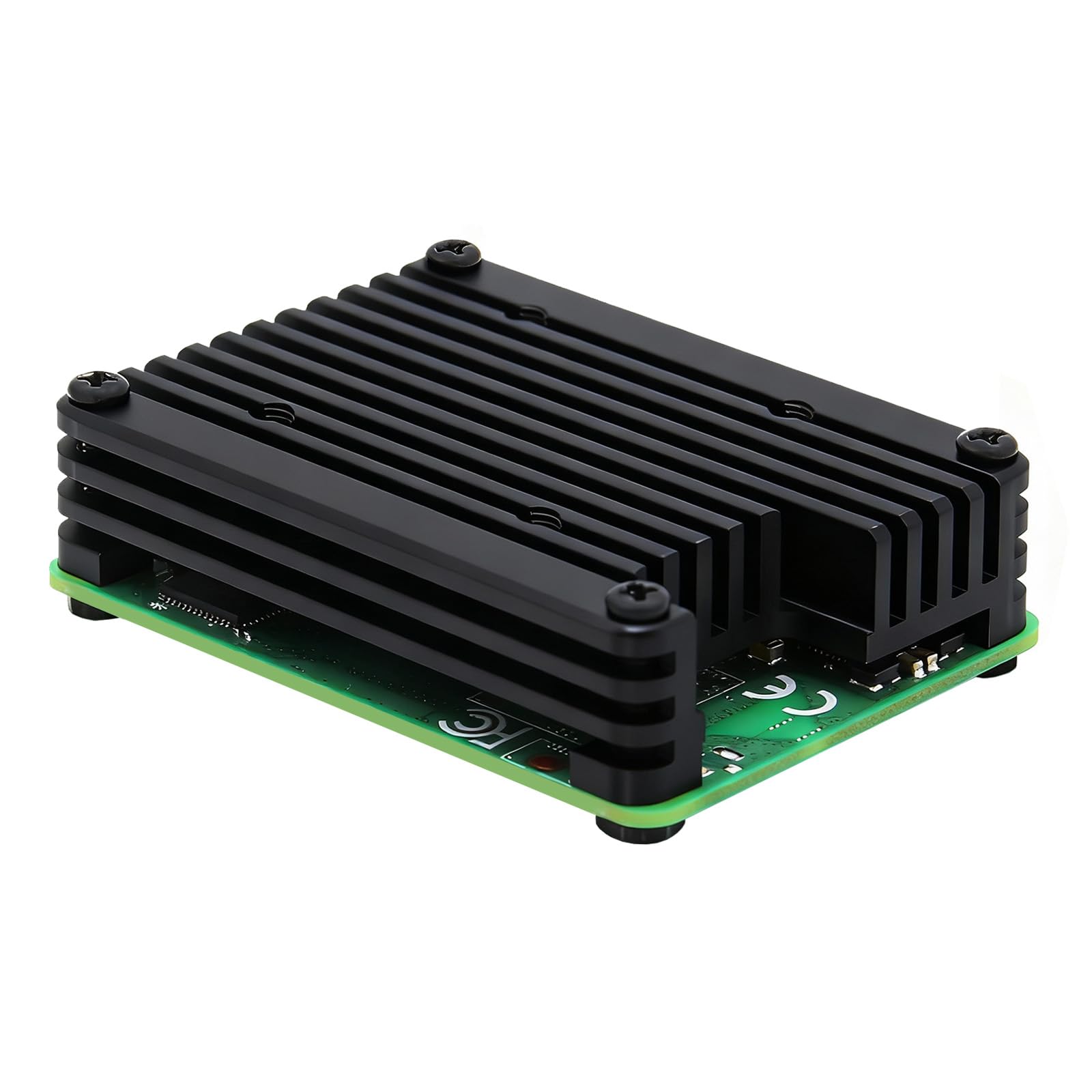
❄️ Keep your CM4 cool, calm, and connected — because overheating is so last season!
The Geekworm C235 is a precision-engineered 12mm aluminum heatsink designed exclusively for the Raspberry Pi Compute Module 4. It offers versatile cooling with passive fins and optional 30mm fan support, ensuring your CM4 runs efficiently under both everyday and high-performance conditions. Its compact, low-profile design preserves antenna connectivity, while the included thermal pads and mounting hardware simplify installation. Ideal for professionals demanding reliable thermal management without sacrificing space or signal integrity.


| ASIN | B08QMTVCJW |
| Batteries Required? | No |
| Batteries included? | No |
| Best Sellers Rank | 64,890 in Business, Industry & Science ( See Top 100 in Business, Industry & Science ) 173 in Computer Heatsinks |
| Customer Reviews | 4.4 4.4 out of 5 stars (94) |
| Date First Available | 8 Dec. 2020 |
| Item Package Quantity | 1 |
| Item Weight | 20 g |
| Item model number | C235 |
| Manufacturer | Geekworm |
| Material | Aluminium |
| Part number | TB-2020-14 |
| Plug profile | Chassis Mount |
| Product Dimensions | 5.4 x 3.9 x 1.2 cm; 20 g |
R**H
Decent heatsink, useless mounting kit.
The heatsink itself appears both well machined and finished. It comes supplied with a small amount of heatsink tape - sufficient to cut two appropriately sized pieces for the two chips (cpu and memory), to which the heatsink is applied, and fixing screw/nuts. However, this is for a Raspberry Pi Compute Module (CM4 in this case), and the manufacturer appears to have failed to take into account that the compute module is mounted to a carrier board and, consequently, supplied screws which are too short once the module is mounted to the carrier board. Sure, you could use them to fix the heat sink to the module prior to mounting it - but then the nuts are too thick to allow the module to successfully seat into the socket on the carrier board. The supplies screws are totally useless. Luckily I had sufficiently long screws to hand to replace them - but not everyone will, so bear this in mind. Also, mounting the heatsink would also benefit from 1.5mm plastic washers to sit between the module and the carrier board where the mounting screws pass through both boards - without these it would be very easy to warp the module through over-tightening the screws. tldr: It's a decent heatsink let down by an utterly useless mounting kit - something that could be fixed very easily and cheaply.
S**E
Exactly what I needed
Needed a better way than having a fan next to my CM4 and a little heatsink on the CPU, and the ones I was looking at were imported from China and a lot thinner than this one. Fitting it was easy, it only goes on one way. I've not attached a fan to it at the moment as it keeps it cool on its own (there is a system fan near by that helps). However I did use my own thermal paste, the pads that they give are impossible to remove the protective plastic without tearing it making it useless. This is a must must for any CM4 owner
S**E
15° cooler than nothing!
This heatsink does a reasonable job of keeping the temperature of my CM4 down. Without, typical running temperature is about 75°C, going up to 80° with even a slight load (the CM4 runs much hotter than I expected!). With the heatsink the temperature hovers around 60° (no fan). It would be nice if there were a version with longer fins, but this is still a better option than some of the other existing alternatives.
U**S
Great cooler but nuts and bolts are too short!
I would imagine most people who buy this will have a CM4 plugged into something like a CM4 I/O board. If you do that, the nuts and bolts provided are too short to screw the heatsink in place (through the I/O board)! If the nuts and bolts were longer, this would have a 5 star review. The heat sink itself is fantastic. I ended up using some longer M1 nuts/bolts I had which worked a treat.
S**S
Not fit for purpose as passive cooler
Bought this for overclocking a CM4 module and attached it with the thermal tape and screws supplies. idle temperature before attaching the sink was 36C and it was 46C with the sink attached. The sink was warm and with a fan on the sink that Temperature dropped to 26C. With the fan on its own (with the sink removed) it stabilises at 29C. My conclusion is that the sink is not fit for purpose for passive cooling. The heat dissipates worse with the sink in place than without. Since to fix this you need to make it active cooling with a fan. I suggest just using the fan and not the sink .
A**E
Schnelle Lieferung
N**N
Came with hardware (4long bolts and 4nuts) and a tiny termal pad. Its mentionned for cm4 , but ive gotten it for my cm5. Without being active , on the cm5 it lacks a bit of metal (runs a bit above 70). But without fan i stacked one anodised 1/8 aluminium plate and a 2"x2" heatsinc on top and runs way cooler still without having a noisy fan involved.
F**N
Mon raspberry pi CM4 est maintenant parfaitement refroidi. Le dissipateur est suffisant pour ne pas avoir besoin de ventilateur. Cependant, si comme moi vous voulez jouer la carte de la sécurité, un ventilateur de 40mm pourra être mis au dessus en réalisant un support adéquat.
P**Z
Encaja bien
M**O
ICE! for your CM4. Almost. No matter what I throw at it on the CPU, it never cracks 55*. Ever. Never throttles, obviously. If it did, I'd throw a fan on it. Barely comes with any thermal pads and the one on the larger chip barely makes any contact. But it does make contact. I have an assortment of thermal pads so I threw them over the entire thing. You do have to screw this down a little bit for some of my larger pads to make good contact, but there's a trick to doing it without having the board bend like other people. First, my CM4 is mounted on a carrier board. There's a small gap between the underside of the CM4 and the carrier board. I filled in this gap with thermal pads of the correct height. This made it perfect! I can tighten it down with no bending. It's beautiful with this mod and runs ice cold. This cools better than a cheap one with a fan (when the fan is off), so I know there's headroom if I wanted to add another fan. would recommend if you're ok with taking a chance on having to order a thermal pad assortment. Otherwise, you probably have about a 75% chance of having it work out perfectly. It was worth the small risk for me since I had all the thermal pad assortments I could ever ask for!
Trustpilot
3 weeks ago
3 days ago