We remain fully operational. Our teams are working around the clock to ensure your deliveries continue safely.

DOWNLOAD THE APP


Customer Services
Copyright © 2025 Desertcart Holdings Limited
DOWNLOAD THE APP
![Roxio Easy VHS to DVD for Mac | VHS, Hi8, V8 Video to DVD or Digital Converter [Mac Disc]](https://m.media-amazon.com/images/I/61uOcDbV2qL.jpg)
🎥 Turn your vintage tapes into digital treasures — don’t let your memories fade away!
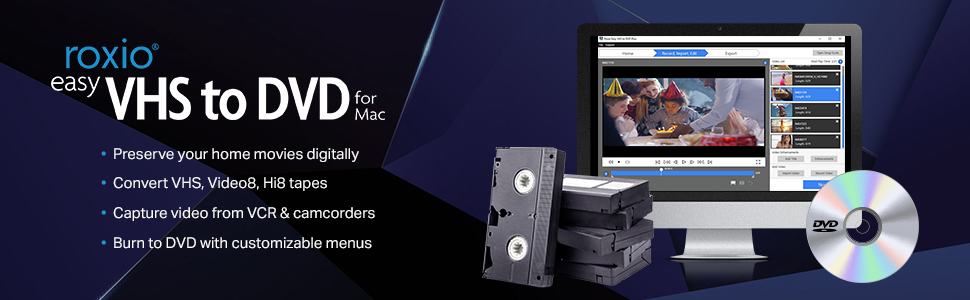
Roxio Easy VHS to DVD for Mac is a user-friendly video capture solution that converts analog VHS, Hi8, and Video8 tapes into digital formats or DVDs. Compatible with Mac OS X 10.11 and later, it includes USB capture hardware and software that integrates with iMovie for editing. The product supports real-time video transfer, custom DVD menus, and direct online sharing, making it the perfect tool for preserving and revitalizing your old home movies.



| ASIN | B00266PHEK |
| Best Sellers Rank | #50 in Software ( See Top 100 in Software ) #18 in Digital Video #105 in Mac Software |
| Customer Reviews | 3.8 3.8 out of 5 stars (1,391) |
| Date First Available | April 9, 2009 |
| Is Discontinued By Manufacturer | No |
| Item model number | 243100 |
| Language | English |
| Manufacturer | Roxio |
| Product Dimensions | 6 x 2 x 8 inches; 5.43 ounces |
D**E
This works Great ! Really is Easy user interface. I got all my 30-Yr-Old VHS-C Tapes Digitized ! Wow !
This worked great for me ! I digitized all my old VHS-C tapes with Roxio Video Capture. I was able to transfer the videos to a PhotoSpring Digital Picture Frame. The 30 year old videos came out great. There is a sizing option on the software so you can break up the video into smaller files. This was perfect for my purpose - recovering old VHS tapes before they rot. I was thrilled to see these old videos of family, friends, vacations. Now they are on a digital photo frame to see anytime. I was also able to see them on my TV with the Apple TV box (the PhotoSpring frame resolution looks better than on TV). I was going to make a return to Roxio at first because it crashed. (They do accept returns.) But I persevered and found out it was my VHS player which was broken. I bought a used JVC HRS5912U VHS player for $65, s-video male to male cables $12 to hook it up, and a VHS cleaning kit $10 to clean the heads periodically while running these old tapes through it. I already had a VHS_C cassette adapter (had to replace corroded batteries & clean up, otherwise new is $20). You also need RCA male to male Stereo cable - I already had lots of them. This all worked fine. The VHS player doesn't have to be hooked up through the TV, I just cabled it to my computer with the player sitting under my MacBook - when you hit play on VHS Player, the display goes through the Roxio Video Capture program. The Roxio USB connector was a little loose so try not to jostle it. I tested recording quality difference between a Composite -vs- S-video hookup: Definitely use S-video if you have the option, composite is not bad though. It was all worth it - the cash and the effort. The results are priceless ! Can you imagine getting to recover video from so long ago ? Thanks Roxio !
M**Z
It is so simple that one tries to make it difficult
Originally I purchased a competing product, but it utterly failed, so I opted for a few dollars more to buy this Roxio video capture system. The instructions, while sparse, are quite clear. The software is installed in your Mac and after installation, one is greeted with the now familiar compatibility warning that it is 32 bit and will soon not work on your Mac. Not to worry, almost immediately a popup reveals an update which you should download and allow to install and relaunch. Once done, connect up your device to your Mac and to your VCR or Camcorder, open the window and follow the easy directions. WARNING!!! prepare to go have lunch as the tape MUST PLAY IN REAL TIME. So, if a tape is 2 hours, that is how long it will take. Once done, you will find the completed .mov file in your User folder under Movies with a Roxio Video Capture folder that contains the movie. After that you can edit the movie in iMovie or, if it is good enough and you don't need sound track or titles, just burn it to an appropriate disk (CD, DVD or dual layer DVD). While I am not the world's greatest lover of Roxio, this baby works as advertised. Glad I bought it as I have some videos shot 40 years ago that needed to be saved digitally. My wife is happy. "happy wives make happy husbands". (old proverb)
W**R
Doesn't Work Well
I had a Sony VHS to DVD player-- would play either medium and you could dub back and forth. I copied hundreds of VHS tapes (both commercial and things I had taped from television and rented DVDs) to DVD. It was a bit complicated to follow the process at first but once you had it, it was easy and the quality was great. After 12 years it ceased to function, and I wanted another one. Couldn't be found other than random models sold independently for a staggering amount of money. When I went to a big box electronics store, the salesperson recommended this Roxio product and showed me home video she had copied and stored on her phone. Seemed like decent quality and so I bought it. Had to return it because even though I said multiple times I am a Mac user I got it home and it was for Windows. So I found the Mac version on Amazon for considerably less (about $40 savings). It was fairly simple to hook up and the instructions to begin taping are fairly simple, also. You will need a VCR, which I happened to have in a box in the closet. So far, so good. You start the VCR, (or a video camera, apparently, can also be used) which is connected with the actual Roxio device to the computer. I hit Play on the VCR and Record on the computer screen where the Roxio window was displayed. Again, so far so good. After one tape was completed I wanted to watch it to check if it had worked (I had been burned on another companies similar device to turn cassette tapes into computer files). It's a bit of a challenge to even find where the file gets stored on the computer. Once found I attempted to drag and drop to iMovies but that didn't work, nor did moving the Roxio icon to the dock. So I had to search to even locate it, and still don't know precisely where on the hard drive it has sent the file. But then , the bad news... The picture quality is faded (even in the small window where it displays on the computer, so no telling what will happen when played large on a TV screen) and, worse, the sound does not sync to the picture. It's like the scene in "Singing in the Rain" where the picture gets ahead of the soundtrack. I happened to be copying old episodes of TV variety shows, so both the speaking and the singing are off-kilter. I will call tech support for the company-- remains to be seen if that is even responsive. If not this will be returned. I don't know if there are other equivalent products-- this was the only brand I found-- but it is NOT recommended. Looks like I will be keeping my VCR and finding a place to store the old video tapes.
C**0
Works very good. Little more functions would be great.
Needed to convert some VHS and Mini8 to DVD. Reviews shown from 1 stars to 5 stars so kind of confused. After reading most of them. Realized some of the 1 star were from times when the product first came out. Also some of the problems that people run into seem to me are hardware problems and not software. Figured the developer would have enough time to clean up the bugs. So pick one up around $60.00 which I think it's a great deal. Installed the thing onto my 2.0 Ghz. Mac running OS10.6.8. Took only about 15 mins. including reading part of the manual and hooking up the wiring. Pop in the VHS and follow the instruction. About 1 1/2 hours later I have myself a recorded DVD. Cannot be easier. Only thing would like to see is maybe some extra functions such as pause and play etc... This way I can skip the parts that I don't want to record. So I don't have to waste time to edit it later. Bottom line, if you just need to do "Simple Transfer" like me. This is what you want. Good stuff.
S**D
I came across this product after going through many wins and loses on eBay, trying to get my hands on a Digital-8 camcorder that had backwards compatibility. The last one i won on eBay didn't end up playing the footage back properly. Very distorted and unable to capture through the firewire. I did not know that there were such products as this Roxio Easy capture device for Mac. I thought it was a PC USB thing only. But alas, it does exist and after reading enough positive customers reviews, I thought i'd try it. 2 days later it arrives at my house. For 80 dollars this made a WAY better solution than these digital8 capture cams (which cost from 150 and up on ebay). Popped in the DVD, installed the software, then a software update at the programs launch, plugged in the camera, turned it on, and i was immediately getting to watch back my Video8 footage. Amazing. I set my media destination to be on my external harddrive, and the footage captures perfectly. No dropped frames or audio synch issues. This product is great. A great little feature with this software is the ability to snip out the bits you don't want from a captured clip, before you save it, finalizing the capture. That was a nice surprise. So yeah this bad boy is a gem! I wish i knew of it months ago when i started my digital-8 hunt. Though I haven't gotten to compare the capture quality of this Roxio vs. a Firewire DV capture device, the Roxio does a good job in my opinion. Smooth as eggs.
A**N
Increíble facilidad de uso muy buen dispositivo, calidad excelente y los archivos muy accesibles, es una herramienta fabulosa para cambiar de vhs a digital
S**Y
I had used this product at my local library and decided to purchase it for my home us as I have quite a number of VHS's to make into DVD's. Once I received it however, I had nothing but problems with it. Setting it up was a bit challenging and then DVD players (multiple ones) wouldn't play the format. Customer service simply advised me to first go through the exact process that I had numerous times (which I did and ruined another DVD) and then uninstall and reinstall the program. When I did this, it updated the program which meant now I could no longer shorten the movies (like when I wouldn't stop the recording before the VHS would start to rewind and now there is this huge amount of blue at the end of some of my movies) and I can't import it to iMovie because, according to my latest interaction with customer service, "Please note that Roxio Easy VHS to DVD for Mac is not compatible with El Capitan and may run issues while installed." Their suggestion was to install a third party program to convert my movie to then import to iMovie, to then export to Toast when I am ready to burn it onto DVD. And don't even get me started on Toast. You cannot burn these movies onto dvd without it but they didn't include it with my purchase (when the website clearly states that they do). All in all, this has been a horrible experience that I have now invested over $100 into.
H**Y
Lo recibí tal y como se describe en la publicación, su instalación sencilla y fácil al momento de manejar el programa. Dudaba que fuera a funcionar al 100 con iOS pero resultó muy fácil convertir mis vhs a digital. Gracias
M**X
Compre el producto para transferir videos de Hi8 de una video cámara y VHS de una video casetera a formato digital, para Mac, el producto no sirve, no da señales de funcionamiento, instale el software no es compatible, con High Sierra, no esta actualizado, la computadora no detecta la conexión a través del USB.
Trustpilot
3 weeks ago
2 months ago