Some deliveries may take a little longer than usual due to regional shipping conditions.

DOWNLOAD THE APP


Customer Services
Copyright © 2025 Desertcart Holdings Limited
DOWNLOAD THE APP
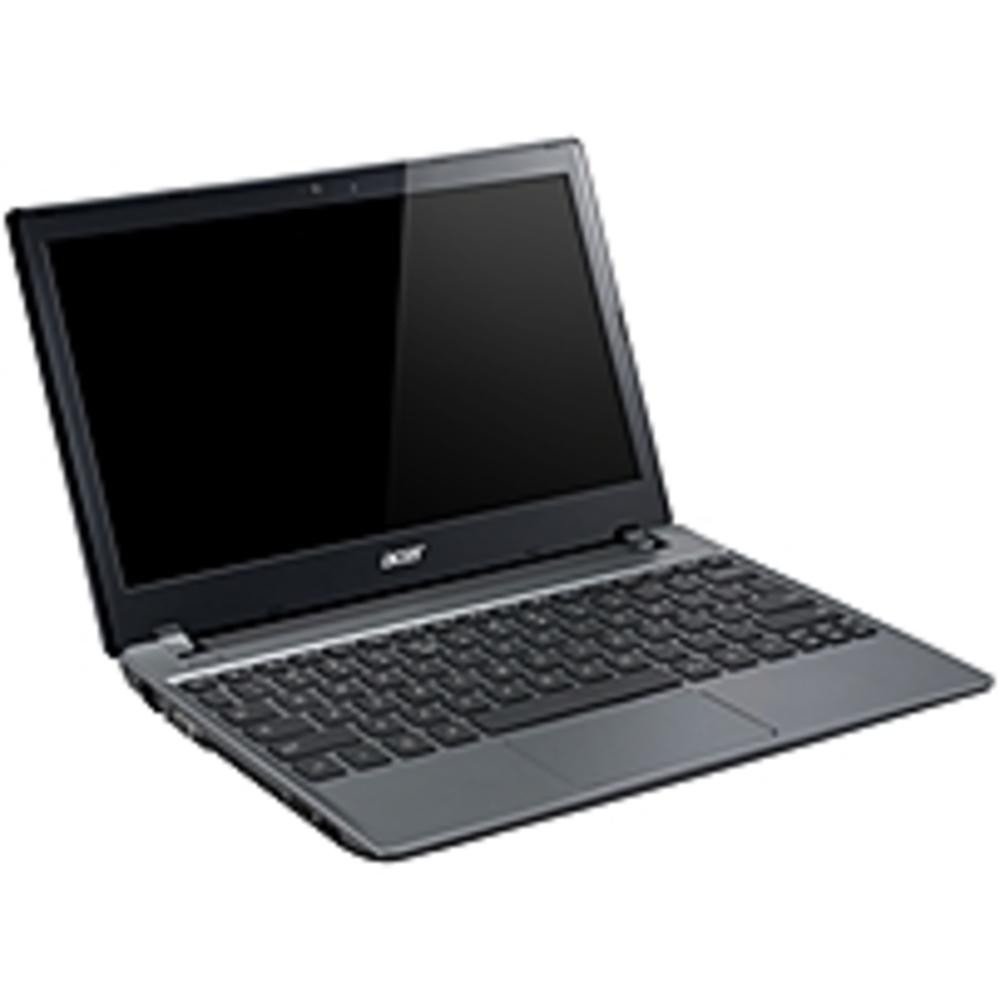
🚀 Power your productivity, wherever life takes you.
The Acer C710-2055 is a compact 11.6-inch Chromebook featuring a 1.1 GHz Intel Celeron processor, 4GB DDR3 RAM, and a spacious 320GB hard drive. Running Chrome OS, it offers seamless cloud integration with offline Google Drive access, a vibrant HD display, and up to 6 hours of battery life. Its lightweight design and upgradeable components make it an ideal choice for professionals seeking reliable, portable computing with future-proof flexibility.
| ASIN | B00BB9OXM0 |
| Average Battery Life (in hours) | 6 Hours |
| Batteries | 1 Lithium Ion batteries required. (included) |
| Brand | Acer |
| Card Description | Integrated |
| Chipset Brand | Intel |
| Color | Iron Gray |
| Computer Memory Type | DDR3 SDRAM |
| Customer Reviews | 3.5 3.5 out of 5 stars (67) |
| Date First Available | February 8, 2013 |
| Flash Memory Size | 128 |
| Graphics Card Ram Size | 128 MB |
| Graphics Coprocessor | Intel HD Graphics |
| Hard Drive | 320 GB SATA |
| Hard Drive Interface | Solid State |
| Hard Drive Rotational Speed | 5400 RPM |
| Hardware Platform | Linux |
| Item Dimensions LxWxH | 11.22 x 1.09 x 7.95 inches |
| Item Weight | 3.05 pounds |
| Item model number | C710-2055 |
| Max Screen Resolution | 1366x768 Pixels |
| Number of Processors | 2 |
| Number of USB 2.0 Ports | 3 |
| Operating System | Chrome OS |
| Optical Drive Type | No Optical Drive |
| Power Source | Battery Powered |
| Processor | 1.1 GHz Celeron_847 |
| Processor Brand | Intel |
| Product Dimensions | 11.22 x 1.09 x 7.95 inches |
| RAM | 4 GB DDR3 |
| Screen Resolution | 1366 x 768 pixels |
| Series | C710 |
| Standing screen display size | 11.6 Inches |
| Wireless Type | 802.11bgn |
A**R
An Experiment That Became A Revelation - Updated May 2014
I bought this as an experiment, to some extent, although having downloaded ChromeOS to fiddle with over a year ago, I knew about what to expect. But I'd never used it exclusively on a dedicated machine. I'm very pleasantly surprised. *The OS: Am learning more all the time, but have found it to be very useful once I resigned myself to using mainly Google Docs, which I had resisted up to now. It was a good thing to learn, because my misconceptions about its limits proved to be pretty much unfounded. Part of this machine's role will be as a travel laptop that will need to access company documents sometimes, and I now know that - while I might not be doing heavy editing or writing a new SMS manual in Google Docs - it will work for what I do need it to do. I also like the speed of the OS, both starting up and on the web. The more I learn about ChromeOS, the better I'm liking it. There is a learning curve, but it's pretty easy. There is also a fun factor. I look forward to continuing updates and improvements, which will come to the machine in free, effortless updates - nothing to keep track of. Freedom from malware is huge, too. Given what I intend to use it for, thumbs-up on the OS. *The Hardware: I had tempered my expectations for the Acer, based on its low price - I told myself not to expect too much refinement. But it's quite nice, really, if a little plain-vanilla looking; I've ordered a skin to jazz it up a bit. Quality seems good, fit & finish are fine, it's solid, I even like the keyboard. The screen is good, and bright enough for outdoor use - I sit and work on the porch at home a lot. Battery life is as advertised - about 6 hours. So no complaints about the hardware. One reason I wanted the Acer instead of the Samsung is that I thought I might put ChrUbuntu on it, for the full OS and apps - and the Acer, with its 320GB HDD, has ample room for the extra OS. It also uses an X86 processor, so it will run standard apps like LibreOffice - unlike the ARM-based Chromebooks. I still might install ChrUbuntu, though I want to sound the depths of ChromeOS first. But even if I don't put the full OS on, I think the extra HDD room will come handy, as I'd like to keep large DrobBox and Google Drive folders on the laptop for off-line access. Another thing I like about the Acer's construction is that HDD, memory and battery are replaceable or upgradeable. I like the idea that when SSDs get cheaper, for example, I could swap one in for a performance increase. This is a good little laptop with surprising quality and speed at a very low price. I'm happy with my purchase and would recommend it. ONE-YEAR UPDATE: Everything above still qualifies. I just had the opportunity to replace the HDD with an SSD (when I accidentally dropped the computer on a desk while it was starting up - guess the head crashed into the platter). Opening it up required removing the warranty sticker, which was OK as it is now out of warranty anyway. Swapping out the drive was easy, just remove the bottom panel and there it is. I thought about upgrading the memory (it came with 4GB originally) but have observed over the past year that I almost never approach the memory limit so I saved my money and left it alone. There was a tiny amount of dust around the fan, so I blew that out. Using a recovery USB stick, recovery took a few minutes - meaning less than 5. That's it! It was the easiest component replacement and recovery I've ever done. I was almost disappointed, like more should need to be done - but there it sat, just as it had been, everything in place! So I got back to work. If this had been an ordinary PC I'd have wasted hours - I've spent two complete evenings restoring Windows computers from scratch after similar operations. This is a great advantage of the Chromebook idea, in my opinion. For instance, the same thing would have happened if I'd needed to replace the entire computer - just open up the new Chromebook and log in. Everything would come right back, just as you'd have left it on the old machine. It's really a new way of doing business, and I like it. The addition of the SSD palpably speeds things up even more. Starts are so rapid that if I look away for a paper or something, it's already ready for login. Full desktop appears within seconds after that. I notice battery life is better, although I haven't measured it. It was good for 6 hours when new; it goes longer than that now. So after a year's use, more than satisfied. With the constant OS upgrades, I feel like it's even gotten faster, so I should get years' more use out of this very small investment. Recommended!
R**N
Love it
I am very happy with this purchase. Great product I will write my pros and cons after using it for 3 weeks now Pros 1. Very fast and snappy 2. Touchpad feel good and responsive (sometimes doesn't register light taps) 3. ChromeOS is very simple and easy to grasp 4. Very light weight and portable 5. Battery life is great 6. Google drive is amazing including 100gb of cloud space. cons 1. Slightly too small in my eyes. Wish it was another inch larger 2. Very quiet sounds. plus speakers are on the bottom which makes it even quieter on your lap 3. No screensaver or timer settings 4. Cannot load programs (which was expected) For me the pros weigh out the cons. This is a great little computer. Great for anyone who is in school, or needs a traveling computer. You can use google drive offline. Simply put, its the computer for anyone. stay at home moms, traveling, school, or just web browsing. Plus you will always get updates from google for life. No restrictions unless hardware just cannot keep up way in the future. but the main reason I bought the acer c710-2055 Chromebook over the others... replaceable battery, and hard drive.
I**E
Piece of Garbage
The touchpad on this Chromebook is absolutely horrendous. When it is not plugged in, the mouse pad simply stops working while in certain positions. This is due to a strange grounding problem, that if you google you can find a "fix." This fix involves opening up the laptop and putting tin foil into the front near the touchpad so you can "touch it", in order to ground the laptop. Another "fix" is to touch the VGA port when the mouse starts cutting out, sure enough it will start working again. Save yourself a migraine, just say no to this garbage.
Trustpilot
2 months ago
1 month ago