


Buy anything from 5,000+ international stores. One checkout price. No surprise fees. Join 2M+ shoppers on Desertcart.
Desertcart purchases this item on your behalf and handles shipping, customs, and support to GERMANY.
🚀 Elevate Your VR Game!
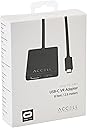
The AccellUSB-C VR Adapter is a versatile solution for connecting your Oculus Rift and other Windows Mixed Reality headsets. With an 8-foot extension for enhanced movement and a plug-and-play setup, it ensures a seamless and immersive virtual reality experience. Compatible with high-performance NVIDIA graphics cards, this adapter is designed for the modern gamer.


| ASIN | B07LC4B43P |
| Best Sellers Rank | #2,951 in USB Computer Network Adapters |
| Brand | Accell |
| Built-In Media | VR adapter |
| Color | black |
| Compatible Devices | Computers with USB-C and NVIDIA GTX 970 or greater, VR Headsets |
| Connector Type | ['HDMI', 'USB-C'] |
| Customer Reviews | 4.1 4.1 out of 5 stars (369) |
| Finish | Matte |
| Global Trade Identification Number | 00826388111417 |
| Item Dimensions | 96 x 2 x 0.5 inches |
| Item Type Name | Accell USB-C VR Adapter |
| Item Weight | 4 ounces |
| Manufacturer | Accell |
| Model Number | J231C-008B-3 |
| Number of Items | 1 |
| Package Quantity | 1 |
| Power Plug Type | No Plug |
| UPC | 826388111417 |
| Unit Count | 1.0 Count |
S**2
Worked straight out of the box - NOTE: Requires a VirtuaLink on-GPU USB-C connector
I needed the HDMI on my RTX 2080 for another device (a drawing tablet) but it was occupied by the Oculus Rift. Meanwhile, there was an unused VirtuaLink USB-C connector on the GPU available. The Accell adapter was the solution to this very problem. Not only it freed up the HDMI for my drawing tablet, I also freed up a USB3 port on the motherboard, and it put the RTX 2080's Virtua Link connector to good use. Plus, the extra cable length can help you getting a bit more reach for the Rift headset (which I personally don't need as I actually do most of my VR sitting at my desk, but still). It worked immediately, no driver installation required. Seems like the reviewers who have had problems with it, have attempted to connect it to a basic USB-C port. It only works with a Virtua Link USB C connector on the GPU. UPDATE: I recently got a Samsung Odyssey+ VR HMD, and I can attest that this adapter works fine with that too.
Q**X
Works as advertised, 90hz at 1600x1440 per eye!
Too bad this particular product is currently unavailable as of writing. I do not have a desktop discreet GPU with a thunderbolt/usb-c 40gbps+ port builtin. What I have instead is a motherboard that has a thunderbolt chipset that can take displayport *in*, and can push the data from that out usb-c ports by connecting the DP-in to an available DP socket on the GPU. When I first bought this, I had a AMD Radeon Vega 56, and it limited me to 60hz. But now that I have a AMD Radeon 6700 XT, it's uncapped, running at the full 90hz my Windows Mixed Reality headset supports. If there are other products like this: so long as you have a modern (RDNA or RTX as of writing) GPU, ideally with USB-C directly on the GPU, or a motherboard like Gigabyte's Vision D to route video from it over USB-C, this absolutely is a great option for both extending the reach of your VR headset and consolidating cables.
T**Y
Wish it worked, but sadly it does not.
Let me start by just saying this has been my experience, it doesn't guarantee this won't work as it seems for some people it has helped. Unfortunately for me this did not provide what I needed it for. I got a new computer that had an HDMI port but that connects directly to the integrated graphics. The Beefier GPU I needed for oculus only had a USB-C port for connections, which obviously wouldn't work with the standard HDMI for the original Oculus rift. The rift would turn on but run at about a whooping 5 frames per second when using the dedicated graphics card through HDMI. I tried this hoping it would solve my problem and for about 5 seconds I thought it did. The headset turned on and the picture was clear and responsive! for about 5 seconds that is. I then noticed red horizontal lines flashing randomly across the screen before the headset went dark and reset itself. At this point the headset goes into a continuous cycle of off and on every second making it unusable. Just to make sure it wasn't an issue with the headset I used my old computer and it still worked perfectly fine. I really tried to make this work. In fact I spent over two months communicating back and forth with Oculus rift support trying just about everything I could to make it work, which is why my review comes so late. I reinstalled drivers, deactivated drivers, fiddled with BIOS settings... Anything you could find on google or from Oculus support itself I tried. None of it ever got the headset to work on this computer with this adapter. Sadly it still does not work and it seems like if I ever want to use VR on my new computer I'll have to get a newer headset. I'm not sure exactly who is at fault, whether it's the graphics card drivers that don't work, or oculus' drivers, or this adapter itself. All I can say is it did not exactly do what I expected and so it's just kind of a waste for me at this point. But even though I can't use it doesn't mean it might not work for someone else. I wanted to rate it lower, but that didn't seem fair given how many variables could be causing the oculus rift not to work properly.
J**D
Works out of the box, plus great customer service!
I bought one of these adapters to free up the hdmi port on my 2080 and one of my usb ports. It worked right out of the box, no setup, no firmware to install/update, nothing. There is no noticeable change in performance or visuals. Then I broke it. My large, 6'3", 300+lb self tripped over the cable in my not-so-large play area. The tip of the connector ripped out of the VL port on my gfx card, leaving only the metal bit behind. The gfx card was undamaged, but the adapter was toast. I took a couple photos and sent them to Accell customer support, along with a copy of my Amazon invoice. They had me fill out and send an RMA form, and THE NEXT DAY, a replacement was on it's way. This replacement arrived today, and it works just as well as the first one ordered. Great product, great customer service!
S**S
Works with Samsung Ody+ Mixed Reality, Asus Mixed Reality, and Acer Mixed Reality headsets
This works great with the three headsets in the title on an Asus RTX 2070 video card. Make sure you plug into the USB C port on the video card! When initially plugged in, it will install and should show up in your task bar as an ejectable USB device. You will need to reboot first, then attach your headset by plugging in the HDMI cable first, then the USB. It runs a little warm, so make sure to keep that in mind and do not leave your headset plugged in when not in use. One other thing, anytime you update your video card drivers the USB C embedded driver will also update and you will need to reboot. ( you should reboot after video card driver updates anyways )
C**D
The only thing in the box is the device itself. As expected, you plug it in to a supported graphics card and you're off to the races. It meets my expectations and fulfills the need I had. There is a small hitch though and I can't help but wonder if this is why some people have been experiencing issues with this. The Oculus Rift is recognized as an active display whether or not it's in use. I use an nVidia 2080 RTX to power my setup and it allows for up to 4 active displays at any given time. My regular desktop setup consists of 2 27" displays and 2 24" displays. That said, when I plugged in my Oculus via this device, putting on the headset didn't turn on the display but I noted that the tracking was active and working as expected when launching a game. I had to disable one of my monitors to make room for my Rift to get it working properly. If you've bought this device and are running into issues, or if you're thinking about buying this, keep in mind the maximum amount of displays your graphics card can output to. For those that can afford a VR headset, it makes sense to me that those individuals may have 2-3 (or like me 4) monitors already connected. If you exceed the maximum your card allows for, all you'll see in your headset is darkness. You can unplug a monitor or disable the monitor via display settings on the computer itself to resolve the issue.
W**Y
I was sceptical at first as I was unsure if it would work but as soon as I plugged the cable into my RTX2080 then the headset into the cable it popped up in my oculus app and worked straight away. I have been playing beatsaber for the past 4 hours without worring about accidently pulling on the cable. I don't know why I didn't buy one sooner!!!! 5 stars all day. Cheaper than a longer official cable (difficult to find and expensive) and works without issues!
B**E
Fonctionne très bien et pratique - permet de brancher un hdmi et un usb sur une prise USB-C , par ex un casque vr directement sur la carte graphique ! Et uniquement sur une carte graphique qui en est équipé , très facile à deconnecter l’usb -c plutôt que hdmi et usb lorsqu’on veut enlever son appareil
J**.
It works quite well!! Beat saber is fun
K**N
This is a really useful adapter for the Oculus Rift. It connects to the VirtualLink USB-C adapter on my 2080Ti graphics card and via the very thin 2.5m cable to the connectors on the Rift headset, saving me a USB3 port on my main PC. Quality is excellent - the adapter runs cool even after extended periods and gives flawless video and audio on the headset. I'd previously been using a USB extension, and HDMI extension plugged into a 4K Displayport to HDMI adapter and an HDMI repeater at the Rift end - quite a jumble which did work but gave me a few artifacts on the resultant picture. I think this complexity was the result of me having one of the original CV1 headsets which are known to have problems with extension leads due to the higher attenuation of the original Rift cables. There was one issue with the adapter - when I first plugged my headset in, I got audio but no video - a similar story to my original extension before I introduced the HDMI repeater. Rather than giving up, I contacted Accell support who supplied me with a fixed version of the firmware specifically for early CV1 users with this type of problem. After applying it, which was an easy job, I was in business. So I'd thoroughly recommend this product and the organisation behind it. If you do have problems with the video not coming on, persevere. Just contact Accell support who will soon have you up and running.
Trustpilot
3 weeks ago
1 month ago