Some deliveries may take a little longer than usual due to regional shipping conditions.

DOWNLOAD THE APP


Customer Services
Copyright © 2025 Desertcart Holdings Limited
DOWNLOAD THE APP

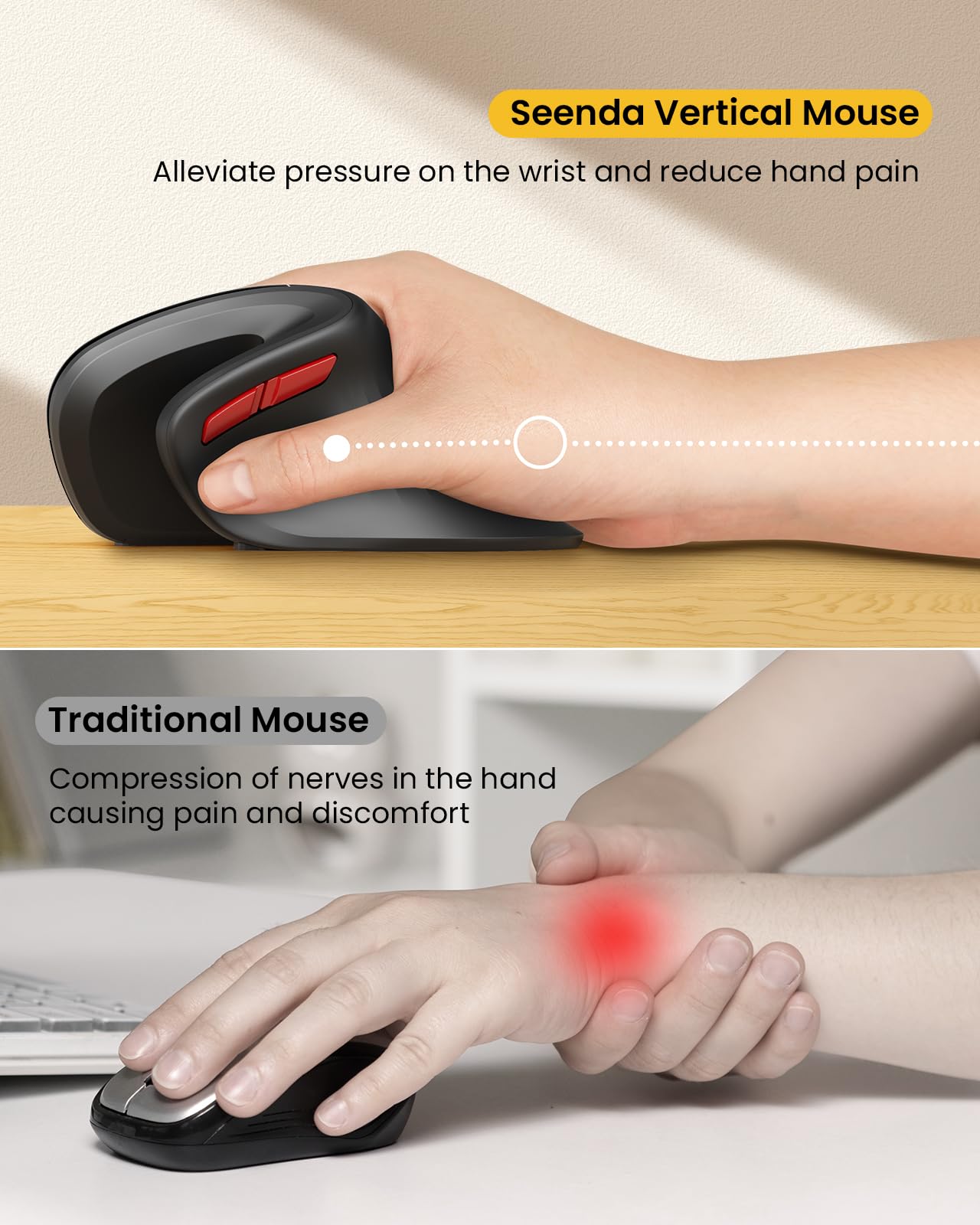


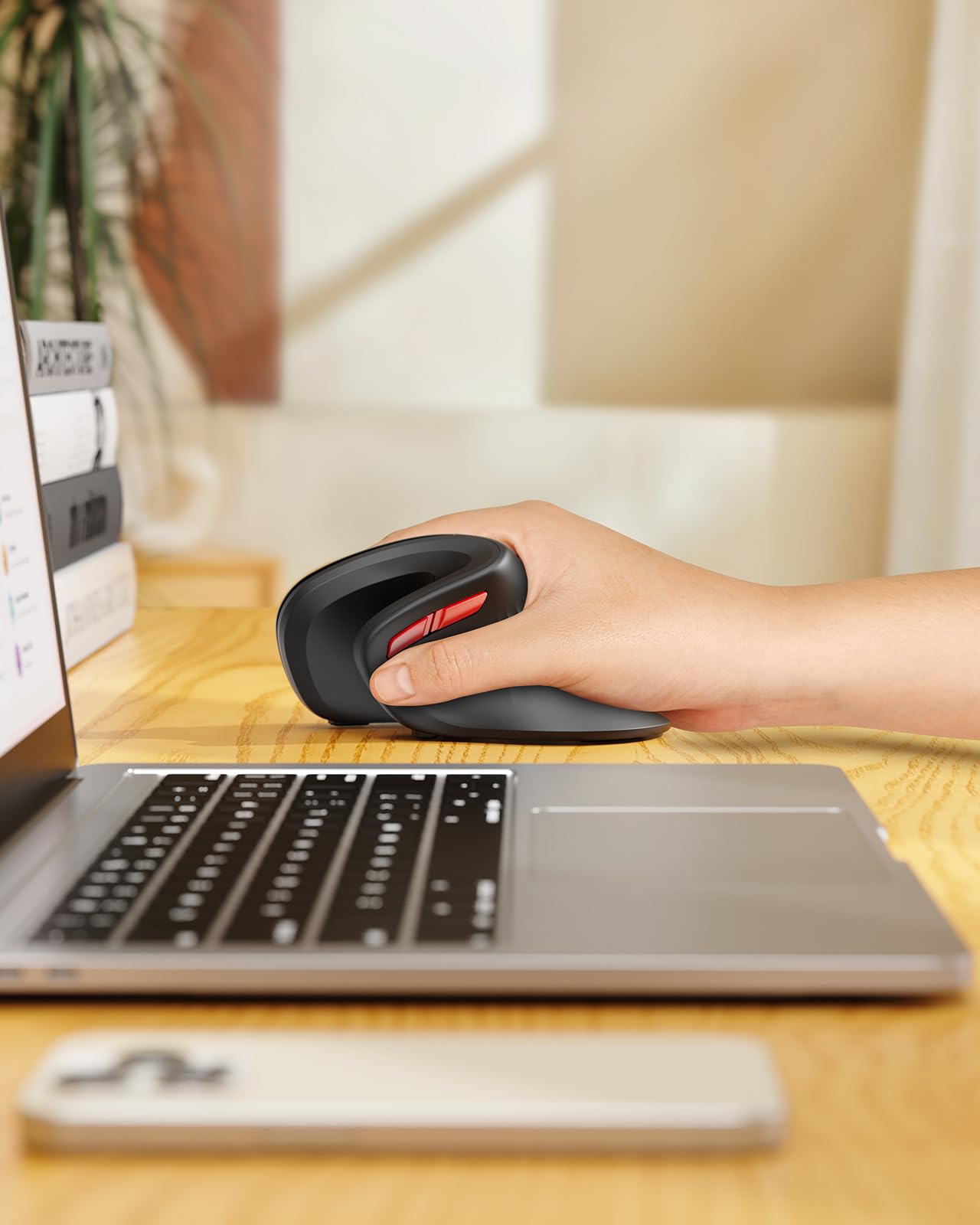
🖱️ Elevate your workflow with comfort and control—because your hand deserves the upgrade!
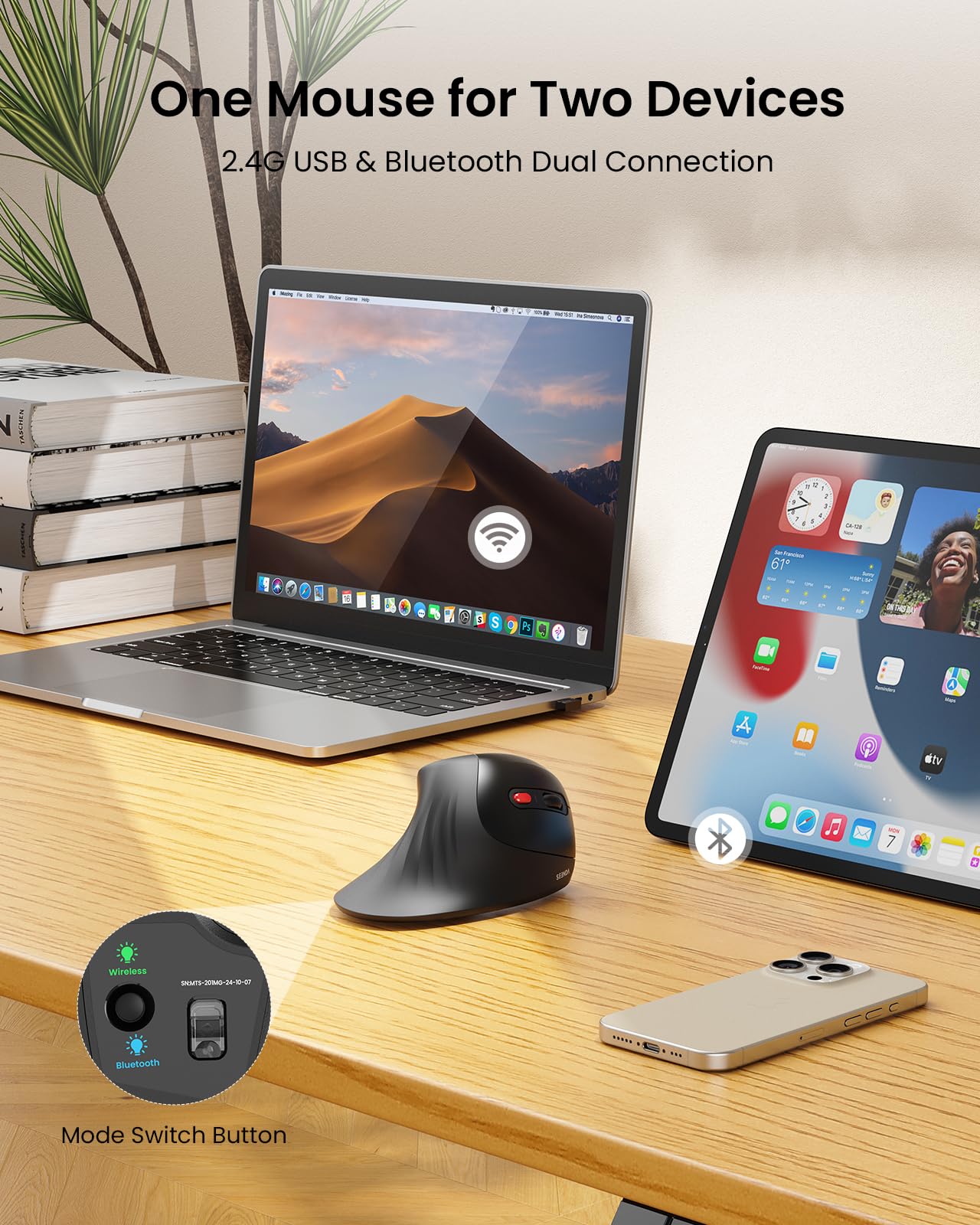
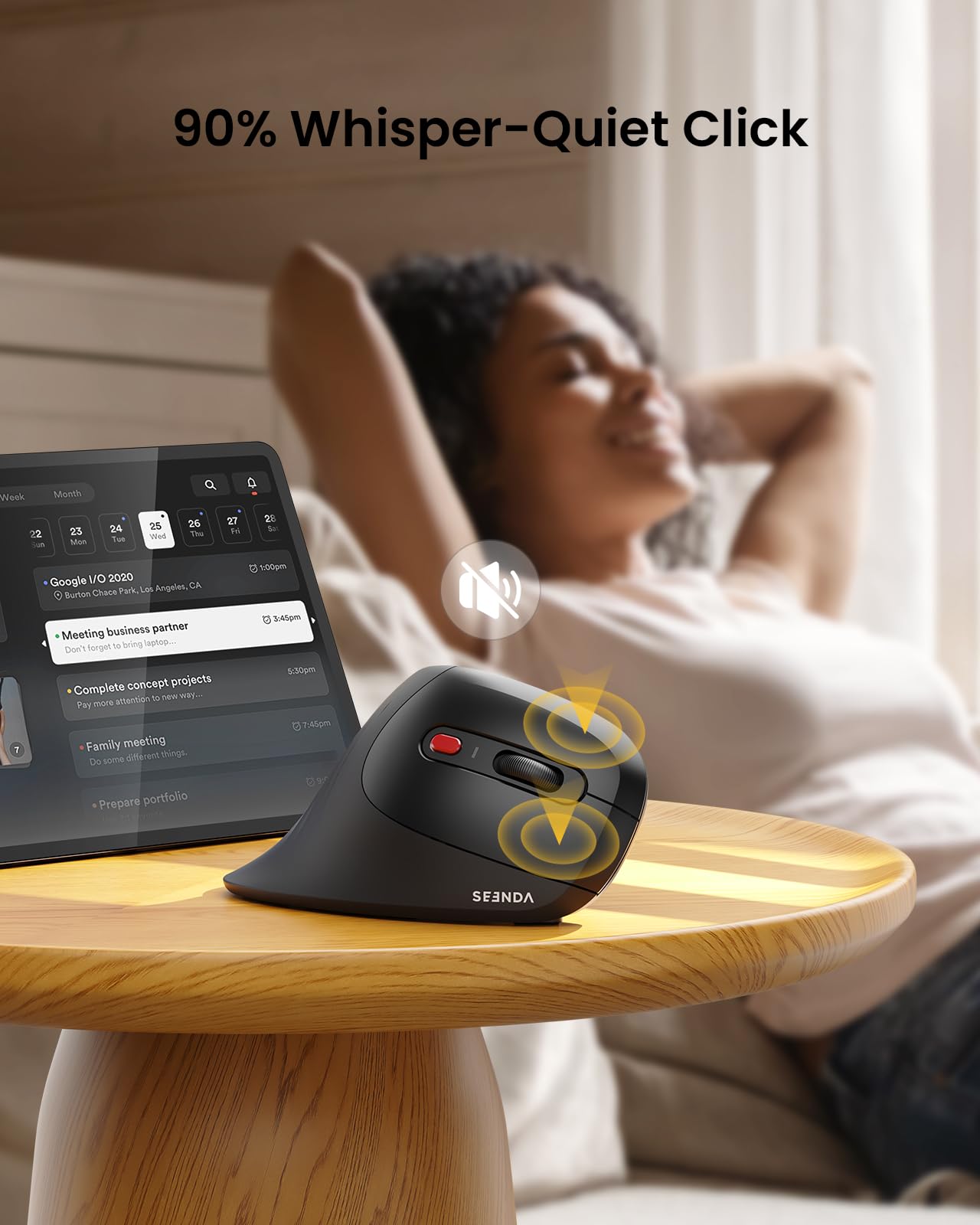
The seenda Ergonomic Vertical Mouse combines a 58-degree vertical design with Bluetooth and 2.4G wireless connectivity, allowing seamless switching between multiple devices. Featuring adjustable DPI settings for precision, a silent click mechanism, and a unique built-in jiggler mode to keep your computer awake, this mouse is engineered for medium to large right hands to maximize comfort and productivity across Windows, Mac OS, and Android platforms.


| ASIN | B0DFQ57F15 |
| Best Sellers Rank | #1,109 in Computer Mice |
| Customer Reviews | 4.5 4.5 out of 5 stars (333) |
| Date First Available | December 9, 2024 |
| Item Weight | 4.9 ounces |
| Manufacturer | seenda |
| Package Dimensions | 5.79 x 3.19 x 2.87 inches |
U**.
It’s Not Just a Mouse, It’s an Upgrade for Your Hand.
When I first saw this mouse I wasn’t sure what to expect It looks different and definitely feels different but once I started using it I actually ended up really liking it. The vertical grip took a little getting used to but now it feels natural I don’t know the exact science behind it but it makes my hand feel more relaxed and less cramped I feel like I can move the cursor more precisely especially when I’m doing stuff that needs detail like editing or digital art One thing I didn’t expect to love is how easy it is to switch between two devices There’s just a small button on the bottom and that’s it Super convenient if you work on more than one device like I do. Overall I think it’s a great mouse It’s comfortable the accuracy feels better and it makes working on my computer a bit more enjoyable If you’re open to trying something new this is worth checking out.
A**R
Good Mouse
Nice vertical mouse. Paired this with a MacBook Pro. Setup is very straightforward. Uses 1 AA battery (not included). Ergonomic hand position and usage. Good scrolling and clicks. The jiggler feature is nice if you need to step away and don’t want your screen to go to sleep.
K**Y
I’ve developed some seriously weird muscle memory
So, I bought this fancy mouse for the jigger—shhh, don’t tell anyone! I’m a couple of months in, and let me tell you, my hand is still in the ‘what on earth is this?’ phase. After years of using a ‘regular’ mouse, I’ve developed some seriously weird muscle memory. It’s like my hand is on a stubborn vacation, refusing to adapt to this new gadget. I can’t wait for the day when I pick up a ‘regular’ mouse again and think, ‘Wow, I spent all those years wrestling with this prehistoric relic?! What was I thinking?!’ - At the end of the day, this is a GREAT find and works as intended.
L**.
Not $100 dollars, comfortable, just as good as my MX.
I have an older MX that I wanted to buy an ergonomic mouse but don't want to spend $60+ on just a mouse. Honestly? Why. This product is comfortable to use, texture is good in the hand and gets me needs completed. Battery hasn't been in issue at all with daily use. It is on the bigger side, but I knew this going in beforehand. Hand doesn't get tired after using. *bonus is the built in jiggler. Don't want it? Sure just turn it off. No prob
J**R
great ergonomics with bonus jiggle, battery-saver, customization
100% recommend It might not be perfect, but it's unbeatable for the price. The design is my new favorite. It was an easy transition from a standard mouse, and for me it's far more comfortable. I've tried other non-standard designs and variations on the basic mouse. None has been as comfortable as this. I wouldn't hate if it were a little larger, but, again, it's the best fit I've found so far. Beyond the ergonomics and excellent (and adjustable) tracking, it powers down to conserve battery (but is easy to waken) and the built-in jiggler is wonderful. I'm not trying to convince anyone that I'm working, but my agency doesn't allow me to adjust the automatic screensaver. This mouse keeps me from having to continuously re-enter my password or scramble to assure my computer that I'm still there--which happens sometimes even when I'm just thinking, let alone when I step away from my desk on a remote meeting (which, again, I may do even as I continue to listen and even keep an eye on the screen. Just as often, someone comes to my office and the screensaver would (before the new mouse), come in as I’m talking to my guest.
C**.
Good pick for wrist health
helps with wrist strain
J**W
Worth the money. Very well made and easy on the wrist.
Very comfortable to use. Puts your hand and arm in a straight position. Feels good and has adjustable pointer speed.
J**L
Love this mouse
I love this mouse, I love the color, I love everything, they don't seem to have this color anymore but this one runs on AA batteries and their new ones are reachable internal batteries, I bought one of those too for travel, wish it was this red but the mouse is great.
B**R
I bought this hoping to control my hand tremors when I'm working online. For many years, I used a trackpad but my tremors got worse with age and recently, the trackpad became a struggle with my cursor often flying all over the screen. It was a horrible ordeal to deal with drop down menus, trying to click the right coloured tiny dot to close or open, etc. Simple tasks could take 20 to 30 tries. The design of this mouse made me think it would help. It had a tracking wheel and it also let me use my 2nd hand to steady the mouse by holding the 'thumb' part. But when I did a search of the reviews, nobody mentioned that it helped people with shaky hands. Still, I took a chance based on how that design looked. And it's a game-changer! If you have a hand tremor or know someone with a tremor (from Parkinson's or essential tremors), try this Seenda ergonomic mouse!
H**E
J'ai essayé plusieurs souris ergonomiques et celle-ci est la meilleure que j'ai pu tester à date. En plus la couleur est vraiment belle !
T**D
Upon unboxing this seenda Ergonomic Mouse with Jiggler you are presented with 1 x mouse, 1 x USB dongle (stored inside the mouse) and 1 x user manual. PROS: - unique ergonomic design that reduces pressure on your wrist - connect either by Bluetooth or 2.4GHz USB - jiggler mode which allows you to keep your computer from sleeping - silent soft click left and right buttons - adjustable DPI button - backward and forward buttons - scroll wheel CONS: - not rechargeable requires 1 x AA battery which is not included. You could always use your own rechargeable battery to reduce battery waste from disposable batteries - ergonomic design takes a little bit of time to get used to using and might not be to everyone's liking Overall, at first seeing the mouse in real life I wasn't sure if I would like the design. It took me a little bit of time to get used to the angled design but within a short time it felt like I had used it for years. The built-in jiggler is extremely useful to ensure that your computer does not go into sleep mode. This is especially helpful in my case because my external hard drive will turn off and need to be restarted if the computer goes into sleep mode. If you are in the market for a new mouse and have always suffered from wrist pain with a traditional mouse then this product is worthy of your consideration. Highly recommended. Priced at $35.99 at the time of this review with a coupon available for a 29% discount.
K**1
Quiet and smooth clicks, and works well! Auto-jiggler works just as described. It has different cursor speeds as well as an option for Bluetooth if you don’t want to use the USB receiver. Also, I’ve been accustomed to larger mouses for my hand’s comfort, and this mouse feels great. This is almost the ergonomic mouse I’ve been searching for all my career-life. Items to keep in mind: -battery powered -matte finish (can get a easily dirty, scratched and will eventually wear out the more it’s used). I can over look these items, which is why it gets a five star from me, and will be my go-to mouse for work from now on.
D**7
This is my first truly ergonomic mouse and I must say wow what a game changer for me. I honestly love it and the transition from flat to this type of style only took a matter of hours. It just feels a whole lot more natural and offers my wrist and thumb relief. From the repetitive tasks of daily computing work. The build: This mouse has nothing to special in that regards. It's made with traditional methods with models plastics and rubberized peaces. Yet if offers near silent operation. Meaning the mouse has little audible clicking and all other toggles offer the same low noise feature. This is perfect is you are working in a low noise environment such as a music studio, library, home office, small commercial work space etc. All button feel nice and clickable with a bit more sponginess. The feel: Good response and high accuracy with good pixel density. Yet it won't compete with gaming mice that cost 3x the price. None the less, it is perfect for all work related tasks. There are also many programmable buttons offering the end user customization options in various programs of their choosing. When it comes to the overall feel I think it is perfectly suited for most kinds of hand types. Offering a more balanced and natural write tilt and hand relief. This includes thumb and lower palm. The mouse is also lighter weight therefor easier to maneuver. Battery: You can use rechargeable or disposable batteries with this unit. I will state that it will drain batteries in a matter of days when used in a normal workflow. So keep that in mind when purchasing disposable power units. Final thoughts: A good mouse for the price that offers near silent operation and a fantastic feel in the hand. A win win for anyone looking to try something new. It just might help you with chronic wrist or thumb pain. I know it has lessened mine buy almost 60%. That's amazing and I should have tried one of these types of mice sooner.
Trustpilot
2 weeks ago
2 weeks ago