


Desertcart purchases this item on your behalf and handles shipping, customs, and support to GERMANY.
๐ Unlock pro-level speed & silent efficiencyโyour dataโs new best friend!
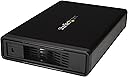
The StarTech 3.5in SATA HDD Enclosure (S351BMU33ET) is a compact, trayless external enclosure supporting SATA I/II/III drives with blazing fast data transfer speeds up to 6Gbps via eSATA and 5Gbps via USB 3.0. Designed for IT professionals and power users, it features a fanless metal chassis for silent operation, plug-and-play ease, and universal compatibility, all backed by a 2-year warranty and expert tech support.


| ASIN | B076M3ZLKF |
| Best Sellers Rank | #72 in External Solid State Drives |
| Brand | StarTech.com |
| Built-In Media | NA power cable (1), USB 3.0 cable (1), drive enclosure (1), eSATA cable (1), enclosure stand (1) |
| Color | Black |
| Compatible Devices | Desktop |
| Connectivity Technology | usb |
| Customer Reviews | 4.4 out of 5 stars 147 Reviews |
| Data Transfer Rate | 6 gigabits_per_second |
| Enclosure Material | Metal |
| Global Trade Identification Number | 00065030872416 |
| Hard Disk Form Factor | 3.5 inches |
| Hardware Interface | USB 3.0 |
| Hardware Platform | Personal Computer |
| Item Dimensions L x W x H | 8.3"L x 5.3"W x 1.5"H |
| Item Highlight | UASP, Up to 5Gbps, eSATA or USB host, Plug-and-play, Fanless quiet, Compact, Easy drive swap |
| Item Type Name | StarTech.com S351BMU33ET eSATA Enclosure - for 3.5" SATA HDD - USB 3.0/eSATA - Trayless - Metal - External Hard Drive Enclosure - HDD Enclosure |
| Item Weight | 1.2 pounds |
| Manufacturer | Startech.com |
| Material | Metal |
| Memory Storage Capacity | 3.5 TB |
| Mfr Part Number | S351BMU33ET |
| Model Number | S351BMU33ET |
| Number of Items | 1 |
| Product Dimensions | 8.3"L x 5.3"W x 1.5"H |
| Supported Devices Quantity | 1 |
| UPC | 065030872416 |
| Unit Count | 1 Count |
| Warranty Description | 2 Year Warranty |
D**L
Quality, SATA HDD enclosure!
Smooth install of HDD that serves as a Tivo external hard drive. It was up and running within minutes of opening the box. Have been using for several months - no issues. Runs quietly
J**N
Works great. Even better after I installed a fan.
After testing, the digital electronics seem good. It does get hot with high power hard drives (e.g. 7200 RPM drives ) as there is really little thermal connectivity between the drive and the metal outer case as it is basically in a bubble of air. As in another review, there is a place (under the back sticker) to install a 30mm by 10mm thick 12v fan (has fan retention clips, fan holes and, a fan grate), so I installed a Delta fan. Unfortunately, there is no fan header on the enclosure's motherboard, so I hardwired the fan to the motherboard's incoming positive terminal (with a disconnect so you can take the closure completely apart easily) and hardwired (splice) to the power switch wire (switched negative). Temperature dropped way down (50+C --> 35C).
T**1
Sleek design, easy to use, and works flawlessly.
Headline really says it all, but I love this enclosure. I have gotten a number of them over the years, and this is by far the best. Not only does it look cool (nice light display up front), it keeps drives cool without requiring a fan. Very sturdy and works with large capacity drives without a hitch -- I'm using it with an 8TB drive currently. Oh, and switch is at the top (or bottom if you prefer) unlike some that put them in the middle for some dumb reason. All-around perfect enclosure!
W**T
Perfect
I had researched enclosures for my data backup drive. I had looked several varieties read reviews and such. While this enclosure did not have a lot of reviews, I had owned several other Startech products from seven foot network racks, to wall mounted racks, cloners and other items. So I decided this would be a great new item to try out. Packaged well, had both an esata cable and 3.0 usb cable in the box. I coupled the enclosure with a WD Blue 4 tb drive and the drive and enclosure worked well together. I have completed my much needed always on local backup- instead of the once a week backup on a portable drive. I feel this will get the job done until I can put in a NAS and I am using Blazebackup as my offsite backup solution. So in short, this enclosure helps bridge the data backup for local storage and will work well for most people. I did not test this with a 2.5 SSD, as that was not an option until the price of SSDs over 4tbs comes down.
C**R
External for Camera System - Works Great
Using this as an external expansion to my camera system (8x cameras running at 1440p). Works great, wish it had active cooling for when it gets hot, but to be honest (in normal conditions) this thing is great. Tool-less install was nice. The included stand is table though I keep the drive horizontal for my use case. Fellow IT Admins - If you're going to keep this in the server room, keep in mind that if your cooling solution goes down for some reason, this enclosure will easily get overheated similar to your servers. If you're redundant, not an issue, and definitely worth looking into for event testing and temporary use.
D**N
"Fanless design" is a flaw, not a feature
The chassis, external power adapter, eSATA cable, and USB 3.0 cable all have good fit and finish, and feel solid. Drives slide in and out with minimal fuss. The product works flawlessly with Windows, macOS, Linux, and BSD. But there is a major design flaw -- no cooling fan. I planned to use the enclosure for backups, cloning, etc., and knew that drives could be at 100% utilization for hours on end. During initial testing, I saw high drive drive temperatures in a matter of minutes. So, I decided to open the enclosure and see if I could add a fan. What I found is that StarTech had already done most of the engineering (!). The injected-molded plastic rear panel includes fan mounting hole and grill features, but they are not punched through. The printed circuit board is notched to accommodate a fan and has through-holes for installing a 2-terminal 0.1" pin header near where the fan should be. Mechanically, everything is there. But electrically, one PCB through-hole is connected to DC common, the other PCB through-hole seemed to be floating, and DC positive is soft-switched on the PCB (not directly by the on/off switch). I decided to complete the rear panel features, install a fan, install a pin header, and hot-wire the floating pin to the incoming power connector DC positive. Beyond voiding the warranty, I knew that hot-wiring the fan pin could back-feed electronics and that I risked bricking the unit. I got lucky -- the electrical hack worked. The fan spins whenever the external power adapter is connected, regardless of the position of the on/off switch. The important thing is that drive temperatures now stay reasonable during continuous use. Even though I succeeded with the case mod/ electronics project, I would prefer that StarTech finish their engineering/ manufacturing and sell an enclosure with a working cooling fan.
P**X
Works for a TiVO Bolt
Works great with my TiVO Bolt with a 3TB drive. There are many reviews stating this enclosure runs hot and will kill your drive. I've used my bolt for literal hours and then checked and I would describe the drive as being slightly warm. I have a WD Purple drive in there. Good chance it's a 5400 spin(although I'm not positive). A 7200 would likely generate more heat and the TiVO doesn't need that speed. The enclosure is nice looking and feels as though it is of good quality. The concerns others expressed are valid though. There is no fan in this enclosure and there is no solid contact against the drive. Most of the drive is surrounded by a pocket of (insulating) air. The enclosure is working well for my application.
J**.
Excactly what I needed for external hard drive backup
Exactly what I needed. I do external hard drive backups. This fit the bill. If you run it for long, it does warm up. I only run it for backing up files.
M**N
Quality external enclosure why did Startech discontinue it?
I now have three of these, two in use one for backup and I've been very pleased with their performance. In my practical testing of it I've found the speed difference between eSATA and USB 3.0, the fastest my PC supports, using a SATA III HDD, is minimal. That maybe one of the reasons why Startech decided to discontinue the eSATA support. However their replacement USB 3.1 Gen 2 only enclosure is not in the same class IMHO. The case for that even looks as if it was designed to support eSATA but they blanked off the port. The On/Off switch is a nasty looking, small cheap slider rather than the quality rocker type used for this case. It also reverts to a tray based HDD/SSD mounting design. It does mean that it is more suitable for dual 3.5" and 2.5" HDD/SSD use than the tray-less design this 3.5" only one has. But tray-less is undoubtedly more convenient if you need to replace/remove the HDD. It makes doing that almost as fast as a docking station. Now to the negatives: the cost of this is now questionable. They were already expensive enclosures and what you're doing now is importing a US spec version. That comes with, annoyingly, a fixed US mains plug on the PSU supplied. It is still a universal PSU ie. 100v - 240v but unlike the EU/UK version it does not come with any socket adapters built in or otherwise. It is just a simple US two prong design, apparently non-polarized but I've not tested that. So to the cost of the enclosure you need to add either a replacement UK 12v, identical spec UK PSU or, cheaper, a decent US to UK plug adapter. I've tried both solutions and I'd go with the latter. I bought a pair from Amazon which I'm probably not allowed to link too here but they mount the PSU firmly and as far as I've tested cause no problems. That's it really - still a good piece of kit for your external 3.5" HDDs but the total cost, which will undoubtedly rise for other reasons too, now makes it far less attractive than it once was. With 3.5" HDDs slowly becoming redundant in the face of similar capacity SSDs which can make full use of USB 3.1+ speed capabilities it is a bit of an indulgence.
L**C
Wonderful Product
This case is very well designed, and also very well supported. The most important thing about it, for me at least, is the lack of forced power off. That is, unlike most of the other cases I've tried, it DOES NOT force powerdown/spindown at arbitrary, undocumented, and unconfigurable intervals. This means that one can configure the drive (if desired) to power down or spin down when *IT* is ready. This permits self-tests and internal HDD management features to run to completion, unlike other cheaper cases which just cancel such things while they are in progress. Also notable is that, when one (of the many I've purchased) of these cases had a minor packaging problem, the manufacturer sent me an entirely new case since they didn't have the exact part in stock at the time. I don't anticipate using any other style of case.
A**9
Good quality
Needed this for the eSata connection to add extra storage to a CCTV storage device. Nicely made, quick install of drive and works perfectly.
V**M
Fantastic Product
The product is robust, well made, easy on the eye and keeps the hard drives very quiet. Love it!
D**K
no ventilation
Am using this for the first time today. Works fine, but when i took a hard drive out after about a half hour or so, the hard drive was hot. Will have to drill a bunch of holes thru the side panels to help keep the drives from overheating. I can't see how drilling holes thru the sides will keep it from working. It won't look as nice but I'd rather have the holes there than have my much more expensive hard drives running too hot and risk losing my data....so i gave 3 stars but since it's still working after a fair amount of use i'm adding a star...the drives now feel cool to the touch after running in the enclosure...what i did was cut a hole about 3 inches in diameter on the side of the enclosure facing the bottom of the hard drive, and drilled a couple of smaller holes on the other side of the enclosure...i placed a fan powered by usb connection onto the enclosure with the help of some electrical tape so it stays put, and it blows air into the large hole, and even with a hard drive in the enclosure i can tell there is a bit of air coming out of the 2 smaller holes on the other side of the enclosure...that keeps the hard drive nice and cool...i don't know why they don't make the enclosure with a fan set up like that... it keeps the drive cool and i think it looks better than the plain enclosure without the fan
Trustpilot
5 days ago
4 days ago