Desertcart purchases this item on your behalf and handles shipping, customs, and support to GERMANY.
🎨 Elevate your digital canvas — create like a pro, anywhere, anytime!
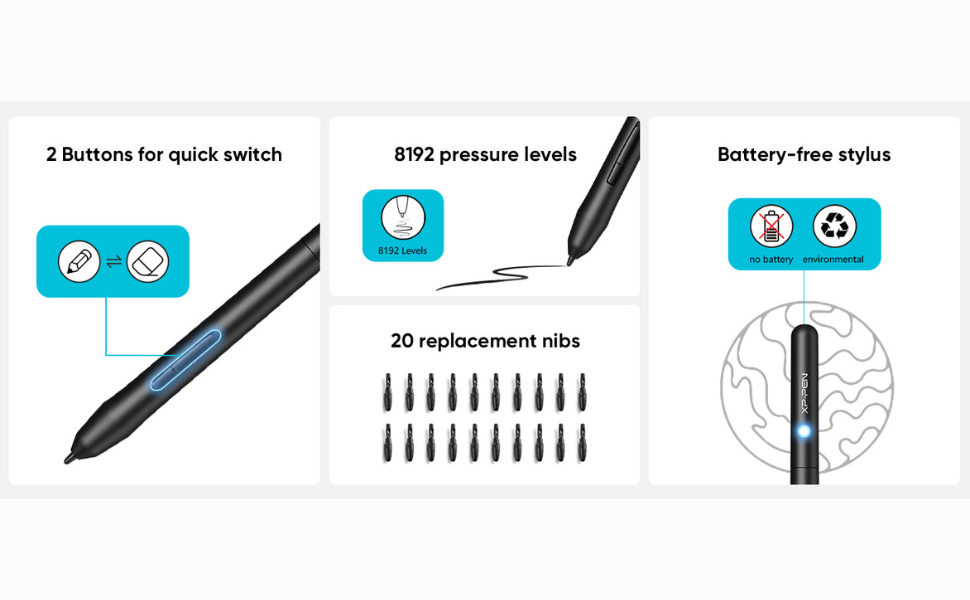
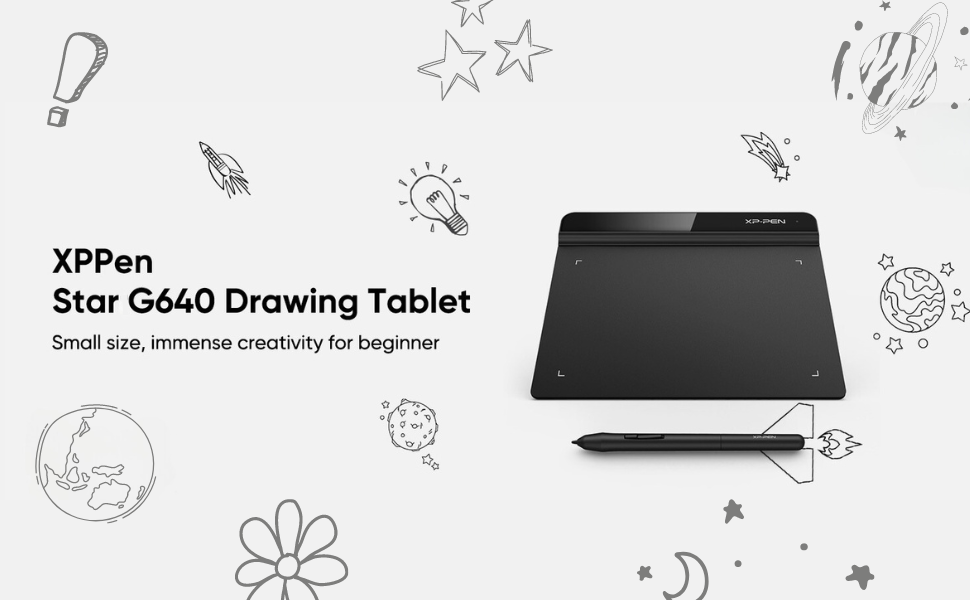
The XP-Pen StarG640 is a sleek, ultra-portable 6x4 inch graphics tablet featuring 8192 levels of pressure sensitivity and a battery-free stylus with 20 replacement nibs. Designed for professionals and creatives on the go, it offers ergonomic controls, broad software compatibility, and plug-and-play USB connectivity across Windows, Mac, and Linux platforms. Perfect for digital art, note-taking, and online teaching, it combines precision, convenience, and eco-conscious design in one compact package.


| ASIN | B078YNBFXG |
| Active Surface Area | 24 square inches |
| Best Sellers Rank | #655 in Computers & Accessories ( See Top 100 in Computers & Accessories ) #3 in Graphic Tablets |
| Box Contents | 1 Pen Tablet, 1 P01 Passive Pen, 20 x Replacement Nibs, 1 Pen -Clipper |
| Brand | XPPen |
| Brand Name | XPPen |
| Colour | Black |
| Compatible Devices | Mac OS X® 10.10, Windows® 7 (or later |
| Connectivity Technology | USB |
| Country of Origin | China |
| Customer Reviews | 4.2 out of 5 stars 6,682 Reviews |
| Importer Contact Information | M/s DNS Overseas 1003, Raheja Chambers, 213 Nariman Point, Mumbai 400021 |
| Item Dimensions L x W | 16.2L x 8W Centimeters |
| Item Type Name | Graphic Tablet |
| Item Weight Unit of Measure | 430 Grams |
| Manufacturer | Hanvon Ugee Technology Co. Ltd. Address: No. 4 Building, Fulongte Industrial Park, Huaxing Road, Dalang Street, Longhua District, Shenzhen, China 518019, XP-Pen |
| Manufacturer Contact Information | Hanvon Ugee Technology Co. Ltd. Address: No. 4 Building, Fulongte Industrial Park, Huaxing Road, Dalang Street, Longhua District, Shenzhen, China 518019 |
| Manufacturer Part Number | StarG640 |
| Model Name | Star |
| Model Number | StarG640 |
| Native Resolution | 1920 x 1080 pixels |
| Network Connectivity Technology | USB |
| Number of Items | 1 |
| Number of Packs | 1 |
| Operating System | Mac OS, Windows |
| Packer Contact Information | M/s DNS Overseas: 1003, Raheja Chambers, 213 Nariman Point, Mumbai 400023 |
| Pressure Sensitivity | 8192 Levels |
| Product Features | 60° Tilt Support, 8192 Levels of Pressure Sensitivity, Android Support, Electromagnetic Resonance |
| Screen Size Unit of Measure | 7.21 Inches |
| Software Update Supported to Date | unknown |
| Special Feature | 60° Tilt Support, 8192 Levels of Pressure Sensitivity, Android Support, Electromagnetic Resonance |
| Specific Uses For Product | Designing, Online Education, Teaching |
| Target Audience | Student, Teacher |
| UPC | 654913041393 761460825922 |
| Unit Count | 1 Count |
| Warranty Description | 1 year manufacturer |
T**N
Excellent product and very useful
Perfect toool for online classes and presentations.
S**I
Good Purchase 😃
I purchased this pen tablet for my sister, and she is very happy with it. The device connects easily to the PC via USB, which makes setup simple. The pen is smooth and responsive, making drawing and writing feel natural. The erasing function works well, and the overall handling is comfortable. The size is practical and affordable for the price, offering good value. Although my sister has not used it extensively yet, she enjoys the experience so far, especially for creative work. Overall, this pen tablet is a solid purchase, and we will see how well it holds up with regular use. Thanks Amazon
T**N
Nice piece
It gets the job done.
N**H
Features
Have been using it for the past 3 years. Works great, very easy to use, can write smoothly, connects instantly, and can connect with both laptop and desktop.
A**S
Good
This is good but after some days this tablet screen is fullfill to scratches
S**H
XP PEN is a good and effective product.
Unboxing and Initial Impressions: Well-packaged with minimalist design. Includes tablet, USB cable, 10 pen nibs, pen clip, and a quick guide. Small size of 4 x 3 inches, ideal for digital signatures and basic graphics. Design and Stylus Features: Slim, all-black design made of lightweight 2mm thick plastic. Stylus offers battery-free experience with 5080 LPI resolution and 8192 pressure levels. Two stylus buttons for right-click and middle-click functions. Installation and Compatibility: Easy setup – connect via USB, install drivers from XPPen website. Compatible with Windows, Mac, and Linux. It has integration with popular drawing programs. User Experience and Specialized Use Cases: Low latency for gaming with both hovering and dragging methods. Effective as a digital signature pad in Adobe Acrobat and other signing applications. Practical tool for online teaching, illustrating concepts. Ideal for Creators on a budget: Assists in touching up lines, adding details, and simplifying background animations. Suits personal and travel use, not necessarily for professional graphics careers. Conclusion: Versatile and affordable graphic tablet catering to a wide range of creative needs. Small drawing area limits intricate projects but excels in various applications. Consider bigger options like G640 and Star03! Packed with features at a very reasonable price point, making it commendable for beginners and seasoned users alike.
S**M
A good affordable entry tablet, but could be better
The pen works as described and I use it extensively for editing my photographs on Photoshop. Ever since I started using this tablet and Pen combo my editing skills have gone up a whole lot more and the resulting images look way better. This is primarily due to my editing workflow where I edit selective areas of the images as I see fit. The pressure sensitivity comes real handy to manipulate the opacity or intensity of the brush strokes and it opens a whole new dimension of photo editing. Learning to use this for the first time is quite simple and you will quickly get a hang of the tablets co-ordination to onscreen mouse pointer location. While all is good there are still some negatives that needs to be pointed out. 1) The right click and left button on the pen is actually a big nuisance since I always end up pressing one of the button unintentionally. I personally haven't tried the other more expensive tablets so don't really know how this pen's button layout is different on the other pens. Do they too have the same accidental button press??? Not sure, but this definitely does have that... 2) The quality and feel of the pen is not right. Its too plasticky and light, and does not replicate the feel of an actual pen due to this. Its not a big concern for me but would have loved to have a heavier pen. 3) The nibs supplied wear out too soon. After a few weeks of usage the nibs feel like they are scratching on the tablet surface instead of writing on the tablet, which dosent give a good feel 4) The size of the tablet itself is about the size of a mouse pad and sometimes it can feel a little restrictive, unless you zoom into the image to make more precise and fine adjustment strokes All in all its a good buy for starters or for those on a budget. I picked this up to primarily test my new workflow using the tablet and pen. I will use this for a few more months till I wear out all my nibs and probably go for a more expensive and bigger professional tablet soon.
R**R
❌ बहुत खराब क्वालिटी, लिखने में बिल्कुल स्मूथ नहीं
बहुत ही खराब प्रोडक्ट है। इसकी क्वालिटी उम्मीद के बिल्कुल विपरीत है और इस्तेमाल करने पर अच्छा अनुभव नहीं हुआ। पैसे खर्च करने से पहले अच्छी तरह सोचें। मेरी व्यक्तिगत राय में यह प्रोडक्ट खरीदने लायक नहीं है। बहुत ही खराब क्वालिटी का राइटिंग पैड है। इसकी सतह बिल्कुल भी स्मूथ नहीं है, जिससे पेन ठीक से नहीं चलता और लिखने में काफी परेशानी होती है। इस पर लिखने का अनुभव बिल्कुल अच्छा नहीं है। क्वालिटी उम्मीद के मुताबिक नहीं है। मेरी व्यक्तिगत राय में इसे खरीदना पैसे की बर्बादी है। This is a very poor-quality product. The quality is completely different from what I expected, and I did not have a good experience using it. Please think carefully before spending your money on this product. In my personal opinion, this product is not worth buying. Very poor-quality writing pad. The surface is not smooth at all, and the pen does not glide properly while writing. Writing on it feels uncomfortable and frustrating. The quality is not as expected, and in my personal opinion, it is not worth buying.
S**7
This is an AWESOME starting tablet!
I’ve been using it for a month now and it’s extremely responsive, the hover height is great, idk why people have been saying it’s not good. And the pressure works good as well on the pen. I recommend it to anyone starting out with digital art or animation!
A**D
Excellent
Very good value for money
G**T
Worth it - 100%
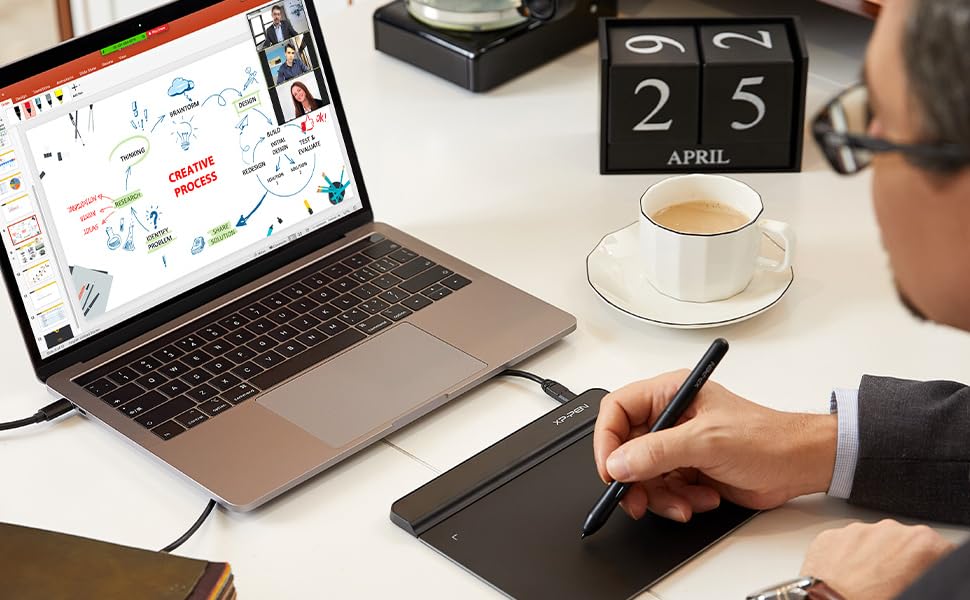
I am in IT and due to the present scenario, we are working from home. I was in need of a tool that will enable me to draw freehand (Diagrams, text, etc). This met my expectations 100%. (I have been using it for 2 weeks for 4-5hrs daily.) I have not used any other software (adobe, CorelDraw, etc) PROS: 1. Works with MS Office Suite (doc, xls, ppt) 2. screen-write option with MS Office (you can write on an existing doc) 3. acts as a mouse as well 4. small form factor 5. got loads of nibs CONS: 1. takes a few days to get used to 2. Due to the small form factor of the writing pad, it is uncomfy at times, but u become used to it 3. it wold have been great to have had a pen holder on the pad (maybe on top) to avoid misplacing the pen.
A**M
Very helpful
Works perfect. Writing and drawing made easy. Easy to connect to PC
ح**ر
المنيزلة
ممتاز بس الحجم صغير توقعت أكبر
Trustpilot
2 weeks ago
2 weeks ago