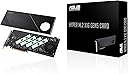
🚀 Unlock Next-Level Storage Speeds & Reliability — Don’t Get Left Behind!
The ASUS Hyper M.2 x16 Gen5 Card is a cutting-edge PCIe 5.0 expansion card designed for professionals demanding extreme storage performance. Supporting up to four NVMe M.2 SSDs with a combined bandwidth of 512 Gbps, it features robust thermal solutions and cross-platform RAID capabilities, ensuring blazing-fast, reliable, and scalable storage for AMD and Intel systems.
| ASIN | B0CKH9FWRQ |
| Best Sellers Rank | #9 in RAID Controllers |
| Brand | ASUS |
| Compatible Devices | Laptop, Personal Computer |
| Customer Reviews | 4.2 out of 5 stars 119 Reviews |
| Hardware Interface | PCI Express x16 |
| Item Dimensions L x W x H | 4.8"L x 0.5"W x 11"H |
| Item Weight | 1.9 Pounds |
| Manufacturer | ASUS |
| Model Number | HYPER M.2 X16 GEN5 CARD |
| Operating System | Windows, macOS, Linux |
| Product Dimensions | 4.8"L x 0.5"W x 11"H |
| UPC | 197105353282 |
| Warranty Description | 3 Years |
M**R
Fast. Boots fast. Reads/writes fast.
This is well made and works very well. Faultless / flawless so far. Do use the various heat management apparatus to keep your NVME in temperature range (they slow down if they get hot). Takes a PCIE3 or better slot, bifurcated 4x4x4x4 (may have to specifically/manually set from BIOS screen.)
J**D
Works fine even on PCIe 3.0 bus, as long as it supports bifurcation
Not currently able to test maximum throughput as I've put this in a PCIe 3.0 slot on a superMicro motherboard. Setup 4x4x4x4x bifurcation and all 4 slots recognized and working. Heatsink setup is substantial, though probably overkill for my use given the airflow and machine-room location -- likewise have not powered the fan in quite room, so cannot judge the sound from it. Overall construction is very solid. It is also a very large card, so be sure you have the space for it!
Z**N
Great design, but with some notable requirements to fully utilize all 4 slots.
These cards (all brands and types), cannot use all 4 lanes on any gaming system, unless you use the primary video card PCIe 16x slot. Otherwise, the most you will probably get is 2 drives. There weren't even posts to install the 3rd or 4th slot, despite thermal strips being available. The only method of full utilization is with a Threadripper motherboard and accompanying processor as it has enough lanes for each PCIe slot to fully utilize 4 drives. Buyers after normal gaming rigs, should not bother, unless they want a limited experience.
T**H
Need more m.2 slots?, try this!
As someone who needed more super fast storage this was the perfect solution. I had already used up all four m.2 slots on the motherboard and needed to add more storage capacity. So far I have only used two of the slots and it seems to be working great but there have been some reviews saying trying to use all the slots doesn't work as well but I have not had any issues out of it. The speeds are also just as good as the ones directly on the motherboard and it was very easy to install. And being that it is from Asus you can expect a quality product that has good value.
J**.
PCIe x16 position must support bifurcation
Do some research before buying!! To use all four positions on the card there are very specific requirements. The CPU, Chipset, Motherbaord and BIOS must support bifurcation, spliting the PCIe x16 into 4 individual lanes , PCIe x4,x4,x4,x4. Nowhere is this detailed shown on the Amazon webpage, and the ASUS web page is not clear in this matter either. A document detailing all motherboards capable of supporting all four slots on this card would be very helpful and something to look at before purchasing this item. I found some helpful documents searching the Internet for qualified motherboards but many were outdated and did not include the latest available motherboards.
G**X
Crazy Fast!!
Super fast card. The speeds and temps are incredible when using gen 5 drives but note you need an additional power connection and the card itself is slightly (just slightly) larger than a transitional single slot pci card. I had to reorganize some things in my case to get it to fit. Once in though, holy smokes this thing is FAST.
T**E
It's pretty hard to get true performance out of it.
It is an expansion card for RAID configuration with M.2 SSD, but it cannot be handled satisfactorily without HEDT system as a prerequisite. This product supports PCIe 5.0, but I have tested it with PCIe 4.0 because I have not found a satisfactory drive yet. As a precaution, make sure that your motherboard has PCIe slot branching and is properly set. Otherwise, only one of the M.2_1 drives will be recognized. I will give you just one image, but the transfer speed seems to have a wall around 20GB/s, so you will have to work hard to get the performance out of it. Alternatively, the Sapphire Rapids platform itself still seems immature, so it depends on the BIOS of the motherboard. By the way, I used products Xeon w5-2455X + Pro WS W790E-SAGE SE + VROC Key Standard and SSD: EXCERIA PRO NVMe SSD-CK2.0N4P *4.
D**C
Works well; be aware of limitations
The product does exactly what it says it does -- you can install up to four NVME sticks. It's a full-sized card, with a fan and a heat sink to keep the NVMEs cool. If you need to build a high-performance file server, this would be one way to do it. Be advised, the maximum number of NVME devices depends on how much available PCIe bandwidth your motherboard has. It will not support as many NVME devices if you lack the PCIe bandwidth. You may encounter problems if you add this to a computer that already has a high-performance video card or other accessories that use most of your PCIe bandwidth.
Trustpilot
3 days ago
4 days ago