๐ Upgrade your MacBook Pro to lightning speed and massive storageโbecause your productivity deserves the best!
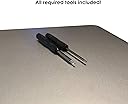
This 500GB internal SSD upgrade is designed exclusively for Mid 2012 to Early 2013 13" and 15" MacBook Pro Retina models, delivering ultra-fast 540MB/s read and 520MB/s write speeds. The package includes all necessary tools and cloning software for a smooth, DIY installation experience, backed by US-based tech support and a five-year warranty.
| ASIN | B078JRTP9G |
| Additional Features | Portable |
| Best Sellers Rank | #3,578 in Internal Solid State Drives #70,593 in Computer Internal Components |
| Brand | MCE Technologies |
| Built-In Media | 1 x SSD, Pentalobe screwdriver, Torx T5 screwdriver, Cloning software |
| Cache Memory Installed Size | 500 GB |
| Compatible Devices | Laptop |
| Connectivity Technology | USB |
| Customer Reviews | 4.4 out of 5 stars 12 Reviews |
| Data Transfer Rate | 6000 megabytes_per_second |
| Digital Storage Capacity | 500 GB |
| Form Factor | all in one |
| Hard Disk Description | Solid State Drive |
| Hard Disk Interface | Serial ATA |
| Hard-Drive Size | 500 GB |
| Hardware Connectivity | Solid State Drive |
| Hardware Platform | Mac |
| Installation Type | Internal Hard Drive |
| Manufacturer | MCE |
| Media Speed | 520 megabytes_per_second |
| Mfr Part Number | 500GSSD-M12E13 |
| Model Name | Samsung T5 |
| Read Speed | 540 megabytes_per_second |
| Special Feature | Portable |
| Specific Uses For Product | Business |
| UPC | 812772000559 |
| Unit Count | 1 Count |
C**V
Waited too long for this upgrade
Had my MBP since release and always was running low on HDD space, since the upgrade from Apple costs too much I waited and forgot about it. Fast forward to last month when my HDD just kept acting up, that's when I came across this gem. Exactly what I needed but was skeptical at first. Install was way too easy and Time Machine had me restored back to running state in a few hours. The end result was astounding, big difference in performance (my older drive was going bad and I didn't know). Now my MBP is functioning like brand new but with over double the original storage capacity, I could not be happier with this purchase, ok I lied, I would have been happier if I would have just done this much sooner then I had. Seriously don't wait on this upgrade like I did, if you are running out of storage or having HDD issues, just pull the trigger on this, you won't regret it.
D**K
Included instructions were for a different model but worked out OK
This all worked out fine in the end. When I opened the computer (the provided tools were correct), it looked different from the instructions-- the SSD was located in a different place. The instructions had it over by one of the fans, but it was actually in a more centrally located caddy or tray that came out with the card in it. A difference in the actual model number or mfg date of my computer, I suppose (12 in. Retina i5, purchased March 2013), which I could not resolve. However, I was able to find a video (I think via the MCE website) that had a step-by-step procedure for this configuration. I could see that the new SSD was identical in form to the old one, and it fit easily in the tray in accordance with the video instructions. A 20-minute job, no glitches. I had lived with 256GB for 5 years (512 was an expensive option then) and was getting increasingly squeezed for space. I was using OS X 10.11 but I did a clean install of 10.13 from a thumb drive onto the new SSD, which went as advertised. All good after a month or so, restoring my backed up data as I need it (and weeding it a bit in the process).
H**Y
Nothing
Nothing
M**A
It worked
Honestly not sure - was happy to increase memory and my systems manager installed same - he for the first time doing this was happy with the results and learned a great deal
S**B
Worked perfectly
Worked perfectly and is pretty fast. Installation was easy (I have done this kind of thing before so I found it easy) and all went smoothly. Would recommend as a cheaper alternative to upgrading storage or replacing a fault drive.
R**G
Great product
Printing
P**A
Excellent
Exact fit for 15โ MacBook Pro /Retina
Trustpilot
3 weeks ago
1 month ago