Desertcart purchases this item on your behalf and handles shipping, customs, and support to GERMANY.
⌨️ Elevate your workspace with the MX Keys S — where smart meets sleek.
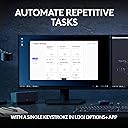
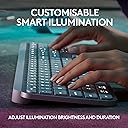
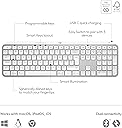
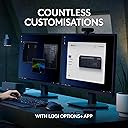
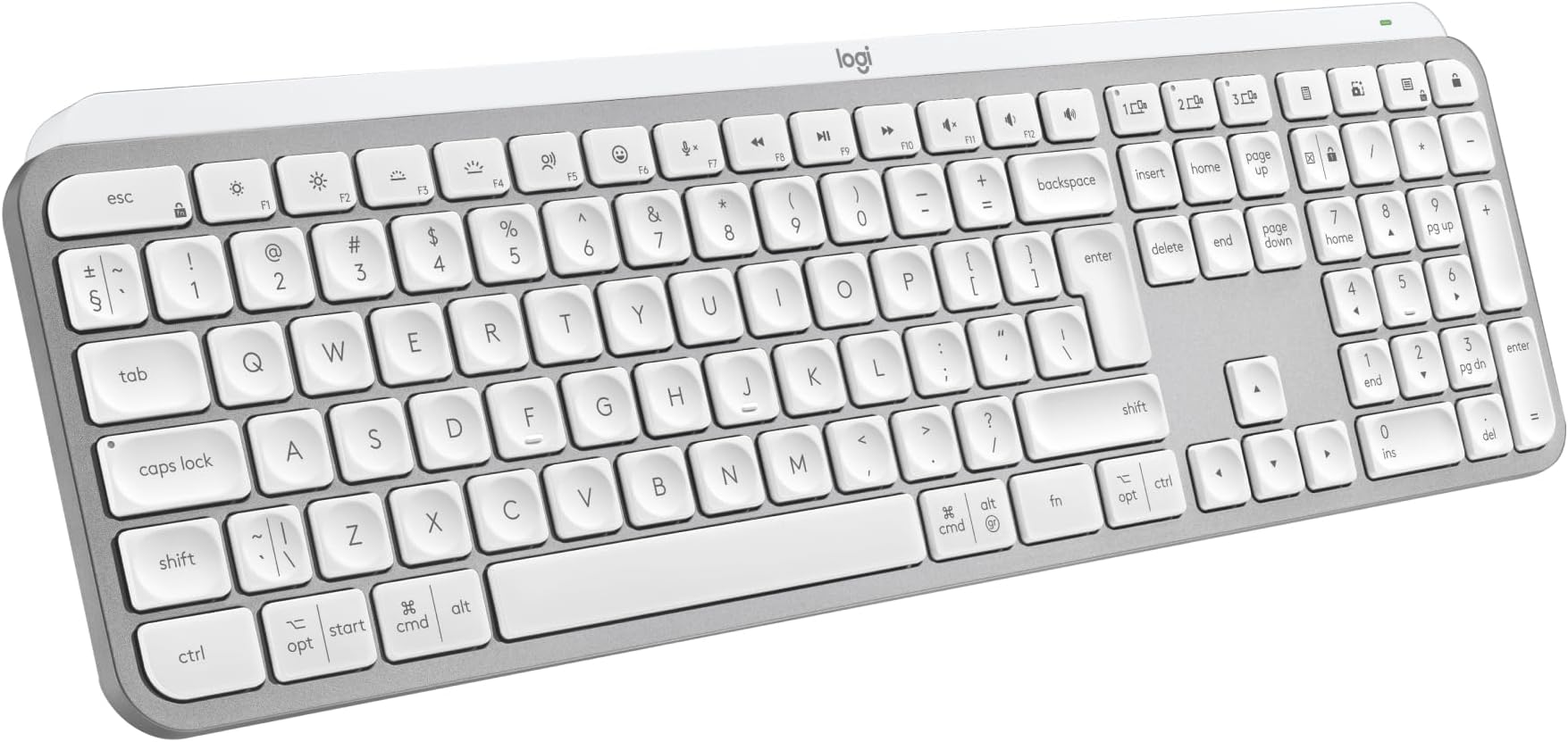
The Logitech MX Keys S Wireless Keyboard UK QWERTY is a premium, full-size, low-profile keyboard featuring smart adaptive backlighting, customizable Smart Actions via the Logi Options+ app, and multi-OS compatibility. Powered by a rechargeable 1500mAh battery and offering Bluetooth plus Logi Bolt USB connectivity, it’s engineered for professionals seeking precision, efficiency, and style in one sleek package.


| Antenna Location | Personal |
| Asin | B07W5JK38Y |
| Best Sellers Rank | 622 in Computers & Accessories (See Top 100 in Computers & Accessories) 6 in Keyboards (Computers & Accessories) |
| Box Contents | Keyboard, Logi Bolt USB receiver, USB Cable, User documentation |
| Brand Name | Logitech |
| Button Quantity | 104 |
| Colour | Pale Grey |
| Compatible Amazon Tablet Models | Amazon Fire HD 10 11th Generation |
| Compatible Devices | Chromebook, Mac, PC, Smartphone, iPad |
| Compatible Operating System Family | ChromeOS, Linux, MacOS, Windows |
| Compatible Tablet Computer Models | Amazon Fire HD 10 11th Generation |
| Connectivity Technology | Bluetooth, Logi Bolt USB |
| Country Of Origin | China |
| Customer Reviews | 4.6 4.6 out of 5 stars (797) 4.6 out of 5 stars |
| Enclosure Material | Plastic |
| Generation | 1 |
| Hand Orientation | Right |
| Item Dimensions L X W X H | 43L x 13.2W x 2.1H centimetres |
| Item Type Name | Wireless Keyboard |
| Item Weight | 810 Grams |
| Keyboard Backlighting Color Support | Single Color |
| Keyboard Description | Standalone |
| Keyboard Layout | QWERTY |
| Language | English |
| Manufacturer | Logitech |
| Manufacturer Part Number | 920-011585 |
| Mechanical Keyboard Switch Model | Meccanico |
| Minimum Required Operating System Version | ChromeOs 134, Mac OS X 10.0 Cheetah, Windows 1 |
| Model Name | MX Keys S |
| Model Number | 920-011585 |
| Number Of Keys | 104 |
| Power Source | Battery Powered |
| Product Features | Backlit, Customizable Display Keys, Hotkeys and Media Keys, Rechargeable |
| Product Warranty | 2 year manufacturer |
| Style Name | Modern |
| Switch Type | Linear |
| Unit Count | 1.0 count |
User
expensive but good quality
good build quality, feels very solid. connected to pc quickly and very stable. backlight works well and can be adjusted in strength and time for how long it stays lit. app works well and no problems finding the keyboard. the keyboard can connect to 3 different devices with quick switch buttons. I tested and worked well with pc, mac and android tablet.It feels nice and quiet to type on and there is a little travel of the keys - not quite as usable for gaming as it is for office work. travel is shallow and deeper travel is often more suitable for gaming.its not a cheap keyboard and maybe a little on the premium end of the market.
User
Expensive but worth it
Well as a stand alone keyboard for a computer, £83 is exteremely expensive but this is where this keybopard comes into its own.I currently have the main computer that i do a lot of work on and a laptop that i use when the mrs wants to watch tele as i use the big tv screen on the main computer. I also have a work computer that i connect up to a system i have in the house on a three monitor setup.This keyboard has the ability to connect to three computers so as long as they are not all being used at any one time, a simple press of the button switches its connection to the computer you need to connect to. This for me is what drove me to get this as we rarely have more that onr computer on at a time. You can also get a mouse that i have that does the smae thing and used the one USB adaptor to connect to but you can also use bluetooth to connect with.The weight oif this keybopard is unreal, it really does weight a fair bit by far the most of any i have ever had but it comes accross as super sturdy.Functionality of the keys is a dream, super feedback and allows for really fast typing.Worked as soon as i connected the keybpoard but there is an app to go with this called Logi Options and shows all applicable connected devices and displays tjhe current battery strength which i really like.Keyboard comes with the dongle to connect to but if you get he mouse, it does not come with one so something to be mindful off.Also comes with a USB C charging cable that is top quality although it is only a meter in length.Brightness of the keyboard works great and is easy on the eye but it loods superb when lit. Has an auto shut off so when nothing is pressed it will go off but pops right back up once you pick it up.
User
A great big keyboard
I purchased the MX Keys s for use with work. I currently have a remote position where I type all day every day and so it makes sense for someone like me to invest in the tools most used. I was likely one of the first people to purchase this as it had only just released a day prior to purchase without knowing of it's release date, so that was a nice surprise.Build Quality - The overall quality of the keyboard is really good having a hefty and sturdy feel. There are more premium feeling keyboard's out there but for how thin it is and it's good choice of plastic construction it has been designed well for it's intended users, putting functionality and typing experience over material and useless features.Battery Life - So far I've never run out of battery from use. I've had it for over a month and it's only been charged once. This is however with strict backlight restrictions as this is not my primary keyboard for my personal computer and I do not work at night so for those using it 24/7 as a main everyday keyboard you'll find your battery may drain quicker with constant use.Price - I'd say the price of the keyboard although steep for many can be justified for users like myself after something that will be used day to day and is comfortable to use for long periods of time.Usability - The keyboard is an absolute joy to type on for day to day work use and it's clear to see who this is aimed toward, i.e. Everyday all day typers, administrators, coders and designers. The full size keyboard has a wide variety of function buttons to make using the system convinient. It has the common lot of play, pause, skip, brightness and so on however the addition of multi device connection, emoji, mute and calulation are welcome additions. The keys themselves have a firm clacky tone with dimples for accurate and comfortable typing.Note that there are two varients of the keyboard, this one with the numpad and additional keys on the far right and the mini which maintains the same layout without these. Some may find the mini more appealing if they have no use for the extra keys and would prefer extra room for their mouse.Best suited for - The keyboard is hands down perfect for those with a keyboard focused workspace and handle numericals often. Although it can be used for gaming and wouldn't actually be that bad you may as well invest this type of money in a proper mechanical board if gaming is your thing as you'll find they'll withstand punishment better and the keytravel is more satisfying/comfortable.
User
Fantastic Keyboard
This is a fantastic keyboard. I did question paying nearly £90 for it but it is well worth the price. It has a good weight to it and build quality is great. I am sure it will last a good number of years. I decided to purchase this keyboard so I could set up a workstation at home as well as being able to use it in the work office because I will be hybrid working and I wanted a good keyboard to use at home and at work.It's taken a couple of days to get used to the keys but it's a joy to type on and it's virtually silent, even quieter with the keyboard cover I purchased to help protect the keys from crumbs and dust.Great to be able to program some functions such morning start up for opening all the apps and programs I use for work at the touch of a button but you do have to give up whatever the function key was originally assigned to do in order to do this. I do find a number of the function keys to already have some useful quick access functions already built in, so I am limited with the number of keys I am willing to give up and program. It would have been good if there were some completely user programmable keys not already assigned to a function.The battery is lasting as expected when I have the backlight on so I would expect to have to give it a charge every 2-3 weeks going forward. I do use the backlight on middle brightness most of the time.It's great to have the ability to have it linked to my work PC and my personal Mac at the touch of a button and there is still a spare key to assign to another device such as my iPad or phone. The keyboard is going to get a lot more use as a result of this function so in my view helps justify the high price paid.The only thing I don't like is the lack of riser legs which I would have thought would have been incorporated in a keyboard of this price. I do find the fixed rise of the keyboard to be minimal and could do with it being more of an angle. I have purchased some extra height risers that clip on which should make the keyboard the perfect height.Also purchased is a carrying case to keep the keyboard in pristine condition when putting it in my backpack for work.Overall this is just a fantastic keyboard and you won't be disappointed if you take the plunge and purchase one.
User
Lovely to type on. Odd Cmd/CTRL & Vol Key layouts... but would recommend.
For those wanting a cheaper version of the Mac Keyboard, this is not it. In white it certainly looks very similar. It's raised slightly more, which I prefer. The keys feel terrific quality. Time will tell if they keep their texture or go 'shiny' like another Logi keyboard I had in black (this one is white).I had a few problems, but these were more down to my settings. Whereas on a Mac Keyboard there is just a £ above the 3, on here there is a £ and a # in acircle. My Mac Mini was set to British PC.So if you are getting a £ when you do Opt/3, change your Lang to just 'British'.I like that it does have a nice look to it. The metalic look is not shiny, just a sort of shimmer. It's a quiet keyboard on which to type. Can't compare to the Mac one as not had one, but this feels nice. I can touch type at speed and it's not all "clicky".Three things I wish were different.1) The on/Off Toggle on the back. I wish it was a little easier to use. It's not flush, but almost is, making it a bit tricky to switch. But only a bit...2) I wish the Volume buttons were independant. The Volume UP us a button all it's own, The Down and Mute are NOT. So you have to press Fn to get it to reduce volume, which if you was not aware at the time, is a worry.I know it can't do it, but 3) is lack of Touch ID, but that's prob down to Trademark etc with Apple. But if you have a Watch, ait unlocks with that anyway, so no big deal.On a MAc, you have from bottom left: Function, Control, Option, Command.On this, you have CTRL, Options, Command. No Function, that's on the right.On the Right on a Mac you have Option, Command, Control.On this it is Cmd, Fn, Option.So if you are getting this keyboard instead of Mac, as it is "the same".... it isn't. Not sure why Logi did it like this, when people would get this, instead of the Apple one.That being said, I still like it. I'm growing use to the positions of those keys. The Volume one is just strange. Either all in Fn or none. Not just one. Can't quite understand how that was signed off.It's like having a car indicator, and to go Right to click it up. To go left, you click it down, but you also need to press something.Anyway... Id recommend it over Apple's as theirs is very costly, as one would expect from Apple.
User
Beautiful Excellent Keyboard
Beautiful keyboard with solid metal construction (it has a metal heft when you lift it which feel premium) with lovely key stokes. I now understand the rave about this productivity keyboard.I love the shortcut buttons above the number pad.The not so good: you have to create an account to access the software and they ask for you DOB (why?).
User
Lovely everyday keyboard
This keyboard has a wonderful design, and makes typing feel much more enjoyable. It's not too loud, and in terms of its connectivity, there's no significant lag at all, and very easy to connect via Bluetooth or the dongle. In terms of battery life, having blacklit off since I usually use my keyboard during the day, it lasts a very long time, and I only usually need to charge it once in a few months of typing. Having said that, the backlight is lovely is you use it during the night, and also lights up when your hands are above the keyboard before you type, which makes finding it easier. Has a pretty standard size for a keyboard with a number pad, and overall, would definitely buy again! Can be a bit pricey, but worth the money in the long term if you like to type a lot.
User
Useful Replacement BT Keyboard
Got this due to lack of USB slots on new laptop.I've previously used a variety of Logitech mice and keyboards, and have generally had no issues (except for terrible keycap paint on G915, but that's a pretty isolated incident).Keyboard was straightforward to pair on Bluetooth on Windows 11. I already had the Logi Options+ software in use for an MX Anywhere 3 mouse. Keyboard was picked up straight away, and there seems to be a useful amount of functionality.I found the keyboard comfortable to type on, but it does feel a bit different typing on a gaming or office keyboard with raised keycaps. Noise level's excellent, hardly a sound.Battery life still to be tested, but keyboard arrived with around 50% charge, and a couple of hours on USB-C while in use, took it up to 100%.Also fits nicely in a standard laptop bag, which is a bonus!
User
Amazing keyboard
This is the best keyboard for programming
User
Worked really well!
I have bought this product last year 2024. But it is still alive and worked, never disappointed me. 👍
User
The best
Best keyboard ever
User
Wonderful product
Simple to install, lovely to use a great keyboard ⭐️⭐️⭐️⭐️⭐️
User
NO es un teclado del Reino Unido - ¡NO hay clave £ GBP!
Puede obtener una tecla £ mediante mayúsculas y hash, pero no está en el teclado. Estoy tratando de descubrir cómo obtener una clave hash y @ encima del 2 son en realidad las comillas dobles encima de la coma a la derecha. Es un teclado hermoso pero es un dolor de cabeza. Aún no he intentado iniciar en Modo seguro: las últimas claves MX no funcionaron.
Trustpilot
1 week ago
1 week ago