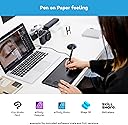
🎨 Elevate your digital canvas—where precision meets limitless creativity!
The Wacom Intuos Pro Large is a professional-grade pen tablet featuring an expansive 43 x 28.7 cm drawing surface, 8192 levels of pen pressure sensitivity, and 60 degrees of tilt recognition. It includes 8 customizable express keys and a multi-touch surface for enhanced workflow, compatible with both Windows and Mac via USB or Bluetooth. Designed for artists, designers, and creatives seeking precision and comfort, it comes with the battery-free Pro Pen 2 and replacement nibs, delivering a natural, paper-like drawing experience.


| ASIN | B01MY0TG4L |
| Active Surface Area | 8.7 inches |
| Best Sellers Rank | 4,718 in Computers & Accessories ( See Top 100 in Computers & Accessories ) 14 in Graphic Tablets |
| Box Contents | Digital Pen, Pen Holder, USB Cable |
| Brand Name | Wacom |
| Colour | black |
| Compatible Devices | Desktop, Laptop |
| Customer Reviews | 4.5 4.5 out of 5 stars (2,004) |
| Display Type | Patented electromagnetic resonance method |
| External Testing Certification | US: FC, CEC (California EnergyCommision), RBRC, Mercury Labeling Requirements\nEU/EEA/SW/Turkey: CE,RoHS\nKuwait: Ministry of Communications\nJapan: VCCI, Radio Act\nChina: SRRC (CMIIT), China RoHS, GB\nAustralia/New Zealand: RCM, IDA\nSingapore: IDA |
| Global Trade Identification Number | 04949268620055 |
| Item Dimensions L x W | 43L x 28.7W centimetres |
| Item Type Name | Wacom Intuos Pro L Bluetooth® Creative Pen Tablet Black |
| Item Weight | 1.3 Kilograms |
| Manufacturer | WACOM |
| Model Name | Intuos PRO Large PTH-860-N |
| Model Number | PTH-860-N |
| Native Resolution | 311 x 216 |
| Network Connectivity Technology | USB |
| Operating System | Windows 7 oder neuer, Mac OS X 10.10 neuer |
| Pressure Sensitivity | 8192 Levels |
| Product Features | Tilt-recognition and virtually lag-free tracking. |
| Product Warranty | 2 year manufacturer |
| Screen Size | 8.7 Inches |
| Specific Uses For Product | Designing |
| Target Audience | Professional fashion, graphic and product designer |
| Unit Count | 1.0 Count |
P**R
A quick draw decision
Fantastic product with a wide variety of uses. The software included was easy to understand and having had this connected up for nearly a year now I would highly recommend it. Compatibility wise, it worked flawlessly with Windows 10 and now since I upgraded, Windows 11 and I had no problem with the drivers. The pen and feel of the tablet is very natural, the drawing area size was excellent and for functionality it's perfect. The side button being extremely useful for quick access to functions. Although this product has now been overtaken by a newer version, this is a stand up product from a company where I would return to and purchase again if needed on a different laptop.
R**E
Fantastic tablet, downloading the drivers on Windows 10 was ...
Fantastic tablet, downloading the drivers on Windows 10 was easy - you just go to Wacoms website and search for the latest drivers. I upgraded from the previous model Intuos Pro S - I had it for years and to this day it's still an awesome tablet, but I felt the need to upgrade as there are vast improvements in this model. The only qualm I have with these kinds of tablets is that the tiny edges can get filled of dirt quite quickly - especially if you eat at your desk. The crevices are easy to be filled with that kind of stuff. I occassionaly clean my tablet, if anything gets under there I'll use a tiny needle to get rid of anything wedged inside. Another thing is that the texture of the surface was quite rough, this can result in your pen nibs wearing down more quickly compared to a smooth surface. The default surface they send seems to be rough which is annoying, they have 3 types of texture sheets: smooth, standard and rough. You can find these on their website - I purchased the standard and it feels way better. A test card is included so you can feel what the different textures feel like. I think this is a sneaky tactic by Wacom, they'll know most people won't like a rough surface - not the end of the world but considering texture sheets are around £30 (depending on the size of your tablet, larger sheets are more expensive) they know they can get more money from this. It should have been a standard texture sheet, but unfortunately - not the case. Aside from those minor issues, it's a step forward in terms of specifications. I've noticed the difference in levels of pressure sensitivity from my last Wacom tablet which had only 2048. The new pen is also comfortable and has an elegant new pen holder/stand that holds the nibs inside, which I love. Changing the texture sheet was easy to do, and it was delivered very quickly - I ordered it from the Wacom store. I've had no driver issues thus far, I have had problems with Wacom drivers in the past - they're not perfect but they've certainly improved quite a bit. Simple to set up, and easy to use. I'd recommend this tablet for professional artists, but if you feel like splashing out - go for it. Wacom are stingy with their prices, but I do believe 'you pay for what you get for'. If you can't afford a screen tablet then this is the next best thing.
S**S
Near-perfect upgrade for photo editing, but the nib wear really does need to be addressed.
I used a basic Intuos Draw for a couple of years for photo editing and day-to-day computer use. As that inevitably got scratched up to the point of causing input hitches, I decided to replace it by upgrading both the model line to Intuos Pro and the size to 'medium'. My actual drawing I prefer to do on paper, but for photo editing, this has been a huge upgrade. The difference the additional surface area makes can not be overstated. If you're working on high-resolution files and you're doing the kind of editing where you need to get in at a 1:1 pixel level and make even, smooth alterations across the whole width of the screen, the 'medium' size is definitely better than the small/basic Intuos size. The expanded express keys and dial found on this 'Pro' are also extremely useful, especially in Lightroom which can be pretty clunky without shortcuts, and the pen is noticeably nicer than the one bundled with the basic Intuos, as well; the eraser is very much appreciated. The surface and nibs are a tough one to call because there are some objective downsides but some potentially huge subjective upsides. The surface is a little bit rougher than the older and more basic Intuos I had (as well as other tablets I've owned many years ago) and the nibs are a little bit smaller and softer, too, and this leads to fast wear. The plastic nibs have lasted a week each and the felt nibs just a few days longer, maybe 10 days; and this is with my relatively light photo editing use. I can imagine if I were to do much digital drawing, both types of nib would wear down in just a couple of days. (Again, I prefer drawing on paper, but I did try some digital drawing with this tablet once right after getting it and sure enough, the impact on the nib could be seen after only a couple of hours.) The potential upside to this though is it does feel a lot more like using a traditional pen on paper. With the plastic nib it feels a lot like a Sakura Pigma Sensei pen I have, and the felt nib feels near-identical to a Zebra Fude brush pen. I prefer the felt nib as it offers just a little more resistance and does seem to wear down a little slower, but it's all personal preference. I am very tempted to try the extra smooth replacement surface, with the felt nib, in order to have the slowest wear possible while still having a little resistance. The problem with that is replacement surfaces for these tablets run in the area of £40 local or £25+shipping and import to get from the US, so it's certainly not a cheap part to switch. For that matter, replacement nibs aren't cheap either, and given how quickly many people will eat through nibs, I think that's a big fault. Whenever they revamp the line again, Wacom need to either make more durable nibs or they need to bring the price down on replacement nibs. All that said, while I can only guess at how other people may use the tablet, all I can really speak for is my own use and experience with it, and overall it's been fantastic for me. I do wish the nibs wouldn't wear quite as fast, but it's not too horrific with my use, and for photo editing this seems like a very worthwhile upgrade over the basic Intuos. If you don't care about express buttons or the eraser then I have to imagine the regular Intuos Medium would be just as effective, but for those of us battling with clunky Lightroom, these extra keys do make a difference.
R**N
Merhbalar ben bir profesyonel heykeltraşım. Wacom a geçmeye klarar verip bu cihazı satın aldım. Zbrushta rkelamlarında çıkmasına rağmen doğru düzgün çalışmıyor. Kaleminde bağlantı hatası olduğunu düşünüyorum. Çzim yaptığımız alanında konforu sıfır onuda öğrendim nedenini uçların hızlı bitmesi için pütürlü yapmışlar bu yüzden çizim konforu çok kötü. Baskı hassasiyeti dediğim gibi ürün veeya kaleminden kaynaklı olabilir. Ben bu yüzden iade etmek istedim ve malesef ilk kullanımda çizim alanında bir çizgi oluştu bu yüzden iade red edildi. Düşünün 6bin tlden fazla para veriyoruz kaliteli sorun yaşamağız diyerek sağlamdır diye o kadar paraya kıyıyoruz am cihazda sorun var kaleminde sorun var gibisinden bişey düşünülmüyo direk red edildi diyor. Programda düzgün çalışmıyor, yarım saat kullanımda çizim alanı çiziliyor ve bu ürün 6bin tlden fazla. Ben denedim pişman oldum üründe elimde kaldı kullanamıyorum. ALmayı düşünüyorsanız kesinlikle deneyeceğiniz yerlerden almaya çalışın.
Q**R
Super produit pour le développement photo.
C**N
Prodotto eccellente ma avendo solo usato Wacom nella mia vita, in vari formati e modelli, non ho altro metro di paragone se non Wacom stessa. Corredata di tutto ciò che serve, i materiali sono di grande qualità. Se vi serve un tavoletta grafica per il fotoritocco, a mio parere, questa è la dimensione giusta: un più grande non sarebbe utile perché in genere si sposta l'immagine a schermo e ci si ritrova a poggiare la penna sempre sulla stessa zona della tavoletta. Se servisse invece per disegnare, io mi orienterei su un prodotto differente, più grande e con lo schermo.
T**T
I am using Wacom product long time back very good brand for professional.
C**R
Ich hab mir das Grafiktablet geholt, um zu sehen ob es als Ergänzung zu meinen Laptop ausreicht. Ich stand vor der Wahl ob ich nun gleich ein Tablet kaufe oder ein Convertable. Letztendlich habe ich mich dann erstmal für so ein Grafiktablet entschieden. Der Grund hierfür war recht simpel. Zum einen ist es in dem Preisbereich noch gut erschwinglich, zumindest als Student und zum anderen habe ich mir gedacht, wenn andere damit zeichnen können, sollte es doch möglich sein, einfach nur drauf "mitzuschreiben". Und ja, nach einer kurzen Umgewöhnung, nicht mehr direkt dort hinzusehen wo man schreibt, geht es spielend einfach und simpel. Meine größten Bedenken waren, dass ich eben nicht sehe wo ich schreibe und daher nicht einfach "weiterschreiben" kann. Das hat sich relativ schnell gelöst, da das Tablet Tracking in ungefähr 1-2cm Abstand besitzt. Das heißt also, man kann erstmal seinen Stift ausrichten und dann schön ansetzen und weiterschreiben. Das andere Problem war, dass ich Angst hatte einfach "krumm und schief" zu schreiben, da ich keine Zeilen mehr habe. Tatsächlich ist es so, dass mir die Zeilen am Bildschirm völlig ausreichen und (zumindest für mich persönlich) dort keine Schwierigkeit aufgetreten ist. Ansonsten ist die Akkulaufzeit wunderbar, ich komme über 2-3 Uni Tage, genauso wie ich noch nie Verbindungsprobleme hatte oder sonstige Schwierigkeiten. Die Handballenerkennung funktioniert wirklich göttlich und so viel besser als bei den Convertables (1500€+) meiner Kommilitonen. Da bin ich wirklich sehr glücklich. Desweiteren kann ich nicht ganz nachvollziehen, wie andere so eine harte Stiftabnutzung erzeugen. Ich habe nahezu keinerlei Verschleiß. Um meinen Stiftdruck ungefähr veranschaulichen zu können, kann ich sagen, dass ich vor dem Tablet auf Papier mit Füller geschrieben habe. Und exakt diesen Druck, wende ich auch beim Tablet an. Mit der einstellbaren Druckkurve lässt es sich auch fast so schön schreiben, wie mit einem echten Füller. Rundum bin ich wirklich sehr zufrieden mit dem Tablet, da es mir deutlich mehr Vorteile gebracht hat als ich zunächst angenommen habe. Um die weiteren Vorteile nur kurz anzusprechen: •bessere Sitzposition -> Da der Bildschirm vom Laptop "auf einem gerichtet" ist und nicht "unten" liegt •kein wackeln beim Schreiben -> Convertables neigen da gut dazu •Immer die Tastatur parat (kein "umbauen" wechseln nötig) -> denke das ist selbsterklärend •Bedeutend besseres Schreibgefühl und Neigungs sowie Druckerkennung -> Ein Bildschirm der auch was anzeigen muss, kann von der Oberfläche, sowie von der Sensibilität einfach nicht mithalten •Günstige Alternative und nicht mal eine "Alternative", wenn man sich die positiven Punkte ansieht, würde man eher sagen, anders rum ist es eine "Alternative". Das einzige was man bei so einem Grafiktablet bereitstellen muss, ist Platz. Man muss eben nochmal ein Gerät daneben oder davor hinlegen und das braucht etwas. Auf einem normalen Platz in einem Vorlesungssaal hatte ich aber bis jetzt noch keine Probleme.
Trustpilot
4 days ago
3 days ago