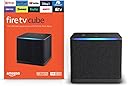

Desertcart purchases this item on your behalf and handles shipping, customs, and support to GERMANY.
๐ฅ Stream Smarter, Not Harder โ The Future of TV is Here!
The Fire TV Cube (3rd Gen) is Amazonโs fastest streaming media player featuring an octa-core processor, Wi-Fi 6E tri-band connectivity, and stunning 4K Ultra HD with Dolby Vision and Atmos. It offers hands-free Alexa+ voice control for effortless entertainment and smart home management, all wrapped in a privacy-conscious design with an electronic mic off switch. Perfect for professionals who demand speed, quality, and seamless integration in their home media setup.
| Size | 3.38โ x 3.38โ x 2.99โ (86 mm x 86 mm x 77 mm) |
| Weight | 513g (1.13 lbs) |
| Processor | Octa-core 4x 2.2GHz 4x 2.0GHz |
| GPU | 800MHz |
| Storage | 16 GB internal |
| Memory | 2 GB internal |
| Wifi | Wi-Fi 6E Tri-band. Also supports 802.11a/b/g/n/ac/ax wifi networks. For Wi-Fi 6E support, Fire TV Cube must be connected to the 6 GHz band of a Wi-Fi 6E network using WPA3 encryption. |
| Bluetooth | Bluetooth 5.0 + LE. Pair with compatible Bluetooth speakers, headphones, video game controllers, and more. |
| Voice support | Far-field and near-field voice support |
| Voice control compatibility | Controls a wide range of IR-enabled devices, including TVs, soundbars, cable and satellite boxes, and A/V receivers. |
| Cloud storage | Free cloud storage for digital content purchased from Amazon. |
| Ports | HDMI 2.1 Input, HDMI 2.1 Output, IR Extender, Power, USB-A 2.0, Ethernet port 10/100Mbps |
| Audio support | Dolby Atmos, 7.1 surround sound, 2-channel stereo, and HDMI audio pass through up to 5.1. |
| 4K Support | To watch movies and TV shows in 4K Ultra HD, you need a compatible 4K Ultra HD TV. All services may not be available in 4K/HDR. Certain services are subject to change at any time, may not be available in all areas, or in 4K/HDR, and may require separate subscriptions. Learn more about services. |
| Content formats supported | Video: Dolby Vision, HDR 10, HDR10+, HLG, H.265, H.264, VP9, AV1, Audio: AAC-LC, AC3, eAC3 (Dolby Digital Plus), FLAC, MP3, PCM/Wave, Vorbis, Dolby Atmos (EC3_JOC), Dolby MAT, Dolby TrueHD passthrough, DTS passthrough, DTS-HD passthrough (basic profile), Photo: JPEG, PNG, GIF, BMP |
| Output/Input resolution supported | 2160p, 1080p and 720p up to 60 fps |
| System requirements | High-definition television with available high-speed HDMI input, high-speed internet connection via wifi or built-in Ethernet port, power outlet (compatible TV/sound/cable equipment for control by infrared or voice). High-speed HDMI cable rated 18Gbps or higher, and 4K TV with high-speed HDMI connector required for 4K viewing and more reliable device control. Wi-Fi 6E router needed for Wi-Fi 6E support. Auto-Low Latency Mode is included in the HDMI 2.1 standard. |
| TV compatibility | TV must support minimum HDCP requirements for protected content playback. Compatible with 1) 4K ultra high-definition TVs with HDMI capable of 2160p at 24/25/30/50/60 Hz and HDCP 2.2 or 2) high-definition TVs with HDMI capable of 1080p or 720p at 50/60 Hz. Learn more about high-definition. |
| Warranty and service | 1-year limited warranty and service included. Optional 2-year and 3-year extended warranty available for U.S. customers sold separately. Use of Fire TV is subject to the terms found here. |
| Content availability | Certain apps and services are subject to change or withdrawal at any time, may not be available in all areas and languages, and may require separate subscriptions. |
| Accessibility features | VoiceView screen reader enables access to the vast majority of Fire TV features for users who are blind or visually impaired. Screen magnifier enables viewers to zoom in and out, and pan around the screen. Text Banner consolidates onscreen text into a compact, customizable banner that appears on the screen. Watch videos and TV shows with closed captioning displayed. Use Audio Description for verbal descriptions of what is happening on the screen, including physical actions, facial expressions and scene changes. Captions and audio descriptions are not available for all content. Fire TV Cube (2nd and 3rd Gen) supports audio streaming for select compatible Bluetooth hearing aids for a private listening experience. You can also listen to Fire TV with compatible Bluetooth headphones. Learn more about accessibility for Fire TV. |
| Included in the box | Fire TV Cube (3rd Gen), Alexa Voice Remote Enhanced, power adapter, 2 AAA batteries, Quick Start Guide. HDMI, IR extender and Ethernet cables are sold separately. |
| Software Security Updates | This device receives guaranteed software security updates until at least four years after the device is last available for purchase as a new unit on our websites. Learn more about these software security updates. If you already own a Fire TV, visit Manage Your Content and Devices for information specific to your device. |
| Size | 38 mm x 158 mm x 17 mm |
| Weight | 51 g (without batteries) |
| Batteries | 2 AAA (included) |
| Technology | Bluetooth 5.0 |
| Compatibility | Fire TV Cube (3rd Gen), Fire TV 4-Series, Fire TV Omni QLED Series |
K**G
Finally, a streamer that actually keeps up with my brain!
Iโve been a loyal Fire Stick user for years, but I finally hit a breaking point with the constant lag and "loading" wheels. I decided to splurge on the Cube during a sale, and after two weeks of heavy use, I can honestly say I should have done this a long time ago. The Speed is Real: If youโre coming from a Stick, the first thing youโll notice is how snappy it is. Apps like Netflix and Disney+ open almost instantly. Thereโs no stuttering when scrolling through the home screen, which used to drive me crazy. It feels more like a high-end gaming console than a little streaming box. Hands-Free Alexa (The "Magic" Factor): This is the feature I thought I wouldn't use, but now Iโm hooked. Being able to walk into the living room with a bowl of popcorn and just say, "Alexa, play The Bear on Hulu" without hunting for the remote is a game-changer. It even turns my TV and soundbar on for me. It basically turned my living room into a hands-free Echo Show. Pros: โข The Processor: Zero lag. Period. It handles 4K content like itโs nothing. โข Connectivity: It has an Ethernet port and an extra HDMI-in port. I actually plugged my cable box into it so I can switch to live TV just by asking Alexa. โข Wi-Fi 6E: My router is in the other room, but the connection has been rock solid with no buffering. Cons (The "Real Talk"): โข The Price: Itโs definitely an investment. If you only watch TV for an hour a week, itโs probably overkill. โข No HDMI Cable: For this price, Amazon really should include an HDMI cable in the box. Make sure you have a spare 4K-rated one ready to go. โข The Ads: Like all Fire TV products, the home screen is still pretty cluttered with sponsored content/ads. You get used to it, but itโs there. If youโre a "power user" who hates waiting for apps to load, or if you just want to control your entire home theater with your voice, this is the best device Amazon makes. Itโs powerful, smart, and actually makes the TV experience feel "premium."
C**E
Soooo much better than other devices such as fire stick 4k
Absolutely love it! Night and day difference between my fire stick 4k max and this. First off it seamlessly downloaded all my old apps once I signed in and gave permissions. There is virtually no lag. The better processor and more ram I'm sure have much to do with that . Anyway It connected to my devices with no issues and even connected to my Google home equipment so I can now ask Alexa or Google to do things such as setting an alarm or turning off my lights.... Asking it to turn on the tv brings up my whole entertainment system and asking it to play a particular show is virtually issue free with the exception of the fact so many streaming providers charge insane amounts for even old shows or movies. But by far this is worth the upgrade. Highly doubt you will regret it.
Z**K
Messed up sound and display settings..update #4
Update 11/12/25: So after having written the below review I decided I should give an update to the issues below. I've had other streaming devices since then and I have to admit that the fire tv cube beats them all. Reasons: The" best available" setting is actually the best setting. What it does is that ot converts DD+ sound to Multichannel pcm which is a lossless and uncompressed quality and passes it to the AVR. The AVR will show Multichannel 5.1 . It is the best sound you can get. I came to this conclusion after months of testing and research. Roku ultra has passthrough but it just passes the compressed format DD+ to the AVR so the AVR displays DD+. The TV turning off big is fixed. 10/4/23 update: Now another bug has appeared. When I watch on my LG C3 OLED TV the TV turns off automatically after a while. Sound continues but no picture. I initially thought it was my tv. Got another unit ,same TV, and the same issue happened. Then I decided to watch ony Roku ultra and have not had any problems so far. Tried the cube again 2 days ago and issue returned. I even turned off equipment control and reset the cube but didn't work. So now I'm not using it. It's just sitting there looking pretty. 7/23/23: Just to update that the video issue has been fixed. The audio issue not so. 11/23/22: Still no fix. Reverts to 1080p despite setting to Auto. Now noticing jitter or stutter on video when playing 4k content. Changed settings of Match frame rate to on but didn't resolve issue. Constantly checking display settings. Given up and using my other streaming device with no issues. Did not expect this from Amazon. 11/15/22: So since purchasing this there have been a number of updates installed but NONE have fixed the issue of sound and display settings as mentioned in my previous updates. This is truly disappointing and makes me want to use this device less often than I would like to. 11/9/22: Still issue with display resolution defaulting to 1080p. Always have to check before playing something. No fix. Not acceptable for a "high-end device" Update 10/29/22: Still no luck on best available sound settings outputting DD+. But now another issue. Whenever I awaken the cube the display resolution defaults to 1080p even though I set it to Auto(up to 4K). It's frustrating to have to change this every time I want to watch something. So many bugs! I've had many fire tv sticks over the years and also a 2nd Gen cube which I returned because it wouldn't play Dolby vision. Thought I'd give this a try since all the upgrades were compelling. Faster, built-in Ethernet port, HDMI in, supporting all sound and picture formats. So I set it up withy TCL tv and Sony receiver . Setup was a breeze. It recognized my TV and receiver. For some reason the picture quality in display settings was defaulted to 1080p. I changed it to upto 4K. Sound settings were "best available ". When I played content it would only play in PCM (stereo). I tried Dolby digital and Dolby Atmos content. Dolby Atmos would play as Atmos +PCM, not Atmos +DD+ as it should. I checked ally settings on the TV and receiver and all was good but couldn't get DD+. Called tech support and was told that it may be a software issue and may get fixed in a future update. Really??. All the hype about how this device is the fastest and best on picture and sound yet it can't output "best available" sound. I'm sure best available is not PCM. Tech told me to set the sound settings to Dolby digital plus. That corrected the issue but it was a let down. I'm hoping it doesn't revert back to PCM. Will see how it goes and update but so far disappointed. The super resolution setting really doesn't add much to enhance the picture quality of SD or even 720 or 1080p resolution. And that was one of the main features that enticed me to buy it. Update 7/2/23: The video resolution issue is now fixed but the audio issue still persists.
D**R
Good but needs work
So.. I managed to get all 5 TV's switched to fire TV cube Gen3. The cube itself seems well made and has some nice heft to it. In my home I have the top of the line orbi 6e wifi mesh and therefore I do not require an ethernet connection. At some point I may connect one of these boxes to ethernet but I suspect that will create problems with my echo studio home theatre configurations. The good: Fast and responsive operation. Quick boot up Good mic that detects commands well. Plays all content with some minor issues that I will get to. The ability to include fire tv command in routines is helpful.. although far too limited. I was able to use routines to overcome some of the limitations and oversights in the software. E.g. not having a sufficient list of equipment names to choose from when setting up equipment as I talk about further down. The dissappointing.. Equipment control has a ways to go (key points) 1. Powering on and off your equipment is not usually a problem.. you can use the remote or your voice and say turn on TV.. Alexa fire tv cube turns on all necessary equipment including tv.. soundbar.. receiver etc, and switches devices to the correct input... that is where the good ends.. 2. Try asking fire tv cube to play a song or watch a show while all of you equipment is off.. she will wake up and turn on maybe one of your necessary devices... but leave everything else off making that functionality useless. I have 5 of these cube.. some of them will only turn on the TV.. some the receiver.. and one of them actually turns on both for some inexplicable reason but does not take you to the app or content requested and instead leaves you stuck at the profile window. At least of 4 of my setups I can confirm that when Alexa is asked to play content she can only power on devices that are directly connected with an HDMI cable. Not a huge issue i guess... stupidly you have to issue 2 commands.. Alexa turn on tv followed by Alexa play music by AC/DC.. surely a simple code fix could address this. 3. Gets out of sync.. it will not power on or off a piece of equipment properly.. and then the power state of your entire home theatre setup is out of sync.. you ask alexa to "turn on tv" because your receiver didn't power on with last command and she will turn on your receiver but then shutoff tv.. 4. You are limited to only a handful of names for your equipment that have been pre selected by Amazon developers.. so if you have a pc connected go your home theatre as I do.. you are out of luck.. you will need to give it a name from the limited options on the list of devices. I chose Game Console. This is just dumb and users should be able to choose names for their devices. A pc is a pretty common device to have on the big screen..come on Amazon!! The frustrating but not terribly bad. 1. I have 2 of my fire TV cubes connected each with an echo studio stereo pair with echo sub.. Amazon calls this configurative a "Home Theatre Group". The sound quality is good. Problem is that sometimes you cannot get the sound to work..I believe it is related to using the Home Theater group as the default speaker group for your room..so when I ask for music the music starts playing on the theater group.. however later on when I turn on the TV.. the music stops..but no TV sound comes through the Home theater group.. I have had to reboot.. unplug and replug alexa to get the sound to start working again. 2. When I play his res audio through amazon music to my echo studio group she can only process 16bit 48khz even though music tracks are 24bit 196khz. Amazon says device capability is limited. This is of course stupid as well since the echo studio is supposed to be able to play the highest quality possible. I have spent hours tweaking everything to run as well as possible.. and have even wasted a few hours on the phone with the customer service.. folks if you have rebooted your device.. unplugged and replugged.. performed a factory reset.. there is no point in calling support. They are friendly and professional but of no use beyond very basic troubleshooting. They cannot help you with improperly performing functions beyond the very simple steps mentioned above.. so if those don't resolve your problems to a satisfactory level.. just return the device and move on or wait and hope for a fix in a future software update.
T**.
COMPARED TO APPLE TV
So I bought a FireTV Cube to test a theory. I spent many hours configuring/tweaking my network settings, complaining to my ISP about suspected protocol throttling, running Cat6 ethernet drops to all TV locations throughout my house, I could never get the Amazon Prime app, Pluto app, Netflix app, Tubi app, to function/perform on any of my AppleTV 4K's (Ver2) as well or as fast as the native AppleTV apps such as AppleTV+ and AppleMovies. Even though my throughput was 485-495Mbps, as measured by my Unifi network controller and/or by the Ookla app installed on the AppleTV itself. I would constantly experience pixellation, buffering, and slow menu response while using these afore mentioned non-Apple apps. Upon exhaustive reading on blogs, message boards, and reviews from around the net, I discovered this was a common, but not necessarily a universal problem. Thus I began to wonder if the problem might lay with the AppleTV hardware, or maybe the implementation of the various apps on the AppleTV platform. So I decided to tryout a FireTV Cube, and all I have to say is WOW! It worked out of the box, no problems whatsoever; not one. All the afore mentioned non-Apple apps worked flawlessly on the FireTV Cube. No more pixellation, buffering, or slow menus. This was an unbelievably simple and affordable fix. I had already wasted so much time and effort troubleshooting the problems I had with the AppleTV 4K's; I might have paid double the price for these the FireTV Cube if I knew in advance the FireTV Cube was the solution to my problems. Let me also comment on the Amazon Alexa Voice Remote Pro. I would definitely recommend it as an upgrade to the FireTV Cube. The automatic backlight feature of the Amazon Alexa Voice Remote Pro is GREAT! This remote far outshines the AppleTV 4K's remote by leaps and bounds. The "clicky" buttons provide accurate control and positive feedback, which is much more than I can say for the AppleTV remote. Only one caveat to the Amazon Alexa Voice Remote Pro, is the rounded back; I don't like it. Now anyone reading this might assume I am an Apple hater. I definitely am not. I switched over to Apple many years ago, and never looked back. Every computer in my house is an Apple except for the one I use for HDD testing. I love our Apple computers. I love our iPhones. Unfortunately, I cannot say the same thing for our AppleTVs IMHO, streaming on the AppleTVs with Apple native apps is great, but with non-Apple apps it falls short. However I will definitely miss the AppleTVs tight integration/control with my AirPods. However, streaming those same non-Apple apps on the Amazon FireTV is nothing short of AWESOME! HIGHLY RECOMMENDED! Hope this helps!
J**Y
Faster than 4k max
Bought to replace my 4k max fireTV stick. I wanted the cube because it has an ethernet port for hard wiring to my network. I must say, this thing is fast! The network port is only 100mbps, vs the wifi6 which is capable of much faster speeds. I verified using speed test that the wifi is faster in a raw speed test but the hard wired is faster for day to day streaming despite mine maxing out around 90mbps. I never get buffering now, and the extra memory and faster processor make navigating the clumsy Amazon interface very smooth. My fire stick would lag like an old PC at random times for no reason, and would often pause to buffer during shows. While the cube is 4 times the price, it shouldn't need replacing every year as I was doing with fire sticks when a new faster version came out. I have this cube tucked away on a shelf far from the pc and plugged into wall ethernet port. I have HDMI run through the wall to my TV mounted over my fireplace. The only hiccup is that while programming the remote to the TV, the instructions want you to have the cube placed right under the TV. So it kept failing because it would not turn the TV on or off during setup. The remote is still RF and IR so there is no need for this weired restriction in the setup process. I just told it YES when it asked if the remote turned the TV on and off and once past that screen, the remote worked via IR without issue. This may be a trial and error process if the first IR profile it tries doesn't work on your brand tv and have to try several others (as is the case if you have an NEC tv for example, which needed profile 5). I pressed the mic mute button since I've got an echo show close by and didn't want them fighting for response. There is an HDMI pass through so I guess you could plug a DVD player into it and share a port, but I haven't tried that yet. All in all this was a need vs a want for me since a fire stick 4k max will work just fine, but the experience is more pleasant on the cube. Wish they could put this on sale in the 50-60 dollar range so I could buy 4 more...
C**T
Updated: Loved the Fire TV Cube Gen 1 - the Gen 3? Nope! I ran back to the Gen 1!
Update: Reduced rating from 2-star to 1-star because I will be returning this third Fire TV Cube Gen 3 for the exact same reasons I returned the previous two, except now I can add "vanishing menus, frequent disconnect from remote control, and repeated disconnect of 3 different bluetooth headphones/earbuds" to the list of problems. Most importantly, the problems with Ring announcement settings continue to reset back to being on, and we continue to be woken up in the middle of the night to maximum volume announcements of "MOTION DETECTED IN DRIVEWAY/FRONT DOOR!!!" My wife, who is highly technical herself and actually works for Amazon as a Principle Security Engineer, is really annoyed with me for continuing to try to get this working when this device (or at least a recent update) is clearly defective. As a replacement for the Fire TV Cube Gen 3, tried the Onn 4k Plus Streaming Device (GoogleTV) as well as the Google 4k TV Streamer (also GoogleTV). Both of these performed better than the Fire TV Cube Gen 3, but unfortunately, both of these devices had other show-stopping issues that made them simply not a solution I was willing to go with on my primary TV. I am actually appalled at the current state of the latest streaming devices. So, my solution was to go back to what I had (and was very satisfied with) -- the Fire TV Cube Gen 1. This bumped my various Fire TV devices around again (FireTV 4K Max Stick, FireTV 4K Stick, etc.), but guess what? They all work great. I just don't know what I'm going to do when Amazon forces this new OS on all these devices, because I'm sure it's going to mess them up as well, and then I have no idea what streaming device I will use. Maybe go back to Roku? ============================== I'm not going to discuss the specs or capabilities -- it's actually a top-of-the-line streaming device (or at least it should be). Unfortunately, I'm on my 3rd unit in 3 months. They keep locking up, stuttering, buffering, failing to load apps, and no matter what I do and how many times I turn it off in multiple locations in Alexa, Ring, and Fire TV, my Ring doorbell and Ring Camera keep reconnecting with the Fire TV Cube Gen 3, which results in the Fire TV Cube Gen 3 literally SCREAMING in the middle of the night (when a lizard, frog, or baby opossum crosses the driveway) "MOTION DETECTED IN YOUR DRIVEWAY" or "MOTION DETECTED AT YOUR FRONT DOOR". I even have the volume on the built-in Alexa turned down to zero, and it keeps resetting to full volume. I suspect this happens because I frequently have to reboot the Fire TV Cube Gen 3 because it locks up multiple times per day. And that's usually by unplugging the power adapter and plugging it back in because the reset feature in the Fire TV Cube Gen 3 menus will lock it up, too! On all three of these Fire TV Cube Gen 3 devices I have only had the usual streaming services apps -- Netflix, HBOMAX, Disney+, YouTube, YouTube TV, Prime Video (even AMAZON Prime Video locks up this AMAZON device!), ESPN, etc. Still locks up multiple times per day, usually when simply trying to load one of these apps to watch a movie. The third unit I received does seem to be doing a little better than the previous two, but if this one starts acting up the same way as the other two, my next return will not be an exchange -- it will be for a refund, and I will simply move on to something else like the Onn 4K Pro or Google 4k TV Streamer. Like the title of this review says -- I LOVE my Fire TV Cube Gen 1! The only reason I bought the Gen 3 was because it was on Black Friday sale and I needed another Fire TV device and didn't want to go with a Stick. The only Fire TV Cube model available now is the Gen 3, so that's what I had to buy. Amazon product support was zero help, and in fact became frustrated and gave up long before I did. All they ended up concluding was that it will likely be corrected in a future system update. So, until then I just have tolerate a $140 device locking up multiple times per day? Honestly, giving the Fire TV Cube Gen 3 a two-star review is generous.
J**N
Great system !
Hands down one of the best Streamers on the market ! Quick and easy to use,... picture is awesome,...system is very responsive. The only fault I can find is the continuity of stream (buffering) when used with WIFI,... and that may be the fault of my system/provider. On Ethernet cable,... the stream is steady and reliable with no buffering. Picture is 4k awesome and even up-scaled content is great ! Not a fan of voice control,...so I don't use Alexa. The only other negative I found was the smaller size of the controller. I have big hands and arthritis,... so the smaller buttons can sometimes big a challenge when "arthy" is visiting !
Trustpilot
1 month ago
2 months ago