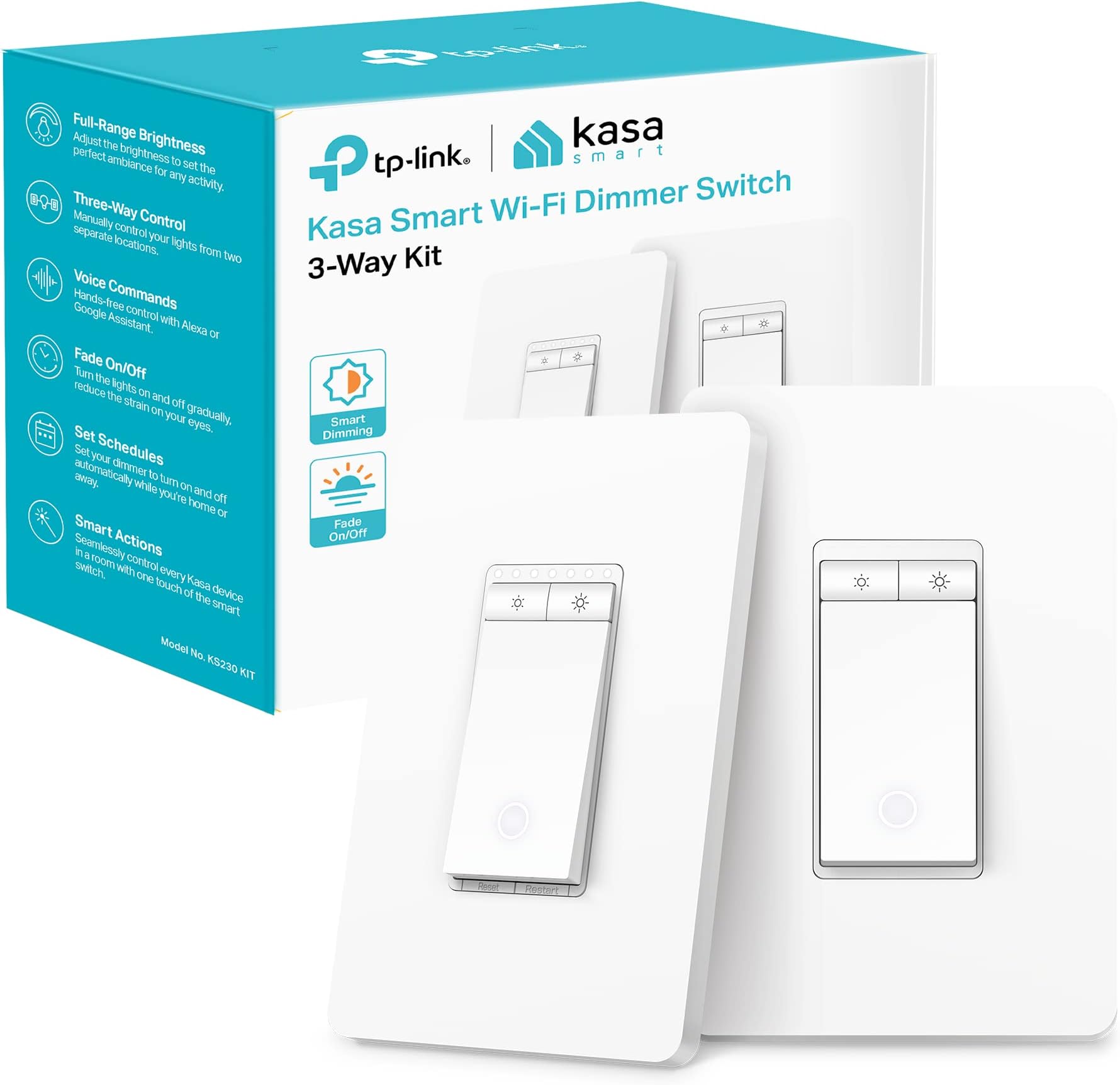
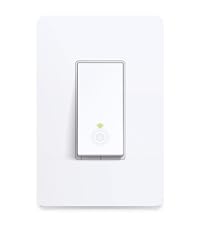
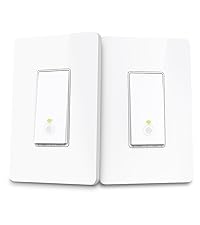
💡 Elevate your space with smart dimming — because your lighting should work as hard as you do.
The Kasa Smart 3 Way Dimmer Switch KIT (KS230 KIT v2) is a sleek, ETL-certified smart lighting solution designed for modern homes. Compatible with Alexa, Google Assistant, and SmartThings, it supports up to 300W incandescent or 150W dimmable LED bulbs. Featuring 1%-100% dimming, app-guided installation, and voice control over 2.4GHz Wi-Fi, it replaces traditional 3-way switches to bring effortless, customizable lighting control to living rooms, hallways, and stairways without requiring a hub.


| ASIN | B0BC2MWTR9 |
| Actuator Type | Toggle |
| Brand Name | Kasa Smart |
| Circuit Type | 3-way |
| Color | White |
| Connectivity Protocol | Wi-Fi |
| Connector Type | Screw |
| Contact Material | Copper |
| Contact Type | Normally Open |
| Control Method | App, Voice |
| Controller Type | Amazon Alexa |
| Current Rating | 15 Amps |
| Customer Reviews | 4.4 4.4 out of 5 stars (2,400) |
| Included Components | 1*Smart Wi-Fi Dimmer Switch, 1*Satellite Dimmer Switch, 2*Wall Plate, 5*Wire Nut |
| International Protection Rating | IP00 |
| Item Dimensions | 12.9 x 8.5 x 4.5 centimeters |
| Lower Temperature Rating | 32 Degrees Fahrenheit |
| Manufacturer | Kasa Smart |
| Material Type | Plastic |
| Model | KS230 KIT |
| Mounting Type | Wall Mount |
| Number of Items | 1 |
| Number of Positions | 2 |
| Operating Voltage | 120 Volts (AC) |
| Operation Mode | ON-OFF |
| Specification Met | ETL, RoHS |
| Switch Type | Dimmer |
| Terminal | Spst |
| UPC | 840030708244 |
| Unit Count | 1 Count |
| Upper Temperature Rating | 104 Degrees Fahrenheit |
| Warranty Description | 2 years |
| Wattage | 300 watts |
M**T
The Kasa KS230 KIT V2 is a fantastic smart switch upgrade. Setup was easy, and the app made configuration a breeze. Dimming is smooth, and remote control via Alexa or Google Assistant works flawlessly. The dual 3-way control is super handy, and the fade-on/off feature adds a nice touch. Sleek design, reliable performance — highly recommended for smart home enthusiasts!
F**D
We installed these dimmers in our renovated home (built in 1905). This was the final 'perfection' to bring modern lighting into a '1905 character home'. We feel the charm of 1900s and touch of modernity with wifi connection and compatibility.......ease of use from anywhere in the world. Love the quality of product, ease of installation and price point. Will definitely buy again. Highly recommended.
I**A
عشقم اینو میزاری تو رویو امازون واسه کسا که خریدیم I usually really like Kasa products. This is actually the third Kasa switch I’ve bought – the previous two smart dimmable switches installed easily and work great with my Wi-Fi, Kasa app, and Alexa. This 3-way smart dimmer, however, has been extremely frustrating. The wiring is correct and the light itself works from both switches, but the smart part will not connect properly. My phone can see and connect to the temporary “TP-Link_Smart…” network, but when the Kasa app tries to add it to my home Wi-Fi, it just fails over and over. I’ve tried everything: factory resets, 2.4 GHz only, turning off mobile data, standing right next to the router, and repeating the setup many times. Nothing works. What makes it worse is that I’ve already installed it in the wall and used the screws and other hardware, so now I’m not even sure how easy it will be to return. For a brand I usually trust, this specific 3-way dimmer has been a big disappointment and a waste of my time. If you’re expecting a smooth setup like other Kasa switches, be prepared for potential headaches with this one.
C**R
J'en possède déjà une dizaine d'appareils TP-Link et tous fonctionnent parfaitement bien avec Home Assistant. Ils sont facile à installer et à configurer. Et le prix est excellent compte tenu de la qualité.
A**N
If you look into the KS230 KIT V2 product reviews and help forums, you will find that the internet has decided these are incompatible with 4-way switch setups. I was able to get this to work. Additionally, I found that you DO NOT need two satellite switches to make it work. I believe the point of confusion is where the controller switch must go in each configuration (even Kasa customer service led me down the wrong path here). It starts by understanding the difference between where power comes into the loop in a 3-way vs a 4-way switch configuration. 3-way: Power -> 3-way Switch -> Satellite Switch 4-way: Power -> Satellite Switch -> 4-way Switch -> Satellite Switch If you are like me, you will naturally try to install the Kasa Controller Switch in the 4-way switch position. This is even what Kasa support asked me to try when I asked them if this was possible. That's wrong because the controller switch needs to receive power directly from the breaker to work. So, to get this to work, you need to set up your switches like this: Power -> Kasa 3-way dimmer controller -> Kasa Satellite -> Dummy Switch or Kasa Satellite To figure this out, you will need a non-touch voltage tester. I got one for $20 at the blue hardware store. I have attached an accompanying diagram and just hope I remembered correctly what I actually did. The process: 1. Turn off breaker. 2. Mark the black wire that is connected to the black screw on your current satellites. My favorite way to do this is with a short piece of green/blue shrink wrap and a heat gun. 3. Remove ALL switches and separate wires. The box with the most wires in it is your 4-way switch the position where your Kasa satellite must go for this to function. 4. Turn breaker back on and test the marked black wires for the two satellite switches. The one that is hot is the position your Kasa controller switch will go. This is your LINE wire. 5. Turn the breaker off. 6. Install the NORMAL satellite switch back into the first position. 7. Turn breaker on. 8. Test the black wires on the 4-way switch location to figure out which one is hot. If none of them are, hit the switch you reinstalled and test again. Test them again and mark the hot wire. This is your black TRAVELER wire for the Kasa Satellite. 9. Turn the breaker off. 10. Uninstall the old satellite switch and install the Kasa controller switch in its place, wiring it as indicated in the instruction manual. 11. Install the Kasa satellite where the original 4-way switch was. The black wire you indicated was hot in the above test goes to the TRAVELER terminal furthest away from the ground and load wires. The two red wires are connected to the TRAVELER terminal closest to the ground and load. The load is the remaining black wire in this box. Ground goes to ground. 12. For the third terminal, you can either reinstall the original switch as it was before OR install a second Kasa satellite (you will have to buy a second full kit). This time the marked wire that was on the black screw will be your LOAD wire for this third switch. NOTE: Some reviewers indicate that they have had to use a satellite from a V1 kit. This was not the case for me. I could put a V2 satellite or a regular switch here and it all worked. I ended up using the original dummy switch so that I could return the second kit I purchased. 13. Turn the breaker on. If you don't immediately have flashing orange and green or you have tried to install this already and failed, press restart and press and hold reset until you get the faster flashing orange and green. 14. Set up in the app as normal. I recommend doing this step before closing everything back up. 15. Turn the breaker off. 16. Mount switches and plates. 17. Turn the breaker on. NOTE: Even though I got the controller to work, the power delivery was a little wonky. At 100% the lights flickered. The app auto-tune also did not correctly identify the low point. I let it do its thing and changed that manually after the fact. It had to be a little higher than where the typical LED goes (this might be because this is controlling 4 interconnected higher-wattage light bulbs). Then I went in to set the max setting to about 98%, which was the highest it would go without the flicker. I also had to adjust the intermittent dimmer levels because it wasn't quite right. Not a big deal. Give a thumbs up/comment if this works for you. I am interested to know if this works for everyone or if I just got lucky. Now for the actual product review: Good: Super happy I got this to work in 4-way. I really like the Kasa ecosystem and app. I have a TP-link router that has been awesome. I love that I was able to customize the dimmer settings to make it work in my use case. I love the scene options in the app. Okay: I want the app or an addon product to have a voice command option so I don't have to use "the big two" to make this happen. Bad: 1. Kasa... please update your documentation. I understand that maybe this is an "unofficial" use of the product, but this info should be easily found on support pages with maybe some caveats about how you don't officially support this configuration. 2. The mounting screws included require a Phillips head. Basically, all electrical is done with a flathead. Making me switch back and forth is annoying. 3. The bezel on these switches are so bulky that they conflicted with my faceplates. Kasa doesn't sell face plates for two or three gang switch boxes. So, I am forced to dremel down the offending faceplate screw support or buy a third-party screwless faceplate. Kasa could easily make the center part of the switch bezel lower/thinner and wider to be compatible with both the original mounting screws and faceplates to solve both of the above problems. I am giving this 4 stars because of the obstacles I had to overcome to get this far and the minor bad points above. That said, I love the fact that this worked and would absolutely purchase it again. Highly recommended.
Trustpilot
1 month ago
3 weeks ago