Desertcart purchases this item on your behalf and handles shipping, customs, and support to GERMANY.
⚡ Clone, Secure, Repeat — The Ultimate Dual-Bay Drive Duplicator for Pros Who Demand Speed & Security
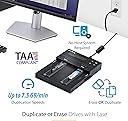
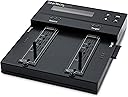
The StarTech Dual-Bay M.2 SATA/NVMe and 2.5/3.5in SATA Duplicator is a standalone, tool-less device designed for fast, reliable 1-to-1 cloning and secure erasure of multiple drive types. Supporting up to 7.5GB per minute transfer speeds, it offers broad compatibility with M.2 NVMe, M.2 SATA, and SATA drives, plus configurable duplication and military-grade erase modes compliant with DoD and NIST standards. Its intuitive on-screen display and LED indicators make it an essential tool for IT professionals seeking efficient data management without a PC.


| ASIN | B09CZDCTVT |
| Best Sellers Rank | 64,761 in Computers & Accessories ( See Top 100 in Computers & Accessories ) 65 in Hard Drive Docking Stations |
| Box Contents | 1 x Universal Power Adapter, 2 anti-slip/vibration pads, 2 x SATA Extension Cable, 5 x Regional Power Cord (NA, JP, EU, UK, ANZ), NVMe/SATA 1-to-1 Drive Duplicator and Secure Eraser |
| Brand | StarTech |
| Brand Name | StarTech |
| Colour | Black |
| Compatible Devices | Laptop, Desktop, Server |
| Country of Origin | Taiwan |
| Customer Reviews | 4.6 out of 5 stars 23 Reviews |
| Data Transfer Rate | 540 Megabits Per Second |
| Enclosure Material | Information not available |
| Global Trade Identification Number | 00065030891608 |
| Hardware Interface | Solid State Drive |
| Hardware Platform | Mac |
| Hardware interface | Solid State Drive |
| Hardware platform | Mac |
| Item Dimensions L x W x H | 20.8L x 18W x 2.8H centimetres |
| Item Highlight | 1-to-1, B+M-Key, NIST 800-88, DoD 5220.22-M, Crypto erase, HPA modes, Hard drive sanitizer, Toolless |
| Item Type Name | PC & Laptop Accessories |
| Item Weight | 2.56 Pounds |
| Manufacturer | Startech |
| Manufacturer Part Number | SM2DUPE11 |
| Material | Information not available |
| Memory Storage Capacity | 16 TB |
| Model Number | SM2DUPE11 |
| Network Connectivity Technology | M.2, PCI Express NVMe, SATA |
| Number of Items | 1 |
| Number of Packs | 1 |
| Product Warranty | 2 Year Warranty |
| Product dimensions | 20.8L x 18W x 2.8H centimetres |
| Supported Devices Quantity | 2 |
| The Standard Size of the Hard Drive or the Bay the Hard Drive Is Compatible With (in inches) | 3.5 Inches |
| UPC | 065030891608 |
| Unit Count | 1.0 count |
E**D
Works flawlessly
Works flawlessly. Really happy. Standard wipe times for secure erase on HDDs. SSDs are very quick.
L**H
One box does it all!
Comes very well packaged, and includes interfaces for the drives you want to use with it (don’t plug drives into this direct, it puts strain on the sockets.) NVME can be copied by putting them directly into the interfaces on the top face of the device. Little rubber “holders” come fitted into the 2280 sized slot, and just push against the drive pcb to hold it in place - if you want to move the rubber holders to one of the other sizes, you have to remove the top face of the device via 4 screws, push them from the top down into faceplate, then push up from under faceplate into which ever sized drive you need it for. NONE of that is covered either in the included instruction sheet, or anywhere on their website, had to use contact page to ask question, and got a very quick reply to be fair! It will copy both from & 2 any of the drive types it supports. If you have a damaged drive, it won’t copy it :( As mentioned, very well made, self contained (apart from PSU), doesn’t require a computer to copy drives, can all be done via the built in lcd display. Yes, it’s expensive, but it’s so portable!! Ideal of your upgrading drives in multiple computers (office environment) as you can copy one type, to another type of the same OR LARGER size!) so pc user will still have everything how they like it, just on a better and/or bigger drive!
J**G
High volume
I am in the ITAD industry. That means we pick up a bunch of retired computer equipment. We typically race drives when they’re within the unit, but if the unit is broken, that’s not possible. Rather than putting the drive inside a working unit to erase it, we could do two at a time with this Startech appliance. It takes about 3 to 7 seconds to race two drives. In labor, the unit paid for itself in one week. Have used this to wipe approximately 1000 NVMe drives, and 200 2.5” sata drives. It is just simply amazing.
D**L
Muy bueno, lo que estaba buscando.
SM2DUPE11 Más de 1.5 años usándolo y sin problemas, hace la clonacion de HDD/SSD SATA y M.2 Nvme en tiempos que dependen del tamaño y la velocidad de los propios discos, (a mí me parece rapido) Cuando el hdd/ssd de origen es más grande que el hdd/ssd de destino es mejor usar la clonacion por porcentaje con lo que logrará pasar todos los archivos, datos, particiones y sistema operativo al hdd/ssd nuevo. He clonado SSD 2.5 sata Adata y Kingston, y M.2 Adata legend 800 850 900, Kingston SNV2S/NV2 y HDD Seagate FireCuda/Barracuda entre otros. Tiene varias configuraciones para la clonacion según tus necesidades, una excelente herramienta de clonacion confiable y directa, sin la necesidad de instalar software dudoso (con posibles virus) que te quita espacio en el disco/ssd y hacen lenta tu maquina.
J**N
très pratique, ne supporte pas les SAS U.2 avec un adaptateur
très pratique, ok avec SATA + M.2 ne supporte pas les disques SAS U.2 avec un adaptateur M.2
T**X
Great value compared to others
I wanted a standalone duplicator to get away from having to have a full PC "disk lab" taking up a desk just to clone some disks from time to time. I first bought a cheap duplicator to see if it might be usable despite the clunkiness... and that was a waste of $100. While it would be difficult to justify most techie types to invest in anything at this level for their own personal tool shed at home, what you get for the money is much more acceptable than the big nothing you get with the other clunky clone devices on Amazon for $50~$200. There are other more expensive options like a Kanguru if you need to clone a bunch of drives, but for a small shop this is a great device. This is solid in functionality and quality- though as other reviews point out, there are still some things that would make it better feature-wise that might be in those more expensive devices, but this is less than half of the price of some of those other options.
B**.
***BUYER BEWARE*** Requires DISASSEMBLY to change M.2 Drive Sizes
We bought this unit specifically because it supported multiple M.2 drive formats, i.e. 2230, 2242, 2260, etc. We frequently deal with multiple sizes and move between them often. Couple with the fact that you can transfer from a spindle drive directly to any M.2 size made this seem to be the perfect choice, even at an exorbitant price. What they DON"T tell you in the manual is that in order to switch between sizes, the unit must literally be disassembled... for no other reason than to move the rubber posts used to retain the drive. Absolutely ridiculous. A much better solution would have been to simply use standard M.2 screws which are easily sourced. To add insult to injury, the (2) rubber posts provided are NOT available as a part. In other words, when you tear one going through the process of moving it, you can't get a replacement. What follows is the transcript of a tech support chat in which they explain the necessary steps to move the rubber posts: "[4/22/2024, 11:33:14 AM] Carlos: Even though Im not able to try by myself, I can completely understand the trouble this may cause. And again, you are correct, as per the recommended steps to do this which are the following: Remove the Phillips head screws on both sides of the LED housing With both screws from the sides of the LED housing removed, gently lift the housing away from the rest of the product Remove the Phillips head screw from the bottom of the drive tray(s) you wish to move the rubber drive holder of Holding both ends of the drive tray, remove the drive tray from the rest of the product. Pinch the top of the rubber drive holder and pull it through the drive tray to remove it Reposition the rubber drive holder to the desired depth hole and push it through the bottom of the drive tray Gently replace the drive tray in its original position Secure the drive tray to the body of the product using the washer and screw removed in Step 3 Return the LED housing to its original position and secure it using the screws removed in Step 1 It seems the drive tray should be removed unfortunately" I STRONGLY suggest you look elsewhere for an SATA/M.2 cloning device.
Trustpilot
2 weeks ago
1 day ago