Desertcart purchases this item on your behalf and handles shipping, customs, and support to GERMANY.
⚡ Print smarter, faster, greener — label your success with DYMO!
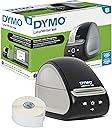
The DYMO LabelWriter 550 is a direct thermal label printer designed for professionals who demand speed, precision, and sustainability. It prints up to 20% faster than its predecessor, uses only authentic BPA-free, FSC-certified labels in plastic-free packaging, and eliminates ink or toner costs. Its automatic label recognition and compact design make it an essential tool for efficient, eco-conscious office labeling.


| ASIN | B08TLRL392 |
| Additional Printer Functions | Print Only |
| B&W Pages per Minute | 62 |
| Best Sellers Rank | #4,871 in Office Products ( See Top 100 in Office Products ) #12 in Label Makers |
| Brand | DYMO |
| Built-In Media | Thermal Printer |
| Color | White |
| Color Depth | 1 bits_per_pixel |
| Color Pages per Minute | 300 pages_per_minute |
| Compatible Devices | PC |
| Connectivity Technology | USB |
| Control Method | App |
| Controller Type | iOS |
| Customer Reviews | 3.6 out of 5 stars 1,748 Reviews |
| Display Type | LCD |
| Duplex | simplex |
| Global Trade Identification Number | 00071701062482, 03026981475924 |
| Hardware Interface | USB |
| Ink Color | Black |
| Item Dimensions D x W x H | 7.4"D x 5"W x 5.4"H |
| Item Type Name | Direct Thermal Printer |
| Item Weight | 2.8 pounds |
| Manufacturer | DYMO |
| Maximum Copy Resolution Black and White | 200 dpi |
| Maximum Copy Resolution Color | 300 dpi |
| Maximum Copy Speed Black and White | 62 pages_per_minute |
| Maximum Media Size | 7.38 x 5.33 x 8.5 |
| Maximum Print Resolution Black and White | 300 dots_per_inch |
| Maximum Sheet Capacity | 550 |
| Maximum print Resolution Color | 300 dpi |
| Model Name | LabelWriter 550 |
| Model Number | 2112552 |
| Model Series | LabelWriter 550 |
| Number of Drivers | 1 |
| Number of Trays | 1 |
| Other Special Features of the Product | Portable |
| Paper Size | 2.2 |
| Print media | Labels |
| Printer Connectivity Type | USB |
| Printer Output Type | Monochrome |
| Printer Type | Thermal |
| Printing Technology | Thermal |
| Processor Count | 1 |
| Resolution | 300 x 300 |
| Scanner Type | Portable |
| Series Number | 550 |
| Special Feature | Portable |
| Specific Uses For Product | Office |
| Total Usb Ports | 1 |
| UPC | 071701062482 |
| Unit Count | 1 Count |
| Warranty Description | no warranty |
| Warranty Type | Limited |
A**G
Better than expected
I previously had a Dymo label writer that finally conked out, so I decided to upgrade to the Dymo LabelWriter 550. Before purchasing, I saw a lot of negative reviews about the software being difficult to install and the setup process being frustrating. Honestly, I was a bit concerned. That said, I’m generally not great at setting up devices, yet I found this to be an absolute breeze. I followed the instructions, making sure to install the software completely before connecting the printer, as emphasized in the manual. Perhaps this is where others ran into issues, but for me, the setup was simple and straightforward. The printer itself works perfectly—clean, sharp labels every time. Some may find it frustrating that it requires Dymo-branded labels, but I don’t see that as a major downside. I bought a pack of 700 labels for $21, which will likely last me a lifetime. Overall, I highly recommend the Dymo LabelWriter 550. If you follow the setup instructions carefully, you should have no problems, and you’ll end up with a fantastic label printer that works seamlessly.
L**O
Not compatible with Macbook Air and not wireless and a crappy machine
I guess Dymo still lives in the past century because the cables they send with the printer are not compatible with Macbook Air laptops. And the printer does not have wireless compatibility so I can't even add the printer to my network to work wirelessly because it just won't. I checked with every store near me and the cables are not available anywhere where I can pick them up so I bought the right cables on Amazon and waited another couple of days. On top of that, chat support is unavailable for no reason, it is during business hours, but I just read on their YouTube channel that only the cables they send are compatible, so good luck. I followed all the instructions and watched all the videos and even into user forums but the bloody thing just won't print. It doesn't even detect its own labels, the trial labels that Dymo themselves send you to test things out. It keeps saying that they are not detected and than that the feed is too low (as in not enough labels). So I loaded a brand spanking new roll of labels, the ones I need for my business, the ones that I paid with my own blood because man they are expensive and guess what? Same error. "Remaining labels are low". Like WTF? It's a brand new roll! I spent 2 days on this thing and I'm ready to throw it out the window. Lots of amateur stuff for something that is not cheap, neither the printer nor the labels. And the software looks it was made with HTML 101. Ans support is non-existent. Screw you, Dymo!
C**D
"Thanks for giving the item a second chance" Glad I did!
Product is great. As described. The box was a little battered but did not affect the product. I loved the note in the box, "Thanks for giving this item a second chance." Glad I shopped it! Great work. I did have the opportunity to speak with BU Office Supplies about the delivery date. The representative was fantastic!
M**S
Easy to install when you follow the instructions
I had a Dymo Label Maker 450 Twin Turbo installed on my iMac. Lately it has been going a little nuts. When I would ask it to print a label it would put out five labels. Font size would be wrong, something internal was going on. Yeah, the postage printing was a nice thing to have, when Dymo did it. But since the forced switch to Endicia, it’s more of a pain than a convivence. If your running a business that would be one thing, but mine was for personal use and my account balance is almost zero. So in researching the Dymo 550 Label Maker, I read a lot of good, “but…;” “doesn’t install on Mac”, and some down right horror stories. So I waited until I had enough of fighting my old label maker and order this model. I must tell, following the directions, installation was a breeze. When I turned it on and went to install the printer on my iMac, I found it was already listed. Printed like a champ. The only downside is you need to purchase their labels specifically for this printer, which I find no more than an inconvenience than anything else. I didn't need tech support. Bottom line, great little printer.
B**R
The Worst Electronic Product I Have Ever Used
Not potentially the worst. Not among the worst. Not probably the worst. THE WORST ELECTRONIC PRODUCT I HAVE EVER USED. I don't print all that many labels, but I have had to spend, conservatively, on average a half hour on the phone with Dymo each time I tried to print one. The software (Dymo Connect) is awful: It is utterly unintuitive (example: to get to an address already in the program, you first have to click on "add," and it goes downhill from there with multiple steps that are far from obvious). It is "buggy," in the exact words of one of the tech reps I had to contact to do something simple. Why doesn't Dymo fix it? Example: The program insists on super-imposing Dymo's mailing address on the ones I want to print, and there seems not to be a way to get the program not to do that. Does Dymo believe that we are pen pals? Etc etc etc. Finally, I tried to print a label a few days ago; the system simply would not work. I called Dymo tech support, again, to find out how to get it to work, and after a full hour --- yes, a full hour --- on the phone with the tech guy, who took over my computer with TeamViewer so that he could see what the problem was, he couldn't get it to work. I asked to speak with a supervisor; "he might get back to you in a few days." That was the final straw: I demanded a full refund for the label printer and for the Dymo labels that I purchased because the Dymo lable printer will not work with any non-Dymo lables, itself an infuriating condition. They now say that the refund will be approved, but I'll believe it when I see it. DO NOT BUY THIS LABEL PRINTER. And I would be deeply suspicious, frankly, of any Dymo product. BZ
C**N
Great little printer. Don't like being forced to use OEM Dymo labels, though.
Dymo makes a good product. This unit replaces a very old one that I broke - got a label separated from the backing and it wrapped around the roller - tried disassembly to remove it but couldn't. The box says that the labeler will not work with non-Dymo labels. I took away a star for that - with no competition it means we will have to use OEM labels at whatever they charge. That's a bummer in my opinion. While I have always ordered genuine Dymo labels, I don't like being told I can't use any others. Seems that should be my choice. If you have a Mac as I do, be mindful of the software driver you download. Some versions are not going to be supported if they don't run natively on Apple silicon. No more Intel support. So make sure you get the Apple ARM version of the software or one day the labeler won't work. I think the labels and operation of the unit are excellent. No complaints there. From my earlier experience, make sure when you start a new roll of labels or change label types you feed one label through to make sure the labels don't become apart from the backing and leave the sticky part exposed, which will wrap around everything and destroy the labeler (ask me how I know!) The labeler hooked up and was running in less than a minute, including software. It is a great product and will last a very long time. Dymo keeps old software available so you never have to discard the printer because of software (except as noted for the non-support of Intel chips if you upgrade your software - Dymo has a driver that they say is Apple ARM savvy). So obsolescence hasn't been a problem with old label printers. Good product.
K**R
Good quality
Work well.
L**N
Good easy and reliable
I love the Dymo . We had several in out office years ago and they worked great but were not compatible with the new computer updates. I had ordered a different brand and hated it! I returned that and bought this little Dymo and it works fine and is all I need.
G**R
Love it!!
Where has this machine been all my life??!? As a teacher, I label a lot of things. I’ve already used this for several sets of duotang labels and countless envelope labels. It’s at home now, but I may bring it to school so it’s easier to access. The genuine labels are great, and I didn’t have any older stock ones that wouldn’t have worked in this newer version. I find the software easy to use too. I’m a pretty happy labeler.
D**G
Not compatible with the Windows system here in Singapore
Regret to buy the American LabelWriter 550 as I need to change Windows region for US and reopen the DYMO Connect software.
A**Z
NO SIRVE!
NO SIRVE Y NADIE DA RESPUESTA DINERO PERDIDO NO LA COMPREN! TODO EL TIEMPO APARECIO UN ERROR Y NADIE PUDO SOLUCIONARLO.
M**E
Buyer beware
Bought 2. Been using DYMO for 15 years. I've owned 6 printers in this time. This model is low cost up front but requires DYMO ONLY labels. No after market labels will work. I print between 12,000-15,000 labels a year. I can buy a 20 roll box for $50. Same labels from Dymo is $37 for PER ROLL. Fine printer for writing grandma but if you want to do business then look elsewhere.
R**S
LLeva 2 meses en uso y ya no funciona
Tengo años usando las labelwriter 450s... y compre esta que en teoria es la nueva y ya no funciona. Nose si haya algun tipo de garantia o soporte.
Trustpilot
3 weeks ago
1 month ago