Desertcart purchases this item on your behalf and handles shipping, customs, and support to GERMANY.
โ๏ธ Elevate your iPad writing game with the ultimate paperfeel protector!
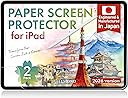
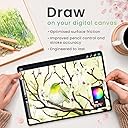
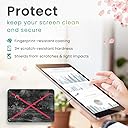
BELLEMOND Paper Screen Protector for iPad 10.2 (7th-9th Gen) offers a premium matte PET surface designed and manufactured in Japan, delivering a true paper-like writing experience with Apple Pencil. Its anti-glare finish enhances screen visibility in bright environments while maintaining Retina display clarity. The 2-pack includes installation tools for bubble-free application, making it ideal for students, professionals, and digital artists seeking precision, durability, and enhanced handwriting control.


| ASIN | B0FK47LBY2 |
| Best Sellers Rank | #178 in Tablet Screen Protectors |
| Brand | BELLEMOND |
| Brand Name | BELLEMOND |
| Clarity | 100 |
| Color | Clear |
| Compatible Devices | iPad |
| Compatible Phone Models | iPad 10.2 (2021/2020/2019) |
| Customer Reviews | 4.3 out of 5 stars 2,200 Reviews |
| Finish Type | Matte |
| Included Components | Installation Kit x 2, Paper Screen Protector x 2 |
| Item Dimensions L x W | 8.16"L x 6.12"W |
| Item Hardness | 3H |
| Item Weight | 168.11 Grams |
| Manufacturer | BELLEMOND |
| Material | Polyethylene Terephthalate |
| Model Name | GFLPLHQPIP |
| Model Number | GFLPLHQPIP-2S-1020 |
| Number of Items | 1 |
| Part Number | GFLPLHQPIP-2S-1020 |
| Product Dimensions | 8.16"L x 6.12"W |
| Screen Size | 10.2 Inches |
| Screen Surface Description | Matte |
| Special Features | Apple Pencil Compatible, Designed & Manufactured in Japan, Enhanced Writing Control, Matte Anti-Glare Surface, True Paperfeel Texture |
| Unit Count | 2.0 Count |
| Warranty Description | Limited manufacturer warranty provided by BELLEMOND. Please contact our customer support team for assistance. |
T**A
PaperLike Should Take Note
Like a lot of others who own an iPad Pro, I bought into the hype of the PaperLike screen protector. How could you not, right? The dang thing is everywhere. Seems like every iPad-related video is sponsored by the company. I even bought two different versions, because with all that advertising and the high cost, the product had to be the best, right? But after applying those protectors, I kept wondering what the heck everyone was raving about. They felt okay, sure, but not high-quality enough to justify their high cost. Plus they wore out really fast. After a month of grad school note taking, I found the PaperLike slick and basically useless. So, after peeling the last PaperLike off my iPad and preparing to fork over another $30, I stumbled upon this Bellemond product. I was skeptical though, because how could a product be as good as the most expensive and most hyped screen protector on the internet? But after reading the reviews for Bellemond, and seeing the cost, I figured Iโd give it a shot. Besides, if the Bellemond didnโt work out I could always go back to PaperLike. Well, Iโm happy to say that PaperLike will never get my money again as long as Bellemond is around. This protector is phenomenal. It finally FEELS like Iโm taking notes on a legal pad. One of the other things that always bugged me about the previous protectors is that they mottled the iPadโs Retina display. It wasnโt terrible, but there was a noticeable difference in screen quality with the other guys. With the Bellemond, I can still tell there is a protector on the screen, but Iโm shocked at how much better the screen looks versus the PaperLike. Now, there is one category in which I think the Bellemond is slightly lacking and that is the application process. PaperLike has a โhingeโ system that uses stickers to apply the protector. Bellemond doesnโt use this process. Instead it asks you to freehand the protector on the screen, which I found to be a little more difficult than the other guys. Regardless, I was able to apply this protector with a little bit more attention to detail and as a result there are zero air bubbles or dust underneath. If you are careful then this isnโt a huge problem, but it is something to be aware of. Overall, I love this protector. Itโs a little over half the cost of the PaperLike, much better quality, has a much more satisfying writing experience, and doesnโt impede the iPadโs gorgeous Retina display. All these traits make the Bellemond a better value than any of the other protectors out thereโespecially you know who. If youโre serious about using your Apple Pencil with your iPad then this is the screen protector to buy. Hey PaperLike, if youโre reading this reviewโyou should be worried. I
A**E
Excellent, but tough to install.
I simply LOVE this product. This is what was missing from the iPad all along. The texture when using the Apple Pencil is just amazing and the matt finish does not diminish the truly fabulous quality of the iPad display. In fact, I think that the matt finish accentuates the colours. I use my iPad for reading, writing (handwriting), typing and sketching. I have a Magic Keyboard, but I find it cumbersome to keep pulling the tablet off when I need to handwrite, or sketch using the Apple Pencil, so I normally have a simple case and my trusty Logitech Keys-to-go bluetooth keyboard. Cons: Only one. Installation is really, really, really tough. But the product is forgiving enough that you can peel it back and keep trying to put it on carefully a few times, since the main issue is bubbles forming. I found that the best method was to peel away about one-third, stick the top and make sure that the top third has no bubbles using the cloth (not the card) - then, slowly, this time using the card, lay down the rest of the screen protector. Bubbles may form while you're laying down the last third, but you can easily get rid of them by lifting the screen protector back up, and trying to carefully lay it down again. I did that two or three times and it worked - finally! And now I have the most desirable, productive tablet since I find it very comfortable to write and sketch on, without affecting the visual beauty of the product. Kudos to BELLEMOND
T**.
Fantastic product but install not for the faint of heart.
The look and feel of this product is fantastic. Very precise fit as well. Screen clarity is only very very slightly reduced but Iโd imagine itโs much better than the Paperlike brand. Iโve only had it on for a few hours but it seems to be doing a nice job reducing glare and fingerprints. Five stars for performance (so far) however Iโm only giving 3 stars for application. There has to be a better way! Iโm pretty good at lining up protectors for a perfect fit so that isnโt really the issue, itโs just that you have to be very careful not to even breathe too hard when peeling off the initial layer of film as it seems to have static-cling effect and ANY micro piece of dust, hair, clothing fiber etc. will somehow get stuck under the film no matter how dust free you get the surface before application. Granted Iโm rather OCD so I actually wasted an entire 2-pack attempting to get it right and had to order a second time. By the 3rd attempt I finally had it perfect even though I had to use a razor blade to very carefully peel back one edge so I could lift the film halfway back because surprise ONE fiber made it underneath still. Luckily I was able to fix it and it is now 100% dust free and perfectly aligned. I sure hope it has longevity so I donโt have to do it again for a long time! Iโd still say in the end it was worth it if you have the patience.
J**N
So far so good. Installation is a pain though.
When I first read the reviews I assumed that the installation issues were user error (and, still, most of it still is) but here are some things that I noticed that make the installation process troublesome. The first is that the adhesive is not sticky enough. I got it all on my iPad the first time only to go and lift the tab and it took it right back off. This was AFTER pressing it down with my hands and a credit card to remove any bubbles. Thus I placed it on again and had to restart the process, luckily, without any trapped dust or hair underneath. I also have an issue with the little card they give you to press the bubbles. It ended up ripping through a lot of the blue film on top and getting caught so I switched to a plastic card. The second is lining up the screen protector isn't difficult but it could be a lot easier so that you get a straight and clean experience. Many screen protectors achieve this by providing a frame of sorts so that you can keep it in line. If plastic use is the issue I feel we could even achieve it with cardboard or something similar. I can't say how well it holds up but am hoping it lasts a while. It doesn't interfere with the screen clarity and it feels much better than a bare screen. I won't claim it's the same as writing on paper and you don't get that feeling like you would on a remarkable or something like that but it definitely helps.
D**S
Perfect..
Half the price and I love the feel...
W**E
Loses texture quickly
INSTALL NOTE: The protector is only slightly smaller than the actual ipad, so make sure you have a good alignment and are near the starting edge before you start applying the entire sheet, otherwise you'll get to the end of the iPad and the protector will be hanging off the edge of your iPad. The blue film side comes off LAST. Pull the clear large rectangle film off as you lay the protector down on your iPad while you use the stiff cardboard card to force the protector to lay down. Once the protector is on, use the card to push out all the air bubbles. Finally take off the blue film. The texture rubs off very quickly, however for the price, it's hard to beat. You can get 4 of these (8 total screens) for the same price as other brands for only 2 screens. The first protector worked great for about 2 months before it started getting slick. Pen response was perfect and the texture was a game changer, actually felt like drawing on paper. If you're an artist, this is gonna be great for going from traditional to digital. The ease of install is similar to other protectors, go slow and take care and be patient. Be diligent when removing the air bubbles, leave the blue film on until you get all the bubbles out. The fit for my iPad 13" m5 is perfect. There was the expected amount of decrease in screen quality that you'd expect from a matte, textured protector. So it looks okay and reduces glare slightly. I was able to still fit it into 2 different cases with no problems. It doesn't seem to smudge easily and I never notice any scratches while I'm using it, though there are some scratches on the protector if you try to look really hard. I haven't noticed my pen nib being worn down by the protector. I'm going to try another brand, but I have a feeling, the lack of longevity is going to be offset by the low price, so I'll prolly be back.
E**L
An amazing paper-feel screen protector, an amazing and THIS REVIEW HAS THE INSTALL SECRET FOR YOU!
I donโt like the paper feel screen protectors that attach magnetically or with static or whatever, because they get sort of loose and unkempt. The ones that stick on for a permanent install, and you know the brands, it seems to me the difference is not in the quality of the screen protector, but in the installation kit they give you. this particular item I am reviewing has no install kit to speak of, and if you read the reviews, you will see thatโs the only thing people are really unhappy with. A permanent install version gives you a nice tight experience. All you have to do now is install it perfectly. Hereโs what you need to do to install this one as if you spent $40 plus on one of the ones with the fancy installer. Get some washi tape or masking tape. Position the screen protector perfectly on your screen. Take your time in this step and all my steps. Sit at a table with good lighting. Have your tools around you. Take your case off if you havenโt already, and of course, you will have already cleaned the screen with the kit they gave you. Make little hinges on one side of the protector with washi or masking tape. Tape the protector to the iPad in this way. Make sure it is tight and precise. Remove the adhesive backing after you have flipped back the whole thing on the little hinges you just made, and very carefully apply it to the screen slowly rolling it down and placing it steadied by the hinge. Watch the edges not the bubbles!. It is somewhat forgiving in letting you reposition, but you donโt want to do that a lot. Once it is perfect on the sides, now get a credit card or the card they give you and start working the bubbles out. Work the bubbles out until they are gone. Totally gone. You can fix them later, but they will never be as perfect as if you fix them right now. Donโt get excited and start using it until you have done this. Be careful that the card does not dig into the plastic coating. When it starts to do this, itโs time to take that plastic coating off because you can continue somewhat with the bubbles once it is off, but you want to get as many out as you can before you remove that. The bigger bubbles can be pushed to the edge as if they are water droplets. Smaller ones can be sort of burnished down and out. Pay attention as you go, and you will get a technique. This installation will be flawless, and you can afford to change your protectors more often by not paying all that extra money for a few stickers that make up an โinstall kit. keeping a fresh protector on every three months or so is, in my opinion is the best way to enjoy this type of protector. This particular brand is now my personal favorite. If I had had to install it just freehand, though I may have killed myself in the process. I hope this helps! Keep drawing!
F**L
Really wanted to like it, but impossible installation + rapid pencil wear = useless product
I really wanted to like it. The matte texture was easy (non-glare) to look at and the texture felt nice to my fingers, but ultimately it was useless. I had to take it off within two days. The problems I had: (1) It wore down my Apple Pencil nib immediately. I used it for less than two days before removing it and even in those few working hours it left extremely visible wear on my pencil tip. I realize pencil wear is a common issue with paper-like screen protectors (their texture is essentially very fine-grain sandpaper, I get that) but having visible wear in a matter of HOURS felt really excessive. It took weeks or months in the past for that to happen with other brands. Ultimately I think this would have been a deal-breaker for me on its own, but... (2) Even before that, installation was nearly impossible. I've done dozens and dozens of screen protectors on various people's iOS devices over the years, so it's not lack of experience, but this was one of the worst install experiences I've encountered. Even doing it with clean hands on on a clean kitchen counter to minimize dust/fibers and following all the tips on the official and unofficial videos, I could not get the thing on straight or cleanly. It's so thin (even with the liner sheet backing it until installed) that it jumped all around by static electricity no matter how carefully I aimed and little dust particles jumped onto it even when the screen below was clear. It was ridiculous and utterly infuriating. (3) Also, please note that they mean it when they say not to install it over tempered glass screen protector. I've never had a problem doing this before (i.e. putting a matte/textured/other film over the glass) with other brands, but this time it killed the responsiveness. It often didn't register my taps, or it overreacted to them with what my sibling calls "pixel barf" (spontaneous big blobs and/or random chaotic staggering lines across the screen). If the thing had been easier to install and didn't wear down my pencil nibs, I might have considered taking off the glass layer and re-applying the second Bellemond (they come in a 2-pack) directly to the screen, but because of #1 and #2 above, it honestly didn't feel like there was any point in trying. Overall, I loved the idea of a matte/paper-ish screen for drawing, and it seemed like this would be a strong alternative to the overpriced Paperlike brand (which had its own issues but was at least useful for several months), but unfortunately it was a total flop.
S**S
Excelente producto
Es muy accesible y de buena calidad. Me ayuda bastante con mi pulso al dibujar pues es difรญcil la transiciรณn del tradicional al digital, es muy fรกcil de aplicar y viene con todo lo necesario para aplicarlo. Lo volverรฉ a comprar.
S**T
Not for professional Artist. Worked only for few months.
As a professional artist. I always went for the paperlike screen cover. It used to be much more cheaper back then but now, itโs ridiculously high price. I wanted to give a try to this screen protector after many positive reviews by artist and I must say it was very smooth transition from paperlike to bellemond for me. Itโs really worth it. The only negative thing about it is that the surface get smooth after a few use like in a week. But it still maintain the paper feel. UPDATE: less than a year, the cover got so smooth and creating problem adding strokes while painting. Sometimes get itching sound. I was impressed by the quality for few weeks within that price. But now, I will highly recommend paperlike (original) cover which I used more than 2 years and it maunting the paperlike feel. Removing 4 star rating to 2 star. Not sure why people having a problem installing it as it has same installation process than almost all screen protector.
J**L
5-Minute Install. Elite Quality
Five minutes to set up. Immediate leverage. The texture is solid and the quality is undeniable. This is the right play.
S**.
Satisfactory
Delivered as expected,no complain.
Y**G
Wonderful
Good quality
Trustpilot
1 month ago
2 weeks ago