Print Smart, Print Fast! ๐โโ๏ธ
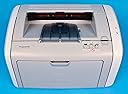
The HP LaserJet 1020 Printer (Q5911A#ABA) is an affordable and reliable monochrome laser printer designed for efficiency. With a print speed of up to 15 pages per minute and a high-quality resolution of 1,200 dpi, it ensures crisp and clear documents. The 150-sheet input tray minimizes interruptions, while the manual duplexing feature allows for double-sided printing. Backed by a 1-year limited warranty, this printer is perfect for professionals seeking dependable performance in a compact design.
| ASIN | B0009EM13G |
| Additional Printer Functions | Print Only |
| B&W Pages per Minute | 15 pages_per_minute |
| Brand | HP |
| Built-In Media | Printer |
| Color | Light Gray |
| Connectivity Technology | USB |
| Control Method | App |
| Customer Reviews | 4.0 out of 5 stars 207 Reviews |
| Duplex | Manual |
| EU Spare Part Availability Duration | 1 years |
| Global Trade Identification Number | 00829160710440 |
| Hardware Interface | USB 2.0 |
| Ink Color | black |
| Item Weight | 7166.76 g |
| Manufacturer | Hewlett Packard |
| Maximum Copy Resolution Black and White | 1200 dpi |
| Maximum Copy Speed Black and White | 14 pages_per_minute |
| Maximum Media Size | 8.5 x 14 inch |
| Maximum Print Resolution Black and White | 1200 dpi |
| Maximum Sheet Capacity | 150 |
| Model Name | Q5911A ABA |
| Model Number | Q5911A#ABA |
| Model Series | Q5911A |
| Number of Trays | 1 |
| Other Special Features of the Product | Monochrome |
| Output sheet capacity | 150 |
| Paper Size | 8.5 inch x 14 inches |
| Print media | Envelopes, Labels, Paper (plain), Transparencies |
| Printer Connectivity Type | USB |
| Printer Output Type | Monochrome |
| Printer Type | Laser |
| Printing Technology | Laser |
| Processor Count | 1 |
| Resolution | 1200 x 1200 |
| Scanner Type | Sheetfed |
| Special Feature | Monochrome |
| Specific Uses For Product | Office |
| Total USB 2.0 Ports | 1 |
| Total Usb Ports | 1 |
| UPC | 829160710440 |
| Unit Count | 1 Count |
| Warranty Description | 365 Labor/365 Parts |
| Warranty Type | Limited Warranty |
A**T
Finally!!! But with a caveat
During the past 2 years I've gone through 2 inkjet printers. One was a Canon that could never print an entire page aligned. It took me till after my warranty was out to realized that it wasn't me, it was the printer. Sadly, the other was the HP5650, which had terrible software issues and finally started misfeeding the paper. I didn't know what I was going to do for my next printer. I finally came to my senses and realized that since I hardly ever use color, I should start looking at LaserJets. Much to my surprise, I found this one for less than many of the photo-capable InkJets. Unfortunately, my computer became a little fussy during setup, but after that, it's worked like a charm. The pages come out extremely fast, the print is crisp and dark, and it's not too loud. None of the "cajunk, cajunk" sound you get with the ink jets either. Also, the footprint is smaller than the HP inkjet I am now going to smash to bits. It's like a little chunk on my desktop instead of a big long log! What more could you ask? I still think HP is a cheap, crappy company for making us buy our own USB cables, and for not supplying a manual, but until Canon and Epson get up to speed on reliability, I'll stay with HP anyway. June 2006 addition --- YES there IS a problem with this thing curling the paper. The lasers get the paper warm and then there are 2 plastic tabs the paper passes by on its way out, and they curl the paper. Downgrade this rating a full star!! This doesn't happen on my friend's older business HP laser model! I ordered this from Amazon for $130 after the discount for getting their credit card, of course with free shipping. I am extremely pleased with this printer all the way around: price, performance, and appearance on my desk.
D**E
Solid, inexpensive laser printer
I bought this printer in October 2005, after my husband's old HP Laserjet 4L, which he'd had for 12 years, finally died in the middle of a fairly large print job. We needed something reliable that would survive printing at times up to hundreds of pages per day, but that would not break our budget. After reading some reviews and looking around, we bought this HP, and we have been completely satisfied with it. Hooking it up was easy, its relatively small footprint made it a good fit in our already-overcrowded study, and the print quality is excellent. While the 1020's pages per minute (15) is somewhat slow compared to other laser printers currently on the market, I've been more than satisfied with this printer's output (it seems lightening fast compared to the 4 ppm of the old 4L). I have only two complaints. The first is that the USB cable needed to connect the printer to the computer is not included; you have to buy that separately (mine cost around $20). The second, and this is very minor, is that, unlike our old printer, the 1020 does not power up on its own when you hit "print" and does not power down when the job is finished; you have to use the on-off switch on the back. But that's a very minor complaint. Overall, we've been very satisfied with this printer.
B**Y
Excellent Printer
I got tired of paying for ink cartridges for my injet printer, and also of waiting for it to slowly print my material, so I decided to replace it with a laser printer. Since I don't print pictures, a black and white printer is sufficient. I couldn't be happier with the HP 1020. It's very compact (actually smaller than my Epson), unbelievably fast (though it takes a little while to get going), and the result is crystal clear. One important note, though: I'm a Mac user and this printer isn't intended to support Macs. But I learned from other reviewers on this site that you can solve this problem by downloading the printer driver from HP for the HP Laserjet 1022, which does support Macs. I did this, but the other reviewers left out an important bit of information: the directions that come with the printer say to wait until instructed to plug in the computer and attach it to your computer via a USB cable. But this is NOT what you do in the case of using the 1022 driver for this machine. Instead, after downloading the driver from ther HP website (which you can do for free, afte going to their support page), connect the 1020 to the power source and to your computer; then go to Printer Utility, select Add Printer, and the Mac will do the rest (it automatically uses the 1022 driver to support the 1020). Once my partner did this (I was in a muddle until she did so!), it all went very smoothly. For the very low price that Amazon is asking, now even Mac users can enjoy this outstanding printer.
J**.
Confirmed - Does not work with Mac OS X Intel
Based on the reviews here, in particular the one pointing out the $10 driver CD, I purchased the 1020. After checking all of the driver download pages (both for 1020 and 1022) and confirming the lack of a driver for OS X, I ordered the $10 CD off of the 1022 page. Once the CD arrived, it had nothing to install on my MacBook Pro and the printer remained useless. It took 3 calls to HP support to get credited for the $10, at least returning the printer to Amazon was easy. One HP support person even tried to argue with me that the "1020 Series" title used on the CD driver page didn't actually refer to the 1020 itself! Finally, the 3rd support person stated that their page had a typo and credited me back for the $10. I've since replaced the hp 1020 with a brother HL-2070N. It installed just as you'd expect and works great with both my Power PC and Intel based Macs. Only warning with that printer is that it makes an audible buzzing sound even when sitting in standby.
J**T
Great printer for the price
I talked my boss into buying a LaserJet 1020 for me to use at work, mostly for printing work tickets and service requests for equipment that needs to go out for factory repairs. (We're a two-way radio shop.) We previously used an ink jet for this purpose. It got to the point where we were buying a $30 cartridge every couple of weeks. Sure, we tried refilled cartridges; sometimes they worked, sometimes not. Also, the inkjet was frustratingly slow, especially when we had a customer standing there waiting for their paperwork! The 1020 has roughly the same footprint on the desk as an average ink jet unit, the print quality is a bit better and as far as speed goes it simply blows the ink jet away! Of course, it doesn't do color, but that's not a consideration in our application. We've been using the original toner cartridge that came with the printer for a few months now and it's still printing just fine. HP says it's good for about 2000 pages per cartridge, or more if you use the 'toner saver' mode, which we're using. Toner saver reduces the print quality just a bit, but we're printing service tickets, not wedding invitations. Unlike some other budget printers, the $69 (list price) cartridge includes everything; you don't need to replace a drum (that costs more than a new printer!) after a few thousand pages. One inexpensive laser printer is well known to crunch envelopes with frightening regularity. I can tell you from personal experience that the 1020 handles envelopes just fine. The print won't smear if your envelope catches a few raindrops on the way to the mailbox, like certain inkjets. The only cons I can think of is that it's just a little bit noisy and it's somewhat slower than the big machines in the front office. No big deal in either case, especially considering the price. All in all, I liked it enough that I bought one to use at home. The only thing that annoys me about that is that it's suddenly about $40 less than I paid! Oh, well... By the way, the printer is manufactured in China, but isn't everything these days.
T**Y
Don't buy if you want to network this! Decent laser quality.
Found out too late that this printer is host based. That means it has to be connected to a computer to print. You cannot use a network print server (wired or wireless). This is from HP's tech support web site.
G**K
Excellent printer for casual home use
This is by far the best printer I have ever owned for my home. I use this printer as a casual home printer for printing directions, movie times, reciepts, emails, or just about anything that comes up in the course of a home. To be clear, I don't really print important things very often and usually just print on the back of scrap paper from the office. But when I do need to print something significant like a legal document or a resume or something, this printer holds its own flawlessly. The printer sits right next to my computer, with a fairly small footprint and stays 'on' all the time. When I hit the print button, within about 5 seconds I have a printed page that meets every standard of quality that I have ever deemed relevent for a black and white printer. I have had the printer for over a year, and have had zero complications, and have not changed the ink once. I have gone through countless ink jet printers, or cousins thereof, over the last decade, and this laser jet simply puts them to shame in 3 categories: 1 - initial cost; 2 - maintenence (so far, zero); and 3 - quality (I have never seen anything but a 'perfect' print come out, no smears, no lines, nothing). Simply an excellent purchase.
R**E
Not Mac Compatible, broke before printing a few thousand pages
This printer, though mostly functional when connected to a Windows box, did not work without significant amounts of effort when connected to a Mac. Customer support at HP was not helpful in resolving my Mac connectivity issues. I eventually got it working with some 3rd party tools, but then the printer power supply died. I called HP customer support again and was told to buy a new HP printer. Needless to say, this is the last HP printer I will own. I suggest looking at some of the Brother models instead.
S**A
Good choice for home office
Highly reliable product. I find it G ault free for personal office. very good results. Best with original toner and quality paper. Economic in use and low cost.Thanks HP
P**D
the product was unreliable and unusable
this product was a great disappointment. It worked once only and then the paper jammed.A second and third attempt failed also. I contacted the supplier whose reply only stated that it worked when it left them. I contacted Amazon whose advice was to approach the seller,which I did . The seller made three suggestions which were of no help. I asked the supplier to collect the machine and to return my money as the machine was of no use to me. Since then I have heard no more. One thing I have learned and that is never again to order a reconditioned product.
Trustpilot
2 days ago
1 day ago