Buy anything from 5,000+ international stores. One checkout price. No surprise fees. Join 2M+ shoppers on Desertcart.
Desertcart purchases this item on your behalf and handles shipping, customs, and support to GERMANY.
🖌️ Elevate your digital canvas with precision, color, and comfort — don’t just create, captivate!
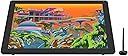
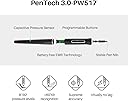
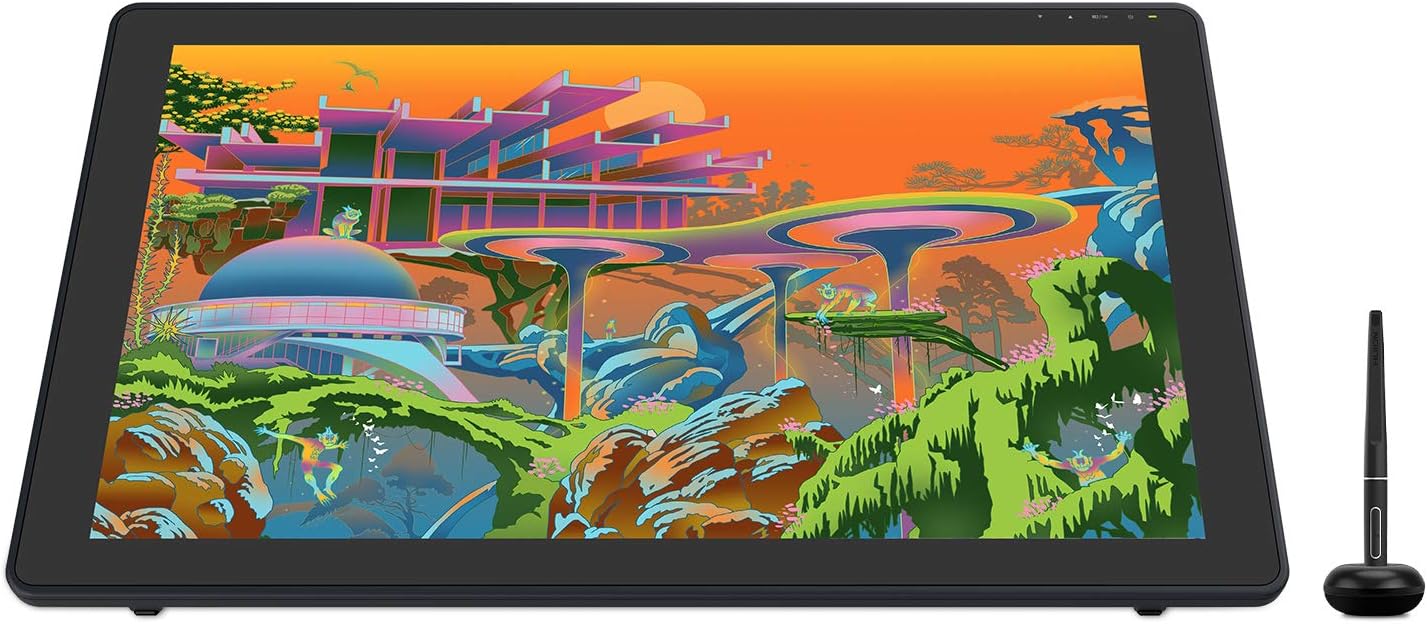
The HUION Kamvas 22 Plus is a 21.5-inch QLED drawing tablet featuring a full-laminated, anti-glare etched glass screen with 140% sRGB color gamut for vibrant, accurate visuals. It supports 8192 levels of pen pressure and 60° tilt with the battery-free PW517 pen, ensuring precise and natural drawing experiences. Equipped with dual USB-C ports and a 3-in-1 cable, it offers broad compatibility across Mac, Windows, Linux, and Android devices. The adjustable stand enhances ergonomic comfort, making it ideal for artists and designers seeking professional-grade performance at an accessible price.


| ASIN | B08BZ897B4 |
| Active Surface Area | 476.6 x 268.1mm |
| Additional Features | 60° Tilt Support, Anti-Glare Glass, Ergonomic, Full Lamination |
| Best Sellers Rank | #117 in Computer Graphics Tablets |
| Brand | HUION |
| Built-In Media | AC Adapter & Power Cord, Adjustable Stand, Digital Pen, Full-featured USB-C Cable & 3-IN-1 HDMI Cable, Pen Holder, Pen Nib x 10, Pen Nib Clip, Glove |
| Color | Black |
| Compatible Devices | Desktop, Laptop, Smartphone, Tablet |
| Connectivity Technology | USB |
| Customer Reviews | 4.3 out of 5 stars 1,118 Reviews |
| Display Type | LCD |
| Item Dimensions L x W | 21.5"L x 12.7"W |
| Item Type Name | Computer Graphics Tablets |
| Item Weight | 7.5 Pounds |
| Manufacturer | ShenZhen Huion Animation Technology Co., LTD |
| Mfr Part Number | HUION-GS2202-US |
| Model Name | Kamvas 22 Plus |
| Model Number | GS2202-US |
| Native Resolution | 1920x1080 |
| Operating System | Android(USB3.1 DP1.2 or later), Linux(Ubuntu 20.04 LTS), MacOS 10.12 or later, Windows 7 or later |
| Pressure Sensitivity | 8192 Levels |
| Screen Size | 21.5 Inches |
| Special Feature | 60° Tilt Support, Anti-Glare Glass , Ergonomic, Full Lamination |
| Specific Uses For Product | Designing, Drawing, Painting |
| Target Audience | Art Student, Artist, Creator, Graphic Designer |
| Warranty Description | 1 year warranty |
L**Z
Great bang for the buck, but a few caveats...
This is my second Huion Kamvas 22 Plus purchase. I bought my first one in June 2021 for around $650. This new one cost $461 (Feb 2026). A considerable drop in price since then. When I clicked on the original order link from 2021, it brought me right to this one. The original Kamvas 22 plus did not have a QLED display. I'm not sure if I'm clear on what the QLED technology brings to the table. I still have the original monitor and I don't see any real difference in image quality. Maybe my eyes just need time to adapt. Or I need a better video card lol. I'm sure there must be a difference, especially considering the price differential. Is it cheaper because it's not as good or are they just trying to clear out inventory. We may never know for sure lol There's a back story: I bought the first one because I wanted to try out digital drawing, and the Huion was considerably less expensive than a comparable Wacom display. I figured if the Huion disappointed for whatever reason, or it turned out I just wasn't a fan of digital art, at least it wouldn't be as big a financial loss as an expensive Wacom. I mean, I'm sure there are reasons to buy a Wacom, if you're a professional. I was just starting out. I wanted a sort of "entry-level" product but with the option that I might grow into it. All things considered, The Huion seemed like a great solution. It didn't take long for me to fall in love with the Huion, and the concept of digital drawing and painting in general. I chose Krita as my app of choice, mainly because it was free. Even that turned out to be a great choice. I recommend Krita to anyone just starting out. Especially if you have some computing chops and experience in the digital arts. You won't outgrow it any time soon. Or maybe you will. Who knows lol I've noticed with these various software products that they all have strengths and weaknesses. I guess u just try and decide based on your needs. I'm not a fan of annual subscriptions (although I don't begrudge a company from making a profit). One of the things I really appreciated with the Huion was that the pen doesn't need a battery. I'm not clear on how that works exactly, but it's nice to not have to worry about batteries. I love the adjustable stand that comes with the 22 Plus. It's sturdy, high quality, well-made. I don't adjust it much. I have a preferred angle setting for drawing. But it feels like it would last a lifetime. It's easy to adjust. Maybe this is a good place to mention the optional monitor desk arm. I bought one of those as well and it's also very high quality. Recommended, if you're using a dual monitor setup on a desk that supports it. Here's where it gets prickly: my original 22 Plus stopped working unexpectedly one day. It displayed windows just fine, but the pen didn't work. I checked the driver and it was giving me a communication error message. I spent a few hours trying everything I could think of, but nothing was working. I contacted Huion support. You need to know that you're dealing direct with China at this point. I get the impression that there's no US support option. I got a reply, but it took a couple days. The lag time in responses was a bit annoying, but I wasn't desperate. If I had been desperate we'd be having a different conversation. Keep this in mind while you're deciding where to invest your money. This could be one of the reasons to choose Wacom. Considering how expensive Wacom products are, support better be great and immediate lol. After a few days of back and forth, Huion suggested either replace the 3 in1 cable or they could also sell me a replacement printed circuit board. Neither option was expensive. But I decided to try the cable first. It wasn't the cable. My next option was a replacement board but after meditating on the subject, I decided to just buy a new pen display and use the original display as a second monitor. So my original 22 Plus lasted about 4.5 years. After a bit of research, I got the impression that was an expected life-span. 4.5-5 years. I used it for many many hours. Did I get my money's worth? I don't know. Maybe. My original expectation was "it'll be whatever it'll be". Maybe Wacom products last longer. Which would be a reason to consider them. I don't know. I don't expect this new one to outlast the old one. I can buy 3 or 4 of these Huion monitors for the price of one Wacom. Maybe that's the correct way to consider it. I've only had this new monitor a few days but it compares to the original one. As I mentioned before, I'm not sure what this QLED business means in comparison. I mean I read up on it. It seems like there should be an improvement (otherwise why even mention it in the first place lol). I'll be able to do a 1-1 comparison once I get the older Kamvas 22 up as a second monitor. I see no missing pixels or strange shadows along the sides of the new display. It uses all the same cables and such as the old display. It just dropped into place and worked perfectly. It'll be interesting to see how long the older display keeps working (just as a normal display). I can't think of anything else major to report. I gave this new one 5 stars because it's a perfect solution for me. Affordable. I like working on these 22" models. Huion is pushing larger screen sizes but it's really overkill for my needs. I also have a Huion mini keypad (Keydial). Not expensive, and so far has been working as expected. I don't use the actual dial thingy at all. Just the programmable keys. I have it permanently attached via USB cable to the PC but it can operate in Bluetooth mode as well. Good luck!
M**G
A pretty big upgrade
I've been using the Huion GT191 for ....4 years? Maybe more. It was a risky buy for me because, who the heck was this? It's not Wacom or whatever. I was using Surface Pro's for a while since they HAD wacom tech before moving to ntrig where it was ...bumpy, but alright. Anyway, the 191 was impressive, especially for the price and what the competition had. I wanted an upgrade since I had some nitpicks with the 191 but never enough that I'd drop hundreds- watched tons of reviews on it and it seemed solid. So, cut to now and it was on sale, so I caved and here we are! I'm typing this up because it impressed me enough after over a week with it that I wanted to give 'em credit. It's, really impressive, the parallax (distance between the pen tip & the actual screen/the accuracy of the pen) is non-extent basically. Where the tip is, is where the pen draws, it's....SO nice to have. The color accuracy & range is much, much nicer on this vs the 191. While the 191 was alright, this is in another league, as is the response time so there's less image ghosting and what not. So if you wanted to use this for drawing but also watch a movie on it or game? It'd do well. The glass has some kinda light texture to it, which makes it feel more like paper & reduces glare a bit. I like this approach better than making the pen tip rubberized since that just makes strokes feeling like a drag. I really can't say enough about the actual monitor itself, it's solid. You will have to adjust some of the colors/brightness yourself but that's not too hard honestly. It's 1080p which might annoy some? I honestly used the nvidia control panel to super sample the resolution to 1440p and while it's obviously not TRUE 1440p, it helps make the interface much smaller on your software. (even if you don't have this tablet you might want to consider it if the display is big enough!) The pen feels much better, no battery (Finally!) and with a nice rubber grip to make it more comfortable. It's also nice and light which some people don't like because "it lacks a premium feel" which, IDK put a lead weight on it and call it a day- in my opinion: pens should be light so the weight doesn't become an issue over HOURS of drawing. I don't get this obsession people have with a weighty feel with some stuff. The pen draws really well with an excellent pressure curve that you can adjust in the driver, it's activation force is nice n' low and it's got tilt, "But how's the weight?" It has tilt which, I haven't been able to test becaaaaaause none of my brushes actually have that set up, so I can't comment there unfortunately. The activation force feels much lighter on this than my last tablet, you can be really, really light handed with drawing and it's super nice. Feels great to draw with. The set up is pretty easy, slap the stand on it or it to a monitor arm then hook up the HDMI & USB cable, plug in the power brick to their 3-in-1 cable- to the monitor. Install the drivers from the website, hit ctrl+alt+H to bring them up to bring up the tablet interface, make sure it's set to work on the right monitor, boom done. I absolutely recommend this tablet, it's far less expensive than the competition and it doesn't feel like your sacrificing anything.
A**A
The Best Art Tablet I've Ever Had
Honest the BEST art tablet I've ever gotten my hands on. Sincerely, I dont think I will ever switch. After having a XPPen Artist 15.6 and experiencing all the issues of simply SETTING IT UP, this tablet became the crisp, most fresh breath of fresh air Ive had since then. The drivers with it are intuitive and easy to navigate, and any issues Ive experienced (which was only one or two and both was my inexperience and fault) were backed up by plenty of help and quick FAQ searches. Its comfortable to use, especially if you get the special stand that comes with it. Its DEPENDABLE and colorful, and I've used a plethora of different programs on it and have found 0 compatibility issues. (Clip Studio Paint, Blender, Fusion360, among a handful of others). Would definitely recommend getting the little keypad with it as it doesn't come with its own set of buttons. There are, however, two buttons on the pen. 10/10 as a digital artist.
C**S
Solid Tablet for the Price!
Solid choice! Been using it for a while now and can say it has been a blast to work on this tablet. Very accurate when calibrated and the pen pressure is very nice as well. Colors are nice as well, though I do not know if they are fully calibrated. I just know they match across several different screens. Really easy to set up, and the Huion app has always been easy to mess with. The screen has held up very well after all this time. No scratches on the protective layer yet and the nibs they sell are very nice on the screen. I tried the felt nibs on this screen and it feels very... scratchy/off. They squeek sometimes too so I'm not a big fan of them on here. I'd rather stick to the regular plastic nibs. I use it with the small macro keyboard they sell and it helps with the drawing process.
Z**H
Well worth the money!
Wow. I had Huion tablet for years, it was great. But this monitor? Superb. Firstly, the brightness and color clarity are exceptional. The resolution is 1440p which is incredible for the price, as other monitors on this price range are usually 1080p. The contrast ratio is actually higher than the W*com equivalent. The pressure sensitivity, tilt, settings and whatnot are all excellent and worked perfectly in all of my apps. (Affinity by Serif, Blender) Oh, setup was easy once I realized the cable really is all-in-one. The stand that comes with it is fantastic, has a great range of tilt (though I am excited to get the monitor arm from Huion tomorrow) and is very sturdy. You don’t need anything extra, it’s fantastic as is. If you’re looking to get a drawing monitor, Huion easily knocks it out of the park with this Kamvas 24 Plus. It’s packed super safely and has a handle to help carry about or for storage when you move with it, so keep your packaging. Can’t recommend this monitor enough. 10/10 Huion is superb.
T**R
Par Product, Sub-Par Software
Alright, I've had this long enough to make a fair judgement. Always used Wacoms, decided to give this a try since it's a 3rd of the price. Is the PRODUCT (not the software) worth 300 bucks: I think I got this on sale and for about 300. The product itself is worth it. There's no buttons but those buttons usually feel awful anyways. No touch screen but I'm a "palm-dragger" so they don't vibe with me. The screen to glass distance is great. Color and brightness and resolution are all good. I got the PLUS version. Pen is fine... little different than the Wacom...feels a little cheaper but it's more than fine. Does it work? 50/50 Is it good enough for hobby artists? Yes, more than enough. Are you a professional making money from your art and thus need your tools to work everyday, 24/7, for years and years? ****THIS IS NOT THE BRAND FOR YOU**** I'm sorry. I want it to be so badly but the sad and very unfortunate truth is that Huion does not have the software to support their tools. A real form over function issue. If you are on Windows, you WILL have problems and they WILL take considerable time away from your art. Will you fix the issue? Probably... you probably need to replace a corrupted .dll file or you may need to use the huion program to reset some temp files but hopefully it recognizes you have a device plugged in and actually lets you into the settings. It could just need a restart, or maybe unplug it and plug back in. Maybe this time just uninstalling and reinstalling will work...sometimes it does. Maybe this time you just need to reset the windows defender settings so it asks for permissions again. Maybe it's the windows ink check box again...maybe flick that on and off a few times to trigger something. Hey, it worked once, right? Is Wacom perfect? No...is it WAY over priced...YES good grief. Can I depend on it like a Nokia? Yes. I don't know what else to say. Obviously I'm annoyed with this product. I hate sitting at my computer every day and wondering if I can just get into art or if I'm going to spend 2 hours fixing my Huion Tablet. It's just not worth it. Can you imagine having bottles of paint and sometimes it just came out grey...or as glue? Then you have to spend hours fixing it before you get to the painting that's due tomorrow? And this is like...every week. Most times multiple times a week. The paint is cheaper but...it sometimes...isn't paint???? College Artist just starting out (and wanna add some spice to your all-nighters), first time Tablet users (who are comfortable googling and youtubing tech problems)... a meteor crashed through your house and smashed your main tablet to bits and a replacement is on the way but you got deadlines... These are all perfectly acceptable reasons to purchase and use a Huion. Anything else...invest in yourself, bb. You're worth it. This company ain't. Hell X-PEN has a little scroll wheel on their pens... GIVE THEM YOUR 300 BUCKS! 4500 for a Wacom (that thing has even a sniffle imma rage) 300 for a Huion (Calm breathing as this thing s*&#s the bed everyday) I'll be real...I don't know which is better (I gots the emotions)...but I will say....this thing has driven me to the point of actually understanding Wacom's 4500 dollar price tag. 80% of that premium is going to their software engineers and I think I might be okay with that. Vent over...
P**R
A truly incredible drawing tablet.
I wanted to wait a few months before posting a review so that I could really be fair on this Tablet. As a professional illustrator, I use my drawing tablet every day and I really do put it through its paces. I'm going to attempt to put this into point form so that I don't waste your time. The GOOD You cannot ignore the price of this tablet compared to Wacoms selection. Well priced. Pen The pen is pretty much on par with the Wacom pen, has great pen pressure and it's comfortable. Screen The colours on the screen are pretty great actually. I had a Wacom 13 and its colour range was absolute rubbish. The resolution is Great, not super amazing. For super amazing you may want to look into the 2k or 4 k model. That said I am immensely happy with the resolution I get on this badboy. Driver The driver is surprisingly good for this tablet, I dare say it's better than the WACOM. If you are a Wacom owner you have no doubt at some point encountered the irritation of a Wacom driver doing something annoying. Build quality The included stand is of great quality, it is solid and works pretty well. Yes, this Tablet supports VESA Mounts. Long cables The screen is non-reflective and has a nice tooth to it. The tablet overall feels pretty tough and is built to withstand daily art-making rituals. You are not giving your money to Wacom who have repeatedly proven that they don't care about its users by pricing its tablets out of the hands of Aspiring beginner artists. The negatives On the very extreme edges of the screen, you may notice some very slight artefacts or pixel breaks. These are only noticed if you move your mouse there. I'm pretty sure most people wouldn't even notice it was there because pretty much every drawing software out there has UI elements that populate that space. The colour options on this monitor are amazing, they are also vast and technical which may be a bit intimidating to a new user. That said, pick a basic setting and youtube how to calibrate your drawing tablet monitor and you should be good. My only real irritations with this tablet There are no built-in hotkeys, you will have to get yourself a tour box or even HUION's very own key dial thing. The cable inputs are only on the right of the tablet. this is fine if your Computer is on your right. I also fear for the life of my cables and cable connection points on the tablet. The pen build is not as solid as Wacoms premier Art pen, it is however pretty close. The pen is also a quarter the price. The pen also has no eraser on the back a feature I do miss from Wacom. Some nib options would've been nice, thankfully you do get plenty of replacement nibs. As of writing this, I am still on my first one.
D**I
I'm just really happy with the packaging and the product itself
First of all, the resolution and ability to show off colors are amazing. I guess I'm used to dull colors based off of my past monitor calibrations but my partner, who can see colors better than I can, pointed out the vibrancy of colors this tablet provides as compared to the Kamvas 16 pro and LG monitor paired with a Wacom Intuos Pro (M) in the past. And although I knew the size of the tablet would be larger than the 15" Kamvas 16 pro, I wasn't prepared for the sheer size of the tablet. I recall being amazed by the size of the Intuos Pro (M) as a child but this? Wow. Considering it doesn't come with quick keys, the screen is here for you to focus on minor details. (Though I will say that I was a bit sad to know it didn't come with quick keys cause I got used to using them on the Kamvas 16 pro. But it's not too big of a hindrance considering the tablet comes with a USB port that allows for a keyboard to hooked up and used at a closer range. Though I don't mind simply using the keyboard on the laptop.) I will admit to simply being excited over the sheer size of the tablet. Like, wow- a definite steal for its price, and I mean it given the colors and the hardware. I was also very pleased with how compact the packaging was with the foam. Everything just fits very nicely and seems very secure for the packaging. Though I will say that I mixed up the Kamvas 16 pro pen with the Kamvas 22 Plus pen and panicked for a good two hours before taking out the nibs (As changing the nib can help with "floating" brushes), and realizing that I was using the wrong pen. This was confirmed after opening up the little pen holder and realizing that the thickness of the Kamvas 22 plus nibs are slightly thicker in circumference as compared to the Kamvas 16 pro. A photo that I've included shoes the two holders and their nibs, Left is the Kamvas 16 Pro nibs and holder, and the right showcases the Kamvas 22 Plus. Now, although I noticed that the frame of the tablet is made with plastic, the set up itself was easy enough. I also very much appreciate the stand that comes with the tablet and that it screws into it, along with the fact that the tablet comes with the necessary tools to put it all together. It's a pully system that allows you to either lay the tablet flat and can be moved up to a 90-degree angle, which my back appreciates due to the odd angles the little stand used for the Kamvas 16 pro can reach (around 45 and down at very odd increments). I've included a video of me pulling it up and down. I'm also very happy that placing it at a 90-degree angle makes it easily stored on my desk. I'm also very happy with how the cord attaches as well, since the Kamvas 16 pro attached specifically with the cord facing downwards while the cord for the Kamvas 22 Plus simply sticks into the side, and then the main cord fits between my laptop and the tablet. I'm just pretty happy that it doesn't feel as...in the way. As for the tablet itself, away from my satisfaction with the product as a physic item, I would say that the parallax is fine. I read a review about it before but honestly, if you based your art off of the cursor, the parallax shouldn't matter all too much. I noticed it's better than the Kamvas 16 pro's parallax, but overall, I appreciate being able to see the cursor as I draw. Though that's a personal preference. I also used a ruler to draw straight lines at one point and it seemed fine making straight lines. Its ability for pressure control also seems fine. I included a video of the process and have used the tablet to draw a DTIYS challenge from Deviantart's 20th-year celebration. (An image I've drawn for the challenge is included with an overlay of a sketch I did as well as one without it. They're both WIPs though that I plan on finishing and then editing this review with.) The screen that you draw on feels the same as the Kamvas 16 pro, seeing as it's an anti-glare glass that's matte. The screen doesn't scratch easily though, but I recommend to not press hard with the pen anyway. This is because I used the Kamvas 16 pro for a while and didn't scratch the screen at all. Though I will say that it's a bit intimidating. USB-C to USB-C: It can connect to my partner’s Android phone well. It takes a quick unplug-replug but it turns on afterward. I wasn’t aware of the game-mode until I hooked up the software and I have yet to test it, though I will say it probably works as a monitor given I got bored one day and hooked up the Kamvas 16 pro to my switch and it worked just fine, it probably just isn't built for games. TLDR; Pros: -Cost -The built-in stand that reaches between 0 to 90-degrees -Resolution -Size -Compatibility with certain android phones and the switch game system Cons: -Personally, I can't think of any. It worked right out of the packaging and came faster than expected. Overall, I'm very pleased with this product and all of the components and this isn't me sucking up to the company. This is me just genuinely being content with the product as I'm a poor artist drawing on a budget. Basically, it works as it should and honestly? If you're looking for a screen tablet on a budget, Huion has plenty of tablets that are definitely cheaper than any tablet Wacom has. If you want the least amount of parallax and the use of press keys though- I’ve read that the Kamvas 22 Pro (2019) is great for those looking for something with the two. This is based on my own opinion while watching tablet reviews and reading quick tips in order to make sure I know what I’m talking about though. And I would personally like to recommend watching Teoh Yi Chie on Youtube for a more in-depth review (I came across him miraculously and enjoyed his more in-depth and more educated review. Everything mentioned in this one is based on my own experience with the tablet though.)
A**O
Simplemente el producto que mas he disfrutado comprar en amazon (hasta el momento)
Es sumamente cómodo trabajar en una pantalla de este tamaño, si bien es cierto que al dibujar con el soporte instalado (puntos a favor que venia incluido) la pantalla se puede deslizar un poco con el peso del brazo al principio, despues te acostumbras y aprendes a no necesitar recargarte tanto al punto de que la pantalla ya no se recorra hacia atras. -El tamaño de esta pantalla hace que no sea importante el que no incluya botones de shortcuts, ya que puedes acceder facilmente a las herramientas con tu mano. Sin embargo si recomiendo el uso de un teclado externo de macros para simplificar el uso de comandos como CtrlZ, CtrlY, etc. -La presicion de la plumilla no es perfecta (en ninguna tablet lo es) pero es bastante precisa, tanto que te acostumbras a la brevedad. El tacto que tiene no es identico pero es bastante similar a dibujar en papel, ya que la pantalla viene con cristal de proteccion contra rayones en vez del protector plastico que incluyen otros modelos (puntos a favor por que en otros modelos con mica plastica se notan muy rapido los rayones del uso) -El soporte puede posicionarse en diferentes angulos de inclinacion y una vez ajustado queda bastante fijo, por lo cual no tendras mucho problema con acomodarlo a la inclinacion que mas te convenga. -Viene con los cables necesarios ya sea para que lo puedas conectar a una computadora o a un celular (en ambos casos requiere conectarse a la toma de 110v).
H**H
Works amazingly
Feels great, looks great
M**N
La mejor tableta que he tenido la oportunidad de probar.
Me llegó aproximadamente 20 días antes de lo estimado como máximo, nunca tuve idea de dónde estaba mi pedido fue virtualmente imposible seguir el envío, sin embargo me llegó todo bien. La tableta me llegó con conector de voltaje europeo pero y sin adaptador. Pero no es un problema mayor para mí. En general estoy muy satisfecho con la compra y recomiendo mucho tanto el producto como a la tienda.
M**E
Quality control.
Bought a used, and refurbished item. I was so excited to use it. I am coming form a Wacom 22hd touch. I also have 2 other smaller Huion tablets. Never had an issue before. Not sure how Huion missed the screen at the bottom of this tablet coming loose, (Or hoping the next buyer did not notice), Seems to be an issue with these 24 inch tablets. Worse on the bottom right side. Disapointed to say the least. Not worth the refurbished price, and certanly not worth the retail price. Guess I will look at another Wacom.
S**I
Improved workflow
Really glad to have bought this. Its good quality and has improved my workflow. Definitely one of the best tablets out there at this cost.
Trustpilot
1 month ago
1 month ago