Desertcart purchases this item on your behalf and handles shipping, customs, and support to GERMANY.
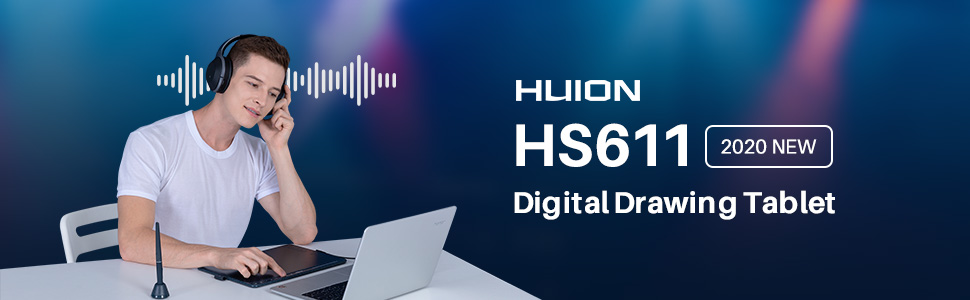
🎨 Elevate your art game with the sleek, smart, and seriously stylish HUION HS611!
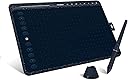
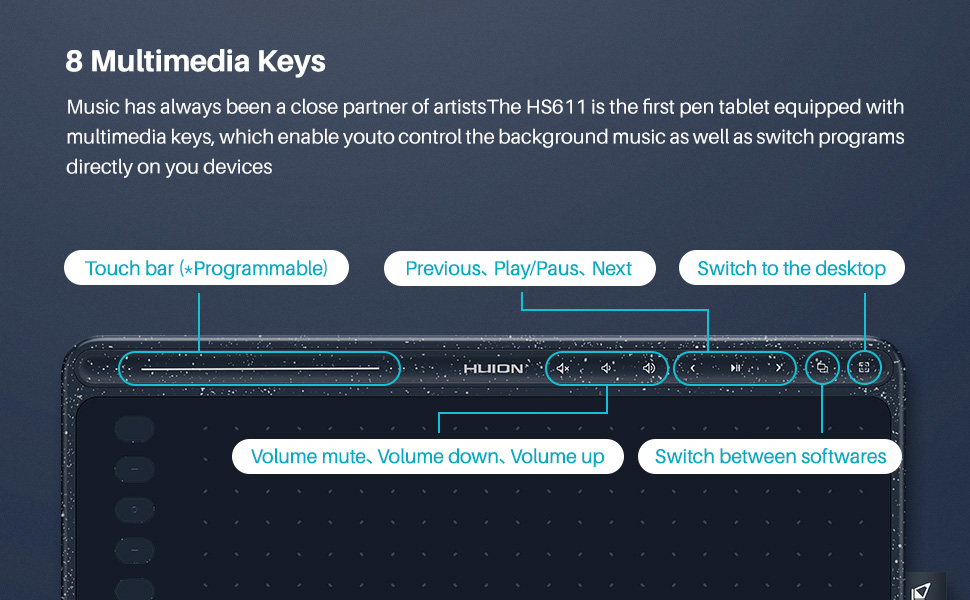
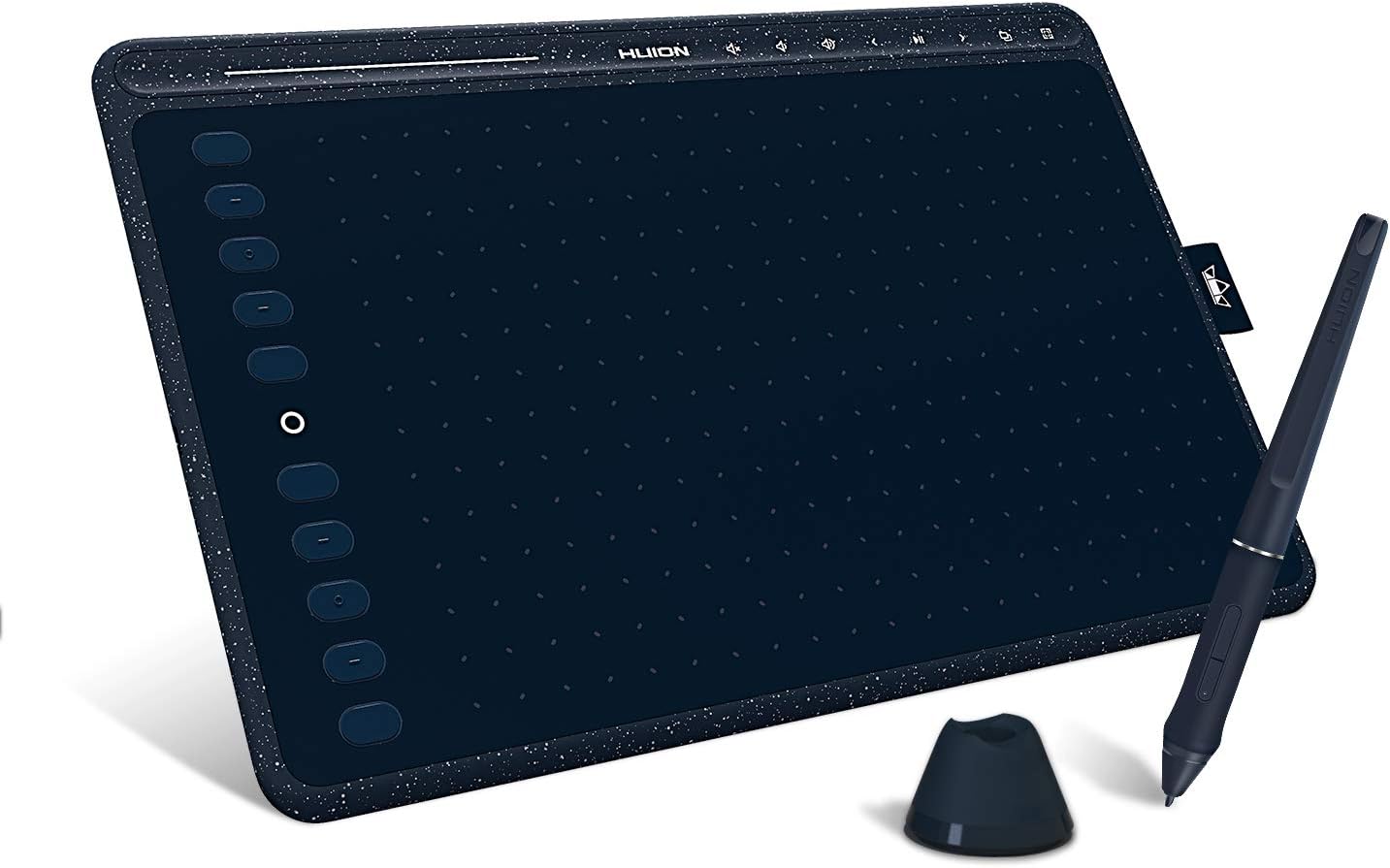
The HUION HS611 is a 10x6 inch drawing tablet featuring an ultra-thin design, 8192 levels of pen pressure sensitivity, and 60° tilt support. It boasts 8 multimedia keys and 10 programmable press keys with a touch strip for enhanced productivity. Compatible with Android, Windows, and Mac OS, it supports major creative software, making it ideal for professionals and students seeking a portable, customizable, and efficient digital drawing experience.


| ASIN | B082MX126F |
| Active Surface Area | 10.17x6.35 inch |
| Additional Features | 60° Tilt Support, 8192 Pen Pressure, Android Supported, Programmable Press Key, Touch Strip |
| Best Sellers Rank | #154 in Computer Graphics Tablets |
| Brand | HUION |
| Built-In Media | Huion HS611 drawing tablet, OTG Adapter, Pen Holder(pen nibs inside), Stylus, USB-C Cable |
| Color | Starry Blue |
| Compatible Devices | Desktop, Laptop, Smartphone, Tablet |
| Connectivity Technology | USB |
| Customer Reviews | 4.5 out of 5 stars 1,239 Reviews |
| External Testing Certification | Não aplicável |
| Item Dimensions L x W | 6.35"L x 10.17"W |
| Item Weight | 0.55 Kilograms |
| Manufacturer | ShenZhen Huion Animation Technology Co., LTD |
| Mfr Part Number | HS611-Blue |
| Model Name | HS611 |
| Model Number | HS611 |
| Native Resolution | 1920x1080 |
| Operating System | Android 6.0 and above, Linux(Ubuntu), Mac OS 10.12 and above, Windows 7 and above |
| Pressure Sensitivity | 8192 Levels |
| Screen Size | 6.35 Inches |
| Special Feature | 60° Tilt Support, 8192 Pen Pressure, Android Supported, Programmable Press Key, Touch Strip |
| Specific Uses For Product | Animation & Desiging, Drawing & Painting, Writing & Teaching |
| Target Audience | Student, Teacher, Toddler |
| Unit Count | 1 Count |
| Warranty Description | one-year warranty |
J**O
Amazing Tablet for Beginners or Pros
I have had a few drawing tablets in my time, but this one is probably one of the best for its price. Right off the bat, I have to mention the wicked cool design of the Starry Blue. Aesthetically pleasing and very hip, I love to tout it around campus. Constantly getting compliments on the design. Second, it is light weight. As someone who is often on the go, this is a major plus. It is easy to carry around my school and simple to pack in a suitcase as well. The sidebar is already set up with super helpful keystrokes but they're easy to change if you would prefer something else! The top bar has great shortcuts for volume and other handy tools so it is easier to multitask while you draw! Play some music without having to constantly switch back and forth between windows. It was super easy to download the driver with the instructions provided. And if you already have a Huion tablet, you can use the same driver! So easy to set up. I'll admit, I had a tiny problem with the pen not registering on the first use, but all I had to do was plug and unplug the tablet and then it worked perfectly! Any issue can be solved with just a touch of patience and then you're good to go! Finally, my absolute favorite part was that it came with a USB-C adapter. As someone who has been struggling with finding products adaptable with USB-C or reliable adapters this was a heaven sent. This tablet is great for newbies or experienced pros looking for an upgrade! Definitely recommend for all.
M**N
Best tablet for the price
I buy a lot of tablets and have given away a ton of old ones. This one is very nice as it's easy to use, light, and very capable. At this price point, it's absolutely amazing. I personally don't like the tablets where the screen is integrated because at least for me, they tend to get scratched up and it causes me a lot of distress to spend extra money for something that ultimately suffers from degredation in its primary fuction. It's very easy to visually map your tablet movements to a monitor so to be it's absolutely unnecessary to have a screen. Plus having a screen requires extra cables and causes other issues. Moving on from that, it has a bunch of buttons you can configure for whatever artistic software you are using. For me, I use Krita and it works well with it. It also has some buttons for managing media like playing music or volume which can help you stay in your flow state. Overall, it does what it needs to do and is the best for its portability, function, and durability for my sensibilities.
A**R
Good so far!
Pros: - big drawing space - customizable buttons - touch bar - tilt functioning and extra nibs - not that expensive (especially if you get it on prime day or something like I did) - works pretty well with one note and for school purposes Cons: - acts up sometimes, have to plug in a couple times to get it to connect - buttons on stylus are too easy to press, also gets stuck on eraser sometimes and can’t get back to pen - cord is too long for my laptop use and just flops around - for lefty’s not so convenient: my hand doesn’t hit the buttons on the left much, but you can’t use your right hand to press a button while drawing simultaneously. also can’t flip it over because of touch bar unless you deactivate it - no software comes with it, have to find free software online or buy your own Overall: Good tablet. Got this instead of wacom because it was on sale for prime day. Works for what I need, which is primarily school. I’ve tried a little bit of drawing which works fine too but i’m no artist. Customizing the buttons might be confusing for some first time users. Wish it was bluetooth and that they made a lefty version. Only had it for a month or so - hopefully it lasts long.
A**M
This is a great display tablet, easy to use, draw and create like real media.
This is a great display tablet, easy to use, draw and create like real media, I use it with gimp, zbrush, and paintstorm studio.
A**A
A well deserved upgrade from my wacom intuos tablet of 5 years
This tablet has genuinely felt like a breath of fresh air after years of only using tiny tablets. Great for the price and the little small touch bar is pretty useful even if I don’t use it enough.
S**S
Works as advertised
Easy to install, fast, and configurable. Very sensitive tip. Light on the desk and cleaned easily.
R**O
Really nice budget tablet
I bought this tablet with two purposes on mind. Firts, I wanted to use it to teach on a virtual classroom. Secondly, I wanted to do digital art. I think, that this is an excellent budget tablet, that works really well with both purposes. The pen is confortable, the surfice is smooth, the button are useful and well placed for a right-handed, you can still rotate the tablet 180° so you can have the buttons on the left. But this has a downside, the multimedia buttons are sometimes annoying, because you can accidently touch them, I don't know yet if I can deactivate them, and I hardly use them. One thing to look out, sometimes when you press hard on the tablet you can leave some scratches, you can barely see them tho. And the pen has a plastic thingy around the buttons, it is a dust collector lol. Overall, it is really nice. It's lightweight, it's pretty, it's big enough to draw confortably, the pen pressure works fine. The tilt function works by default with some apps, don't know how to use it or activate it in others, I'm still learning. And it works on my Android, I have a Huawei P Smart, doesn't lag, but I prefer to use it on a laptop. I'm pretty happy with this purchase, I was planning on spending a lot more on a different brand, but gladly I didn't have to spend all that money to get a quality product. If you can't make up your mind, I suggest you at least try it.
T**.
It works great for what I need
I was wanting to get a reliable quality interface setup for digital art to touch up some personal pieces in a digital art program. I went with this because of the quality reviews as well as the lower price point compared to some of the on screen tablets or larger name tablets. I am very happy with the quality and the useability of this tablet and I feel that I have made the best choice for my needs. The hot button setup and usability with the software interface of the tablet is easy and intuitive. Also to save money I am using this tablet to interface with free art software, Mainly Gimp and Krita with no issue. Both work great with this tablet and I am able to do a lot of touch up work and digital painting for just the cost of this tablet.
F**N
جميل جدا ولكن الضمان غير معلوم
المنتج كويس وجه في ميعاده وسليم وكل حاجه موجودة بس كنت عاوزة اعرف الضمان بتاع قد ايه وهل له ضمان اساسا ولا لا؟
A**R
Fantastic
It is perfect....Real time writing experience... premium quality...very much impressed...if you are a bigner you should buy it without a second thought....All the best..
R**E
Melhor que o da Wacom em custo e precisão
Melhor que os tablets caros da Wacom, o aplicativo deles infelizmente deixa um pouco a desejar em relação ao app da Wacom. Devido a area sendo mais aproximada de um papel A4 e alta precisão, fica mais fácil de desenhar com mais precisão ao invés de passar mais do que deveria em um tablet pequeno. Um problema que tive foi, a ponta da caneta que já veio na caneta estava super frouxa, mas trocar por outra no estojinho resolveu isso. Outra pequeno problema é o touch screen, que se a sua caneta estiver inclinada muito na diagonal, ele não ira pegar sinal, então você é forçado a deixa-lá um pouco mais reto que o normal caso vc tenha costume de escrever/desenhar de lado.
C**�
Gostei
Ótimo
B**K
Good product
More than my expectations.. Good product
Trustpilot
3 weeks ago
2 weeks ago