🚀 Triple your screen, not your clutter!
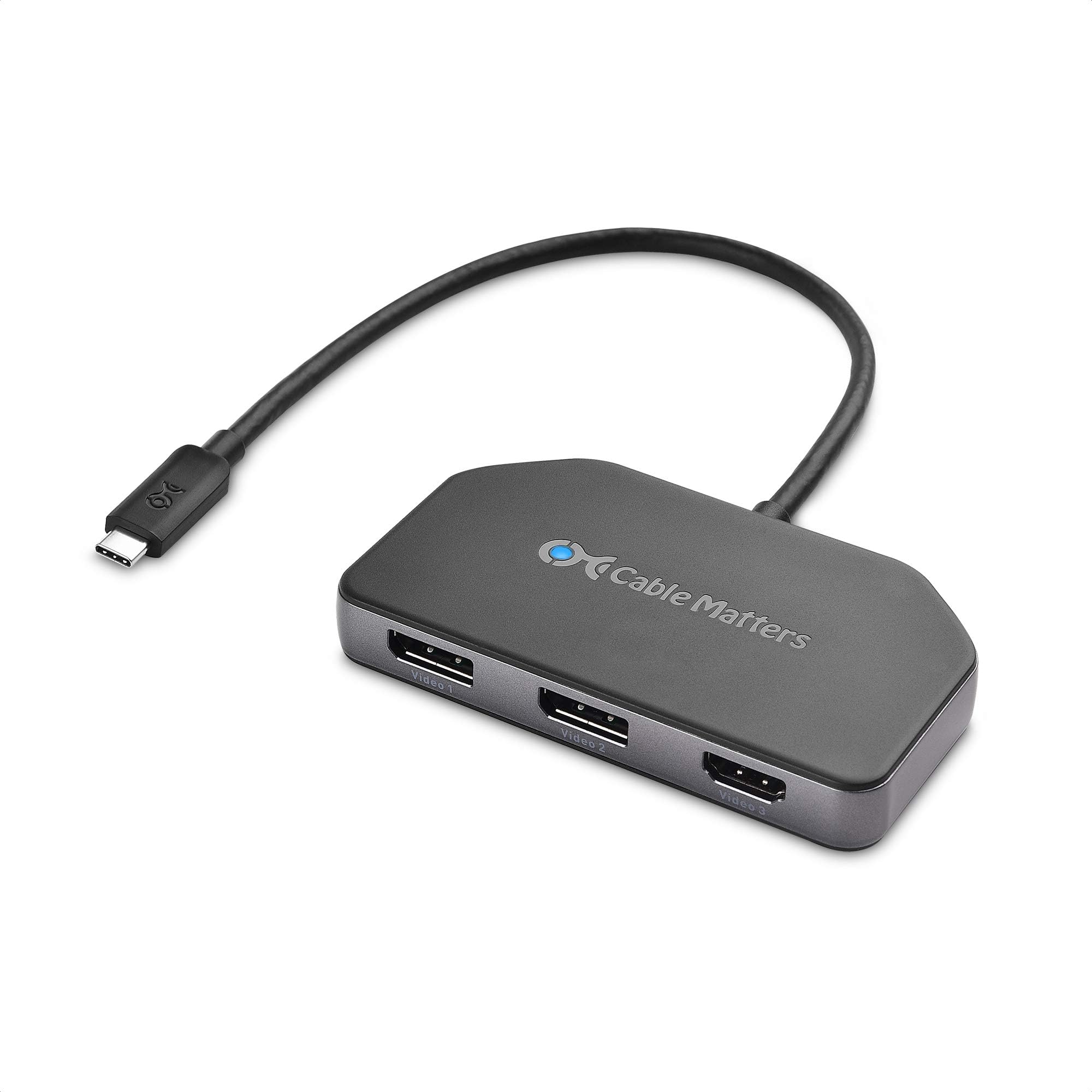
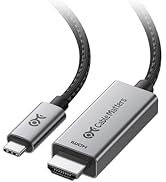
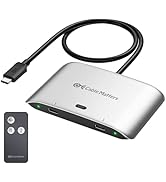
The Cable Matters 4K Triple Display USB-C Hub is a powerhouse docking station designed exclusively for Windows users, enabling simultaneous connection of two DisplayPort 1.4 and one HDMI 4K monitors at 60Hz. It supports HDR and DSC 1.2 for stunning visuals, while delivering up to 100W laptop charging through USB-C PD 3.0. Its bus-powered, compact design with a flexible cable tail ensures easy, strain-free setup—ideal for professionals demanding high-bandwidth multi-display setups without the bulk.




| ASIN | B07XYCHGQM |
| Additional Features | Powered |
| Best Sellers Rank | #57,959 in Computers & Accessories ( See Top 100 in Computers & Accessories ) #1,933 in Laptop Docking Stations |
| Brand | Cable Matters |
| Color | black |
| Compatible Devices | Laptops |
| Customer Reviews | 4.1 out of 5 stars 355 Reviews |
| Data Transfer Rate | 32.4 Gigabits Per Second |
| Hardware Interface | HDMI , USB Type C |
| Item Weight | 0.12 Kilograms |
| Manufacturer | Cable Matters |
| Mfr Part Number | 201365 |
| Minimum Required Operating System Version | Windows 10 |
| Model Number | 201365 |
| Number of Ports | 3 |
| Operating System | Windows |
| Special Feature | Powered |
| Total USB Ports | 1 |
| Total Usb Ports | 1 |
| UPC | 818707026816 |
| Unit Count | 1.0 Count |
J**M
Won't drive older DisplayPort 1.2 4k monitors
It's what I get for being on the bleeding edge at two different points in time. I have two Dell 2414Q 4K monitors that I can drive using DisplayPort 1.2 @ 60Hz. They are lovely monitors that I've had for 5(!) years now. I wanted to drive these monitors using a Surface Laptop 3 which a) does not have Thunderbolt 3 support but b) has some kind of strange USB-C to DisplayPort 1.4 hack that in theory should let me drive two 4K monitors at 60Hz. But I think that's only for DisplayPort 1.4 monitors, which my ancient Dell monitors clearly aren't. I was hopeful that this thing could solve this for me, but it can't do that. Right now, it can only drive one of my DisplayPort 1.2 monitors and only at a paltry 30Hz refresh rate. I don't know how many other folks are in the same boat as me, trying to build a decent multi-monitor docking station for a Surface Laptop 3 - at work I have two 2560x1440 Dell monitors running just fine using the Surface Dock, but that dock won't drive two 4k monitors at 60Hz. I really don't want to buy / replace these monitors. All options are pretty crappy (read: expensive) here: replace my 2414Qs with a pair of DisplayPort 1.4 monitors or switch to a different dock/adapter and use a Thunderbolt 3 equipped laptop instead. I tried to connect my 2017 13" Macbook Pro (which has Thunderbolt 3 support) to this, and it can't drive the monitors *at all*. I was hoping for some solution that will work with both the MBP and the SL3. Wishful thinking in 2020. This is going back, hopefully this review helps someone else who might be trying to thread the needle on this problem. Review is 5 star because I think this thing actually does work for the intended scenario. But my copy is going back.
A**R
Handy little item that des what you'd expect. Try different cables if it doesn't seem to be working!
Works great! Been using it for about 4 years now, minimal issues. At one point I had a screen flickering issue reported by other users (Glitchy artifacts on the monitor, screen going black), but that was resolved by swapping the display port cable I had attached to it. The power passthrough works great, I hadn't used it until recently, but it gets the job done.
C**S
Works for dual 4K at 60Hz
This is a good solution if you want to connect two 4K monitors at 60Hz to a single USB C port - just make sure your laptop or desktop computer can actually drive that much through a single USB C port. (Look for USB-C 3.1 Gen2 or better / Thunderbolt 3 - or better.) I am using this with a 15” Surface Laptop 3 with an Intel i7 processor. It all works well. The only downside I found so far is that the unit fails when my laptop is coming out of sleep mode. Instead of cleanly resuming, its status LED flashes rapidly until I either hit its reset button or unplug/replug the USB C plug at my laptop.
J**L
Works as expected.
So far so good. This solved my display issues from my laptop. Now I only have to plug in one cable and can get all three monitors to work.
A**.
Perfect, if you know what you're buying
Bought this directly from Cable Matters as Used - Like New. My assumption is that they have lots of returns from people that think it will work just because it is USB-C. You need a USB port that supports DisplayPort Multi Stream Transport (most likely a new graphics card or some tablets/phones). The one I received did not show any signs of use, so I can only assume someone plugged it into a Mac decided it was broken and sent it back. I've had 8t running on my Radeon 6900 XT and even with dongles and adapters it works perfectly. I've not hit any snags with refresh rates or resolutions yet, and have yet to try the pass through power delivery since it's being used on a desktop. TL;DR, if your card supports MST this is what you're looking for.
A**R
Like all the other negative reviews
Worked flawlessly for about 6-8 months and then all of a sudden, began to flicker then disconnect and reconnect my single HP X27q. I would have expected something to last a lot longer for the price point. I'm writing a super late review just because I'm tired of having 60hz instead of 165hz by connecting to an older one. Will keep looking for another product based on some other reviews
S**9
Will drive 3 displays, but audio over HDMI port crackles randomly
I have 3 monitors and got an MSI Creator 15 laptop that should be able to drive them through its USB C port. This hub does the graphical job just fine - I use all 3 ports and drive the 3 monitors at 1080 without issue (they are not 4k monitors) The problem I have is that on one of the monitors I use its headphone out jack for audio over HDMI. The hub HDMI port is used to connect to this monitor, and audio does come through - but when playing audio (music, video, games), a static or crackle will occur every few seconds. If I only use the two DP ports on the hub and run the HDMI monitor off the HDMI port on my laptop, the audio never crackles. Though I can get around this issue as described above, I got the hub to kind of streamline/minimize what is attached to the laptop to improve cable management. Posting this in case it helps anyone else running a similar (goofy) setup
T**W
I had high hopes
My old hub died and I was stuck working with only one monitor on my work computer. I got this one because it had just video outputs and no extraneous usb and card readers, etc. I plugged it in to my monitors and laptop, the blue light flashed and then went steady, and got nothing. Well, not quite...the laptop reported that the power supply was too low wattage, despite it working fine a moment before. I followed the instructions on updating the hub firmware, but still no go. I then tried it on my personal laptop and the same thing happened. BTW, I am not a noob, I have been an IT professional for about 18 years. Sadly, I shall have to return this and start searching for another, while struggling to work with 15+ open windows on a single monitor.
S**M
Works well
For those looking for this info, this device will support only two 4K monitors running at Displayport 1.2. I am sure it is able to run three 4K monitors at Displayport 1.4, but I have not tested them. Refer to Displayport bandwidth limitations on Wikipedia, it is consistent with the same. My purpose got served, I'm happy.
G**E
Très content, fonctionne comme prévu
Après avoir essayé des hubs USB C multi-fonctions qui ne géraient pas bien mes affichages externes (2 QHD + 1 FHD) je mets un commentaire pour dire que j'utilise ce modèle depuis 4 mois avec une complète satisfaction. Il ne fait que l'affichage mais le fait bien. Contrairement à un autre commentaire l'alimentation de mon laptop Dell Precision 5570 à travers le hub fonctionne bien (mais avec un message Windows disant que ce n'est pas à pleine puissance, logique puisque les 120W de l'USB C Dell ne sont pas un standard, le pc ne voit que 85W mais fonctionne bien). Payé 75euros en mars 2023 je vois que le prix a augmenté, dommage.
A**R
great adapter for multiple displays
Pros Plug it and forget it. No setup or driver update. Plug it, it just works. Very stable with my config (32' 4K @60Hz over Display port + 21' 1K @60Hz over Display port) since I bought it (april 2021, 10 months ago) Magnet on the bottom makes it easy to attach under the metal tray holding my laptop DP 1.4 over USB-C. Sturdy aluminum case Cons Doesn't work for my Rift S (black screen). Not really surprising, though. Rift S is really finicky. I bought another (Cable Matters again) adapter with one single DP output and it works fine The unit can get really warm. This is probably normal as the aluminum case is used as a heatsink. Note : I have bought two of these (office, home) and one of them was defective - black screens for 3-4sec about every hour. Cable Matters support has been VERY polite, helpful and efficient processing my return request. A new unit has been shipped to me free of charge within a few days (the manufacturer warranty is 1 year).
J**N
Top quality for the price
Currently works very well. Both monitors running 2560 x 1440 at 4k60hz. Not had it long but works great for the price and quality.
G**D
DOES NOT SUPPORT 3 MONITORS AT 4K 60Hz
It doesn't even manage 2x 4K @ 60Hz, only 2x 4K @ 30Hz. Last time I'm buying something from amazon...
Trustpilot
2 months ago
4 days ago