๐ฌ Print. Stick. Ship. Stay ahead in the mailing game!
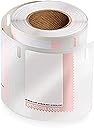
The DYMO LW USPS Postage Stamp Labels are a roll of 200 precision-sized, USPS-approved labels designed for seamless postage printing with Dymo LabelWriter printers. Measuring 1.62" by 1.25", these black-on-white labels ensure professional, hassle-free mailing directly from your computer.


| ASIN | B000RPKDUU |
| Best Sellers Rank | #165,260 in Office Products ( See Top 100 in Office Products ) #13 in Internet Postage Labels |
| Brand | DYMO |
| Brand Name | DYMO |
| Color | Black on White |
| Customer Reviews | 4.2 out of 5 stars 312 Reviews |
| Finish Type | Laminated |
| Global Trade Identification Number | 00071701309150 |
| Item Shape | Rectangular |
| Item Weight | 2.88 ounces |
| Manufacturer | 0 |
| Manufacturer Part Number | 30915 |
| Material | Plastic |
| Material Type | Plastic |
| Model Number | 30915 |
| Number of Items | 200 |
| Number of Labels | 200 |
| Number of Packs | 1 |
| Shape | Rectangular |
| Size | 200 labels |
| Style | Stamp Labels |
| UPC | 071701309150 |
| Unit Count | 200 Count |
C**K
Everything we wanted!
We have been needing a label maker for a long time. My secretary used to just use the Avery labels and run them to the printer. We wanted a faster and easier way to make labels. After reading reviews, we decided to try this machine. In addition, I have been resenting our Pitney Bowes machine for a long time. It's very expensive, and when they tried to make me pay insurance on it, I showed them my insurance, and so I didn't send in the money for their own insurance. They charged me a late fee on the fact I didn't pay the whole bill! Anyway, this is not intended to be a rant against PB but I have been keeping my eyes open for an alternative for a long time. Years ago we tried stamps.com but we couldn't get it to work for us. I even looked at DYMO in the past but I don't think you could print every amount of postage at that time. When I looked at it again, I decided to give it a try. My biggest concern was what other people were saying about the machine spitting out labels or jamming labels. Between my secretary and I, we loaded the labels and after a short try, we installed them tightly. We had to figure out to install the stamps so they went through the left side of the feeder and it has worked great. We haven't refilled any of the labels yet. We just connected the scale, and you can figure out postage right from the software. We are now cancelling the Pitney Bowes machine and love the labelmaker. It works fine with Windows 7, too! UPDATE: After trying this for a a few months,I need to report that everything is going great. My secretary tells me that I made a good choice with this machine even though she resented having to learn a new procedure at first. Now, we are trying stamps not made by DYMO and they are nearly 1/10th of the cost. We will see how the labels perform.
J**E
Postage stamp labels
Work fine quickly delivered
J**.
Lots of bad reviews here
Lots of bad reviews here, but they all seem to boil down to cost. Yes, it costs 9-10 cents per label. If you have high mailing needs, yes look elsewhere or at other plans. For me, after 15 years of spending way too much for a PB meter, ink and other costs, the Dymo solution works fantastic. A very small investment up front, then a minor 10 cents a pop. I only mail 10-30 pieces a month but I prefer a professional look and the convenience of buying postage online when needed. So instead of ~$30 month for a PB meter, plus ink costs, postage refill costs, etc., this is an incredibly cheap and convenient solution for my business mailing needs. After 6 months, it has worked flawlessly, and I've burned about 10 bucks worth of labels - big deal! Beats the $200+ I used to pay PB.
T**E
OUTRAGEOUS-EXTORTION add 12 cents more to postage cost-Don't Buy this
Outrageous, unaffordable Extortion, FORCED mark-up on Postage labels supplies, Dymo outlawed fair competition. 10-12 cents, for a penny adhesive label? $22.00 for a roll of 200,in addition, so many labels misprint, spit out multiple wasted blank in error, advance button easily touched, bad location to intentionally ruin labels, or voided for test printing as the roll gets unaligned kinked, so there are loss of many labels, about 25 that are wasted of the 200. So a roll actual yield about 175, not 200. . Cost of a 48 cents plus up to**(((( 12 cents)))*** for waste = 60 cents for first class??? Criminal mark up costs. After this roll is used, I will NEVER BUY and toss machine., never to be forcibly exhorted another highest priced roll again, additional 12 cents plus cost of prevailing postage is NOT reasonable to make any sense, even for convenience. .. Back to face value stamps for me. Dymo UNETHICAL and IMMORAL high price point will put them out of business! This is the worst gouging I've seen in a consumer product, without any competition. Anti-Trust Laws are clearly being violated.
C**Y
Great labels--the negative reviews are really about the system, not the product
Great labels--I've been using them for years. At one time I bought the brand X labels that the complainers want to use--they were low quality so I switched back well before Dymo (actually, Endicia, the service provider, required the Dymo labels). Pitney Bowes charges fees as do most (if not all) other providers. Simply, there's no such thing as a free lunch--for those who want to use brand X labels, there's a solution--pay the monthly fee. For those who prefer no fee, consider this: if you print 100 labels a year it may cost about $8.80 for these labels--far less than any provider's monthly fee. Don't forget that your mailing will look more professional, you'll save trips to the post office, you'll save the gas for those trips, and you'll save waiting in long lines. For all the strange and frequently changing variables for postage now, it saves the trouble of having an inventory of various denominations and a patchwork of color on your envelopes. In my experience the negatives are that you need to discard a few stamps at the beginning of the roll because of the gooey tape used--this is a thermal printer and thermal printers don't print on goo; if you print a bad stamp, there's no refund. The other negative is that the last stamp may be useless--not so bad if you're printing 48 cent stamps but a real bummer if you're printing a larger denomination.
J**.
Endicia recommended that I purchase my stamps directly from them through ...
I set up a free account with Endicia several years ago. Always bought my stamps on Amazon.com. But have had problems getting Dymo Stamps to accept the serial numbers, although they were genuine. Always had to call them and they always waved their magic want and things worked well until the next time. This time, Dymo Stamps balked before I finished a roll. So, I jumped through the hoop again. But, this time they wanted me to send them pictures of the front and back of a strip of the stamps. When they said it should work, it didn't, so another round of emails was needed to get it going. I have a new roll on the shelf that they have approved. But I have no confidence it will work with one or two email exchanges. When I griped about this, Endicia recommended that I purchase my stamps directly from them through the Dymo Stamps program, as that would automatically approve the roll without me having to enter the activation code. The ploy is obvious, but what counts is the price difference. So, here is what I found. Getting my stamps from Amazon.com with free Prime shipping costs $17.58 for a roll of 200 stamps. So, I am paying 8.8 cents per stamp for the convenience of printing stamps on demand. But, I have to jump through hoops to get them activated. Directly from Endicia, the price is $20.95 for 200 stamps, or 10.5 cents per stamp, an increase of 21% or 1.7 cents per stamp. I can't speak for you, but for me, the convenience of printing stamps on demand and not jumping through hoops is worth the premium. My volume is low, so it will not break the bank. Much as I cringe at giving in to shady marketing tactics, I'll purchase future stamp rolls directly through the Dymo Stamps program. The only other choice out there is Stamps.com. I tried them and gave it up because their software is clumsy and they will not print on my Dymo printers. I love my Dymo printers. They are rock solid and never need maintenance. Bottom line in marketing...people will pay anything for convenience. Yep!
D**E
Good labels but serious flaw with the new code system
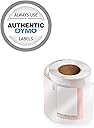
So this is my first roll of official labels to continue using the no fee Dymo Stamps system. As you may know starting in June of 2013 you will be required to purchase genuine stamps and enter a code from the retail packaging to activate your stamps software for 200 printouts. But there is a serious flaw in their system. First off the code is not clearly indicated on the package or an insert in the box. It is plain six digit code rubber stamped into the closing flap of the box with no other markings. To confirm if this was the code I called the customer assistance number from Dymo and asked for clarification. The CS rep told me that I had called the wrong company that I actually needed Endica customer support and that she could not help me. After transferring me the Endica rep confirmed that this simple rubber stamp was in fact the code. Now the real kicker is that these boxes are not sealed so any joe schmoe can pop open a box in Staples or Wal-mart write down the number and be on their way. Until Dymo fix this serious flaw in the way they are including the code I suggest buying these only from trusted online sources to ensure the code works. --------------- Update I have finally used my account enough to trigger the request for the code and the rubber stamp mark is not the code. The code in fact appears on the back of each stamp label along one edge. I had to confirm this with a rep again, who this time did appear to be informed about the system design. Thankfully this is slightly less theft prone as a thief would need to open the inner bag to get the code. If you buy these instore somewhere be sure to check that the inner bag hasn't been opened and that the coil is still stickered shut. Sadly Dymo have thrown another wrench in the works in that they are now deactivating accounts that are not used for 90 days or more. This policy was introduced in November 2013 without any fanfare. So for users like myself who only occasionally use the free system you have two choices, print at least a 1 cent stamp once ever 90 days or have to call Dymo to reactivate your account. What a pain!
M**L
Best Stamp Printing Option
The Dymo / Endicia stamp-printing option is the best I've found. Many others (including [..]printed on Seiko Smart Printer, and [..] Internet Postage printed by the sheet on a "regular" printer) result in significant -- and very expensive -- waste (I throw away the addressee and return address labels which come with the Seiko "stamps", and use only the "stamps" themselves). Dymo is the only printer which will print these one-off stamps, which come in a roll with stamps only (no useless additional labels which must be thrown away). Also, this source(Gamma Discount through Amazon) is the lowest price (by far) I have found for these roll stamps for the Dymo. It is incredibly convenient to be able to print postage by-the-stamp (especially with my USB postage scale which will automatically determine the "denomination" of stamp needed). Endicia has both a "free" service (no monthly charge in addition to postage purchased) as well as a more sophisticated service with monthly fee (in addition to postage purchased) which works with Dymo printer for stamps.
Trustpilot
1 month ago
1 month ago