Desertcart purchases this item on your behalf and handles shipping, customs, and support to GERMANY.
โป๏ธ Write smart, erase waste, and own your workflow!
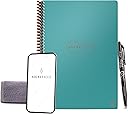
The Rocketbook Core Executive Notebook is a premium, reusable spiral notebook featuring 36 lined pages that connect seamlessly to cloud services via its app. Designed for professionals and creatives, it offers a durable waterproof cover, compact 6x8.8 inch size, and eco-friendly erasable pages that can be wiped clean with a damp cloth, enabling endless reuse and digital organization.


| ASIN | B07WFVWZG5 |
| Best Sellers Rank | #4,069 in Office Products ( See Top 100 in Office Products ) #66 in Spiral Notebooks |
| Binding | Spiral-bound |
| Brand | Rocketbook |
| Brand Name | Rocketbook |
| Color | Teal |
| Cover Material | Cardboard |
| Customer Reviews | 4.5 out of 5 stars 6,011 Reviews |
| Global Trade Identification Number | 00855510007656 |
| Item Length | 6 inches |
| Item Weight | 0.18 kg |
| Item Width | 8.8 inches |
| Manufacturer | Rocket Innovations, Inc. |
| Number of Items | 1 |
| Pages | 36 |
| Paper Size | 6 x 8.8 inches |
| Pattern | Notebook |
| Ruling Type | Lined |
| Sheet Size | 6 x 8.8 inches |
| Special Feature | Soft Cover |
| Specific Uses For Product | Note Taking, Organization, Productivity |
| Style | Lined Pages |
| Theme | Book |
| UPC | 855510007656 |
| Unit Count | 1 Count |
R**I
Wonderful
I love it. I bought a new one bc I used it so much I couldn't write on it anymore. I have memory problems and this saves paper.
D**K
YES, You Really Do Need This!
I absolutely love this notebook! No more wasted paper notes or dry erase boards that always accidentally get smudged. Send notes to designated email, turn handwritten notes into typed text if you choose. I use this like an inbox or brain dump. This is where I work thru ideas before implementing. My only regret is not having this sooner!
L**E
Things To Know
First of all, of course I love this book because it's designed to sustain and not waste tons of paper. However, there are a few things about it that must be noted. I got this notebook because I'm in grad school, work full time, and do work study. Plus I play a lot of games so I need to take a lot of coordinated notes. I have reviewed everything I tried separately, which I'll paste at the very end of this. TL;DR in the middle. I noticed one reviewer from several years ago test out all of the pen colors and post them. I wanted to do the same because I was hoping maybe the formula had changed, but this is not the case. The photo that says "phone version" I took with my phone, the other photo is the one that was scanned from the Rocketbook, using the pens, with their app. Suffice to say, do NOT waste your money on the highlighters, and the felt/fine tip pens only really work for darker colors. Thus, it's best to get the clicker pens and use those. As others have said, get the pen station. It is CRUCIAL since this can only be used with one type of pen. I had an old pencil case and eyeglass cleaner bottle, so clean them out really well and put the cloth in the front compartment and the extra pens and spray bottle in the big compartment and just carry it around in my back pack. DO NOT ERASE. Just because you can with these pens, doesn't mean you should. Another mentions this as well, but if you erase on the rocketbook pages it messes up the composition somehow and it's much more difficult to write over where you just erased. Also, if you erase sometimes the shavings (?) get stuck on the page and if you wipe them off they smear and then you have to try to gently scrape them off without ruining the page. Lastly, set up with the app was extremely easy and pretty straightforward. It works exactly as it says and I love that I can get a text version and a PDF scan so when my messing handwrite translates incorrectly, I can just check the image on the fly. I appreciate the double pound sign/hashtag for automatic titles as well. You can customize how your file names are saved, if scans are grouped or not, and more. The only thing I'll say is confusing about this, is the pictures they have make it look like you just push on the symbol for your desired destination, but as far as I can tell, that's not how it works because you assign them and then select in the app after scanning? It does come with a section to write down what you assigned to what, which is also erasable! (So don't write too hard if you mess up and accidentally ruin part of one line like I did before realizing it worked the same way). Overall, I LOVE this concept and this book and it's also cool there are so many colors. My partner is actually jealous and immediately wanted one for himself. I already got him one, everything he needs, but he doesn't know that yet! It's a surprise. I use it constantly, in classes and meetings and just notes to myself. I think I'll get my best friend one too since we have a penchant for gifting each other pretty notebooks. TL;DR: Only use the Click pen, do NOT get the highlighters. Absolutely get the pen station and a small glasses or pencil case for a spray bottle & the cloth. App is very user friendly. Reviews on all of the various pens (below): Highlighters These are great highlighters for normal paper, however, if you want to use them with a reusable notebook like rocketbook, they aren't very good. They will smear your ink ans erase parts of what you've written in one to two swipes. They also show up quite poorly, if at all, when scanned and converted to the app. I tested several types of pens on that notebook, and showed the results from the scan and photo with my phone ("phone version") to show this. Fine pens I tested these pens with a few other types, pictured on the left side where it says "fine" next to them. On normal paper, or to the naked eye, they're wonderful and the colors are pretty nice for inexpensive fine tip pens. If you want to use them with a reusable notebook, though, the colors don't translate through when you scan the pages and you lose a lot of the color overall. So, they're great for normal paper but not for reusable, erasable types of paper. Click I tested these with several types of pens, these ones have "click" or a C next to them. Out of all of them, these were the best. They write the most smoothly, and I love that the clicker is the little clip. On normal paper ("phone version") they write beautifully and are lovely shades. If you want them for reusable paper or notebooks, though, they're still the best I've found so far but they're not the greatest. When they scan, they don't translate accurately and most of the shades all look black or much darker than they are. They erase well either way, though. Pen holder This is particularly nice for reusable notebooks or binders. Especially if you can only use specific pens with them, or have one you really don't want to lose. It's also nice because this way you can choose to attach it where and how you want. The only thing I don't like is that you can only carry one pen this way. I'd like to be able to have two attached, but I suppose with this you could just attach multiple!
A**L
Just a Little Bit Torn.
I start by saying that overall I really like this notebook. It's easy to use along with the app. The app is very intuitive and works very well. The book is well designed and does exactly what it claims to do. I am able to write and then erase. The notebook is a bit thin, so if you're used to a heavier feel in books, I would recommend getting the cover. The other issues are specifically with the paper: 1. There is ghosting of the words. I erase in a week's time or less, but even when erase the same day, there are after images left. Nothing I do takes it away and I suspect it may cause issues with scanning later on. 2. Spots on the page isn't accepting ink. I follow the instructions on how to write in the book, how to clean etc, but three random oil spots still remain and others can really go forward.
D**Y
Better than paper notebooks
I was going through a standard notebook every few weeks (lots of notes for work) and the prices kept going up not to mention piles of notebooks lying around (need to shred the notes, can't just toss them). Saw this and decided to give it a go. Writing surface is like a flexible whiteboard. There is an app that you can use to take pictures and store notes but I don't use it so can't speak to how well it works. The spiral binding is thick and pretty solid. I've grabbed the book by just the pages a couple times and have yet to accidently tear a page out. Comes with a microfiber cloth to erase the ink, which comes off very easily. Very easy to write on the surface and also very easy to smudge what you wrote. The Flexion pens they say you need to use write well but the ink takes a good 15 seconds or so to fully dry. What you wrote can leave a "ghost image" on the opposite page if you close the book too quick. If I need to write on multiple pages in one sitting, I put a piece of paper towel between the pages to prevent the smudging. It is a bit pricey (the book and 10 pens was just under $50) but has paid for itself already. Got the 10 pack as people like to "borrow" pens, never to be seen again. There are refills available for the pens as well. Overall, very happy with the purchase. Just wish the ink dried faster.
R**R
Fantastic Digital Notebook
The Rocketbook is excellent. I bought it to test and see if a digital notebook was something that would work for me. Some are very expensive and before committing to one of the more expensive models, I wanted to try one out. Not only do I love using the digital notebook, I will not now, or ever, be buying one of the expensive versions. If I need anymore, I will buying more from Rocketbook. This notebook does everything I wanted it to and more. It is very convenient to set up. The App is easy to use. The automatic e-mail function and the automatic file naming are fantastic. The transcription is improving, and is a valuable tool for searching out keywords. I love being able to search my e-mail and look at all digital correspondence, as well as my hand written notes from any meetings or calls, all in one spot. I was using nine different notebooks daily, and now I am only using my Rocketbook. It's true it does not feel like writing on paper, but I absolutely love the feel of writing in the notebook. It is incredibly smooth. My only issue was that the pen that came with it didn't work. I had ordered an additional three-pack with it to make sure I had extras, and was glad I did.
K**E
Amazing product/love it! But spine broke after 1.5 years, pages now will fall apart
I LOVE this product! I'm an itinerant special ed teacher and this has been a godsend for me to be able to keep notes on the fly and then upload them to organized folders at the end of the day, then wipe clear and be ready to go for the next day! I have bragged about Rocketbook to friends and they have in turn purchased it and have been as pleased as I. However - today, after 1 year and 6 months of use (purchased Mar 2020) - the spiral spine broke which means my pages are going to unravel and come apart. I contacted the company via their website and we'll see if they respond! I will update this review and change it back to 5 stars if I experience decent customer service. Hoping for a free replacement or at least a discounted replacement. Update: The company replied saying my item is not warranteed for wear and tear, only manufactured defects. So they can't replace it for free, but they can give me a 15% off coupon code for a new purchase. What can ya do. Wish this would hold up a little better to the wear and tear of a day in the life of a teacher, but I still love it so much that I will buy it again. So my 5 star review went from a 5, to a 2, to a 3.5. It's a 5-star product no doubt, but the longevity/durability is lacking. At least the customer service was prompt and polite.
K**M
Where have you BEEN all my life!
How many people have a need to write something down for short term use? I can think of about 50+ things right off the top of my head, and this Rocketbook is perfect for that use! Write on the pages, take a picture of the page using the Rocketbook App, and Rocketbook will email the picture to you or put it in the cloud for you to pull up on another device. Rocketbook will even TRANSLATE your writing into words using OCR. Do you have a child trying to learn letters and numbers? Do you want them to work on them without resorting to paper and pencil or using an electronic device that could distract them? BOOM! Create lines using permanent ink for them to practice writing their letters and numbers, and when they are done, take a picture in the Rocketbook app and then allow them to spray the page with water and wipe it clean till next time! I have set up my Rocketbook App to send the pages to a free cloud drive where I can pull up the pages by date to see the progress. Family Schedule and Meal Planning - Ever try to corral your family to sit around the table without their electronics to coordinate schedules and meal plan? Plan it on these pages and it can be saved in a common place or sent out to the family just by taking a picture of the finished page! Have a last minute change? Make that change on the page, take another picture - BOOM - it is sent out to the family again! Next week, wipe the page clean and do it again! Have you ever gone anywhere and needed to write something down but didn't want to resort to trying to type it all into your phone? They sell these in a pocket size that fits in your hand. Genius!
P**.
Super cool!
Excelente material! Funciona perfecto
R**O
Fantastico !!!!!
Mi ha rivoluzionato il metodo di lavoro e la gestione della mia formazione. Posso digitalizzare velocemente e archiviare con l'utilizzo dei tag i pdf per argomenti. Ora sto valutando l'acquisto dell'A4 !!!!
R**N
A great overlap of analogue and digital. And a great product.
So this is the second reusable Rocketbook I have bought. The first is a few months old and still going strong but I use it so much I often go into a second book during the day. Whilst the wiping of the pages is another chore to add to the day, it is oddly therapeutic. When cleaning the pages, have a second cloth nearby to dry them so they don't stick. The paper is shiny - I thought that would be a problem when I first wrote on it, but by the end of the first sentence I was rather used to it. There is a good selection of Frixion pens - the felt-tip ones write best on the inside cover (where you put your index), but the pen that comes with it is just fine for writing. It also, of course, works well on normal paper. The scanning app that comes with it works flawlessly for me. It is rather wonderful having the junction of analogue and digital in being able to write on 'paper' and then so easily digitise it. I thoroughly recommend this product.
N**I
Surprised
I thought this was a bit of a gimmick before actually using it and making proper use of it! The way it connects to apps is genius! I highly recommend this product! Next step is integrating AI into the app!
X**M
No need for any other notebooks
Have to be honest and say I don't read back old notebooks. But writing down things help in my memory. So in the past, I bought and used tons of notebooks and they stack up in my cardboard, and the Marie-Kondo in me is begging me to clear them but memories โจ Rocketbook changes everything, a snapshot and that memory is forever, clean slate, save space, its the best!!!
Trustpilot
2 weeks ago
1 week ago