๐จ Elevate Your Digital Canvas with Precision and Speed!
The KENTING KT16 is a 15.6-inch Full HD IPS drawing tablet featuring 92% NTSC color accuracy, 8192 levels of pen pressure sensitivity, and 7 customizable express keys plus a dial wheel. Designed for Windows and Mac users, it includes a battery-free stylus for uninterrupted creative flow, making it an ideal tool for professional digital artists and designers.
| ASIN | B07WDTQRX9 |
| Active Surface Area | 13.54 inches x 7.62 inches |
| Box Contents | Stylus, USB Cable |
| Brand | KENTING |
| Brand Name | KENTING |
| Compatible Devices | Tablet |
| Connectivity technology | USB |
| Customer Reviews | 4.1 out of 5 stars 67 Reviews |
| Display Type | LCD |
| Manufacturer | KENTING |
| Manufacturer Part Number | KT16 |
| Model Name | kt16 |
| Model name | kt16 |
| Native Resolution | 1920*1080 |
| Network Connectivity Technology | USB |
| Operating System | Windows 7 Enterprise |
| Operating system | Windows 7 Enterprise |
| Pressure Sensitivity | 8192 Levels |
| Pressure sensitivity | 8192 Levels |
| Product Features | Shortcut Key |
| Screen Size | 15.6 Inches |
| Software Update Supported to Date | unknown |
| Special feature | Shortcut Key |
| Specific Uses For Product | Drawing |
| Target Audience | Teacher |
C**E
Love it!
It's easy to use, lovely big screen, and not too expensive as far as drawing tablets go. Installation was... stressful but I think it was mostly because of my laptop? Not sure if anyone else had issues with installing it, but personally it would have been great had it come with a disk rather than vague instructions, as the whole process ended up taking hours. But once done it's been mostly great. Every now and then it won't pick up the pen or the buttons, but it's an easy fix of checking connections/restarting/clicking to a different program and then back to photoshop, but these are minor issues. I've been using it to edit photos, create photo composites and learn digital painting and it works like a dream for all of those. Photo composites in the past could take me about 8 hours using just the track pad on my laptop, the most recent few have only taken 3-5 each. It's helped me become more efficient, as well as a lot more accurate. And learning to create digital paintings has been a long time dream for me and this has finally given me the tools I needed to get started! Would definitely recommend to any skill level! The quality you get for this price is amazing in my honest opinion.
D**R
The Best Budget Graphics Display Tablet!
Initially, I was pretty skeptical of this tablet. I had done some research into this tablet before purchasing it, I figured out this is a re-branded version of the more expensive VEIKK VK1560 tablet, when you compare the two side by side in separate tabs, its fairly clear to see. I decided to purchase it anyway as at the time it was the cheapest 15.6" Drawing Tablet on Amazon. it came in the post very quickly and safe to say my skepticism was gone. -PROS- โข The tablet comes with a bunch of useful accessories such as an extra pen holder if you don't like the built-in one on the tablet itself, all the spare nibs for the pen, a smudge glove, cleaning cloth and a pen sleeve for when taking the tablet on the go and wanting a secure way to keep hold of the pen. โข The drivers are mostly painless to set up, your PC/Laptop may have to go through a few restarts but once they are finished its pretty easy to configure the buttons on the tablet and pen to your liking. โข The colours on the tablet are incredible and very accurate, very clear and great for any digital artist of any kind. โข The adjustable built-in stand is very easy to adjust to someones liking. โข The pen despite being a little lightweight is very comfortable to hold and easy to glide across the screen. โข The tablets build quality is sturdy and there should be no worries about it suddenly breaking or falling apart. -CONS- โข The tablet if positioned at a low angle and the top corners are being pressed onto hard can make the tablet tip slightly. โข The pen will have some shaky strokes when used in drawing software such as Photoshop, though this can easily be fixed by turning smoothness up on your drawing software by 10%-20%. โข Sometimes pen strokes will take a while to register and may appear as multiple dots once the computer recognises them, this is a problem I frequently have though Im pretty sure this is more a case of my PC and Laptop both being old machines rather than any fault of the tablet itself. Overall this is a really great tablet to buy for someone who is interested in graphic design or digital art and they need a screen to physically look at and draw on rather than just a drawing pad. This is by far the cheapest 15.6" display on Amazon with express keys for all of your tools and shortcuts, it's really easy to see why people have purchased this tablet. Amazing colours, a bunch of accessories, great adjustable stand and a great feeling pen, there is a lot to love about this tablet. There are faults don't get me wrong but most if not all of them can be fixed by messing around with software settings. For something that is essentially a re-branded VEIKK VK1560 for around ยฃ100 cheaper, this is probably the best drawing tablet you could possibly get from a price to quality ratio, highly recommended.
M**S
Excellent
I was originally looking at the Huion Kamvas 16 however at over double the price of this one it was a purchase I was saving for. Then I came across this one. After reading the reviews I was a little skeptical mainly just due to the price but how wrong was I. This drawing tablet is amazing. All the buttons both on the pen and down the side are fully programmable to your needs. I got this for both Adobe Photoshop and Adobe Illustrator use and so far it is brilliant and well worth the money. Set up was easy just went to the website. There was a firmware update to download and install first but this only added about 5 minutes to the set up and in less than 20 minutes of it arriving I had it working and was able to use it. This is going to save me so much time in my business not only for using with Adobe packages but it will also be amazing as an additional monitor when processing orders too. I really can't find anything negative to say about this drawing tablet. I'm certainly more than happy with my purchase
A**R
Best Value Piece of Tech I've Seen
Easily the best value graphic tablet on the market. Had issues with the pen but the customer service was exceptional and they replaced it in good time. I also noticed the guidebook was outdated but they have since updated it since I reached out to them. This tablet is perfect for anyone looking to get into, or already in digital art. Here's some pictures I made with the tablet and feel free to follow my comics @lightlysaltedcomics on Instagram. Would highly recommend this model.
A**R
Good product at an excellent price.
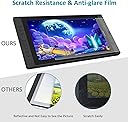
Being a beginner in the digital art world I did a lot of research on the best drawing tablet. I originally looked for a large Android tablet with a pen (I already have a 10 inch Simbands Picasso Tab) as they are portable but finally realized that most larger tables must be connected to a PC. After much looking I came across the Kenting KT16 at a great price and purchased one. The only issue I had was downloading the driver from their site. From the UK the site/sever is slow and just kept timing out. I resolved this by downloading the driver late in the evening and it was fine. The product was easy to set up and works really well. The tablet is fitted with a mat screen protector which does not seem to scratch (that I can see). For the price this is an excellent tablet (particularly for beginners)
M**E
Good tablet, driver website down
So I managed to get this tablet for a very good price having wanted a screen tablet for some time in order to take up art again. It was delivered quickly and packaged well. It comes with a lot of additional things which were appreciated. Overall the tablet is good, although the protector was already scratched when I removed it from the box, though that's a minor niggle as I simply removed the protector. What isn't though, is Kenting's website being down (and from the sounds of it has been down for weeks now). Before you can use the tablet you need to download a firmware update, as well as the drivers for the tablet. I was lucky enough to be able to find the driver on another site, though have not been able to find the firmware update anywhere. Because of this (I suspect), the pen tilt function does not work, and I've found a few bugs after restarting my PC (tablet pen being unresponsive). That said, the screen is good, the colours displayed seem accurate, and generally the tablet is very responsive. I've had a lot of fun with it already, and if it were not for the driver/firmware/website issues I would have no issues with recommending this for beginners (especially at this price). As it is though, I can't recommend it until driver and firmware access is sorted.
M**3
Can't get it to work and no info from kenting
Bought this as a gift and spent 3 days trying to load it and it will not work. The pen works fine but the screen just shows white static and will not mirror the laptop screen. We thought that maybe the fault was with the laptop so we bought a brand new laptop which we didn't actually need and exactly the same thing is happening. Just a white snowy screen. We've followed the troubleshooting guide several times, loaded and unloaded several times on both screens and still nothing. We've contacted amazon technical support and they just told us to load and unload the drivers again, which didn't work... we contacted Kenting technical support and they also got us to load and unload which again didnt work. All in all weve missed out on 4 days work and paid out ยฃ700 for a tablet that we can't get to work and a laptop which we didn't need.
Y**Y
Best Value for money tablet out there
As an amateur artist, I honestly think this is the best value for money display tablet out there. I've had it for about 4 weeks or so, and have loved the drawing experience. I'll list the pros and cons for your reference. PROS: - Almost no parallax - Great colour - Lots of express keys and a quite handy scroll wheel (The driver have a lot of options to personalise the express keys) - Pen is light yet comfortable - Built-in pen holder to save the pen - Good build quality - Stand angle is adjustable CONS: - No mounting holes in back of tablet to mount to a secured in place stand I'm very happy with the investment that I made with this model. It has definitely helped speed up my productive! It works well with Adobe photoshop and SAI.
Trustpilot
3 days ago
2 weeks ago