We remain fully operational. Our teams are working around the clock to ensure your deliveries continue safely.

Laden Sie die App herunter


Kundendienst
Copyright © 2025 Desertcart Holdings Limited
Laden Sie die App herunter

🎥 Capture Every Frame, Own Every Moment
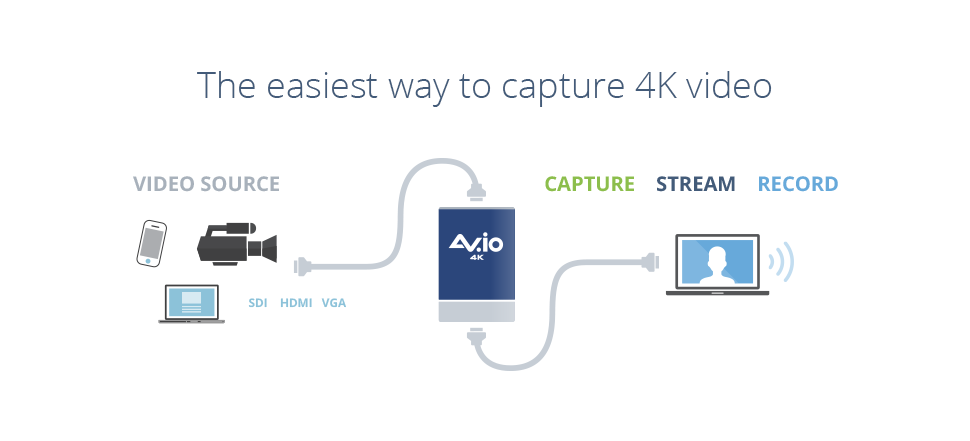
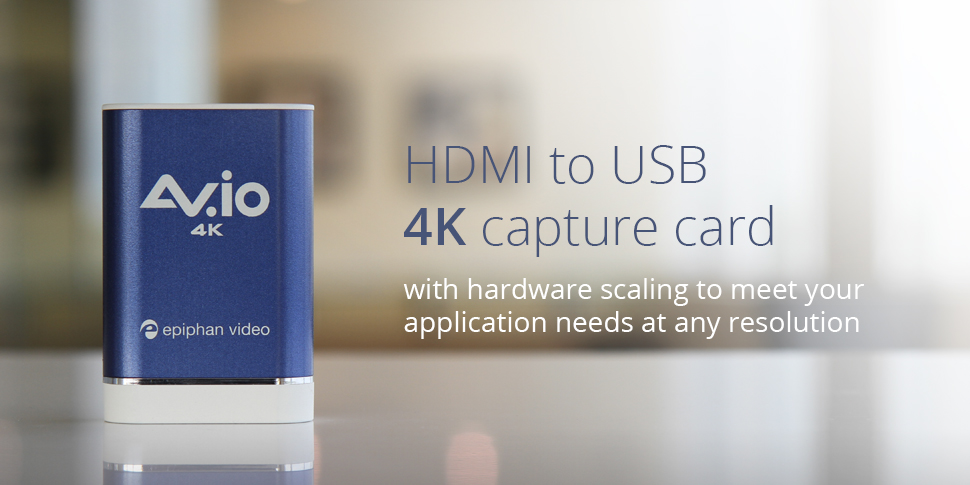
The AV.io 4K is a rugged, portable USB 3.0 video capture device that delivers ultra-high-definition 4K video at 30fps and full HD 1080p at 60fps. Compatible across Windows, Mac OSX, and Linux, it supports multiple aspect ratios and is ideal for live streaming, professional video capture, and gaming content creation without lag or compression.


| ASIN | B01H3Y3IL8 |
| Batteries | Lithium Ion batteries required. |
| Best Sellers Rank | #472 in Video Converters |
| Customer Reviews | 4.1 4.1 out of 5 stars (56) |
| Date First Available | June 15, 2016 |
| Is Discontinued By Manufacturer | No |
| Item Weight | 4 ounces |
| Item model number | ESP1360 |
| Manufacturer | Epiphan Video |
| Product Dimensions | 3.54 x 0.91 x 2.36 inches |
R**.
Worth the high price.
I was very reluctant to spend $500 on this considering there were cheaper alternatives. However, the “plug and play” feature really appealed to me, so I decided to give it a try. It worked as advertised. It’s a little bigger than I imagined, but thing feels high quality. I have it connected to my Sony AX-53 4K camcorder. The image quality is beautiful and there is no lag when I’m live-streaming on my 2017 MacBook Pro. Exactly what I was looking for. If I get a second camcorder, I’m going with the 1080p version, however, since my streaming software only outputs at 1080p.
A**Y
Excellent device with reasonable cost
If you want to record high quality videos in Full HD 1080p format or 4K format, you can use AV.io 4K video capture device. Excellent device with reasonable cost. I am using it for the past 2 months. U can record directly into laptop. Mac OS (Upto OS X Elcapitan; Not Mac OS Sierra) is preferable over Windows. U can use Quicktime, FMLE, OBS or VLC to record videos. But Apowersoft Screen Recorder (Free software from App Store) is preferable. U need Your Laptop AV.io 4K Device DVI to HDMI Cable Mac OS Elcapitan + Apowersoft Screen Recorder Software
B**S
Very helpful support team!!
I had a few issues with the product out of the box, which I thought may be fixed after a firmware update. The issues were not fixed, so I called Epiphan Support using the 877- number on their website. Matt helped me through my entire setup and even helped me find some workarounds to problems with the program I was using! Some of the other reviews say they never got a reply when they tried contacting them, but I would highly recommend they try calling instead. 10/10 would buy again.
A**.
There's no HDMI switch that you can attach this to that will pass through HDR to an external monitor
My plan was to connect my Xbox One X to an HDMI splitter, then connect this device to the splitter to capture to my MacBook Pro then stream via OBS. I wanted to connect my LG C7 to the splitter for 4K HDR video. I tried two different methods to split the signal and both methods resulted in no HDR signal to my TV. I contacted Epiphan support, told them about my setup and what I was attempting to do, and they told me there's no splitter solution out there that I could connect this device to that would also output 4K HDR to my LG C7. Aside from not working with my setup, it's a great product. Epiphan support was easy to get in touch with, friendly, and knowledgeable and if something comes out that fits my needs, I'd totally go with them.
J**Z
Check Specifications
If you have a MacBook Pro and a PS4 Pro, don’t bother getting this, your PC won’t be able to take it. I tried every option available on OBS and it would constantly skip frames. You would think that since this device does most of the processing work, that this would allow the PC to work effortlessly, but no. You need a good computer for any capture card to work and it’s taken me a few tries to finally figure this out. Check specifications before buying.
J**E
Best plug and play device I have found - it just works
Unboxed the AV.io 4k. Attached the cables to my camera and computer. The camera was visible and provided a great image. Just make sure the camera you are planning to use can produce clean HDMI output
A**R
This is great, but not for me (returned it)
This is great, but not for me (returned it). I was hoping to use it as a mirrored display and that did work, however it forced my 144hz monitor to 30fps. My plan was to run my monitor at 2k 144hz GSYNC and capture 2k @ 60fps, however this captures 2k @ 30fps (which is fine) however it ended up capping my monitor at 30hz. Had it not done this, it would have made the perfect capture device for someone wanting to keep 144hz GSYNC and also stream.
C**E
Works Great!
What a time saver. I have it hooked up to a Sony X3000 and a Dell XPS 12 and It can record for up to 10 hours without changing a battery or SD Card, The Dell doesn't even reach the minimum specs (i5 core M) and it records perfectly.
れ**ぱ
キャプチャー機能的には満足しています。 USB 3.0typeB コネクタが抜けやすいので置き場所を選ぶのが減点理由です。
I**.
Try to tell you once it breaks or is not fit for purpose in one month tuff luck
M**N
Doesn’t work with my Sony A7iii, requested return 2 weeks ago no resonse, terrible customer service
TrustPilot
vor 1 Monat
vor 3 Wochen