We remain fully operational. Our teams are working around the clock to ensure your deliveries continue safely.

Laden Sie die App herunter


Kundendienst
Copyright © 2025 Desertcart Holdings Limited
Laden Sie die App herunter

⚡ Unlock Turbocharged Storage — Your Data’s New Best Friend
The Cable Matters Premium Aluminum 10Gbps Gen 2 USB C Hard Drive Enclosure is a high-performance external storage solution designed for 2.5" SATA SSDs and HDDs. Featuring a robust aluminum housing for heat dissipation, it delivers ultra-fast 10Gbps data transfer speeds compatible with Thunderbolt 3, 4, and USB4 ports. Tool-free installation and broad OS compatibility make it the perfect upgrade for professionals seeking reliable, portable, and efficient storage expansion.




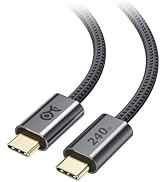
| ASIN | B07CQD6M5B |
| Best Sellers Rank | #86 in Enclosures |
| Brand | Cable Matters |
| Built-In Media | CD |
| Compatible Devices | Personal Computer, Laptop |
| Customer Reviews | 4.3 out of 5 stars 1,371 Reviews |
| Data Transfer Rate | 10 Gigabits Per Second |
| Hard Disk Form Factor | 2.5 Inches |
| Hardware Interface | USB |
| Hardware Platform | Windows |
| Item Weight | 96.39 Grams |
| Manufacturer | Cable Matters |
| Memory Storage Capacity | 5 TB |
| Supported Devices Quantity | 1 |
| UPC | 818707023549 |
| Warranty Description | 1-Year Limited Warranty |
W**Y
Very Convenient
The Cable Matters Premium Aluminum 10Gbps Gen 2 USB C Hard Drive Enclosure is a great way to add external storage to your computer. It's compatible with a wide range of devices, including MacBook Pro, MacBook Air, and other Thunderbolt 3 ports. The enclosure is made of durable aluminum and features a sleek, modern design. It's also very easy to use, with no tools required for installation. I've been using this enclosure for a few weeks now and I'm very impressed with it. It's fast, reliable, and well-built. I've had no problems transferring large files or using it to back up my data. I would definitely recommend this enclosure to anyone looking for a high-quality external hard drive enclosure.
A**R
High Quality and True SATA-III/5G bps Speed
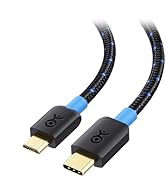
What a great product and package! Bought this, and a SABRENT 2.5 Inch USB 3.0 Enclosure (EC-UASP), to migrate to a new Samsung 870 EVO SSD from an HDD SATA-II in an older laptop. Test copies of large folders to the new SSD in this Cable Matters enclosure were at SATA-III speeds! Includes a USB-A to USB-C cable, and a USB-C to USB-C cable, which was slightly faster. Cables are of high quality. Any enclosure's SATA interface to USB chip speed varies widely, so choose wisely, like this one. Same test with the Sabrent model yielded only SATA-II speeds.
C**R
Solid 2.5 inch enclosure
I bought this enclosure to use with a Crucial BX200 2.5 inch ssd and an old 2.5 inch Seagate hard drive, and the enclosure works as advertised. The enclosure is very easy to open and slot a drive into, and I have switched out multiple drives with this and all have worked. I have downloaded large files onto the Crucial ssd with no issues at a very reasonable speed. Now, I have not speed-tested this enclosure, so refer to other reviewers on that regard, but I do not believe my 2.5 inch SATA ssd can even surpass the advertised speed, so I do not believe I can even fully test this enclosure's speeds. I have also used this with a 500gb Seagate hard drive, which works great (for a hard drive, at least), and I have used this with another old hard drive as well. Included with the enclosure is a USB C to A cable and a C to C cable, both of which I have used and work well. The one complaint I have is the build quality. While the aluminum top is nice and works well for heat dissipation, the bottom plastic section has a very weak clip, and does not stay on extremely well. It stays, but a nicer clip, or a latch of some sort would be a much more elegant and functional solution. Also, most modern thin 2.5 inch drives will flop around in the enclosure if it is moved because of all the extra space in the enclosure. A very small insert is provided to aid in this regard, but once again, it is not a very elegant or practical solution and a better solution should have been provided. All things considered, these are very minor concerns, as the enclosure does its job where it counts, and has worked well in my testing. Now honestly any new ssd buyers should probably just opt for an affordable nvme ssd instead of a 2.5 inch drive as prices for nvme drives have been dropping rapidly in the past year, but for those who opt for a 2.5 inch drive, or in my case, have older 2.5 inch drives, it works excellently.
W**.
Nice enclosure, ASM chipset compatible with Linux.
Works fine, good speed and compatible with Linux. Does not go into sleep mode automatically as some do. Downside - bad design for activity light. The activity LED is extremely faint - not invisible in ambient room lighting - because it is a surface mount LED on the board and the light must go straight up and then make a right turn through a pinhole size activity aperture cut into the plastic. So, I modified it by adding a light pipe made from a clear pen clip (sanded and polished) glued directly to the top of the SMD LED and cut a rectangular hole in the case directly above the LED and glued the other end of the light pipe there as well. Sure my warranty is voided now, but have an indicator light that is visible in room level lighting. Additionally, the power down (or eject) function works well in Linux and the activity LED displays a slow blink when the enclosure is safe to remove. Other downside - as with so many usb drive enclosures, usb cable is really short. I use a longer quality usb cable and have not seen an impact on transfer rate or reliability compared the super short cable that came with the enclosure.
B**E
it is acceptable. but not recommended for lasting/ heavy usage.
D**E
I really like this enclosure. It fits my ssd quite nicely and seems to be of very decent quality. The top case is aluminum and matches the space grey Macs quite well. Throughput speeds are as good as can be expected for a sata ssd. The stock cable that comes with it is sufficient in getting those speeds. Those of you with an M1 Macbook Air should know that using the usb c charging cable that came with you Mac will hurt performance even though the Apple cable looks to be of higher quality. Definitely a nice addition to carry with you for added space on the go. If you want faster, opt for an M.2 NVME version to really hit those top numbers. I’m happy with my purchase and would buy it again.
R**C
Very good product works well, excellent quality
B**N
Seems sturdy and well built, works perfectly. Got this aluminum one to match my laptop so I don't care, but the SSD is not actually in contact with the aluminum, only with the plastic on the front and bottom so the fact that it is aluminum won't really help with heat dissipation if you're looking for that, but the vent at the back should do enough. One thing that did annoy me at first was the that the SSD in the case was not secured by anything other then the plug, and would flop up and down within the enclosure, hitting the top and bottom when moved. However upon going through the box again, hidden under the plastic liner thing is a small foam square to put in between the SSD and the slide-on cover, and now it doesn't move at all. That foam should probably be stuck in there from the start but at least it's in the box. Great!
D**B
Attached it to a thunderbolt port using included USB-C to USB-C cable. Fast and works well.
TrustPilot
vor 3 Tagen
vor 2 Tagen