Desert Online General Trading LLC
Dubai, United Arab Emirates
Desert Online General Trading LLC
Dubai, United Arab Emirates


💡 Power Up Your Setup with Style!
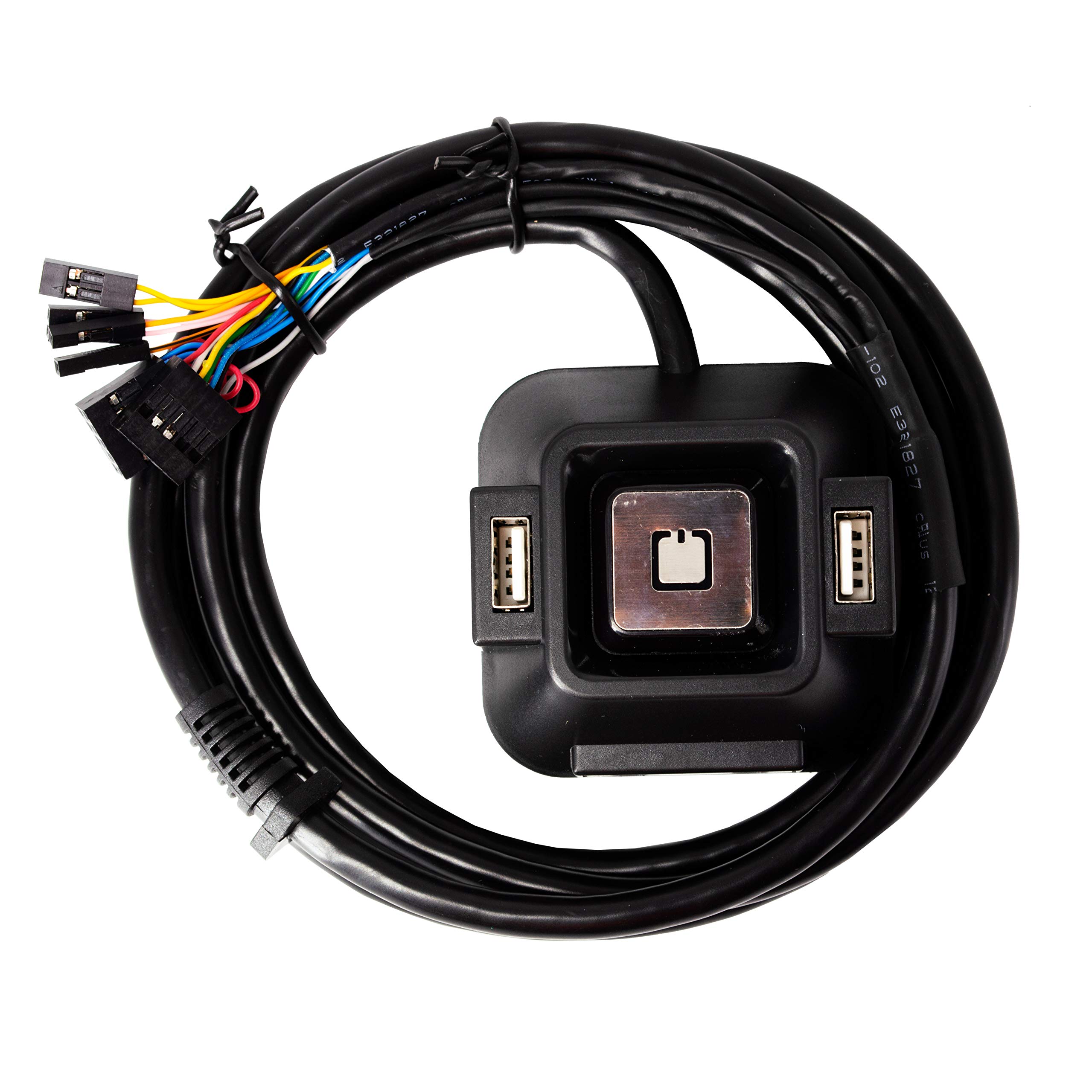
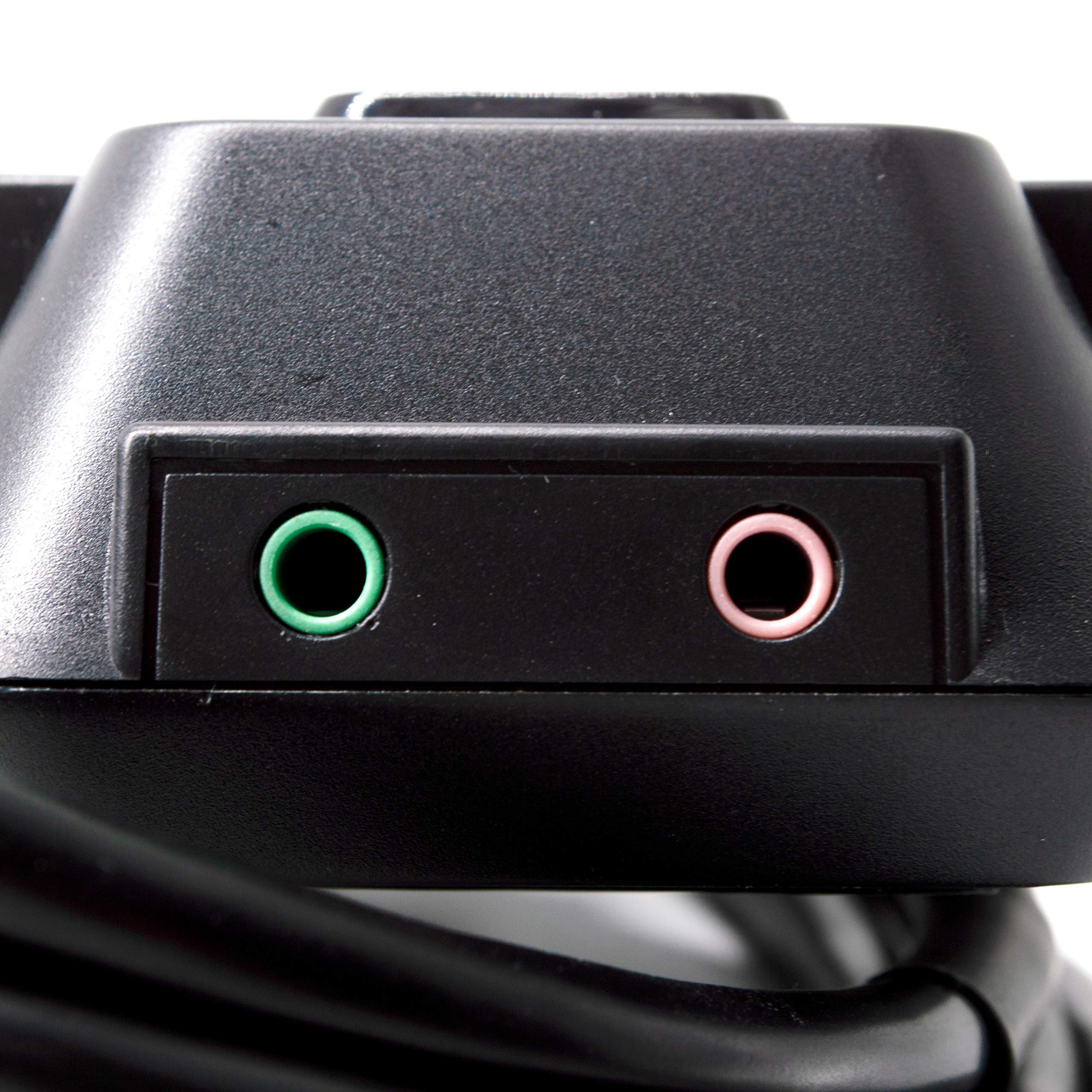
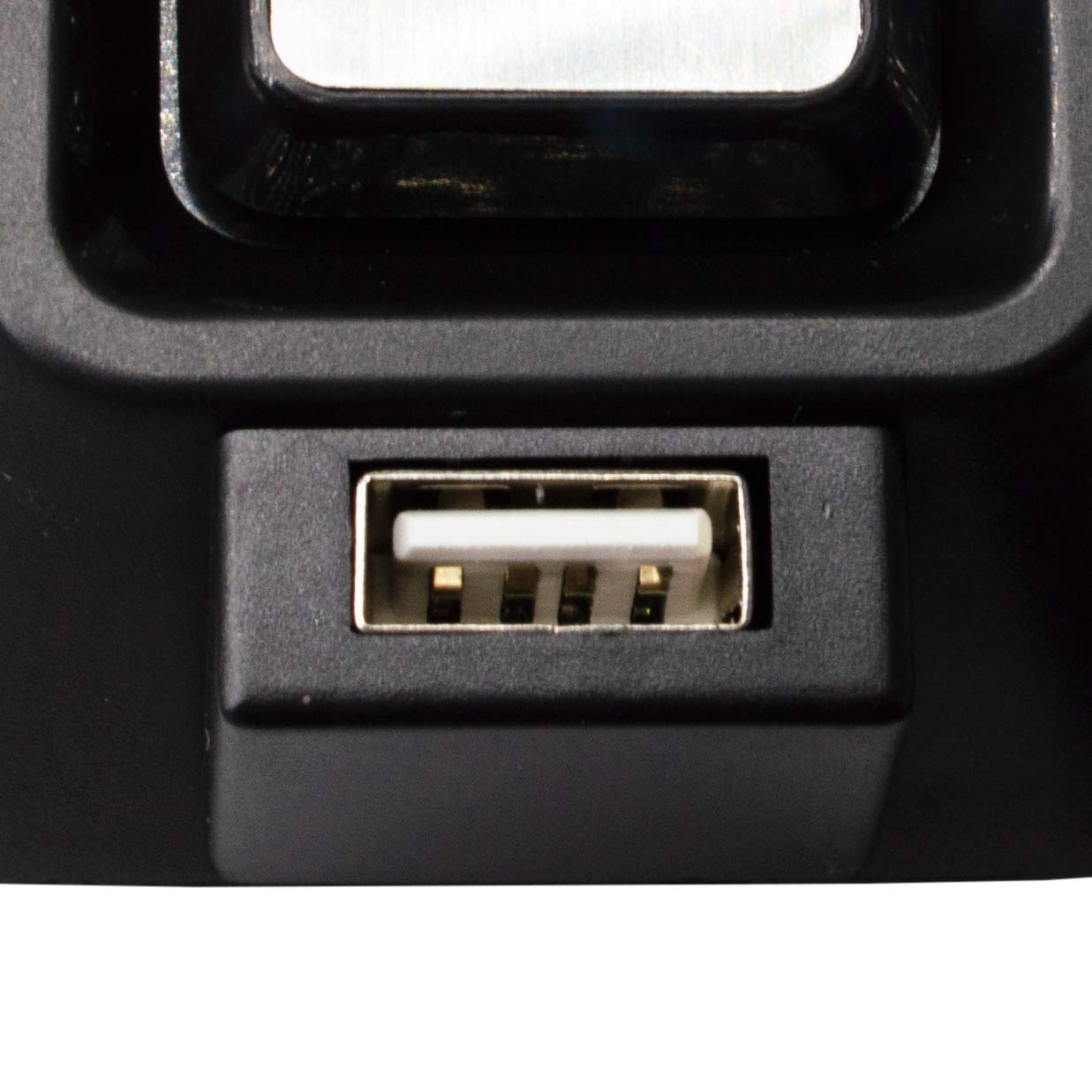
The PC Power Button is a versatile 6.3" desktop switch designed for dual boot systems, featuring dual USB 2.0 ports, audio and mic interfaces, and an elegant LED indicator system. Its compact design ensures it occupies minimal desk space while providing essential connectivity and functionality for both home and professional users.
F**2
Perfect for a computer without a case
Got this for an open-air computer I built and mounted to a board to hang on my wall. It does indeed work perfectly for my use, can't really figure out who else it might have value for. It has all the proper connections to replace any existing power and reset buttons, while also providing a couple USB slots for convenience. The blue LED's look good but barely matter to me specifically.The cables were long enough to provide plenty of mounting choices, and the mounting tape on the back was a nice touch provided by the company.
D**A
Good for open case computers
Haven't had it long yet.Plug and play. Works as intended. I ended up using the USB on it and they work great for headphones and a wifi usb.I am using this mainly for building computers. Dont have a case attached to motherboard so this comes very handy with a power button switch.
M**E
For a workbench, maybe...but NOT all it's described to be!
Installed to mobo pretty easily. If you are a geek and are IMMEDIATELY aware that this ISN'T as advertised, it's easy enough to tear it apart. Four small phillips under each of the four corners of the sticky stuff underneath.What it DOES do right out of the box:This IS a power switch, with four little blue LEDs inside you can KINDA see through the stupid metal thing. I pulled the metal thing off right away and cleaned the tinted plastic off with some Goo-Gone. That made the blue LEDs a bit clearer to see. This is a handy little breakout of two USB2 ports. Just make sure you have a spare set of headers on the mobo to hook up (fine for a "benched" motherboard). The little bracket is nice to snake the pretty long cable out of a PCI slot and up to your desk f you are gonna use it this way.What this is NOT:There is no RESET switch whatsoever on this. A geek (That's ME!!) will find that a yellow and yellow/black wire DO go from the "resetSW" header to the little PC board inside this thing...and then connect to absolutely nothing. If those two pins on the PC are jumped with a little screwdriver or similar, the PC resets as it should. I'll probably mount a little pushbutton switch to that pair later, drill a small hole and hot-glue this, and have a reset. There is NO header for the HDD LED, and there is no LEDs inside this that would show HDD activity. There also appear to be NO FUNCTIONALITY to the Audio headers at all. They do appear to go to the PC board and LOOK kosher, but plugging a headset into the green jack doesn't cut out your speakers you have plugged in back, nor does any sound come from the headset. I'm not sure I really care about the audio at all, but if you intend to use this as a "hide the computer away and have all your stuff on the desk"...then NOPE! This thing will just piss you off!Overall, I'm fine with it. It's for my workbench...and putting a reset switch on it, and MAYBE finding a way to get a HDD activity LED on it (unused pair in the cable maybe?)....and it will serve THAT purpose okay. It beats poking around on the mobo with a screwdriver like I see on COUNTLESS tech videos.
R**N
They cover the audio wiring up in the photo!!!!!!!!
They know for a fact they are ripping people off with this product.. The audio plug as shown in picture is completely defective and no way in hell would even actually send audio anywhere but up your you know what after installing the back plate and sticking this con job of a product on your tower!!!! I should sue this company!!! My systems worth over 5k in parts and every time I have to unplug everything to install anything I'm taking a chance. I really think they were hoping the audio plug wouldn't be used just the button and the ubs connections! I really like the pictures that represent this item they clearly show the usb1 plug covering the audio plug instead of side by side they know what they're selling and I'm asking for a quadruple refund!!!!!!! I gotta to uninstall this unit take and hope to god this unit doesn't leave gluey tape marks where I stuck it.. My cpu's worth a ton of money!! I built in myself and if there's something I completely dislike is faulty con job products!!!!!!!!!!!!!!!!!!!!!!!!!! There is no way in blank there's a issue with the motherboards audio connection because they are all wired one certain way and this ones NOT EVEN CLOSE!!! What a complete waste of my time and money!!!! DO NOT BUY THIS PRODUCT!!! Not even if you just need it for a power of usb connection!!!!!!!!!!!!!!!!!!! Unit wiring on left in photo as compared to tower usb1 wiring to the right!!
T**Y
This works great!
My desktop computer is behind my 42" monitor and it's a pain to turn it on or reboot it so I connected this switch and I have audio and USB connections too. If I want to turn it on I just touch the button from my recliner and It's on. Love it!
J**Y
Worth the Buck
I've had this installed for my PC Build for quite some time, it's definitely something you'd purchase for an unconventional case or for a computer case with a non functioning beyond repair power button. The long thick cable has enough length even for the largest of cases but one might find it to be a bit too long for the typical case. Set up was easy enough and even if I had to really be precise with the pins I've never had any instance of this thing falling off or failing on me.The USBs are standard speed, not 3.0 or anything but for controllers and the like they'll do. If you're wanting something with that then this ain't it chief. But if you're wanting something cheap that'll last you awhile and serves literally every other basic necessity you can ask for then you've come to the right place. Build quality is solid except for the metal power sign clip, which I had bend. It's purely cosmetic so I have no qualms on if it's not flushed against the button but don't let it dismay you any.On the top is a mic jack and an audio jack, separate so if you want to plug anything audio wise in directly right to it then you'll need an adapter (USB or two prong) and then you're set.This is my first written review actually and it's this product that made me write it. Maybe that's proof enough to trust this one above all the other cheap offers.
TrustPilot
vor 3 Tagen
vor 1 Woche
vor 2 Tagen
vor 5 Tagen