
Laden Sie die App herunter


Kundendienst
Copyright © 2025 Desertcart Holdings Limited
Laden Sie die App herunter
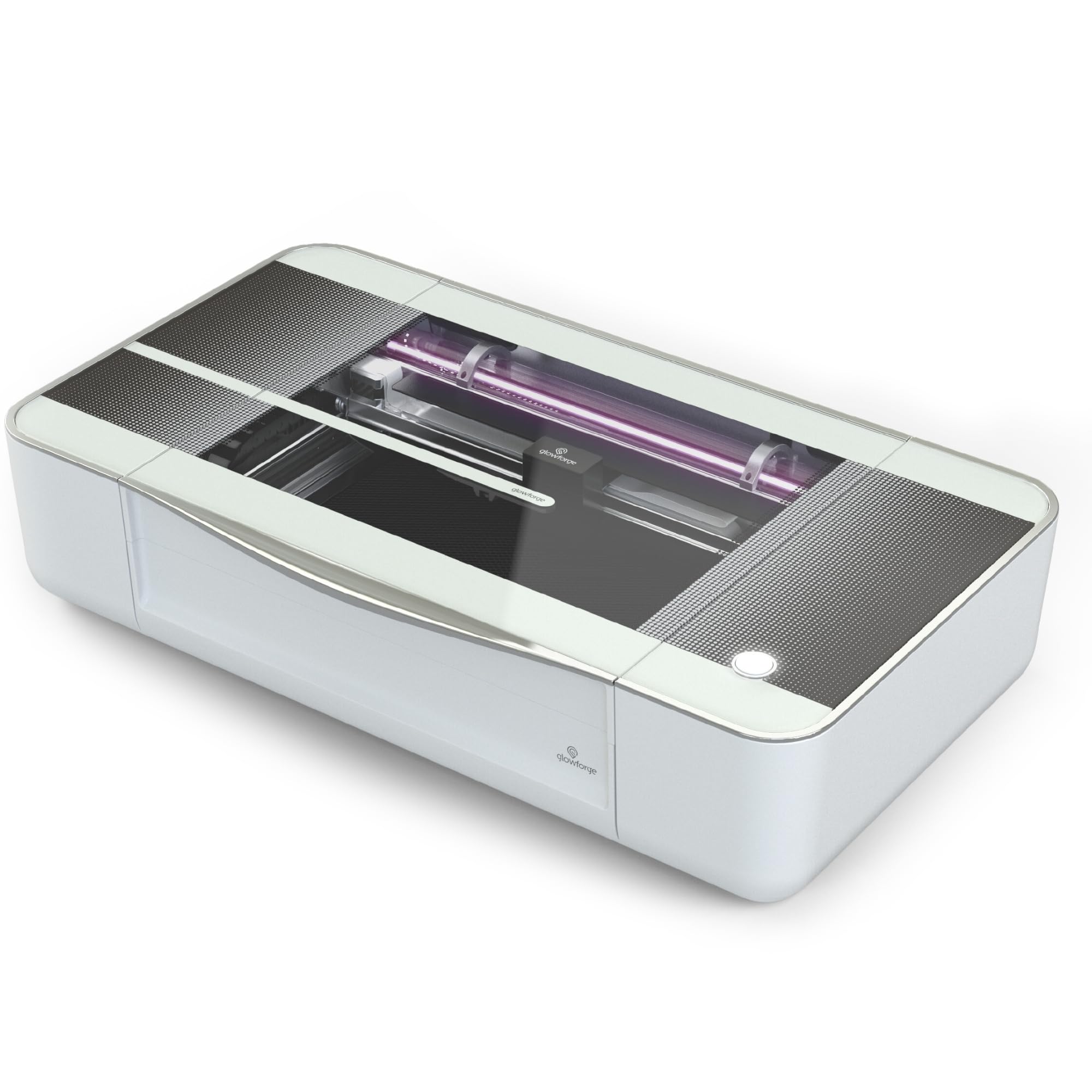
🔥 Turn your workspace into a creative powerhouse with Glowforge Plus!
The Glowforge Plus is a premium 40-watt 3D laser cutter and engraver designed for professionals and makers alike. It offers ultra-precise cutting and engraving on a wide range of materials including wood, leather, fabric, and even chocolate. Featuring smart autofocus, automatic material detection, and a user-friendly web app compatible across devices, it delivers professional-grade results with minimal setup. Its spacious 11" by 19.5" cutting area and safety certifications make it ideal for home studios or small businesses aiming to elevate their creative output.


| ASIN | B07DD4W8DY |
| Are Batteries Included | No |
| Compatible devices | PC, Tablets |
| Customer Reviews | 3.9 3.9 out of 5 stars (160) |
| Date First Available | 23 July 2018 |
| Dual-sided printing | Yes |
| Guaranteed software updates until | unknown |
| Included components | Free Proofgrade material, crumb tray, lens cleaner tool, vent hose and vent clip |
| Item Weight | 51.7 kg |
| Item model number | PLUS |
| Manufacturer | Glowforge |
| Max copy speed (black and white) | 1 ppm |
| Max input sheet capacity | 2 |
| Maximum Supported Paper Size | 11" x 19.5" |
| Maximum black and white print resolution | 1300 dpi |
| Maximum copies per run | 1 |
| Operating System | IOS |
| Power consumption | 40 Watts |
| Print media | Glossy photo paper |
| Processor Count | 1 |
| Product Dimensions | 52.71 x 96.52 x 20.96 cm; 51.7 kg |
| Scanner type | Photo |
| Sheet size | 19.5 inches |
| Warranty type | limited warranty |
| Wattage | 40000 Milliwatts |
P**N
I received my Glowforge on time and it was well packed with some external damage to the box but everything inside was perfect. The setup was straight forward and I was able to print the good measure test key chain within about 15 minutes of removing the Glowforge from its box and putting it on its stand. So far I have made several things with my Glowforge and each project has turned out as expected and I’m quite pleased with the quality of the results. Laser technology gives very professional results with no saw dust! Yay! Included with my Glowforge was a selection of materials, (Glowforge calls them proof grade) which will get you started. I have since ordered some 3mm Baltic birch plywood from Amazon and it is working well for me using the maple plywood proof grade settings. The advantages of buying proof grade materials from Glowforge is its guaranteed to work well with your laser cutter and the settings are automatically selected for you via a quick code decal read by the camera. I recommend proof grade materials when first starting, but you can use your own materials which is what I do. As long as you stay within reasonable parameters you’ll have a pleasant cutting experience with other materials. The web based software has worked well for me and I have not experienced any crashes or print failures as a result of the software. You will need a reliable internet connection. Some people, including myself have complained about the lack of a fully implemented customer support system. As of right now, support is limited to email and the user forum. I have dabbled in the forum a little and for the most part have found the other users to be friendly and helpful. The user forum appears to be actively used and there is a wealth of information. I recently had an email conversation with a marketing manager from Glowforge who assured me, customer service is important to their company and this is something they will have fixed soon. Fortunately, I have experienced zero problems with my Glowforge and I’m almost at the point where I can say, I have full confidence in the product. I’m sure I’ll get there. As for the build of the product it feels very solid and has a premium look and feel to the construction and presentation. Nothing about it feels cheap, loose or as if it will easily break. The Glowforge plus, the model I have is sold as a consumer hobby grade laser cutter, but I see no reason why a small business couldn’t use it in a professional capacity as long as you weren’t running it all day everyday. That might be asking too much of it, but for regular one off customer jobs, I think it would be fine. Things to consider. 1 price. I don’t care how much or little money you have $4,300 including tax is expensive. You could buy a top of the line, take your pick of brand, washer and dryer for considerably less money. 2 size. This laser, while not huge, is going to need its own dedicated table or stand. 3 noise. I would say it’s louder than I was expecting about as loud as our vacuum cleaner. 4 smell. There is going to be odors from the cutting process and of course you definitely need a way to vent the smoke and fumes created by the Glowforge. Is it excessive? No, not enough to concern me, but I have a funny story. I live in a detached home with the typical track home distance between my house and my neighbors. The first time I used my Glowforge to cut anything, I suddenly got a text message from my neighbor checking to see if everything was okay because he smelled a funny odor and saw strange smoke coming from our house. I was worried at that point if I was going to have issues with my Glowforge use bothering my neighbor. Not something I want to do and it was disheartening after laying out all this money for my Glowforge and seemed I was having issues already. But turned out okay and he assured me it was fine he was just concerned. I made him and his wife a personalized Christmas tree ornament and he’s been happy ever since. So yeh, there’s gonna be smells. Plywood smells like a campfire, leather, I find is the worst and to me smells like burnt hair. I’ve been told acrylic smells awful, but I don’t have any experience with that so far. Overall I’ve been very happy with my Glowforge and knowing what I know now about it, yes, I would still buy it again. This of course all depends on how well the product holds up over time. It comes with a one year warranty for the pro and plus model. I bought the square trade 3 year extended warranty because it was only an extra $44 so why not. One last thing to note, when you get your Glowforge be sure to save all boxes and packaging materials. Glowforge will need to be repacked if you need to send it off to be repaired and the company charges $250 for a set of replacement boxes and packing materials. Yes, you read that right. So if you do decide to buy your own Glowforge, I think you’ll be just thrilled with it and you’ll hopefully have a pleasant buying experience as I did. I’m glad to see the Glowforge is now available to buy on Amazon. I’ll update this review if there are any issues or unexpected circumstances that change my opinion of this wonderful laser cutter. Thanks for reading.
W**Y
Great machine, but does fail, and trying to get it replaced by the non existant support is really difficult. Go checkout full spectrum muse hobby laser instead. Full Spectrum is always available for support and answering any questions.
W**M
When I discovered that I could purchase the Glowforge on Amazon with Prime shipping, I was pretty surprised, yet excited. Low and behold, two days later I had a gigantic package at my front door. After reading a few of the top reviews I am going to avoid commenting about the excellent packaging, ease of getting it set up, and all of the nice freebies that come with, and am going to comment on some of the other aspects left out. One of the best parts about the Glowforge is the ability to switch between proofgrade and non-proofgrade materials. Proofgrade materials are materials that have been tested, approved, and sold by Glowforge that are guaranteed to be cut and engraved without any danger of fire or destruction of your Glowforge. They range from draftboard, hardwood, acrylic, leather, etc. and can only be purchased from the Glowforge store. They are also preset in the Glowforge design software so you don't need to adjust any of the more in-depth settings. Non-proofgrade materials are materials not approved by Glowforge and are only to be used at the discretion of the person using the material. You can create your own presets in the design software to accommodate these materials but there is a higher risk that they can burn or catch fire while being cut. They extend the Glowforge's possibilites to new territories by being able to use food, rubber, linoleum, and metals. Another amazing feature is I am able to use my own software (Adobe illustrator) to create anything that I want to cut. Although Glowforge uses its own design software, it is quite limited in terms of what I can do compared to other vector software. That being said, I do not enjoy having to export my files to the Glowforge software in order for it to be cut. This software can only be accessed through their website, making editing and designing a pain if you have any sort of lag, or if you need to undo any adjustments. It's best to design externally from their software, import, and then cut. I am not sure why they don't have an option for downloadable software, but I wish that would be added. One last thing that I think needs to be stated is Glowforge's ability to scan a drawing, and directly cut it, is amazing. Not many laser cutters offer this ability, making this machine of the best in terms of usability for people who have little experience with laser cutters. All of this being said, I do think this machine requires some type of background knowledge of design, software, and materials, along with lots of patience. It's going to be very difficult to solely rely on the Glowforge software to design everything you want, or only relying on Glowforge's personal library of designs (that you need to pay for per use or use indefinitely), and it is certainly not going to be worth it. You're going to need access to, and experience with vector software to make the $4,000 price tag worth it. If you don't have experience with materials you can use the ones provided by Glowforge, but the cost is going to rack up quickly. If you have a basic understanding of materials, specifically how they react to heat and what they are composed of, then you should have no problem with branching outside of proofgrade materials. Last, but not least, patience is going to be key in experimenting with what you can and can not achieve with glowforge. You're going to find yourself adjusting settings, materials, size, and designs in order to create everything you want.
J**E
The 30,000 ft view in this review is: Glowforge is *amazing*. If you’re into making things and you’re on the fence about getting one, just do it. It’s positively incredible. I have the “Plus” model, which I definitely recommend. I like the extra power of the Plus laser, and I don’t feel like the slot is worth the extra $2k upgrade cost for the Pro. (Some folks who use the Glowforge for cutting/engraving large signs DO think the slot is worth the extra though!) I own a 3D printer, and a workshop full of woodworking tools. I bought the Glowforge as a “cherry on top” accessory for my woodworking, thinking I’d use it to engrave various wood parts when working on furniture. But I’ve wound up using it for far more than just that. Before buying the Glowforge, I spent a lot of time and money on alternatives that I thought could be used to for the same purposes. For example: Wood burner - Takes too much skill and time for what I wanted to use it for. If you’re into wood burning for the sake of cultivating the skill, then go for it, but for me, this is just a means to an end, and I wanted the fastest way to that end. 3D Printer - Great for what it does, but it is: 1. Very slow; 2. Only outputs plastic; 3. Can’t be used with “real” materials like wood, plexiglass, leather, etc.; Scroll Saw - Great tool, and I still use it, but it doesn’t do engraving, and doesn’t work well with Plexiglass or Leather, really only wood. In the end, nothing beats the precision and versatility of the Glowforge. I have used it to cut and engrave wood. To cut and engrave Plexiglass (!!! This is amazing on the Glowforge!) Cut and engrave leather. And so on. I’ve developed a whole system for cutting dungeon tiles for D&D on the Glowforge. I’ve engraved several wood projects. I’ve cut plexiglass with it. I’ve done leatherworking on it. It’s amazing. I want to call out specifically plexiglass work here. The Glowforge makes engraving and cutting plexiglass so easy, you’ll wind up spending time just looking for plexiglass projects so you can use it. Particularly the edge that the Glowforge makes in the plexiglass is so smooth and so clear, you can shine a light up through the edge and have your engraving lit up! It’s very cool. When it comes to leather, I’ve made leather Apple Watch bands, and covers for notebooks on it. It even cuts the holes for sewing the leather, which makes it super easy. The pros of the Glowforge are: Works with real materials. Wood, leather, plexiglass, even anodized aluminum (engraving). It’s also quite fast. SUPER easy to design for... all you need is a good vector drawing program. I use Adobe Illustrator, but a lot of folks use the free app Inkscape. The cons are: Only works on flat things (.5” thick to cut, and IIRC 2” thick for engraving). Is a bit loud. Can’t cut certain materials that have chemicals in them that are toxic when burned. Here’s some examples of my work.
J**E
Quick Summary: After using the Glowforge Plus (middle model) for a couple of weeks, I'm overwhelmingly positive and 100% satisfied with it. Details: The Glowforge was packaged and shipped with high attention to detail and safety - but easy to unpack, even with it's large size - and surprisingly it came with a huge box of various sample materials! Following the simple directions online, I was set up and printing/cutting within an hour from delivery! Set up of the hardware and the software was REALLY easy. Since all the print/cut prep is done on the software and the device itself only has one button! The only setup challenge for some buyers will be the venting - make sure you can put this near a window or external vent. I'm lucky to have a window nearby and I use the INCLUDED dryer-vent-style hose to vent the exhaust through a window rig. Glowforge is apparently creating a filter system - but that's not available yet - so venting for now is a must. If you don't have a way to vent the exhaust from cutting, don't buy any laser cutter. The exhaust fan in the Glowforge is powerful, and it does a great job of pushing the cutting exhaust through the vent. I'm an active #Maker - as a hobby - and have previously focused on 3DPrinting and tried to help make that easier for others by blogging about my journey at MkrClub.com. When I wanted to add Laser-cutting/printing to my tools, I decided I wanted something easy to use, not too demanding from a "wood-shop infrastructure" perspective, and not ridiculously expensive. While the Glowforge was not cheap, it met all my other criteria and was clearly angled to the "Easy enough for anyone" category. That promise has been the most positive aspect of the product. Through a software/app interface which I can get to on the web - on a chromebook or any other device - I am able to access all my designs, interact with the printer, even see the print/cut bed through the built-in camera. It is incredibly easy to align a design - even resize, move and rotate it - so that it prints on the material that is in the printer at the time through that interface. This really helps to maximize usage of the material you have (by using the un-used sections of partially used material). To get a design into the Glowforge app, I can upload it (SVG format is what I use) or even put a printed or even hand-drawn version of the design in the printer, scan it, and then print/cut it on the wood/acrylic/whatever material! It's truly magical to let my daughter draw something - scan it in the printer - and then cut that design onto the material! One of my first custom-designs was a tiny jigsaw puzzle. I used a simple drawing product on the ipad (vectornator) and exported the SVG. pulled that into the Glowforge app, and in 1 minute, 48 seconds, the puzzle was done - on draftboard (chipboard-like wood from Glowforge sample pack). It came out AMAZING! I also printed one of their sample boxes which had intricate connectors that worked incredibly well. Their library of designs is definitely another great resource. The Community of other customers is incredibly useful too! I've been constantly getting answers there for practically every topic - including cutting non-standard materials, venting ideas, design apps, etc. This was a tough purchase decision - and I feel the Glowforge has met my high expectations in every way! I've included images (and one quick video) of some early projects I made - puzzle, custom-designed box (to store the puzzle) and the pre-deisgned box from the Glowforge library...
TrustPilot
vor 2 Wochen
vor 1 Woche