

🚀 Upgrade your speed, secure your data, and join the SSD elite!
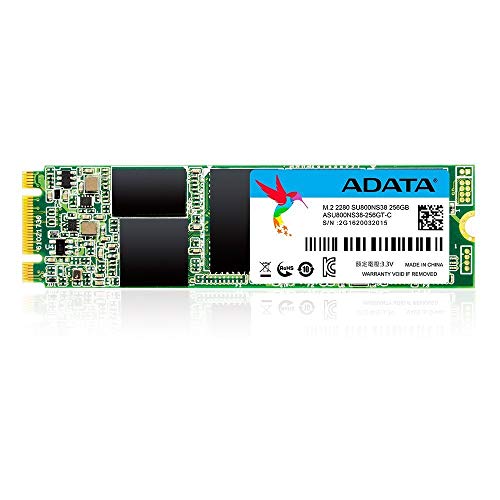
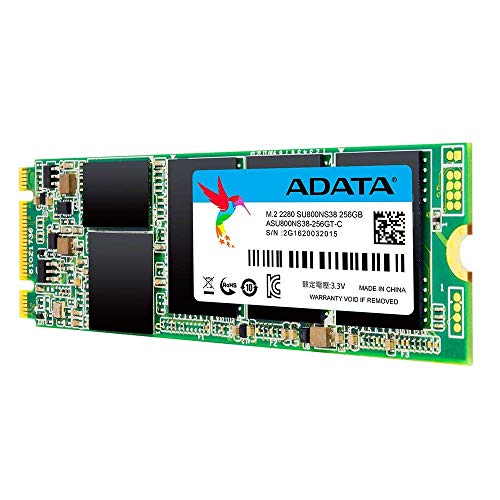
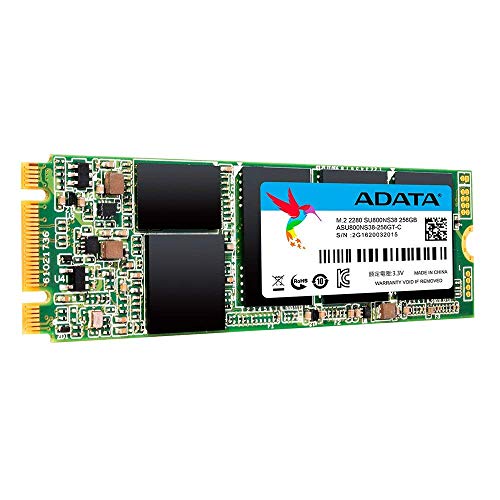
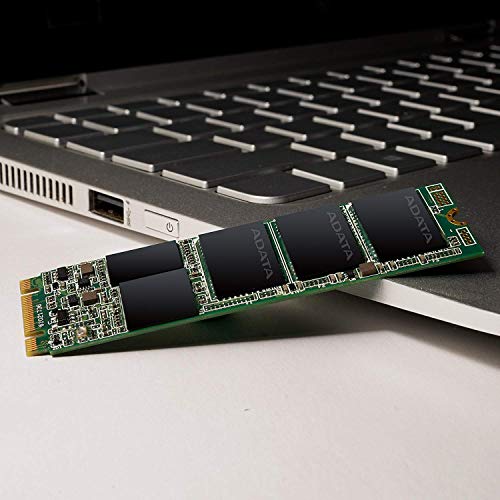
The ADATA SU800 256GB M.2 2280 SSD combines a compact design with robust 3D NAND technology, delivering up to 560 MB/s transfer speeds and military-grade shock resistance. Perfect for professionals seeking a reliable, high-performance storage upgrade that fits seamlessly into modern laptops and desktops.


| ASIN | B01M3Z46FQ |
| Batteries Included | No |
| Batteries Required | No |
| Brand | ADATA |
| Colour Screen | No |
| Compatible Devices | Desktop |
| Connector Type | USB |
| Customer Reviews | 4.5 4.5 out of 5 stars (1,048) |
| Data Transfer Rate | 560 Megabits Per Second |
| Date First Available | 9 November 2016 |
| Digital storage capacity | 256 GB |
| Flash Memory Installed Size | 256 GB |
| Form Factor | M.2 |
| Generic Name | ADATA Ultimate SU800 M.2 256GB Internal Solid State Drive |
| Hard Disk Description | Solid State Drive |
| Hard Drive Interface | PCIE x 4 |
| Hard Drive Size | 256 GB |
| Hardware Interface | SATA 6.0 Gb/s |
| Hardware Platform | not_machine_specific |
| Imported By | KBC COMPUTECH Pvt Ltd |
| Importer | Adata Technology Ltd. |
| Includes Rechargeable Battery | No |
| Item Dimensions LxWxH | 22 x 4 x 80 Millimeters |
| Item Weight | 9.07 g |
| Item model number | SU800 M.2 256GB |
| Manufacturer | ADATA |
| Material | plastic |
| Media Format | Digital |
| Memory Storage Capacity | 256 GB |
| Model | SU800 M.2 256GB |
| Model Name | Ulitimate SU800 |
| Model Year | 2016 |
| Mounting Hardware | 1 SSD Drive |
| Net Quantity | 1 Count |
| Packer | ADATA Technology Co.LTD 18F , No 258, Liancheng Rd, Zhonghe Dist.,New Taipei City 235 , Taiwan , Tel: + 886-2-8228-0886 Fax :+886-2-8228-0887 |
| Product Dimensions | 2.21 x 0.36 x 8 cm; 9.07 g |
| RAM Size | 256 GB |
| Removable Storage Native Capacity | 256 GB |
| Special Features | Compact |
A**A
supper SSD
This SSD of mine got crash in 11 months. Then it was in warranty period so I got it repaired again, now it is running very well. SSD runs very fast. I tell everyone to install SSD in their computer.
D**0
After installing this SSD the overall performance of my laptop has become very high.
I wanted to upgrade my laptop myself, looking at amazon reviews helped me a lot in choosing the right ssd for my laptop. The SSD is working in my laptop. Thanks amazon and seller.
B**U
Superb product
Awesome product. Very fast .boot time reduced 3 min to 30 sec.
S**K
Could be a better option than WD Green
Bought this for my Acer Nitro 5 Ryzen AN515-42, just in case anyone else is looking for the same model since I spent many days finding out if it supports NVMe before ordering since this is non-returnable. The Ryzen one does not. Anyway, I ordered this while I returned the WD Green - the cheapest option out there, just because this one has a DRAM feature for making tasks easier for the disk. I am not saying anything about the performance of WD here since I never installed it in the first place. I have my laptop for working on a few heavy softwares, usual media consumption and a lot of multitasking within windows, browsers, docs etc. The disk works well with rarely few hiccups during my work if you observe a lot. However, for the 99.9% times, it's just fine. I installed it on my own after refraining from doing so out of fear for almost 2 weeks since I was waiting to go to a laptop repair shop to pay them ₹500 for the same. Be really careful while you're doing it for the first time ever, especially with the screw under the warranty sticker. Now this feels like a computer, while earlier it felt like working on an old PC. You won't be superbly amazed but your waiting time on general daily tasks when you had your OS on an HDD will significantly reduce.
V**L
3429 is worth for this prduct
nice SSD very fast and under warranty, i have checked over the internet. warranty started before one month but it's ok I know technology last for 3 years only
M**B
Served the purpose
My HP BS658TX was very slow in boot and also app opening was taking minutes. I was thinking to change my laptop and then I found out that SSD can solve this issue. After some research, I finalized this product (Adata m 2 SSD, 256GB) and now I am happy with the laptop performance.
V**R
Need to replace. Help.
Hi. I need to replace this item. The reason being the hdd led light on my case and in my motherboard is continuously on. It goes off only after i remove the drive. So i guess it is some kind of error.
S**A
Freezes and disappears from BIOS. Stay away from ADATA
Purchased 3 x SU800 and the SSDs keep freezing and intermittently undetectable in BIOS. Tried with 3 different laptops - Dell Inspiron 7460, MSI PE 60 and now Asus Vivobook. Upon researching, it turns out many customers are plagued with this issue of driver disappearing all of a sudden and worse corrupting their data. Twice now I have reformatted my OS on Dell laptop. This time again it corrupted my ROOT XFS partition. Previously it broke my Windows 10 installation. I am on latest firmware as per ADATA Toolbox app. This latest unit has had less than a TB of writes and yet already on its last legs. Would never buy another Adata product ever again, definitely not recommended. Also the customer service of Adata in India is the worst I have experienced from any vendor / brand ever. They don't respond to emails. There is just one service center in a city like Bengaluru and you have to walk in person for RMA! Let me keep it simple guys - stay away from ADATA.
T**B
got this as a upgrade for my cheapo laptop and well it runs a LOT better now and faster this is actually a really good drive !
I**A
Legit Item and it works perfectly!
S**R
Easy upgrade on my HP Envy from 128 to 512 go using clonezilla to image to old disc. Super fast and I love it 👍
X**E
Very happy with this SSD. Installed the 256GB 3D-NAND 200TB M.2 2280 version into my Lenovo Yoga 2 13 (2015) M.2 secondary slot. I cloned the old drive and run the OS off this with all my data on the old drive (and backed up to cloud, external drive etc). Old drive is a 500GB-8GB SHDD but excruciatingly slow to the point that booting up and opening any programme required making a cup of tea to while away the time. *** INSTALLATION *** Spent a lot of time clearing off data, defragging and backing up old drive first (whole day in fact) so was really pleased this was so quick to install (back off, plug in, quick dust around, back on). Laptop identified it and installed it without prompting, I then used Macrium to clone (and resize partitions) of old drive to this one. This one is half the size of SSHD so I had to clear off as much data below the SSD limit as possible then add the partitions one at a time in Macrium, shrinking the necessary ones as I did so through the partition options. It took 2 hours to clone 175GB of data from old drive to new, I then switch boot up order in the BIOS and laptop now boots up off SSD. Updated all my shortcuts to direct data saving/retrieval to old drive. *** PERFORMANCE *** I wasn't expecting much since I was upgrading from an SSHD which should have been nippy itself and having 4GB of non-expandable RAM. The first couple of times booting up and opening things the SSD is learning so not noticeably faster. Very quickly however I started to notice the difference. Powering down was instantaneous instead of taking several minutes to think about it, starting up was quicker but not a huge jump, then suddenly its opening my desktop almost before I've finished typing in my password! Usually when I open Word, I go off to the kettle, didn't even have time to turn sideways in my seat! Everything is opening so much quicker, the old drive had to sit and think for a painfully long time and hated running more than one programme. With a dissertation and several essays looming, I think this drive might save my sanity, the old one was certainly testing it in a three deadline week!
G**N
For my programming and media uses, I picked this 1TB SSD because of the speed and the fact I wanted an onboard memory/hard drive device for my raspberry PI. I find it very reliable, very responsive when retrieving documents, and I am able to do things like write programs while blasting my music, stored on the SSD (I have close to 5000 songs loaded on my card) and using the VLC player, I've created playlists where I can just leave the songs crank on my three-speaker system that was part of one of my windows PC media centers, so it has its own power source and doesn't draw it from the raspberry PI card, and right and run my own code. I've been running it now for close to three weeks nonstop as I now use my raspberry PI as my main computer, and I've had no issues with the memory card at all. I've had no lost files I've had no corrupted areas, and the SSD card comes up immediately. The only thing I wish I could've done differently, and this is due to my inexperience in Raspberry and forgetful of my UNIX days, is to properly set the card up so that my device just boots from the microSD card and everything else is stored on the SSD memory. What I wish I could've done differently was as soon as I created the first partition was to format the SSD into a 1TB partition rather than let it create thousands of partitions as I add new files and programs. No I gave this card a three star rating or ease of installation because when you look at the photo and the lack of anything in the description, it seemed like it would fit one of the cases that I purchased, but when I got it I was rudely awakened to the fact that it does not fit. So my advice to you is unless you plan to 3D print your own case, if you are used to an open air system for your raspberry PI, then this actually would be a five star installation. But be careful when trying to purchase a case to enclose this SSD card. My next raspberry PI will use the shorter SSD cards and they will fit in a double height case.
TrustPilot
vor 3 Tagen
vor 3 Wochen



