We remain fully operational. Our teams are working around the clock to ensure your deliveries continue safely.

Laden Sie die App herunter


Kundendienst
Copyright © 2025 Desertcart Holdings Limited
Laden Sie die App herunter

⌨️ Fold, connect, conquer: your ultimate travel keyboard companion!
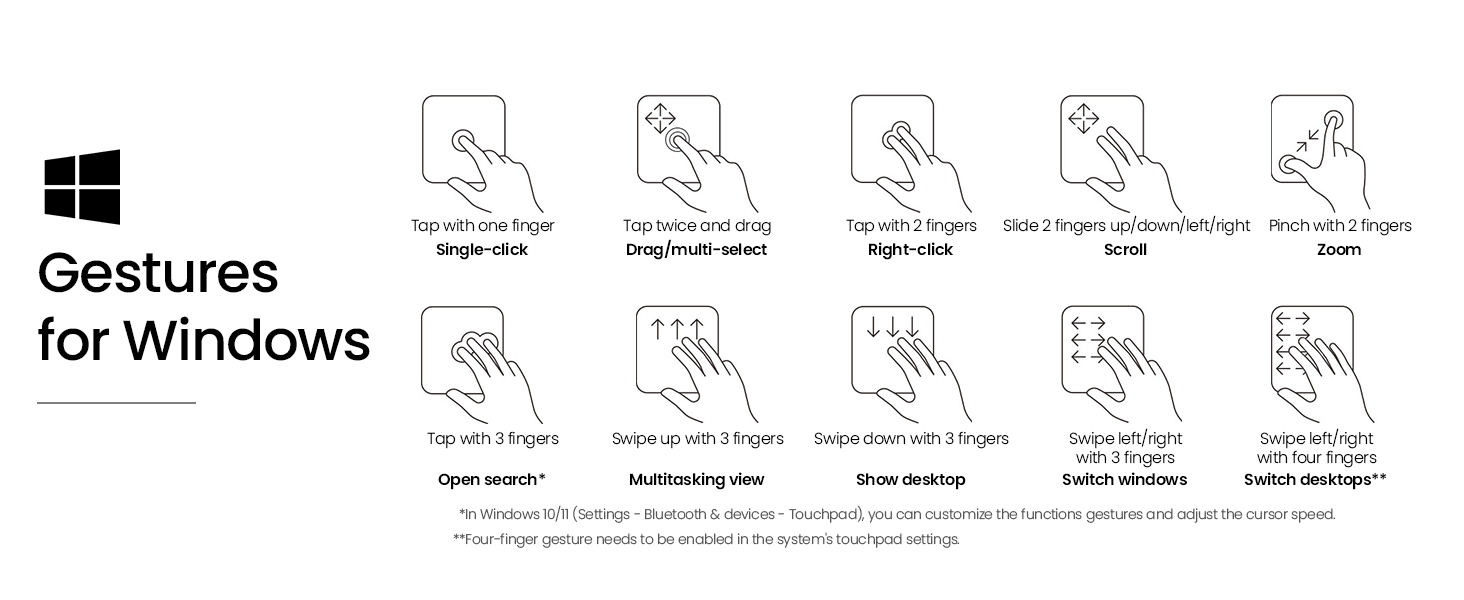
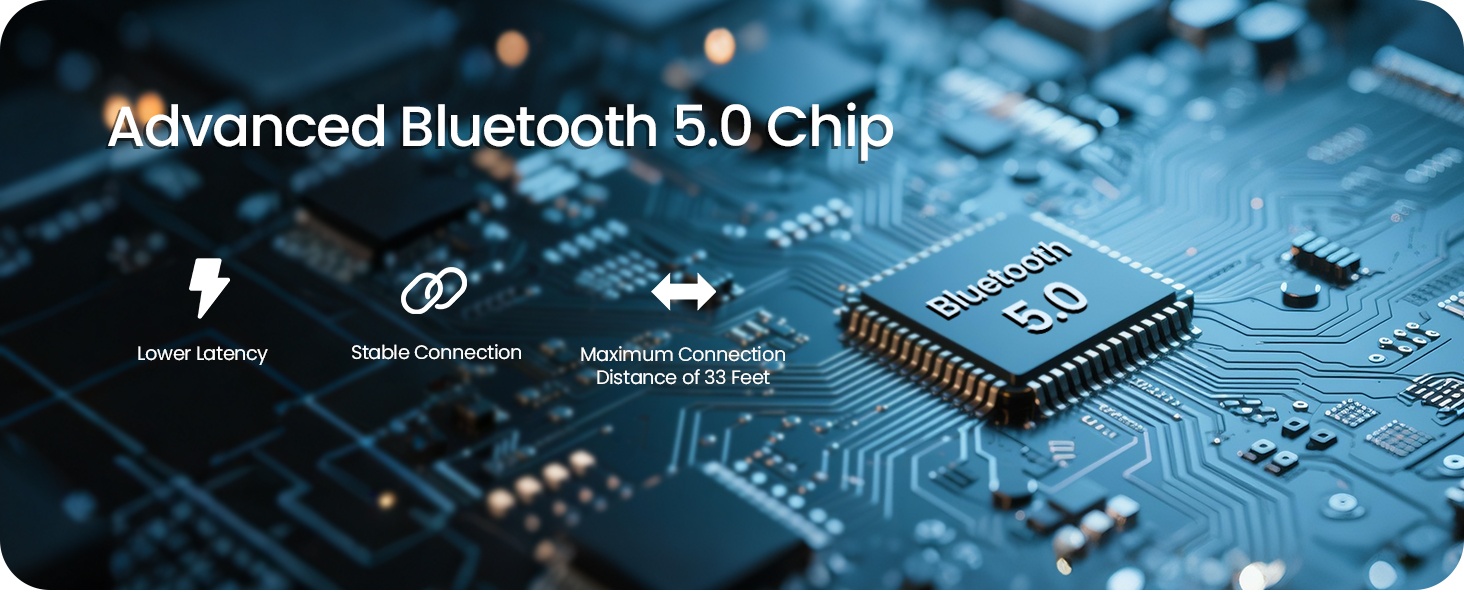
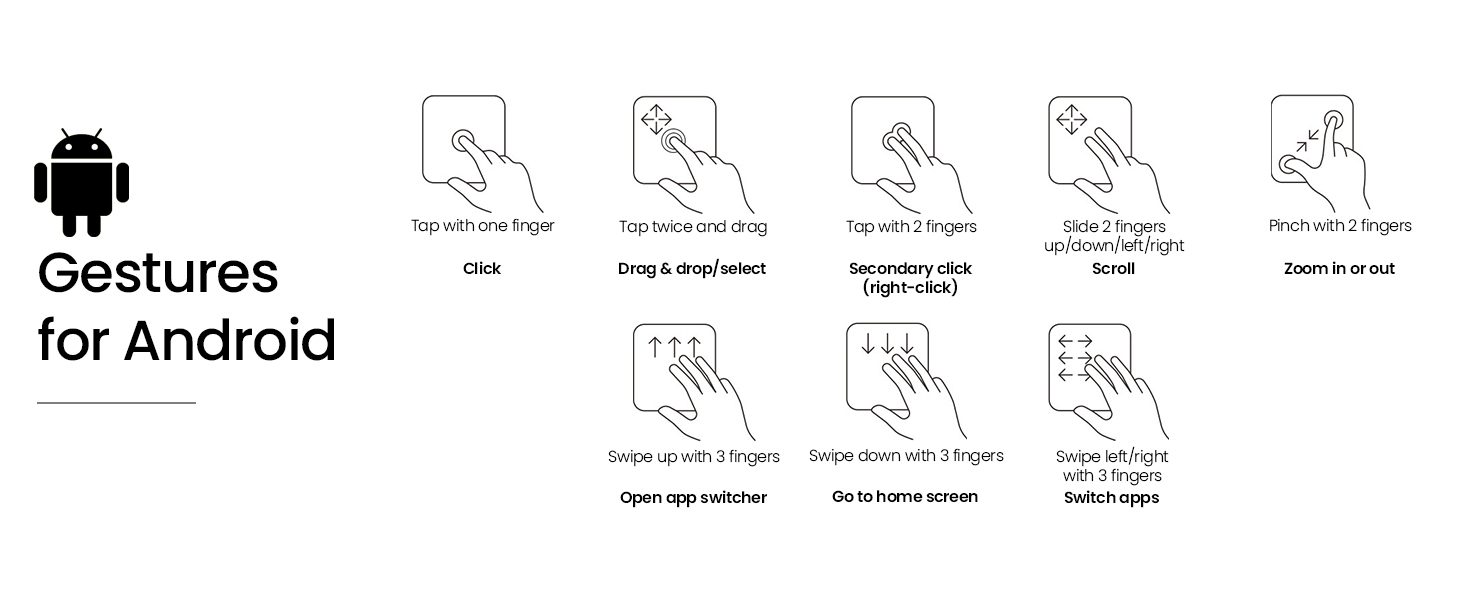
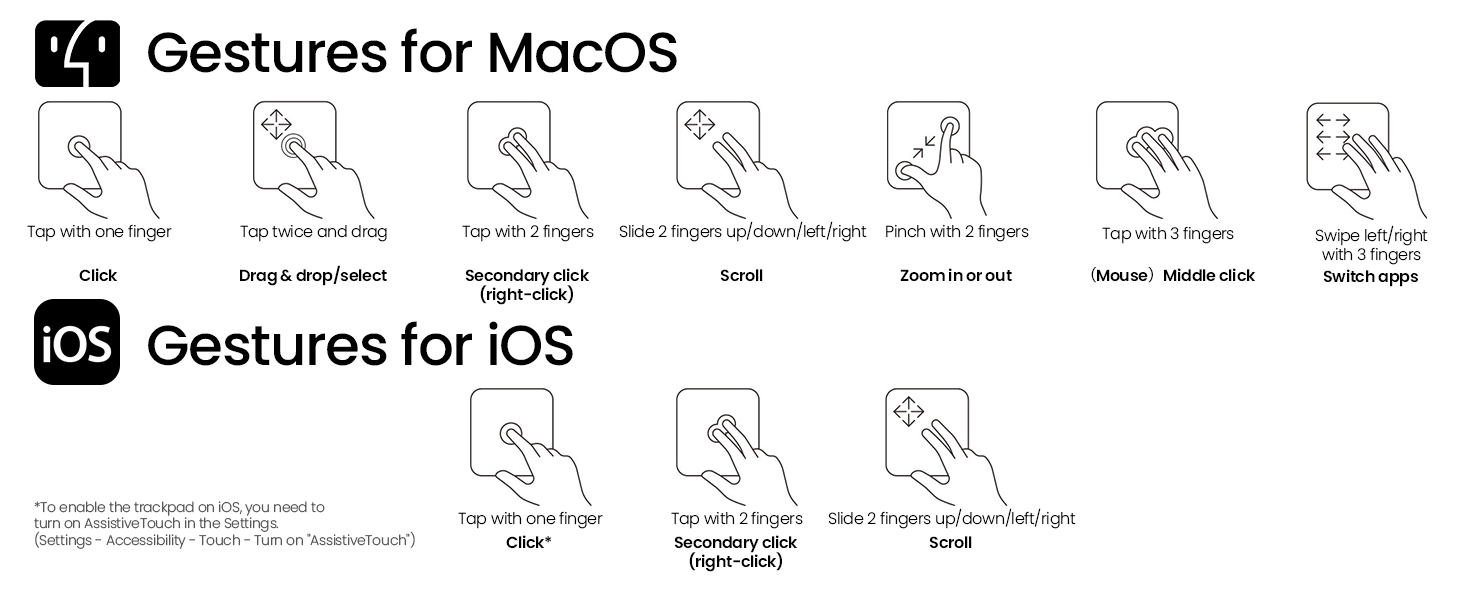
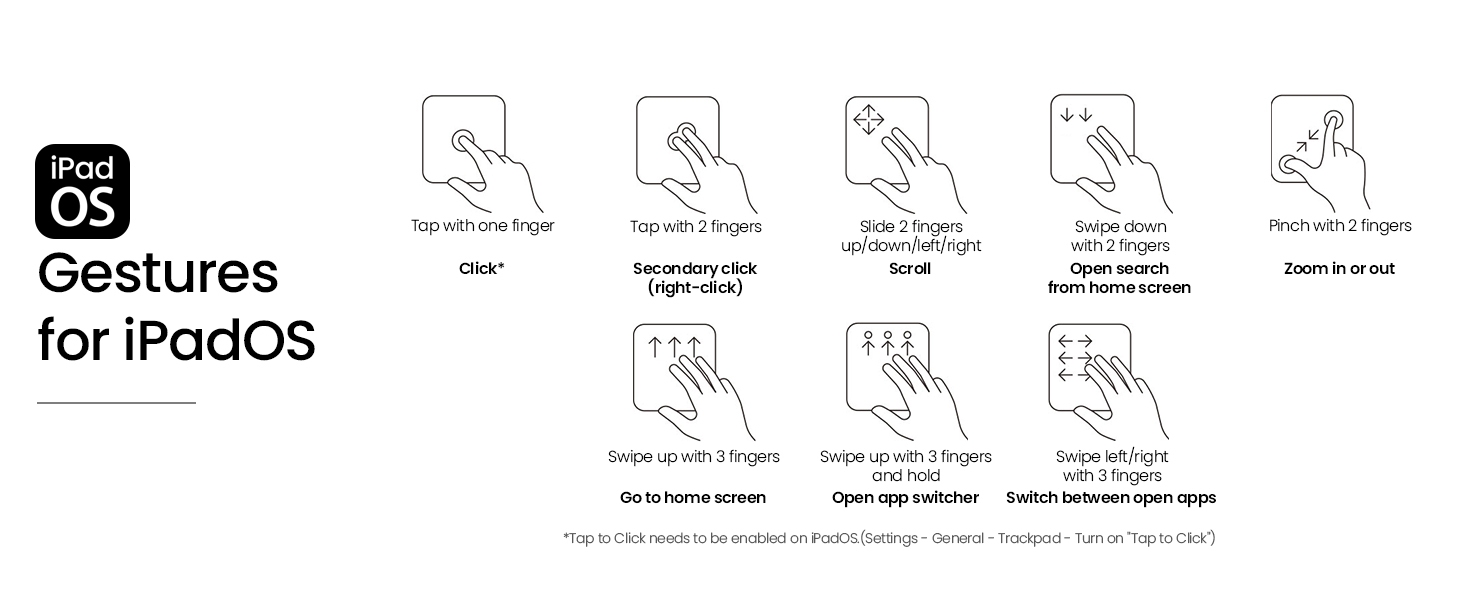
The Nillkin Foldable Travel Keyboard is a sleek, portable full-size Bluetooth keyboard with a 3.4-inch multi-touch trackpad that doubles as a numeric keypad. It supports simultaneous connection to 3 devices across all major OS platforms, offers up to 140 days standby time, and features a durable silicone leather cover with a metal hinge designed for over 50,000 folds—perfect for professionals on the move seeking productivity without compromise.






| ASIN | B0F4QKJJ47 |
| Batteries | 1 Nonstandard Battery batteries required. (included) |
| Best Sellers Rank | #3,502 in Computer Keyboards |
| Customer Reviews | 4.3 4.3 out of 5 stars (47) |
| Date First Available | April 14, 2025 |
| Item Weight | 1.03 pounds |
| Item model number | DZD2JCWZZ01CA |
| Language | Altaic Languages |
| Manufacturer | Nillkin |
| Product Dimensions | 17.32 x 6.3 x 1.26 inches |
S**Y
An excellent mukti system keyboard.
A nice interface. It is sort of weird to have diffferent gestures for Windows and Android but that is system differences not the kayboard. But the interface is slick. Unfolded it is a good size for typing. You swap systems with a button push. Ths is the best portable keyboard I have used
X**G
Light weighted.
Not as good as the pic… but it is OK. Not very small but light weighted.
R**D
Developers beware!
If you are a developer or use markdown frequently, be aware that the tilde (~) and backtick (`) have been repositioned. This is because the key with both tilde (shifted) and backtick (unshifted)--normally immediately left of the "1" key--has gone missing. Instead, the tilde has moved to be the shift function on ESC, and the backtick has moved to the opposite end of the keyboard (far right) where it combines with the key for entering backslash (unshifted), vertical pipe (shifted), and backtick (Fn+\). This is a two-fold hassle for speed typists who are developers, where both the tilde and backtick are frequently used. (Even non-developers, but writers, who make heavy use of markdown where certain words or phrases are marked using surrounding `backticks` will find it frustrating.) I guess this was the compromise for the keyboard to be about 1/2 inch less tall than a typical Apple magic keyboard. Depending on your usage, this could be a show-stopper.
H**R
NOT for keyboard shortcut power users. FINE for basic tablet keyboard use.
This keyboard is great if all you need are the main alphabet and number keys and arrows. It might also be decent to pair with a tablet that uses a mobile OS. If you are a keyboard shortcut warrior in Windows or MacOS, DO NOT buy this keyboard. You're just asking for frustration. Many keys have multiple functions requiring a convoluted combination of key presses to access. Under certain circumstances, these combinations are assigned to app and OS shortcuts but rendered inoperable due to the firmware priority. Some 'extended' key functions only work in some circumstances, but rarely when you really need them. FOR EXAMPLE, the 'delete' function is on the backspace button. Good luck getting to it. So, something as simple as deleting becomes a frustrating game. The gains in portability and convenience do not outweigh the losses of key functions--again, for those of us keyboard shortcut ninjas. And, no, I do not find the challenge of figuring out how to accommodate the keyboard as a worthy endeavor. I've got work to do. The integrated number pad doubles as a mouse track pad. I use it as a number pad, but the consistency of button response is poor. And just forget using the number pad to access "ALT-" key combos for special characters. It's not wired for that, apparently. I regret not testing this more fully before committing to bring it on a 2-week business trip. My very thin but otherwise full size and fully functional keyboard will return to my packing list.
R**B
So far so good. I tried another make before this one at the same sort of price point and that one lasted two weeks!! This keyboard seems to have had a lot more thought put into it. Battery life so far seems good, keys are good over all. Just two niggling complaints really: I don't like that the enter key is smaller than a conventional one, when I forget myself I often end up hitting the key beneath it, as on a standard keyboard my muscle memory always leads me to pressing the lower part of the key. The second issue is I don't like the touch pad press, the click has a centre sweet spot, meaning you can't really click it down from anywhere on the pad but the very centre, which is a little annoying. Other than that it seems like a very good keyboard, although I wish there was a way to stop it from going to sleep. I know it saves the battery, but it's annoying when you've got to long press a button to get it going again. Oh there is one more thing actually that bothers me: when using chrome on ipad, every now and again the enter key stops working altogether, I end up having to come out of chrome and go back in, frustrating when you're in the middle of searching for something.
A**.
The keyboard itself is very nice, feels solid and comes nicely presented, complete with a carrying pouch. The only bug I have with it is the fact it is a US layout, so it threw me off a little to find the @ key in the wrong place (it still is in the correct position, however the key label is wrong.) Would be great if nillkin could provide an option for the UK layout, or even better, provide replacement keycaps to swap these keys out. Other than this, great keyboard!
M**S
This is brilliant. Now I can use my iPad like a laptop. It connects perfectly to my iPad..and makes using things like word or excel brilliant. So good my husband is getting one to replace his expensive clunky iPad case that has a built in keyboard.
A**N
Great little keyboard with excellent tracking on the keys. Packs away well to a small size. I find this far better to use than the iPad keyboard from Apple.
A**R
Surprisingly good n easy to use
TrustPilot
vor 2 Tagen
vor 2 Wochen