We remain fully operational. Our teams are working around the clock to ensure your deliveries continue safely.

Laden Sie die App herunter


Kundendienst
Copyright © 2025 Desertcart Holdings Limited
Laden Sie die App herunter


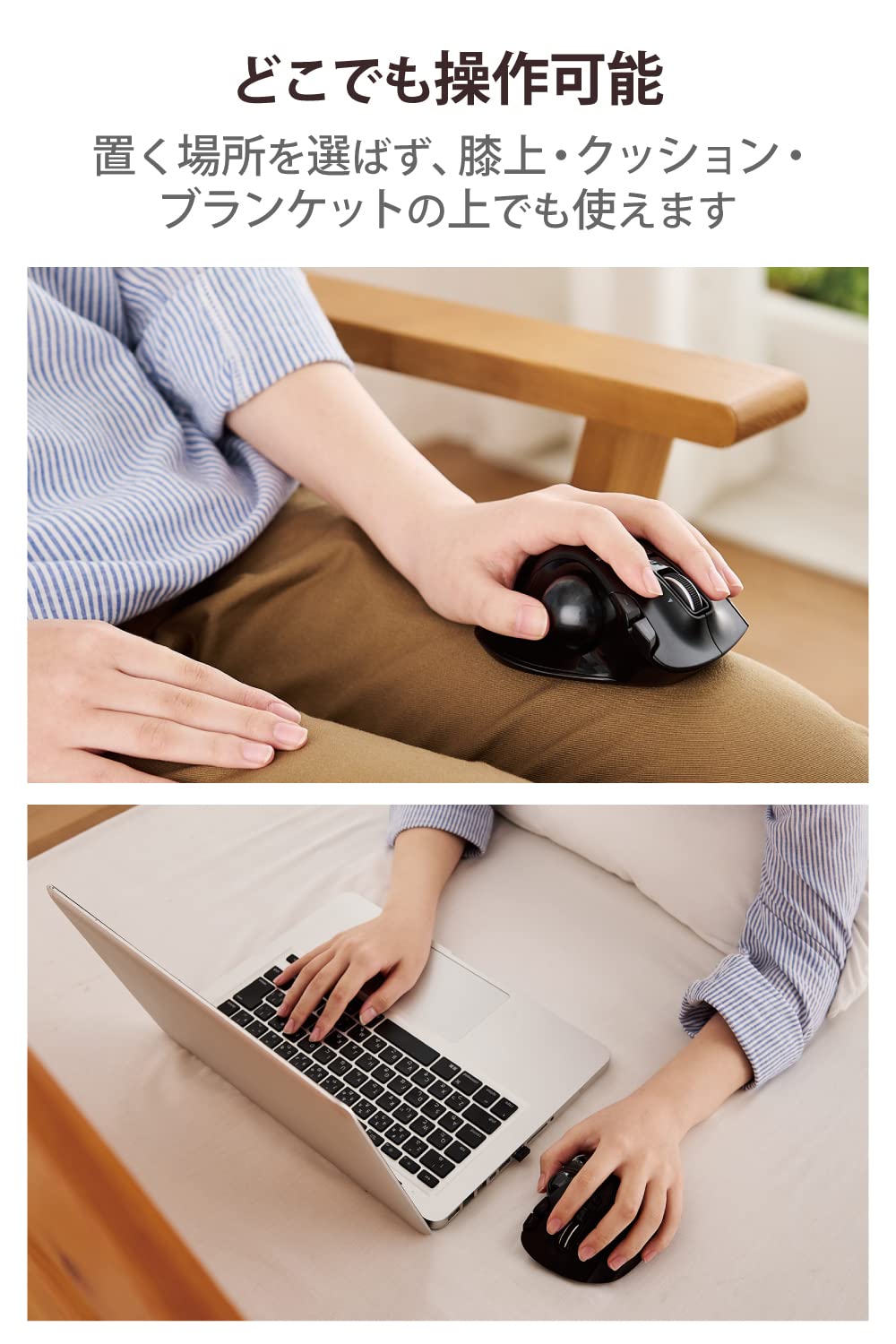


💼 Elevate your left-hand game with precision, comfort, and wireless freedom!
The ELECOM Wireless Trackball Mouse EX-G is a left-handed, thumb-operated device featuring a large 2.5mm artificial ruby bearing for smooth movement, a high-performance gaming-grade optical sensor for precise tracking, and six customizable buttons including a tilt wheel for enhanced navigation. Designed ergonomically to fit the natural contours of the hand, it offers wireless 2.4GHz connectivity with a compact storable receiver and up to 125 hours of continuous battery life, making it ideal for professionals seeking comfort and efficiency in a compact footprint.


| ASIN | B016QCPRBM |
| Amazon Bestseller | #1,139 in Computers ( See Top 100 in Computers ) #7 in Computer Trackballs |
| Batteries Included | Yes |
| Batteries Required | Yes |
| Battery Average Life | 6 months |
| Brand | ELECOM |
| Color Name | Black Ball |
| Compatible Devices | Compatible models: Windows OS and macOS equipped with USB port, Compatible operating systems: Windows 11, Windows 10, Windows RT8. |
| Connectivity Technology | 2.4GHz Wireless, USB |
| Customer Reviews | 4.1 4.1 out of 5 stars (4,466) |
| Date First Available | September 24, 2015 |
| Item Model Number | M-XT4DRBK |
| Item Weight | 127 g |
| Item model number | M-XT4DRBK |
| Manufacturer | エレコム(ELECOM) |
| Model Year | 2015 |
| Operating System | Windows 10, Windows RT8.1, Windows 8.1, Windows 7, Windows Vista, Macintosh OS X 10.10 |
| Product Dimensions | 9.4 x 4.57 x 12.45 cm; 127.01 g |
| Release date | October 17, 2015 |
| Size | 無線(ワイヤレス) |
| Special Features | Ergonomic Design, Multi-function Button |
タ**マ
初めてトラックボールマウスを使いましたが、想像以上に快適でした。 親指で操作するスクロール(ボール)は、最初こそ少し戸惑いますが、慣れるとページ送りや細かい移動がとてもスムーズで、通常のマウスよりも楽に操作できます。 マウス本体を動かす必要がないため、手首や腕への負担が少なく、長時間のPC作業でも疲れにくいのが特に良い点です。 デスクのスペースも取らず、狭い場所やソファなどでも問題なく使えるのは大きなメリットだと思います。 これからさらに使いこなしていけば、作業効率ももっと上がりそうなので、長く付き合えるマウスになりそうです。
エ**ス
初めてのトラックボールマウスとして購入。 当方右利きでいままで右手でマウスを使ってましたが、多ボタンのトラックボールをお絵かきソフトの左手ツールとして使える可能性を見出し購入しました。結果マウスの代わりとしても使いやすく、左手ツールとしても使えました。 普段使いするだけなら1週間もかからずに慣れましたが、個人差はありと思います。ボールは社外品に変えたという意見もよく見ましたが、とりあえず使うだけなら不要だと思います。動かしてて安っぽい感じはするのでこだわる人は変えた方がいいかもしれません。
た**ん
右利きですがマウスは左です。 コスパ良いのを探してました。 これより安いのを見たことがありません。 2年以上使っていますがメンテナンスすれば一生使えそうです
A**R
携帯用のトラックボールで左利き用となると選択肢が僅少です。ELECOMなら有名なメーカーだし悪くないだろうと購入しました。しかし、動作がカクカクします。LowからHighに切り替えても同じ。置きたいポイントにカーソルを止められないもどかしさに、仕方なく矢印キーで微調整することも多い。使っていてイライラします。
S**0
トラックボール好きな人にはいいと思います。 唯一の左手用なのもいい。
A**ー
長所は左利きに優しい形状。手首や指の負担が減ってありがたいです。 そしてボタンがたくさん。6つあるのでカスタマイズして楽しめますね。 ボールがついててマウスを動かさずに、カーソルを前後左右に動かせます。机が狭い場合には助かります。 短所は小柄な人には大きくて、ちょっと使いづらいかも。使えないことはありませんが、私は慣れるまで少しかかりました。 私は身長152cmで手は中指から手首まで17cmくらいです。写真はロジクールの小型キーボードk3800wとそれとセットのマウスと比べてみました。 使ってみた感想として、初期状態ではボールがツルツル過ぎて、カーソルが滑ります。これがかなりストレスです。カーソルの速度をHIGHからLOWに切り替えると少し良くなります。それでも滑ると感じたら、Windowsの設定→Bluetoothとデバイスの「マウスポインターの速度」も遅くするとカーソルがゆっくり動くようになります。 それからデバイスのMouseAssistant6が開かないというアクシデントが。アプリを削除して、もう一度ダウンロードからやり直しました。(このデバイスでどこを主ボタンにするかカスタマイズできますが、マウスの主ボタンはWindowsのBluetoothとデバイスのマウスの項目でも、左右どちらを主ボタンにするか決められるので、そろえておいた方が混乱しなくていいと思います)
と**う
左手にフィットしてとても使いやすく感じました。スイッチも豊富で、アプリで好みに合うように様々な変更、割り付けができて多機能で作業効率を向上できます。ボールは表面にハンドクリームやシリコンオイルをうっすら塗ると滑らかに、拭き取ると摩擦感が増し、表面の状態によって大きく変わります。この滑らかさが使っているうちに変わっていくのが最初は気になっていましたが、1ヶ月弱使ううちに慣れてあまり気にはならなくなったように??感じています。価格も含めて総合的にとても満足度が高いです。
A**ー
①筐体の耐久性が良くないのか、右クリックが半年もしない間に反応が悪くなる →2台買って2台とも同じ状態になっている。 ②電池の持ちはよくない →動作に必要ば電圧が高め?
D**T
Auf der Suche nach einer neuen Linkshänder Trackball-Maus bin ich auf die ELECOM EX-G gestossen. OK, es gab eigentlich auch kaum eine Alternative, bis auf die, die mir gerade nach rund 1,5 Jahren den Dienst quitiert hatte. Also musste eine Andere her. Die Ergonomie ist super, wenn man entsprechend kleine Hände hat. Meine sind ein wenig zu Groß, was jedoch bei allen Mäusen der Fall ist. Also nichts ungewohntes. Mit der Bedienung musste ich mich erst ein wenig vertraut machen. Bewegt man hier den Ball mit dem Daumen und nicht mit den Fingern. Die sind jetzt für die Tasten und das Scrollrad zuständig, sowie für die beiden Tasten zum blättern von Seiten. Bei der Inbetriebnahme war ich sehr positiv überascht. Muss man dem Computer normaler Weiße erklären dass man Linkshänder ist, kann man sich das bei dieser Trackball-Maus sparen. Sie ist schon in sich technisch auf links gedreht. Also muss die Einstellung von der Vorgänger Maus wieder raus. Innerhalb von wenigen Stunden habe ich mich an die für mich neue Bedienung gewöhnt. Allerdings habe ich die Zeigergeschwindigkeit unter Linux-Mint-Cinemon sehr weit runter geregelt. Was man jedoch noch machen sollte, wenn man die Maus Software seitig programmieren will, ist die mehrsprachige Betreibsanleitung runterladen. Hier kann man wohl unter Windows noch einige Einstellungen vornehmen. Im Großen und Ganzen bin ich mit der Trackball-Maus sehr zufrieden.
N**T
Sidewise scrolling is not good. Which is main function we are buying this mouse for.
P**A
Mi primer ratón de ordenador fue parecido a este, con una bola similar, que te permitía hacer casi todo con ella. Ahora, después de perder la movilidad de la mano derecha tras un ictus, vuelvo a tener un ratón fantástico para mí izquierda. Cómodo e intuitivo.
G**I
Ottimo, lo consiglio
T**E
I got this because I can't use my right arm for awhile and I wanted a mouse I could hold in my left hand standing up. It's not really designed for that but it works. I hands are medium/large. I've been using this mouse for a few days and the design is great. It fits my hand nicely and all of the buttons are easy to reach from adjacent fingers. Today I installed the software to program the buttons and the only issue I had was that it was all in Japanese despite the installer saying that it's for English. But weirdly enough, I just uninstalled it, restarted my computer, and then reinstalled it without doing anything differently and now it's in English. Whatever I guess. You can program the buttons for preselected functions or "arbitrary" ones. Arbitrary ones allow you to add custom key combinations, like Ctrl+W, which closes Chrome tabs. The only thing you can't change is the scrolling of the mouse wheel is only for scrolling - I thought to change it to up and down the volume, but I don't think that's possible. One cool thing about this mouse is that you have right-click, left-click, and then further-left-click, or I guess the left-click is actually middle, but that's confusing. The track ball works well enough, but it's not exactly "oiled" as one other reviewer said. It doesn't get stuck or anything, but if you try to move it slowly while the mouse is a certain angles, it won't go smoothly. This is mostly a non-issue - you just get used to it and forget about it once you do. I actually enjoy using the ball with my left thumb. It's very accurate to flicking the mouse cursor across the screen, or maybe my left thumb is just better than I expected it to be, considering I'm right-handed. Not sure about that, but in any case, I enjoy how the ball tracks. It has a nice weighty feel to it and it's a pretty red color like a Honey Buzzard's eye. Pros: I'm a computer guy and I like everything about it even though the track ball is not perfect, it's good enough and accurate and I enjoy using it, so I forgive. Cons: Not sure why the settings software decided to be Japanese the first time, but I just reinstalled it, literally did the exact same steps, and then it was English.. so whatever I guess Overall: I'm happy with this mouse. It's a sharp looking design, works as expected with an extra-left-click I didn't know I needed, and at $35 dollars it's money well spent.
TrustPilot
vor 1 Woche
vor 1 Monat