We remain fully operational. Our teams are working around the clock to ensure your deliveries continue safely.

Laden Sie die App herunter


Kundendienst
Copyright © 2025 Desertcart Holdings Limited
Laden Sie die App herunter

Buy anything from 5,000+ international stores. One checkout price. No surprise fees. Join 2M+ shoppers on Desertcart.
Desertcart purchases this item on your behalf and handles shipping, customs, and support to GERMANY.
💼 Elevate your digital workspace with storage that keeps up.
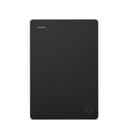
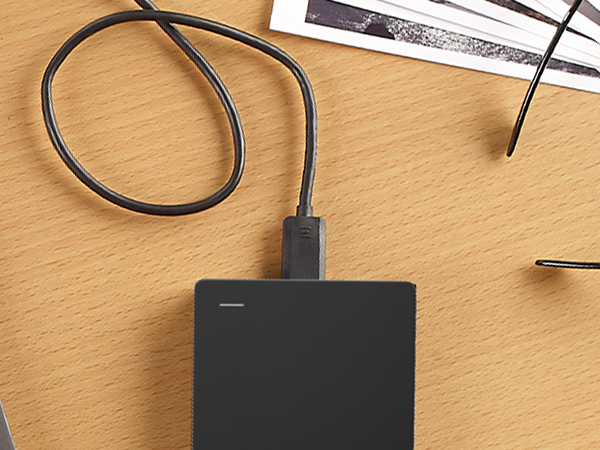
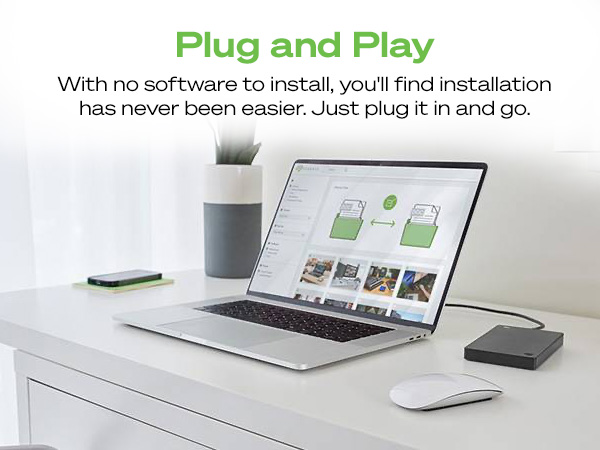
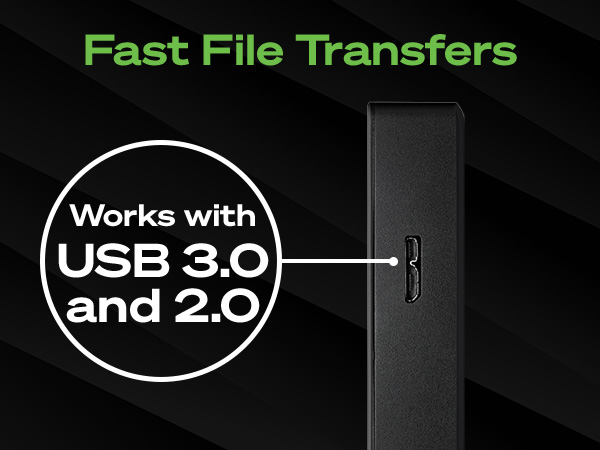
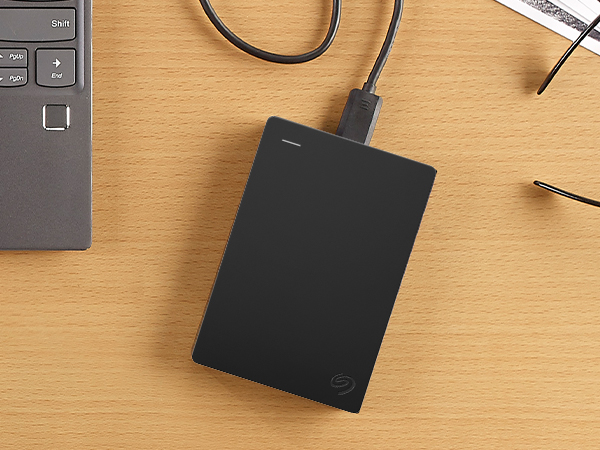
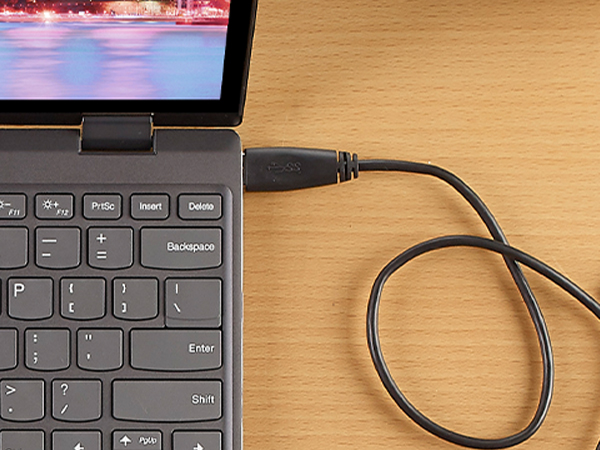
The Seagate Portable 4TB External Hard Drive offers a robust 4TB storage capacity with USB 3.0 connectivity, delivering up to 120 MB/s transfer speeds. Compatible with Windows, Mac, Xbox, and PlayStation, it features a compact, lightweight design for ultimate portability and plug-and-play simplicity requiring no additional software. Backed by a 1-year rescue service, it’s the reliable choice for professionals needing expansive, easy-to-access storage on the go.

| ASIN | B07CRGSR16 |
| Additional Features | Portable |
| Best Sellers Rank | #1 in External Hard Drives |
| Brand | Seagate |
| Built-In Media | Seagate Portable Drive 4TB USB3.0 |
| Cache Memory Installed Size | 4 |
| Color | PORTABLE |
| Compatible Devices | Desktop, Laptop |
| Connectivity Technology | USB |
| Customer Package Type | Standard Packaging |
| Customer Reviews | 4.6 out of 5 stars 211,088 Reviews |
| Data Transfer Rate | 120 Megabits Per Second |
| Digital Storage Capacity | 4 TB |
| Enclosure Material | Mechanical Hard Drive Material |
| Form Factor | Portable |
| Global Trade Identification Number | 00763649127315 |
| Hard Disk Description | Mechanical Hard Disk |
| Hard Disk Form Factor | 2.5 Inches |
| Hard Disk Interface | USB 3.0 |
| Hard Disk Rotational Speed | 7200 |
| Hard-Drive Size | 4 TB |
| Hardware Connectivity | USB 3.0 |
| Installation Type | Plug In |
| Item Dimensions L x W x Thickness | 4.61"L x 3.15"W x 0.79"Th |
| Item Length | 11.7 Centimeters |
| Item Type Name | Seagate Portable 4TB External Hard Drive HDD – USB 3.0 for PC, Mac, Xbox, & PS4 (STGX4000400) |
| Item Weight | 260 Grams |
| Item Width | 8 Centimeters |
| Manufacturer | Seagate |
| Media Speed | 1 |
| Model Name | SRD0NF1 |
| Model Number | STGX4000400 |
| Number of Items | 1 |
| Read Speed | 120 Megabytes Per Second |
| Special Feature | Portable |
| Specific Uses For Product | Personal |
| UPC | 763649127315 |
| Warranty Description | 1 Year Limited |
A**S
Good Quality and it Works Fine with a MacBook Pro
As a music producer, my last external drive was much smaller and it began to fill up quickly. I bought this Seagate because of the known quality, and the size. I understand that with a Windows computer, it’s plug and play. If you use a MacBook Pro, it is a simple task to prepare it. I’ll copy instructions for Mac preparation. It was ready to go in about a minute. It’s not something to worry about. Here are the instructions: First an easy installation, you’ll use Disk Utility on the Mac to erase and reformat the drive; it’s straightforward and only needs to be done once before you start using it. 1. Decide on a format For a drive used only with your MacBook Pro for plugins/projects: APFS (best for SSDs, modern macOS, fast and robust). If you also want to plug the same drive into Windows regularly: ExFAT (works read/write on both Mac and Windows, fine for large audio files). 2. Erase and format the drive Connect the new external drive to your Mac. Open Disk Utility (Applications → Utilities → Disk Utility). In the menu bar, choose View → Show All Devices so you see the whole physical disk, not just volumes. In the left sidebar, select the top-level entry for that external drive (it will usually show the manufacturer’s name and “Media”). Click the Erase button at the top. In the dialog: Name: Something like “Audio Plugins” or “Samples”. Format: Choose APFS (or ExFAT if you need Mac/Windows). Scheme: Choose GUID Partition Map if offered. Click Erase and wait for it to complete, then click Done. After this, the drive will mount on the desktop in the new format and you can start moving plugin content or sample libraries to it. It took time to move data off the old drive and load onto the new drive. That’s natural. With this new Seagate drive, I store all my music plug-ins and virtual instrument files along with a large collection of audio and midi files. When producing music, there’s no delay and everything works fine. With that said, I have the new M4 chip and 48GB of Ram. With that, the computer works fine, but the Seagate also keeps up just fine. This Seagate external drive was a good purchase. It is reliable, portable and built well with a good appearance.
C**I
Great External Drive
I’m really impressed with this external hard drive. It was incredibly easy to set up and use right out of the box, and it performs exactly as expected. The storage capacity is excellent, especially considering how compact the device is—it’s small enough to fit just about anywhere without getting in the way. It also feels solid and durable, giving me confidence that it will hold up well over time. Overall, this is a great value for the price and a reliable option for anyone needing extra storage.
J**E
reat 4TB Drive for Backups and Gaming
I’ve been using the Seagate Portable 4TB External Hard Drive for a few weeks now and honestly it’s been exactly what I needed. Setup was super simple — literally plug it in and it works. No complicated software, no weird formatting issues. I’m using it mainly with my PC but I’ve also tested it on my PlayStation and it worked without any problems. The 4TB storage is a huge plus. I backed up my entire system image, stored a ton of video files, and still have plenty of space left. Transfer speeds over USB 3.0 are solid — not lightning fast like an SSD obviously, but for a traditional HDD it’s more than fast enough for backups, media storage, and games. It’s lightweight and small, which surprised me. I expected something bulkier for 4TB. It doesn’t get hot and it runs quietly. I just leave it connected most of the time. If you need reliable, large storage for backups, gaming, or just extra space, this is a great value for the price. No complaints so far. Would definitely buy again.
J**Y
Perfect
I picked up this 4TB hard drive with pretty simple expectations: I wanted something that would work, store a lot of data, and not give me any headaches. After using it for a while, I can say confidently that it delivers exactly that. Performance & Reliability: Right out of the box, the drive worked flawlessly. Setup was quick—pretty much plug-and-play—and my system recognized it immediately. Transfer speeds were solid and consistent, not blazing-fast like an SSD of course, but exactly what you expect from a dependable HDD. Whether I was moving large video files or backing up a ton of photos, it handled everything without stuttering, freezing, or randomly disconnecting. Noise & Heat: The drive runs quietly, with only a faint hum during heavier transfers. It also stays at a stable temperature; even after extended use, it never ran hot or worried me. For anyone planning to keep it inside a PC case or use it as an external backup unit, this is definitely a plus. Build Quality: The construction feels sturdy and well-made. Nothing cheap or flimsy about it. The ports are secure, the casing feels solid, and overall it gives the impression of something built to last. For a drive of this capacity, that peace of mind matters. Capacity & Use Case: 4TB is a sweet spot for a lot of people—it’s plenty of room for games, media collections, backups, or general long-term storage. I’ve already loaded it with a substantial amount of data, and it performs just as smoothly at higher fill levels as it did when empty. Overall: This is one of those purchases that doesn’t try to impress with bells and whistles—it just works. And honestly, that’s exactly what I wanted. If you're looking for a straightforward, reliable 4TB hard drive that performs well and doesn’t cause headaches, this one is a solid choice. I’d absolutely buy it again.
R**K
The most cost-effective solution for 5 TB of portable storage, but with some limitations
I use 16 such drives, a mix of Seagates and competitive drives, for my backup solution (two sets of backups of two machines, each of which requires four drives -- I have quite a bit of data -- with one volume set stored offsite at all times). This kind of drive is certainly the most cost-effective solution for 5 TB of bus-powered storage, but it has some limitations. Unfortunately, 4 TB SSDs are still prohibitively expensive for this application, costing about 4x per byte more. 1) It's a shingled magnetic recording (SMR) drive. That may be needed to achieve this kind of storage density on platters this small, but it does mean that if you're trying to write multiple terabytes of data to this drive, it will typically slow down drastically after the first 100 GB or so. That may well depend upon the filesystem used on the disk. I'm using ext4fs in a LUKS-encrypted container on Linux; writing 4.5 TB of average 10 MB files took me well over a day. Write throughput frequently dropped under 10 MB/sec for extended period of times, interspersed with short periods of 70-100 MB/sec and averaging about 25 MB/sec. The same applies to drives made by competing manufacturers. This is much less of a problem with incremental backups, which are much smaller and which the drive can handle within CMR cache. 2) If I create an encrypted LUKS container spanning the entire drive, I've found that I get I/O errors when creating the filesystem (mkfs.ext4) or checking the filesystem (with fsck). This does not happen with ordinary filesystem operations. Via a long story related to a single drive that had genuinely gone bad, it led me to believe that all of the Seagate drives in my fleet were bad. There turned out to be a simple enough solution to this: rather than using the entire disk, creating a partition starting 1 MB in. Once I figured that out, I had no further difficulty. This was not an issue with drives made by another vendor. It's not something most people will run into at all (if you use the drive as partitioned from the factory, you'll be fine), and losing 1 MB out of 5 TB is not significant. I suspect it's likely a firmware problem/limitation of some kind interacting with the LUKS container (it did not happen if I did not LUKS-format the drive). It's not a reason not to use this drive, just something to be aware of if you want to use these drives for cheap encrypted backups under Linux. 3) When writing large amounts of data to SMR drives, it's first written to CMR (conventional) cache space on the drive, which is fast (100-140 MB/sec). After writing is complete, the drive will spend some time reorganizing the data on the drive. As such, it is probably a good idea to leave the drive plugged in for some time after writing a large amount of data (I usually leave it for 30 minutes after writing an initial backup to one of these disks).
L**.
External Brain of Choice
This is the 3rd one I've purchased and have had zero issues with any of them. As a photographer,I have thousands of photo and video files, both in Raw and in finished form (be it still image or video), and this unit has never disappointed, which is why I keep buying the same product. It fits perfectly behind my monitor, I've never had overheating issues with it, and it's pretty much plug and play. This is definitely my "external brain" of choice.
V**N
Great for streamers on twitch or discord great for the Xbox One
The functionality is great nice compact size works great for the the Xbox One I've almost downloaded 100 games on it still have plenty of room left on it. It's one of the best buys I've made so that I can start streaming on twitch & discord
H**R
High Quality - Plug and Use - A perfect alternative to the Cloud
This is my second Seagate Portable External Hard Drive. I bought one about two years ago for my consulting business and have been incredibly happy with it for all the reasons listed below. As a result, when I decided to purchase another Portable External Hard Drive to combine and replace several 8+ year old (much smaller capacity yet physically larger) Portable External Hard Drives I immediately went to the Seagate Brand. Over the years I noticed the Seagate Brand has gained wide name brand recognition in the field since I bought my first one. I like Portable External Hard Drives as opposed to the cloud because I believe they provides more security for my data. When I plan to be away from my home for an extended period, I simply unplug them and store them in my safe. Additionally, in my experience with my business Seagate Hard Drive I found them to be very sturdy/durable when it accidently gets knocked off the shelf it is laying on. I also liked that they offered me 3 data storage size choices (2TB, 4TB, 5TB) but for my needs the 2TB was all I needed. Finally, their small/compact size (physical) means they fit nicely bundled together lying next to my powered USB switched hub.
TrustPilot
vor 1 Monat
vor 2 Wochen