We remain fully operational. Our teams are working around the clock to ensure your deliveries continue safely.

Laden Sie die App herunter


Kundendienst
Copyright © 2025 Desertcart Holdings Limited
Laden Sie die App herunter
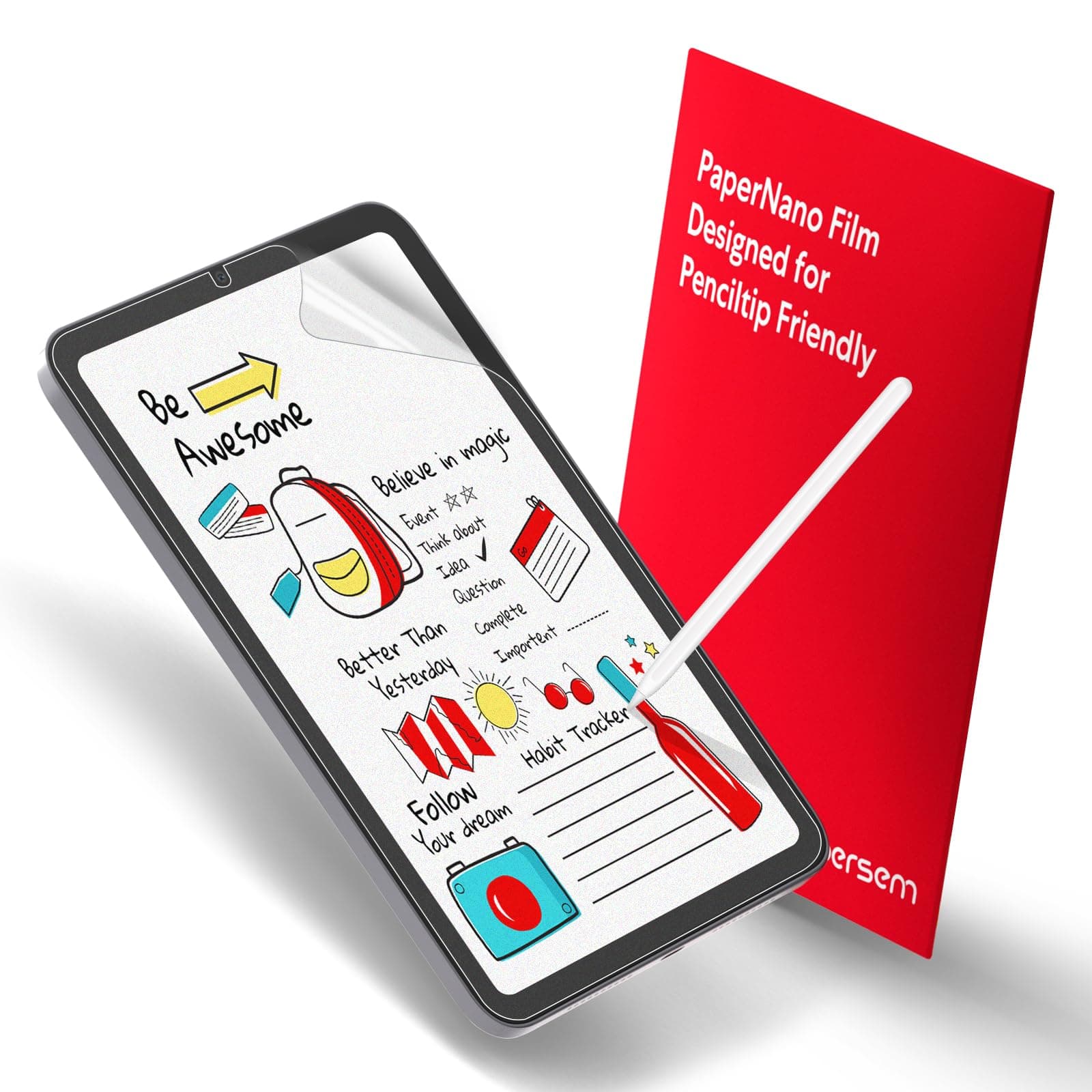
🖋️ Turn your iPad Mini 6 into a digital sketchpad that feels just like paper—don’t just draw, create with confidence!
The BERSEM 2-Pack Paper Screen Protector for iPad Mini 6 features a premium Japanese PET film with a matte, paper-like texture that enhances drawing precision and reduces glare. At just 0.17mm thick, it maintains original touch sensitivity while protecting your screen from fingerprints and smudges. Designed for easy, bubble-free installation and compatibility with cases, this pack offers two durable protectors to elevate your digital art and note-taking experience.
| ASIN | B0BXNV5NGM |
| Brand Name | BERSEM |
| Clarity | 0.99 |
| Color | Transparent |
| Compatible Devices | ipad mini 6 |
| Compatible Phone Models | ipad mini 6, 8.3 inch |
| Compatible Tablet Computer Models | Apple iPad mini 6 |
| Customer Reviews | 4.2 4.2 out of 5 stars (182) |
| Finish Type | Matte |
| Included Components | Screen Protector, Squeeze Card |
| Item Dimensions L x W | 19.1L x 13W centimeters |
| Item Hardness | 3H |
| Item Weight | 99.79 Grams |
| Manufacturer | BERSEM |
| Material | Polyethylene Terephthalate |
| Model Name | iPad Mini 6 |
| Model Number | iPad Mini 6 / iPad Mini 7 2024 (A17 Pro) |
| Number of Items | 2 |
| Screen Size | 8.3 Inches |
| Screen Surface Description | Matte |
| Special Features | Anti Glare |
| UPC | 755752455492 |
| Unit Count | 2.0 Count |
| Water Resistance Level | Waterproof |
D**D
I love drawing on my iPad, but the smooth glass screen never felt quite right—it was too slippery, and I found myself missing the natural feel of sketching on paper. That’s why I decided to try this BERSEM paper screen protector, and honestly, I wish I had gotten it sooner. First off, the texture is spot on. It adds just enough resistance to make it feel like you’re drawing on real paper without being rough or scratchy. It makes a huge difference when sketching or taking notes—I have so much more control now, and my lines feel more natural. The anti-glare feature is also a big plus. I use my iPad a lot outdoors or under bright lights, and this helps cut down on annoying reflections without making the screen too dim. It’s a really nice balance. Installation wasn’t too bad either. I usually mess up screen protectors with bubbles or dust, but this one was pretty forgiving. Just take your time, follow the instructions, and you’ll be fine. Once applied, it stays in place well and doesn’t interfere with the touch sensitivity at all—my Apple Pencil works flawlessly with it. The fact that you get two in a pack is great in case you need a replacement later on. For the price, it’s absolutely worth it. If you’re into digital art, note-taking, or just prefer a more natural feel when using your iPad, this is a must-have.
K**T
Needed a new paperlike as the one I had at christmas time just wasn't "gritty" enough for me, that was a different brand and it was okay! But this one oooo it feels like paper, like a good paper, grippy and nice! Makes drawing super great. Comes with a massive scraper tool, two grippies that stop your device from slippies when applying PERFECTION. I wouldn't use this with default apple pencil tips, I use customs anyway so I expect them to wear out over time as these types of protectors tend to be abrasive to the natural material of the tips apple has. It makes the art feel good to draw. I use a 0% stablisation, and it gives a little resistance like paper would. So my curves are curving the way I want them too.
N**A
I’ve always gone to the service stores for them to install protectors on my devices, but tried doing it myself for the first time on my iPad mini 7. It is absolutely easy to do! Instructions, cleaning kit and tools, protector itself - amazing package for a product! It didn’t bubble or challenge me at. You’ll surely get it from the first time. The only downside (for which I removed one star) is the size of the paper which doesn’t stretch side to side. I hope it doesn’t start peeling from sides with the use. Overall, recommended!
T**R
Quality stuff but was a bit of a pain to put on but that's just cause I suck but even then bubble size was small, clarity was perfect and the feel was great. Good value.
E**I
Average. The fit is rather bad, with gaps around the edges. It also makes very little difference to the way Apple Pencil feels when writing, for example (it would need a different tip). It’s easy to apply, though. The trade off is that it reduces the resolution of that Retina display and turns is it into a daft K*ndle, and it feels absolutely awful when using a finger. Overall, it’s not really worth it, as it decreases greatly the sharpness of the screen. If you don’t use your iPad exclusively for taking notes, it’s much better to leave it how it is :D Wanna draw? Either get a dedicated drawing tablet or get a replacement TIP for your pencil!
TrustPilot
vor 1 Monat
vor 2 Wochen