We remain fully operational. Our teams are working around the clock to ensure your deliveries continue safely.

Laden Sie die App herunter


Kundendienst
Copyright © 2025 Desertcart Holdings Limited
Laden Sie die App herunter
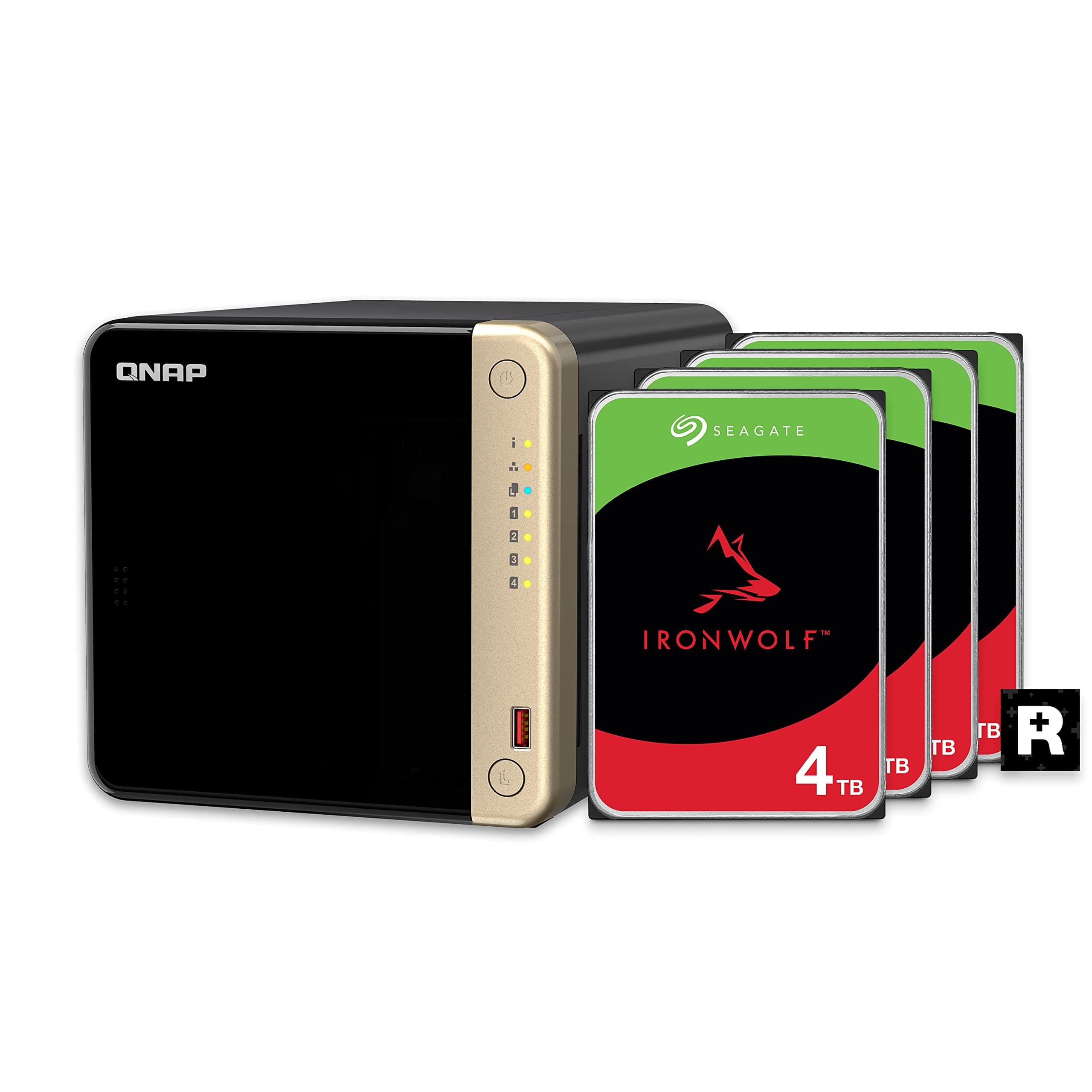



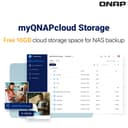


Securely access your Files from anywhere with MyQNAPCloud Review: Convenient that this is offered as a bundle with HDDs already installed in a RAID5 configuration. When embarking upon setup, however, be prepared for a 12 hour wait before populating the array with data, as the NAS has to sync all of the drives in order to creaater the RAID5 volume. It sort of detracts from the advantage of buying a "pre-configured RAID5 array." Everything else is what I was expecting from QNAP. This is my second QNAP NAS and the other one has run flawlessly for 15 years! Both my older one and the new one are a bit noisy, so if you are planning to install this in a home set-up you will want to put it someplace remote and isolated from living and sleeping spaces. It isn't QNAP's fault, it is the noise to be expected from 4 HDD's operating in a metal chassis. Go ahead and price four 8TB solid state drives and you will find yourself satisfied with older platter technology. ;) Review: I bought this based on professional experience supporting older QNAP's in the field. They proved durable, resilient, simple to operate, and reliable. As for this one, well, I am hoping that it at least durable. The power supply provided it rated at 65 watts, and I have not tested that, but what I have learned is that it is extremely sensitive to minor, normal, unavoidable power transients like rebooting another computer on the same UPS. The power drops out causing a system reboot. I have tried it on multiple UPS's with no difference in behavior. These are not heavily loaded. One UPS was running only the QNAP and two Raspberry Pi 5's and it rebooted when I plugged the USB C connector into one of them. That's maybe 8 watts. The UPSs are all APC 1500's. The other Raspberry Pi didn't reboot, it survived the massive transient. When you pick up the brick it just feels too light for the application. I think they cheaped out on the capacitors and don't have enough reserve to tolerate a half cycle glitch. I bought it to do two things: host files and serve media. It does host files and it does so very well. I can connect to it from Linux, Mac (BSD), and even Windows 11, and that is pretty picky about CIFS protocols and authentication. Media serving is another matter entirely. Out of the box, you go to control panel -> applications and find Multimedia Console (MC) listed there, but it isn't really there. When you select it you get a message saying "Multimedia Console is now an App. To install it, go to the App Center". That's pretty lame but I played along and installed it. So, now I should be able to start the DLNA server so my smart TV can access it, right? Wrong. Now it wanted a plugin for the MC, so like a good sheep I installed that. Certainly now I could stream to my TV, and yes, I could. I browsed to the server on the TV, opened it up, went into videos where I found a large assortment of folders like "updated today" and other nice but unwanted things. The one I wanted to see was the DLNA standard "Folders" folder so I could see the files organized by the folders on the share. Nope. Of all the folders they displayed, the only one that had content was "All Files", and yes they successfully indexed all my files, then dumped them unsorted into one folder. So, yes, it has a DLNA server but it is totally useless. So then I tried Plex, and that was slightly more useful, it at least had a folder with folders in it but it was buried in the midst of at least a dozen other top level folders and you had to drill way down through several (un)helpfully added and totally unnecessary folders, but there were the files, in my folder structure. So I tried playing a few and Plex insisted on transcoding them to a format (mpeg 2) that has never worked on any Samsung TV I have owned. Well, that was a simple matter of accessing the NAS with SSH and using the simple and easy vi editor to hand jam changes to the XML resource files for the TV. At that point I was just thankful I didn't have to compile a new kernel to make it work. That was going well until the NAS ran out of RAM, Plex being the biggest hog by far. Then it just stopped streaming. Not willing to give up and well into hour three of my quest for video, I finally found a way. I deinstalled Plex and the QNAP apps and installed Container Station. In the end it was a simple matter of using docker and Kubernetes to create and host a container running an actual working DLNA server. It does need customization and it would help to be very familiar with Linux and Docker, but by George, it is serving DLNA despite the best efforts of QNAP and Plex to force you into using off-prem servers and logins and allowing them system access to harvest your data to sell to data brokers. And it that wasn't enough, there is the incessant noise. There is a setting to allow your disks to sleep after a defined interval, but QNAP has ensured that will never happen because they use your data volumes to host /var/log and they have to log something at least every 5 seconds. That keeps the drives busy forever and makes it so noisy it can't comfortably be anywhere in the house. The fans are very quiet but the disk noise renders that moot. Maybe if I started with NVME LUNS and then added the spinners, it would log there. I plan to ask QNAP but they require a login to contact support. I anticipate that the NAS will eventually discover that login and forced into using it to protect the children or the whales, so it might be prudent to block its internet access at your firewall. At least for now, you can download updates and apps from their website and install them manually. We'll see how long that lasts. The UI is fragmented, busy, resource intensive, and frankly, confusing as heck. There seems to be no logic in it at all, no process flow, no logical grouping of functions. To perform one task you'll need to jump through multiple windows - and oh yes, the app store includes process controls like start and stop , which is kind of unique, but in a bad way. All in all, this has not been a pleasant experience even if it was interesting technically because I am a geek. It did take three days and many hours of work, so I think most people would find it even less pleasing.


| ASIN | B0CZ7P88Y9 |
| Box Contents | 4 x 4TB Seagate IronWolf drives, AC Adapter, Quick installation guide (QIG), Ethernet cable x 1, Power cord x 1, Flat head screw (for 3. |
| Brand Name | QNAP |
| Cache Memory Installed Size | 4 |
| Color | Black |
| Compatible Devices | Desktop |
| Customer Package Type | Retail Packaging" or "Shipping Box with Cushioning |
| Customer Reviews | 4.1 4.1 out of 5 stars (53) |
| Data Transfer Rate | 360 Megabits Per Second |
| Digital Storage Capacity | 12000 GB |
| Enclosure Material | Metal |
| Form Factor | 3.5-inch |
| Hard Disk Description | Mechanical Hard Disk |
| Hard Disk Form Factor | 3.5 Inches |
| Hard-Drive Size | 4 TB |
| Hardware Connectivity | Solid State Drive |
| Installation Type | External Hard Drive |
| Item Weight | 5.31 Kilograms |
| Manufacturer | QNAP |
| Model Name | TS-464-8G-44ST-US |
| Model Number | TS-262-4G-US |
| Network Connectivity Technology | USB |
| Number of Items | 1 |
| Product Features | LED Light |
| Specific Uses For Product | Multimedia, Personal, Storage, File Sharing |
| UPC | 885022027149 |
| Unit Count | 4.0 count |
C**S
Convenient that this is offered as a bundle with HDDs already installed in a RAID5 configuration. When embarking upon setup, however, be prepared for a 12 hour wait before populating the array with data, as the NAS has to sync all of the drives in order to creaater the RAID5 volume. It sort of detracts from the advantage of buying a "pre-configured RAID5 array." Everything else is what I was expecting from QNAP. This is my second QNAP NAS and the other one has run flawlessly for 15 years! Both my older one and the new one are a bit noisy, so if you are planning to install this in a home set-up you will want to put it someplace remote and isolated from living and sleeping spaces. It isn't QNAP's fault, it is the noise to be expected from 4 HDD's operating in a metal chassis. Go ahead and price four 8TB solid state drives and you will find yourself satisfied with older platter technology. ;)
D**E
I bought this based on professional experience supporting older QNAP's in the field. They proved durable, resilient, simple to operate, and reliable. As for this one, well, I am hoping that it at least durable. The power supply provided it rated at 65 watts, and I have not tested that, but what I have learned is that it is extremely sensitive to minor, normal, unavoidable power transients like rebooting another computer on the same UPS. The power drops out causing a system reboot. I have tried it on multiple UPS's with no difference in behavior. These are not heavily loaded. One UPS was running only the QNAP and two Raspberry Pi 5's and it rebooted when I plugged the USB C connector into one of them. That's maybe 8 watts. The UPSs are all APC 1500's. The other Raspberry Pi didn't reboot, it survived the massive transient. When you pick up the brick it just feels too light for the application. I think they cheaped out on the capacitors and don't have enough reserve to tolerate a half cycle glitch. I bought it to do two things: host files and serve media. It does host files and it does so very well. I can connect to it from Linux, Mac (BSD), and even Windows 11, and that is pretty picky about CIFS protocols and authentication. Media serving is another matter entirely. Out of the box, you go to control panel -> applications and find Multimedia Console (MC) listed there, but it isn't really there. When you select it you get a message saying "Multimedia Console is now an App. To install it, go to the App Center". That's pretty lame but I played along and installed it. So, now I should be able to start the DLNA server so my smart TV can access it, right? Wrong. Now it wanted a plugin for the MC, so like a good sheep I installed that. Certainly now I could stream to my TV, and yes, I could. I browsed to the server on the TV, opened it up, went into videos where I found a large assortment of folders like "updated today" and other nice but unwanted things. The one I wanted to see was the DLNA standard "Folders" folder so I could see the files organized by the folders on the share. Nope. Of all the folders they displayed, the only one that had content was "All Files", and yes they successfully indexed all my files, then dumped them unsorted into one folder. So, yes, it has a DLNA server but it is totally useless. So then I tried Plex, and that was slightly more useful, it at least had a folder with folders in it but it was buried in the midst of at least a dozen other top level folders and you had to drill way down through several (un)helpfully added and totally unnecessary folders, but there were the files, in my folder structure. So I tried playing a few and Plex insisted on transcoding them to a format (mpeg 2) that has never worked on any Samsung TV I have owned. Well, that was a simple matter of accessing the NAS with SSH and using the simple and easy vi editor to hand jam changes to the XML resource files for the TV. At that point I was just thankful I didn't have to compile a new kernel to make it work. That was going well until the NAS ran out of RAM, Plex being the biggest hog by far. Then it just stopped streaming. Not willing to give up and well into hour three of my quest for video, I finally found a way. I deinstalled Plex and the QNAP apps and installed Container Station. In the end it was a simple matter of using docker and Kubernetes to create and host a container running an actual working DLNA server. It does need customization and it would help to be very familiar with Linux and Docker, but by George, it is serving DLNA despite the best efforts of QNAP and Plex to force you into using off-prem servers and logins and allowing them system access to harvest your data to sell to data brokers. And it that wasn't enough, there is the incessant noise. There is a setting to allow your disks to sleep after a defined interval, but QNAP has ensured that will never happen because they use your data volumes to host /var/log and they have to log something at least every 5 seconds. That keeps the drives busy forever and makes it so noisy it can't comfortably be anywhere in the house. The fans are very quiet but the disk noise renders that moot. Maybe if I started with NVME LUNS and then added the spinners, it would log there. I plan to ask QNAP but they require a login to contact support. I anticipate that the NAS will eventually discover that login and forced into using it to protect the children or the whales, so it might be prudent to block its internet access at your firewall. At least for now, you can download updates and apps from their website and install them manually. We'll see how long that lasts. The UI is fragmented, busy, resource intensive, and frankly, confusing as heck. There seems to be no logic in it at all, no process flow, no logical grouping of functions. To perform one task you'll need to jump through multiple windows - and oh yes, the app store includes process controls like start and stop , which is kind of unique, but in a bad way. All in all, this has not been a pleasant experience even if it was interesting technically because I am a geek. It did take three days and many hours of work, so I think most people would find it even less pleasing.
T**S
I would give 5 stars if this product came with a good user manual. From reading the description of the product I thought it would be plug and play but I had to figure out how to do a couple of things before I could use it, and with only online instructions that wasn't easy for this old guy. I've used raid before but not raid 5. I suspect I'm going to love this NAS in a couple of years after I'm more familiar with it, but I've got a steep learning curve. I'm an old tech guy who knew a lot but has forgotten most of it with aging out. With the online settings and manuals the content didn't always fit in the window and resizing didn't always do the job. There is room for improvement with the presentation and support for this product. The actual usable capacity in raid 5 is just a little over 21 TB.
P**L
It was delivered as stated. All four drives were formatted, configured as RAID 5, and ready to go. After a small amount of setup using the QNAP software, I was ready to start copying my files onto their different partitions. I added a bit more memory to it and that was very easy to do. I’m satisfied with the transfer speed and the noise level is pretty low, quiet drives.
S**Y
Had to replace a hard drive.
TrustPilot
vor 4 Tagen
vor 1 Monat