Desert Online General Trading LLC
Dubai, United Arab Emirates
Desert Online General Trading LLC
Dubai, United Arab Emirates


🎮 Elevate your setup with the TH80 PRO V2 — where style meets unstoppable customization!
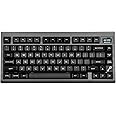
The EPOMAKER TH80 PRO V2 is a premium 75% mechanical keyboard featuring a 1.14-inch customizable RGB screen, triple-mode connectivity (USB-C, 2.4GHz, Bluetooth 5.0), and fully VIA programmable hot-swappable keys. Its gasket-mounted design ensures tactile precision and comfort, making it ideal for gamers and professionals seeking a compact, versatile, and highly customizable keyboard experience.


J**J
Gray gimmicks and THOC
Like the price, the gimmicks, the THOC feeling. Although a better software and support for it online would be appreciated
E**A
Excelente producto para su precio
Excelente producto, el mejor teclado que he tenido hasta ahora.El cuerpo es de plástico y la pintura se desgasta con el transporte continuo, pero por el precio está excelente!
D**E
Mostly perfect
Pros:- Functional- great feel when typing- love the screen- love the semi via support (read the bottom)- love the priceCons- the keys are not my favorite, the top of the keys are indented significantly. It’s a bit uncomfortable but still very useable.- via support isn’t complete, read below. This is the only reason I took off a star. Everything else is just preference or stuff that is obviously listed in the description. I hate reading reviews of stuff, taking points off for something they should have seen. Like taking a star off of a wired keyboard for not having Bluetooth. “Facepalm”- I wish the screen software was available for Mac. If you want to set the time or the screen on the keyboard you need a pc.Via:For those of you that do not know. Via is a software that allows you to remap keys and macros to a keyboard. One issue I had is that when I would add a second macro, the first one would reset. The trick to getting it to work is to add all the macros you want and then save it to the keyboard. This took me a frustratingly long time to figure out. Another thing that is missing is the ability to add a mod - tap function on this board. I was able to do it with a keychron keyboard as well as with a nuphy board. Mod tap is referring to the ability to have a key act as a modifier (function layer) when held down and as a different key completely when tapped. For example I have tab set up as a tab when tapped but as ⌘ + shift when held down. Not possible with this keyboard. Only Epomaker keyboard that worked is the new tide series
G**N
Best keyboard I’ve ever had 😭
The media could not be loaded. First off I should say I’m not knowledgeable on keyboards, never modded any and don’t understand a good bit of what people are talking about in their reviews so don’t expect that from me lol.However! I’ve had this for about a week and a half now and I’m so obsessed with it I’m writing my first ever review on it lmaoThis keyboard feels sooo good to type on I literally will take any excuse to use it over my laptop and when I’m at school all I can think about when using their computers is how I wish I had this keyboard with me instead 😭Before this keyboard I only ever bought whatever was affordable and pretty much have had the same keyboard throughout the entire time I’ve owned my current computer. Last year though the ac unit over my desk unexpectedly leaked all over my monitor and keyboard while I wasn’t home 🥲 my keyboard had survived (or so I thought) until recently when it started acting up on me and I really needed it for my work.I was actually gonna buy a different, cheaper keyboard from this company but prime day came and this one ended up only being $10 more than the other one I’d looked at so I went for it. I don’t regret it at all!! I got the sea salt silent caps, it feels and sounds great, plus the little screen lets me put cute stuff on it and it’s so cute. Not completely silent but I like the soft sound it makes, it’s a bit quieter than the video makes it seem.It was a little confusing as someone who’s never modded a keyboard, but after following a tutorial online I figured out how to add pics and gifs. Not sure how more knowledgeable people feel about the keyboard quality at its original price point, but I can definitely say I’m happy with spending the $70 I did on it.
K**E
Marbly keyboard!
Love this keyboard. The double gasket is very interesting, especially with different linears. I tried flamingos, cocoa cream v2s, and of course the wisteria linears. I don’t yet have a retro inspired keeb, so this was a good addition. The TV is a nice touch as well.
D**L
Epomaker TH80 Pro V2
Very well built budget keyboard. I love my EPOMAKER, adds personality to my setup and overall feels great to type on. Easily customizable and love the Tenkeyless layout.
M**M
It’s not too bad for 50% off
I have written so many reviews for these budget keyboards that I think I have enough data to know when something’s worth the buy or not.First off let me say that the retro styling is the best part about this board. The TFT screens seem like afterthoughts on almost off of these boards and the fact this one stated it’s giving you an “edge” in your gaming is such dog water. It’s a gimmick, end of story.The build quality is okay, the weight is light and the body is pretty stiff as well as the gasket mounting. It feels really good to type on but due to a low 500Hz polling rate EVEN WHEN WIRED does not make this ideal for heavy gaming. The Wisteria V1 is not as nice as the V2 so I swapped them and now it’s a very good sounding type wise. It does struggle with shine through caps which are my favorite but I won’t be using those with this board due to low brightness.The fact that this costed $99 at full price is garbage and it went down to 50% off with a coupon makes this more worth your time and money.If you want a good typing keyboard with some bells and whistles and VIA support go for it. But don’t use this for gaming, get an F75 instead. Also ALL of the software is still dog water, even VIA and I heard it was good but this board falls short in too many ways for me to indefinitely recommend it.
I**S
Very much liked it
This is my first keyboard. I like the feel and sound of typing on this, it is also great that you can customise the little screen as your liking. Instruction manual is helpful to a point for configuring VIA, but the videos in the product description helped me finish the configuration
TrustPilot
vor 3 Tagen
vor 2 Wochen