We remain fully operational. Our teams are working around the clock to ensure your deliveries continue safely.

Laden Sie die App herunter


Kundendienst
Copyright © 2025 Desertcart Holdings Limited
Laden Sie die App herunter


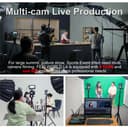

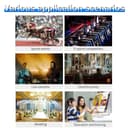


🎥 Elevate Your Live Stream Game — Switch Like a Pro, Stay Cool, and Never Miss a Beat!
The Feelworld L4 Switcher is a robust 10.1-inch touchscreen multi-camera video mixer designed for professional live streaming. Featuring 4 HDMI and 1 SDI inputs, built-in cooling, 13 transition effects, and app-based remote control, it delivers seamless multi-source switching with broadcast-quality features. Its durable aluminum body and intuitive interface make it ideal for millennial managers seeking reliable, high-performance video production tools.


| ASIN | B0CX8F9V91 |
| Best Sellers Rank | #1,135 in Audio & Video Selector Boxes |
| Brand | FEELWORLD |
| Cable Type | HDMI, USB |
| Color | Black |
| Compatible Devices | Desktop, Headphone, Laptop, Monitor, Television |
| Connector Type Used on Cable | HDMI, USB Type-A |
| Customer Reviews | 4.6 4.6 out of 5 stars (12) |
| Manufacturer | FEELWORLD |
| Number of Ports | 7 |
| Warranty Description | one year warranty |
F**S
Finally, Feelworld Gets It Right!
The initial previews of this device where pretty badass! But I waited to buy it cause I didn't see anyone reviewing the product. I waited still no reviews. I wasn't jumping to buy it, cause the first two Feelworld video switchers L1 and L2 were awesome designs but mechanically flawed. Over heating and fan issues plagued my L1 and L2's, making them unusable. So I was skeptical, besides the cool new design. Finally, I just decided to bite the bullet and take another chance! And so far so good! Heat is under control and no loud fan. Love the giant touch screen. It basically replaced my old switcher and multi view monitor. Very simple to use. Hopefully I have no tech issues a few weeks from now, but so far this is a winner! Update 9 Months Later: Still love it and performing great. By this time, with the L1 and L2, those switchers had already crapped out. This L4 still working as it did the first day. Great value for the cost.
A**E
Un buen dispositivo para empezar a realizar streaming a pequeña escala, aunque con mejores equipos probablemente se pueda subir mucho mas de nivel
J**K
Make sure to use the Blue USB to USB 3.0 Cable.
Make sure to use the Blue USB to USB 3.0 Cable to connect to a USB Hub before connecting it to your computer. That's how I got my MacBook pro to work with it. The USB to USB 3.0 cable and USB hub were the key.
F**X
Este equipo lo unico que te evitara es tener que usar tarjetas capturadoras de video pero las demas funciones las puedes hacer utilizando OBS Studio o Wirecast.
H**O
Me gusta en tamaño de la pantalla hubiera sido excelente e impresionante si tuviera controlado de cámaras ptz espero que se pueda actualizar más adelante🤞🏻
TrustPilot
vor 3 Wochen
vor 2 Wochen