
Laden Sie die App herunter


Kundendienst
Copyright © 2025 Desertcart Holdings Limited
Laden Sie die App herunter
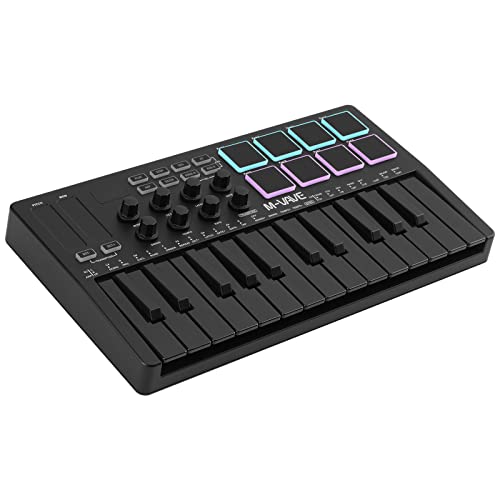
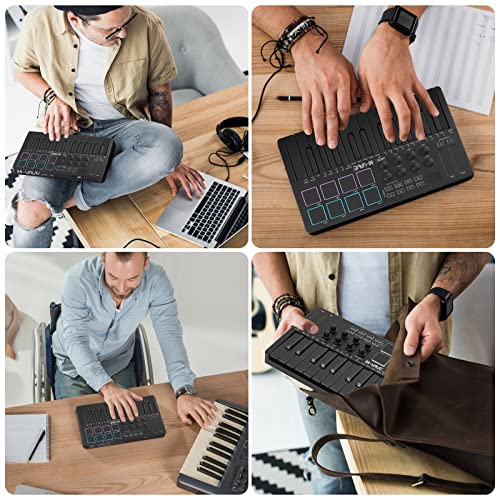

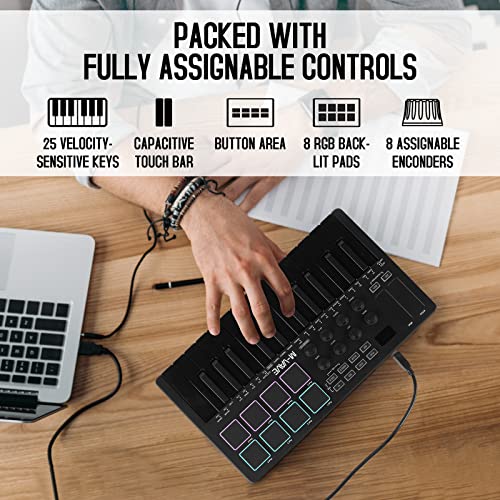


🎶 Elevate your beats wirelessly — the studio goes where you go!
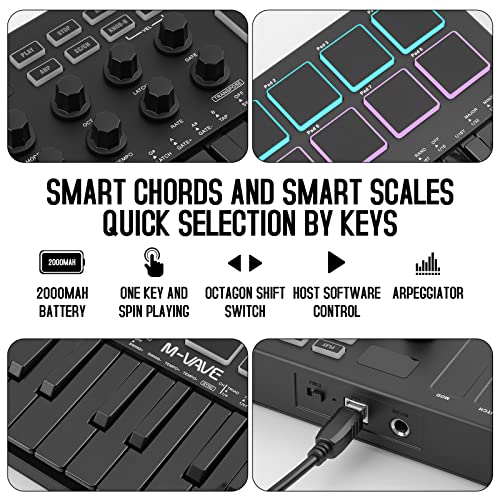
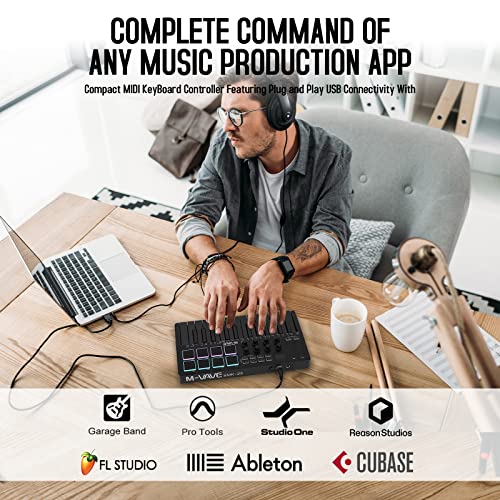
The M-Wave K5 is a professional 25-key USB MIDI keyboard controller featuring semi-weighted velocity-sensitive keys, 8 RGB backlit drum pads, and 8 assignable infinite rotary knobs. It offers wireless Bluetooth connectivity powered by a 2,000 mAh battery with up to 16 hours of use, making it ultra-portable for music production anywhere. Compatible with Windows, Mac, Android, and iOS, it supports all major DAWs and includes smart chord and scale functions to enhance creativity and performance.

| ASIN | B0B66SX286 |
| Batteries | 1 Lithium Polymer batteries required. |
| Colour | Black |
| Compatible Devices | Android, Mac OS, Windows, iOS |
| Connector | 1/4-Inch Stereo, Bluetooth |
| Customer Reviews | 4.4 4.4 out of 5 stars (620) |
| Date First Available | 7 November 2023 |
| Generic Name | MIDI Controllers |
| Hardware Interface | USB |
| Hardware Platform | Multi-platform |
| Included Components | Software, Warranty |
| Instrument Key | Any |
| Item Dimensions LxWxH | 17.8 x 32 x 4.6 Centimeters |
| Item Weight | 1 kg 70 g |
| Item model number | K5 |
| Manufacturer | M-WAVE |
| Musical Style | Electronic |
| Number of Keyboard Keys | 25 |
| Product Dimensions | 17.78 x 32 x 4.57 cm; 1.07 kg |
| Supported Software | Ableton live,Fl Studio,Cubase,Logic Pro X,Bitwig,Reason,Studio One,GarageBand(iOS) |
C**O
One key not working
E**Z
Adiós Akai, adiós Novation, adiós Arturia… Ninguno de esos controlcitos de 2000-3500 pesos le llegan si quiera a los talones a este; PERO HAY QUE TENER CUIDADO… lo malo de los productos de este tipo (creo que “Chino” o bueno, de uno de los “dragones” pues), es que muy seguido vienen pésimamente documentados y encontrar dicha documentación es prácticamente imposible (porque los venden con 50 nombres distintos jajajaja). En fin, existe en estas opiniones un comentario sumamente extenso que da prácticamente todos los tips que necesitas para darte cuenta de que SÍ, es MUCHO MEJOR aparto que cualquiera de las otras marcas. Además de lo obvio (tiene Bluetooth, tiene batería… y los “pros” no tienen nada en comparación a esto), es el ÚNICO control que conozco que tiene una aplicación en iOS para realizar la modificación de la configuración de perfiles. Por si esto fuese poco, a diferencia de “los pros”, las perillas de este control SÍ son verdaderamente “infinitas”: Muy seguido (HMMM AKAI ARTURIA?) le ponen “knobs” infinitos (perillas), pero el maldito software no los utiliza 😂 —> es decir que las perillas en hardware giran infinitamente pero los midi CC que envían son “capeados” y no “relativos”. Es decir que cuando uno los mueve izquierda o derecha “cambian de 0 a 127” de manera continua en vez de dar simplemente un mensaje de “incremento” o “decremento” (que es como deberían de funcionar las perillas infinitas). Gracias a esto, puedo asignar un canal midi a cada “preset” del control, cambiar mis perillas al modo CW en vez de CC (SUMAMENTE IMPORTANTE SINO TUS PERILLAS ACTUARÁN COMO LAS TONTERÍAS QUE OFRECEN “los pros”), y con estas perillas relativas controlar hasta 8 parámetros distintos POR SYNTH! Y puedo controlar 8 synths en paralelo (dado el número de presets). En fin, estuve apunto de devolverlo y quejarme de esto de las perillas “infinitas” que según yo este aparato TAMPOCO tenía (arturia y Akai las tienen físicamente, repito, pero en términos de hardware el controlador midi no las utiliza como tal 😂), pero gracias al comentario que recomendó la aplicación esta “CubeSuite”, ahora tengo el mejor controlador de todos (especialmente porque además es Bluetooth y todo ese rollo previamente mencionado antes de la belleza de las perillas y el software asociado a este controlador). Toda una joya -> mi pianito favorito y tengo / he probado MUCHOS.
T**Y
I bought this because I wanted a battery powered wireless controller with bluetooth midi. Basically, something I can stuff in my backpack along with a few other battery powered synths/grooveboxes and have a nice small keyboard on the go. This was one of the few options I found and it is by far the smallest (unless you get into devices that don't have actual keybeds). Shockingly, it's also one of the lowest cost. It is pretty powerful right off the bat, connecting immediately to my other bluetooth midi devices (CME adapters) with no effort. It worked immediately. I got a bit frustrated at first because the manual is terrible and there was no obvious way to switch MIDI channels -- I was stuck on channel 1. Well, I did some research online and found that there is a companion software "MidiSuite." The M-VAVE website doesn't support SSL (in the year 2024) so it looks sketchy as hell, but it's fine. And it's powerful. You can reconfigure every single aspect of the entire device. Every pad, knob, and button can be reconfigured in any way you want, on any midi channel you want. You can then store these configurations in 8 presets on the device, or any number more on your computer. So there you can see there's a potential issue. You could use 8 presets and set up 8 different MIDI channels if you just assign them all to the same channel. But then the other 8 you can't do anything with (if you need to). Well, if this was a more expensive controller, I'd be more upset, but it's cheap. So it's fine. So basically, if you think the configuration options are lacking, download the companion software, it will unlock a lot more. This is at its heard a bluetooth midi controller and it connects, as I stated earlier, effortlessly to other class compliant bluetooth midi devices. But you may want to use this controller in other ways. You can connect the USB to the computer (it has a USB 1.0/2.0 USB-B connector type -- the old "printer" connectors -- instead of a more modern USB-C, but whatever). When connected to the computer, it will act as any other MIDI device and can be easily routed into your DAW. It also has a way to use the footswitch jack as MIDI out. I don't completely understand how that works because, again, the manual is terrible. But I'm guessing it's similar to the 3.5mm MIDI standard, just coming out of a 1/4" jack size. So that would mean you'd need a 1/4" to 3.5mm (1/8") adapter, which are easy to come by. Again, I'm just guessing, I haven't tried it yet. Also, in this mode you lose the footswitch, but it does allow MIDI out without having to use wireless or USB. Hardware wise, the keybed is alright. Not the best, not the worst. Just fine for the price. Velocity sensitive (and you can configure curves and upper/lower limits in the software). The pads feel great and have velocity and aftertouch. The touchpad pitch and mod "wheels" feel terrific. They are perfectly sensitive and accurate. They feel just as good as my Arturia and ASM keyboard touchpads. The knobs are endless encoders, so there is no "jump" when you switch patches. They have a nice resistance so feel very precise when turning them. They send single CC steps unlike some other controllers that step in 2 (ahem Korg ahem). The transport buttons by default support MCP (as well as the second layer of pads), which was a bit of a surprise feature. I don't really use MCP anywhere, but I know others that do. You can control many DAW transport functions by mapping those. I remapped them all to MIDI notes or CCs in pushbutton/toggle mode. The display is just a 3 digit 7-segment display, like you see in a lot of Roland gear these days. Very little information is presented, but it does tell you at a glance which preset you are on, the current CC value, etc. Again, this thing is cheap so I can't complain. All in all, this thing is a beast for the price and rivals much more expensive options in some ways. But, don't expect it to do *everything* a more expensive controller would do, it is a low cost option and probably will never have a software or firmware update ever and the company might disappear in a couple years (or not, M-VAVE has lasted longer than a lot of others so far). All in all, glad I bought it. One last thing, the Amazon listing is wrong, the company name is M-VAVE, not M-WAVE.
B**C
I'm very pleased with this unit. The controls feel good, it's solidly built enough that I can carry it around in my laptop case, wireless connectivity is great, and the ability to customize the pad colors and input settings via app is nice (though I had to watch a YouTube tutorial to realize that the keyboard has to be plugged in to use the app). Not inexpensive, but well worth it in my opinion.
E**N
The board itself is great bang for your buck, however..... The software to edit the board is tough to find. I found it with a link from a u-tube video. Typing in the product name in a search engine does NOT lead you to the product manufacturer. You can find it at cuvave.com/xznr The editor is part of something called the cubesuite. It does not load properly with Mac OS 10.15. The editor software does not recognize the unit. It works fine on my Android phone but not on the machine I use for music production. The board works fine with my Mac. Bluetooth recognizes it through Audio Midi setup. It is functional for sitting on the couch and noodling around, but the editor doesn't work. They need to update the software. All in all it is a great value for a cordless, rechargeable midi controller. I wish some of the big name players in the midi controller business would offer Bluetooth and rechargeable batteries, but no one has come around yet. If you're reading this - Arturia-Novation-M Audio-Akai-Native Instruments - step up and join the cordless, Li-ion world. Your products are great but I don't want a widi dongle and batteries to change. I don't care how many cool features your keyboards have. The review would have been 5 stars if the editor software worked with newer/current Mac OS.
TrustPilot
vor 2 Monaten
vor 2 Monaten