We remain fully operational. Our teams are working around the clock to ensure your deliveries continue safely.

Laden Sie die App herunter


Kundendienst
Copyright © 2025 Desertcart Holdings Limited
Laden Sie die App herunter


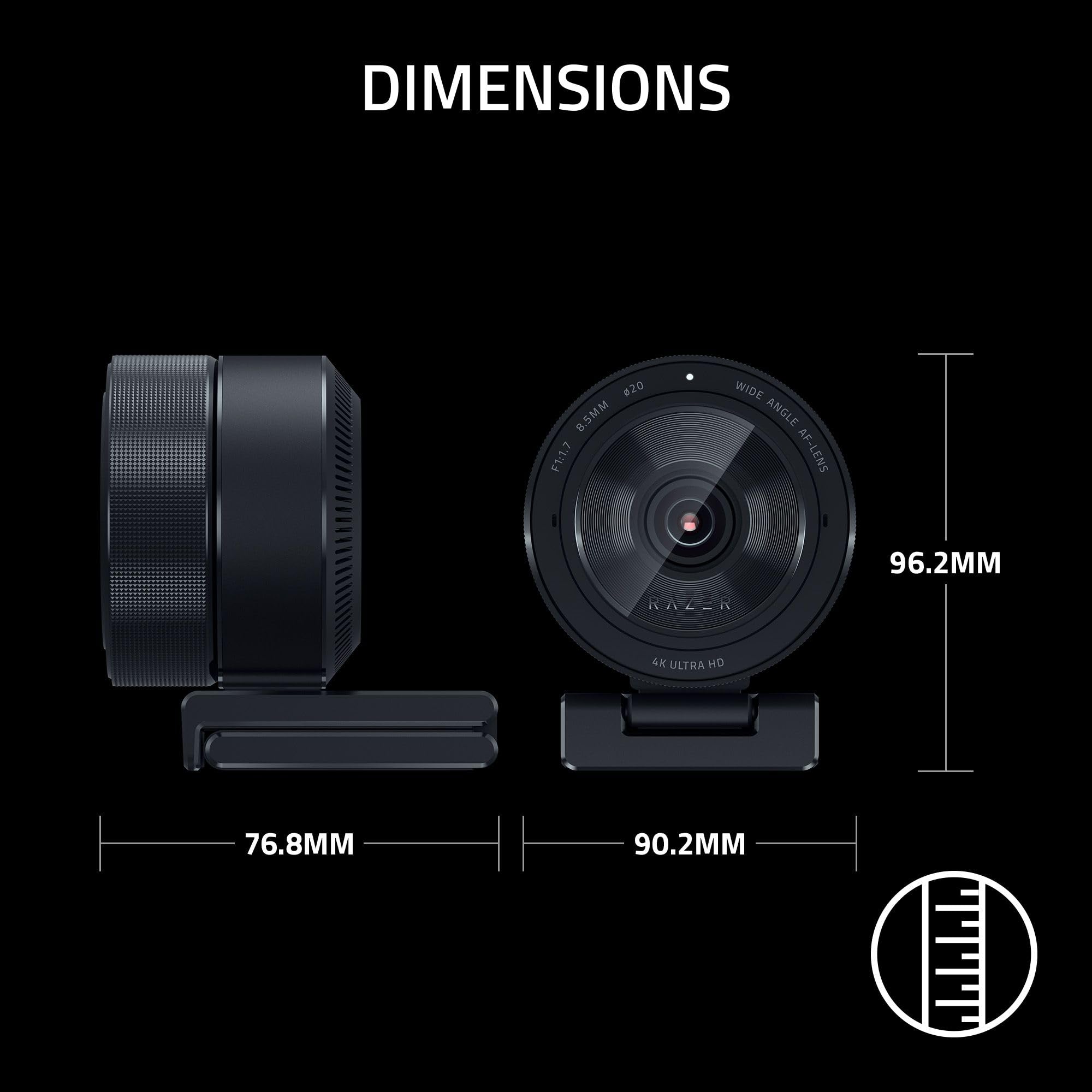
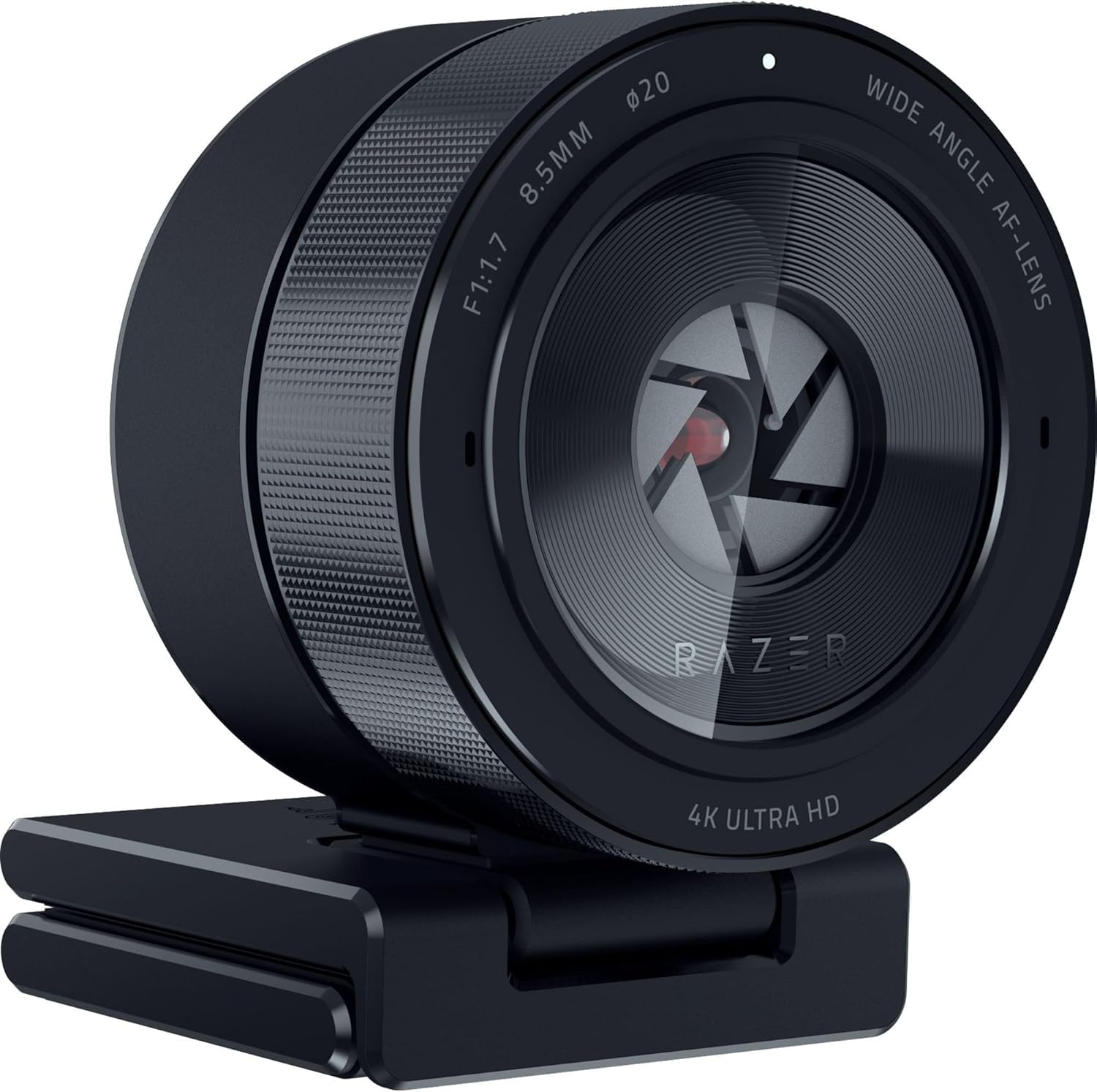
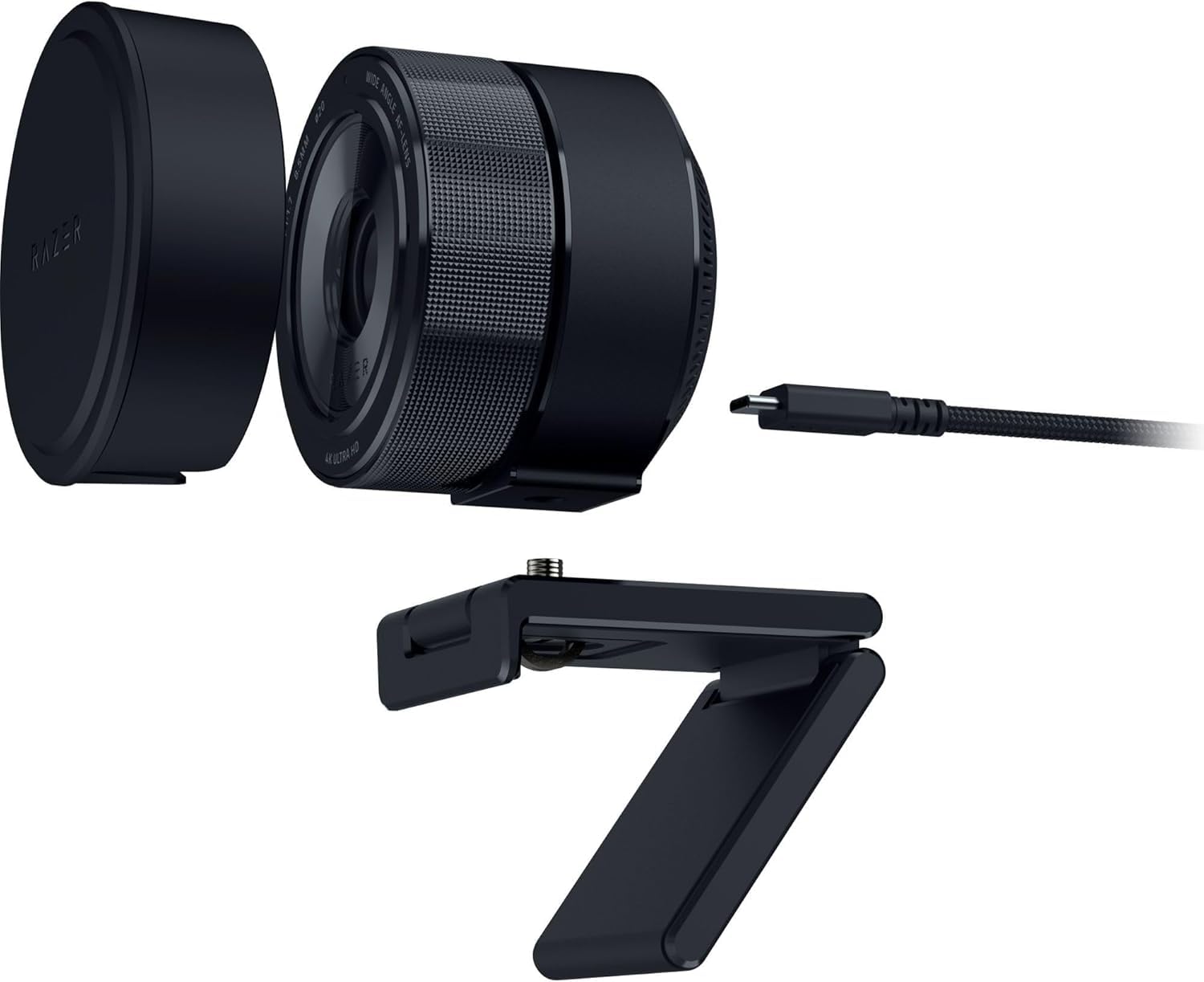
🎥 Elevate your stream game with pro-grade 4K clarity and AI smarts!
The Razer Kiyo Pro Ultra is a cutting-edge 4K webcam featuring Sony STARVIS 2 technology and a large 1/1.7-inch CMOS sensor with 2.9μm pixels for exceptional low-light capture. It supports UltraHD 4K at 30FPS and 1080p at 60FPS, enhanced by AI autofocus and advanced face tracking. Designed for effortless plug-and-play use on MacOS and Windows, it offers DSLR-like image quality with an f/1.7 aperture lens for natural bokeh effects, making it ideal for professional content creators and streamers seeking vivid, lifelike video performance.


| ASIN | B0CSZ5FMZZ |
| Antenna Location | Indoor, Meeting, Streaming, office |
| Are Batteries Included? | No |
| Best Sellers Rank | 2,744 in Computers & Accessories ( See Top 100 in Computers & Accessories ) 23 in Webcams |
| Box Contents | Kiyo Pro Ultra, USB cable |
| Brand | Razer |
| Brand Name | Razer |
| Camcorder Type | Webcam |
| Colour | Black |
| Compatible Devices | Laptop, Personal Computer |
| Customer Reviews | 4.2 out of 5 stars 9,876 Reviews |
| Digital Zoom | 4 x |
| Effective Still Resolution | 2.1 MP |
| Effective Video Resolution | 3840 Pixels |
| Exposure Control Type | Automatic, Manual |
| File Format | 4K |
| Flash Memory Bus Interface Type | UHS-I |
| Flash Memory Speed Class | UHS Speed Class 3 o superior |
| Flash Memory Type | Internal Flash Memory |
| Flash Memory UHS Speed Class | 3 |
| Flash Memory Video Speed Class | V90 |
| Flash memory type | Internal Flash Memory |
| Focus Type | Auto Focus |
| Form Factor | Compact |
| Has Image Stabilization | No |
| Image Aspect Ratio | 16:9 |
| Image Capture Speed | 30 fps, 60 fps |
| Image Stabilization Type | Digital |
| Item Dimensions D x W x H | 9.6D x 7.7W x 8.8H centimetres |
| Item Weight | 332 Grams |
| Lens Type | Zoom |
| Log Gamma Curve | Yes |
| Manufacturer | Razer |
| Maximum Aperture | 250 Millimetres |
| Maximum Display Resolution | UHD |
| Maximum Focal Length | 2000 Millimeters |
| Maximum aperture | 250 Millimetres |
| Maximum focal length | 2000 Millimeters |
| Minimum Aperture | 1.7 f |
| Minimum Focal Length | 20 Millimeters |
| Model Name | Kiyo Pro Ultra |
| Model Number | RZ19-04420100-R3M1 |
| Network Connectivity Technology | USB |
| Operating System | MacOS, Windows |
| Optical Sensor Size | 1/1.7-inch |
| Photo sensor technology | CMOS |
| Product Features | Built-In Light, Face Detection, Low Light |
| Screen Size | 3 Inches |
| Sensor Type | CMOS |
| Shooting Modes | [EST] Portrait, Landscape, Sports, Low Light |
| Style Name | Kiyo Pro Ultra |
| Supported Audio Format | MP3, WAV |
| Supported Image Format | JPEG, PNG |
| Video Capture Format | MP4 |
| Video Capture Resolution | 1080p, 4K |
| Video capture resolution | 1080p , 4K |
| Viewing Angle | 72 Degrees |
| Water Resistance Level | Not Water Resistant |
| White Balance Settings | Auto |
| Zoom | Digital |
H**N
Sound and autofocus not great, but otherwise it's the best webcam right now.
I was a little unsure about the Kiyo Ultra from reading reviews, some quoting needing an account login to use the camera interface, but when I got it, it worked perfectly as a plug-and-play camera straight in OBS, which is what I will be using 99% of the time anyway, and for the slightly more fine control of the Razer interface software, no login was required. It's not goin to be my go-to camera for web chatting since the sound quality leaves something to be desired (I might use it as a camera but get the sound with something else), but for video and still image quality, it's almost as good as the Panasonic FZ1000 it replaces in my home setup, but with the added convenience of being smaller (thus also fitting on a simple gooseneck mount), and being a webcam I can simply just plug into my computer without a capture card. And it's no wonder that it is, considering its 1"/1.2 sensor is only a tiny bit smaller than the 1" sensor of the FZ1000, but with the added advantage of a fixed focal length lens. So, the two only real caveats I have for this camera, which may or may not be important to you: the built-in microphone isn't great, and autofocus isn't anything to brag about either. I always use manual focus when recording with webcams as no webcams I've used are great in that department, but it is more noticeable with the longer focus throw and fuzzier out-of-focus area of the large-sensor Kiyo Ultra.
V**T
great quality
picture is clear the quality is durable, great value for money, the mount options seems very well made sturdy, the privacy cap is brilliant
P**L
Elevating My Streaming and Content Creation
As someone deeply invested in the world of streaming and content creation, the Razer Kiyo Pro has become an essential part of my setup. Let me take you through my experience with this impressive webcam: 1. Stunning Visuals: The Kiyo Pro's standout feature is its breathtaking video quality. Streaming at 1080p and 60 FPS, it produces crystal-clear, buttery-smooth visuals. Whether I'm streaming gameplay or recording videos, the image quality is consistently top-notch. 2. One of the Kiyo Pro's superpowers is its low-light performance. It handles challenging lighting situations with ease, thanks to its adaptive light sensor and snappy autofocus. Even when I'm in a dimly lit room, the Kiyo Pro manages to make me look like a pro. 3. The ability to adjust the field of view is a game-changer. I can easily switch between a narrow focus and a wide-angle shot, adapting to the content I'm creating. It's like having a camera crew in a tiny device. 4. Razer's reputation for quality shines through in the Kiyo Pro's construction. It feels solid and dependable, with a sturdy clip that securely attaches to my monitor. It's clear they've put thought into the design. 5. Although it lacks the original Kiyo's ring light, the Kiyo Pro compensates with software-based lighting control via Razer Synapse. This level of customization lets me achieve the perfect lighting setup for my streams and videos. Cons: 1. The Kiyo Pro doesn't come cheap. It's an investment, and while the quality justifies the cost for serious content creators, it might be a bit steep for those on a tight budget. 2. Some, including myself, might miss the built-in ring light from the original Kiyo. It offered quick and easy control over lighting conditions, which could be a plus for those without additional lighting equipment. In conclusion, the Razer Kiyo Pro has elevated my streaming and content creation. Its remarkable visual quality, low-light capabilities, and versatile framing options make it an invaluable tool for content creators. While it's not the most budget-friendly option out there and lacks the original Kiyo's ring light, the Kiyo Pro's overall performance and build quality make it a strong contender in the webcam market. It's a worthwhile investment if you're serious about your online presence and want to look your best on camera.
S**S
Not good on Mac
This review is for Mac users only. I do not know if the issues I have replicate on Windows based machines. Unlike windows based machines, there are no drivers or apps for a mac to adjust settings like FPS. I took my chances as the unit has excellent reviews: 1. Pro's - Solid unit, great quality feel - Excellent image and colour balancing - a step up from standard MacBook Pro webcam, except as below :-( - Decent auto focus 2. Cons (for Mac users) - No software or apps for Mac OSX to upgrade firmware or adjust settings on camera - Possibly due to no app, image is fuzzy on straight lines, like a set of drawers or dark eyeglass rims. See attached photo, zoomed in. Extremely irritating to have fuzzy lines around eyeglass rims and furniture items with straight lines, like drawers. This effect is less pronounced on Zoom and FaceTime but truly awful on Teams (image shown) which is what I use for work 90% of the time. Unfortunately had to return as a result.
W**S
Fantastic Camera
Incredibly good camera. Minus the requirement for USB-3 for a smooth capture, which I really can't fault it for, it's a perfect camera for the price, with great clarity in colour and overall quality.
A**X
Horrendous picture quality
I had really high hopes for this item. Having read the glowing reviews left recently. I was aware there were some poor reviews about 18 months ago, but they mainly seemed to be chalked up to software and I thought I would take my chances. I’m plugging the camera in nothing happened. I disconnected and reconnected and was then prompted to install the accompanying software. When that finished it then prompted me to install some firmware. it tries to sell you a bunch of other downloads on the way. Once installed, I managed to open the Camera app and the settings for the camera are easy to access and self-explanatory. I was disappointed initially with the quality of the picture shown in the preview window inside the razor software, but assumed that the preview window was probably running at a lower resolution. I then hopped over to OBS studio, which is what I use my other WebCams with and adjusted some settings further to make use of the apparent 1080p 60 FPS! I’m familiar with how to use WebCams how to use OBS studio et cetera so no perfectly well what I’m doing on this score. No amount of settings or adjustments for any attribute, rendered a good quality picture. It was grainy, staggered and actually worse than my laptops own, rather poor in built WebCam. My old on its last legs wide angle WebCam that I purchased on Amazon three years ago for £29 exponentially crisper. I literally now have no idea how they’re able to market this product as an HD camera. Also the wide angle which it states is up to 90° is still narrower than the wide angle of my old camera, which is only 70°. I’m returning this for a full refund. It is absolutely not fit for purpose in any way, shape or form.
M**8
Nice features, but too many issues for the price
The Razer Kiyo Pro is a decent camera in terms of image quality. The video quality itself is good, the face tracking works well, and the autofocus is also solid. Those are definitely the positives, and when it works properly, it looks great. However, for me, the negatives unfortunately outweigh the positives. The biggest issue is that it keeps disconnecting. If I use something like NVIDIA Broadcast to set up the camera with background blur, the camera suddenly can’t be located. The same thing happens in Windows camera settings, Google (for Zoom), and in OBS. When this happens, the only way to fix it is to physically unplug the camera and plug it back in again. This happens most often after my computer has been shut down and turned back on, but it also happens randomly while the computer is already on, which makes it feel very unreliable. I don’t want to constantly get up and unplug and replug the cable, especially because I don’t want to mess with the camera positioning every time. The mount itself is actually a bonus. It’s very easy to place on top of the monitor. But because the cable plugs directly into the back of the camera, having to keep pulling it out to get the computer to recognise it again gets very annoying very quickly, as you can't do it without adjusting it. What makes this more concerning is that my partner has also tried this camera on his desktop and laptop, and the exact same issues occur. So it’s not just my setup. I’ve also seen many other people mention this problem, which makes it seem like a wider issue. I even tried buying a replacement. The price had gone up from around £90 to £120 (not sure if I bought it on discount the first time), and the replacement has the exact same problems. So this has now happened with two different Razer Kiyo Pro cameras for me. If you don’t experience these disconnecting issues, then it is a good camera for the price. But given how often this happens for me, it’s a major fault to be aware of. Because of that, I can only give it three stars. Just something to bear in mind before buying, as it may not affect everyone, but it has been a consistent issue in my case.
C**Z
Best I’ve had and I’ve had a few.
Ok, as most users are streamers and more so now normal home users. I know it’s a bit pricey, and I’m guessing most of you will be stepping up from the great stalwart and dam good Logitechs. So let me start by the pros, this thing is sturdy, you could break walls with this thing, that a great feature, withstands some abuse. But here are the best things , for one it saves it’s settings once added, meaning no more messing about with settings everytime we stream. It’s even got HDR tbh I’d steer clear of this, yes it gives a slightly better picture, but it can take up too many resources for average set ups. It also has its own Razor software, we’re you make all your adjustments and save them, you can even make profiles. I have 2, one for daytime and one for night, as lighting is so important. Talking of light, the quality of this camera in dark environments is fantastic. It also has a plastic lense cover , so if your setup is permanent this comes in handy to just clip over the top. So once you set up in its software, you then add it to wherever your using, I stream so it’s OBS, again works great, you can make small changes if you like, such as green screen tweaks, colour, lighting and the like. Only one con really, and that’s the auto focus, as is usual in all these types of camera, just a pain, highly recommend turning off, and using the main manual focus slider in the software if you have a regular spot you use it from. Overall an excellent and in my opinion best can out there, you won’t regret this purchase. I use mine on twitch streaming with my “same name” if you’d like to take a look at the quality. It’s a brilliant top quality camera, highly recommended.
TrustPilot
vor 2 Tagen
vor 3 Wochen