We remain fully operational. Our teams are working around the clock to ensure your deliveries continue safely.

Laden Sie die App herunter


Kundendienst
Copyright © 2025 Desertcart Holdings Limited
Laden Sie die App herunter


🔥 Stay cool, stay ahead — your PC’s ultimate sidekick!
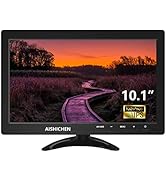
The 8.8 Inch PC Temperature Display is a high-resolution (1920x480) IPS mini screen designed as a secondary monitor for real-time system monitoring. Powered via USB (5V) and compatible with multiple OS including Windows and macOS, it offers customizable themes, multi-metric tracking (CPU, GPU, RAM, network speed, weather), and adjustable brightness for eye comfort. Ideal for professionals and gamers seeking a sleek, functional upgrade to their desktop setup.






| ASIN | B0BZ42RTMR |
| Aspect Ratio | 16:9 |
| Best Sellers Rank | #21,344 in Electronics ( See Top 100 in Electronics ) #559 in Computer Monitors |
| Customer Reviews | 3.4 3.4 out of 5 stars (63) |
| Date First Available | March 21, 2023 |
| Image brightness | 400 Candela |
| Item Weight | 3.52 ounces |
| Item model number | 8.8-No Touch |
| Manufacturer | AISHICHEN |
| Product Dimensions | 9.87 x 7.87 x 2.76 inches |
| Resolution | 1920 x 480 |
| Standing screen display size | 8.8 Inches |
| Total Usb Ports | 1 |
| Voltage | 5 Volts |
A**O
Great screen with very high PPI
This screen delivered everything I hoped it would. It fits perfectly in the space below my monitor. I use it as a sensor panel to track temps, fan speeds, water pump RPM, in-game FPS, etc. It's very vibrant, which is great during the day. However, I don't see any way to turn down the brightness during the evening. I have noticed on a completely back background, there is unevenness in the backlighting of the LCD producing a halo around the edges. Otherwise, the casing is very solid and sturdy. Included cables worked fine, but I did replace them with a 90-degree usb cable and a mini-HDMI to DisplayPort cable for my specific needs. It has a very high pixel density. When I move a window from my main monitor to it, they shrink down and have still have amazing detail due to the PPI. The final seal of approval is that my non-techie wife loves how cool it looks!
M**L
Doesn’t last. Too expensive for such poor quality.
Lasted less than 10 months. Just died out of nowhere today.
R**L
Great sensor panel for pc
Well it does what it advertises. It's a small display. It's pretty slim and lightweight so you could mount this to anything really. The only downside is the brightness control is a very tiny hole in the back. It comes with like a Sim card ejection tool in the bag with the wires that you have to poke through the hole to press a button to change the brightness. Why not just put a button I can press on the side or something?? Besides that it works good and the viewing angles are spectacular with the IPS display.
C**L
Decent Screen, Misleading Imagery
The screen itself is sharp and works well, though the images depicting the mounting holes are misleading. In the gallery, it shows and states that a Raspberry Pi can be mounted to the rear, assumedly without additional effort. Then, in the description, it shows a VESA 75/50 plate on the back of the unit. Neither of these depictions is completely accurate. The actual hole spacing is 75x50. Sure, two of the screw holes will [almost] fit an RPi's spacing, but the holes in the rear of the display are M4 size , which are much too large for a Raspberry Pi's mounting holes. These aren't huge issues by any means, but annoying for people trying to source turn-key components. I don't mind drafting mounts, but the seller/manufacturer really should take care to depict the product accurately. The last issue is brightness control. Rather than it using a simple potentiometer or the like, it uses hard coded brightness levels that need to be adjusted from the rear of the display with a paperclip. There's no label of what the hole is, so if you've thrown away the packaging like I did, because "iT's JuSt A dIsPlaY", note that if you want to adjust brightness, it needs to be done prior to mounting. From a usability standpoint, it should have at least been on the same face as the connectivity ports, but it's not.
R**.
I love this display!
I use this secondary display as a PC sensor display. It was a perfect fit and performs flawlessly! Great build quality with a bright and clear image. No dead pixels or any other flaws. This quality for this price is an incredible bargain. Comes with a HDMI and USB cable so it can be used immediately. Be aware that this display uses Mini HDMI and Micro USB ports. HIGHLY RECOMMENDED!
A**E
Bad Product, Breaks after 1 month of use
Stops Working after a month of use. Don't buy this.
C**N
Work great but...
It looks great and did the job well, HOWEVER, and it's a big however, after about a year of having it in my system, games started to stutter randomly when they didn't used to and new games became quite unstable even outright crashing for seemingly no reason. After much troubleshooting I got fed up and decided to disconnect this little display and lo-and behold. No more stutter. No more crashes. I can't say with 100% confidence that this display is at fault, but it was the ok only thing I didn't plug back in and the stuttering is gone.
C**E
You get what you paid for
The picture is really clear with high brightness. Although some of the specs are kind of overkill for a sensor panel monitor. The peak brightness and refresh rate doesn't make sense for its use unless it would be used for other purposes aside from being a sensor panel. But that is unlikely because of the screen size. Would have been better if they put max brightness to around 200-250cd and 30hz to save a few dollars off the item. Screen wide, I expected it to be a little bit bigger. If I knew, I would've gotten their 12.6" screen. You might want to check how big you want your screen to be Specs aside, they also put screw holes on the back side in which I think is intended for mounting to an arm however, you will have a hard time finding a mount on this one as it is not standard 75x75, so a phone holder will do. I expected a stand as an accessory just like with other competitors which is fine with me as I ordered an arm to mount this screen later on, you won't expect this item to hold on its own so it's almost automatic you'll get either a stand or an arm for this guy.
S**Y
Its a solid screen no issues except the cable i got was not a mini hdmi to hdmi. I got a standard hdmi you would use on a tv or graphics card. Having to buy a proper cable to replace the one i had to use from my camera.
TrustPilot
vor 3 Wochen
vor 2 Monaten