We remain fully operational. Our teams are working around the clock to ensure your deliveries continue safely.

Laden Sie die App herunter


Kundendienst
Copyright © 2025 Desertcart Holdings Limited
Laden Sie die App herunter


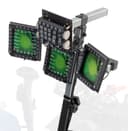
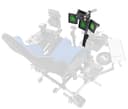
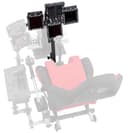

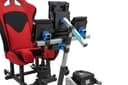
🛩️ Elevate your cockpit game—because your sim deserves the perfect fit!
The SimFab Flight Sim Add-on Kit MFD Holder Bracket Assembly Kit (Config #12) is a proprietary, modular bracket system designed exclusively for SimFab and OpenWheeler flight sim cockpits. Compatible with Thrustmaster Cougar and WinWing MIP bezels, it supports advanced multi-display setups including F-18 and F-16 configurations. Each bracket offers full articulation for precise display positioning, delivering an immersive and professional-grade flight simulation experience.
| ASIN | B0BYQ4KCGH |
| Best Sellers Rank | #59,817 in Video Games ( See Top 100 in Video Games ) #148 in PC Game Flight Controls |
| Brand Name | SimFab |
| Color | Black |
| Compatible Devices | Windows |
| Connectivity Technology | USB |
| Controller Type | Joystick |
| Customer Reviews | 5.0 5.0 out of 5 stars (6) |
| Global Trade Identification Number | 00850033545289 |
| Hardware Platform | PC |
| Manufacturer | SimFab |
| Model Name | Config #12 or Model 12 |
| Package Quantity | 1 |
M**N
Wished I could change the angle. Does the job.
Firstly- If you want the L and R DDI to feel like they're in the right spot for VR, you need to mount them on the UFC bar and NOT the main vertical bar. This Hooks up easy to SimFab simpit. Also Easy to install the winwing MiP to the hardware plates. The arm angle is fixed, I'm a shorter person built like a T Rex and only thing that I'd suggest is maybe a 3 position elbow option to change the angle. I also may trim some of the Horizontal center floor mount to get the Rudders closer. I have Thrustmaster Velocity Ones and they're mounted to the suggested rudder panel holes. If you mount the Left & Right DDI's like the picture, you're going to hit your shins on the screens unless you angle them upwards.
TrustPilot
vor 3 Tagen
vor 2 Tagen