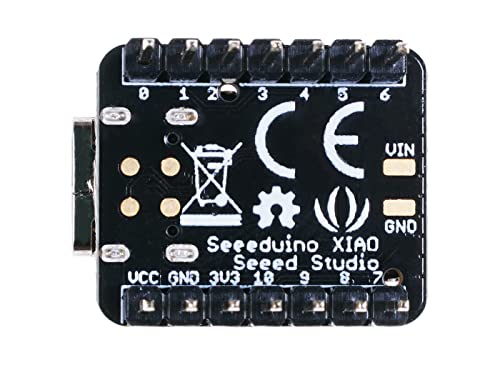

🚀 Tiny Tech, Massive Impact – Power Your Next Big Idea!
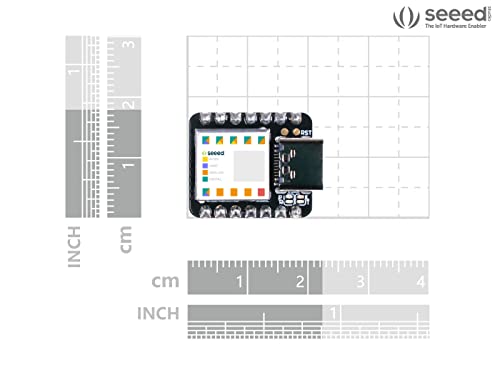
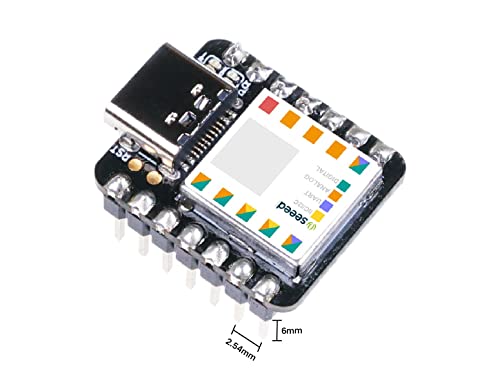
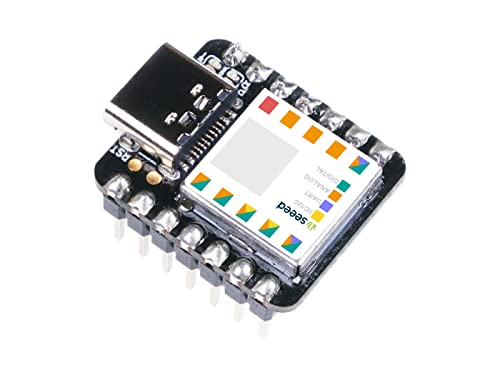
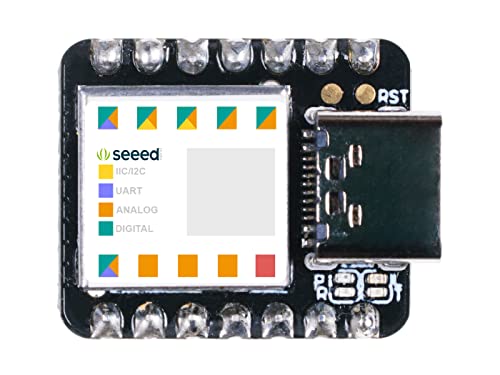
The Seeeduino XIAO is a compact yet powerful Arduino-compatible microcontroller featuring a 48MHz ARM Cortex-M0+ CPU, 256KB flash memory, and 32KB SRAM. Despite its thumb-sized footprint, it offers 14 versatile GPIO pins with support for UART, I2C, SPI, and analog inputs, plus a modern USB Type-C port. Perfectly compatible with the Arduino IDE, it’s designed for wearable tech, rapid prototyping, and innovative DIY projects that demand speed, connectivity, and minimal space.


| ASIN | B08GJT33MD |
| Best Sellers Rank | 166,595 in Business, Industry & Science ( See Top 100 in Business, Industry & Science ) 617 in Microcontrollers |
| Customer reviews | 4.5 4.5 out of 5 stars (687) |
| Date First Available | 15 July 2020 |
| Manufacturer | seeed studio |
R**S
I bought 3 of these a couple years ago to play around with. At the time, it was just because they were cheap and quick to get on Amazon. I quickly fell in love. Though they aren't perfect. Pros: Size. They're tiny. Even 2 years on, most microcontrollers are *at least* 2 to 4 times the size. The small size makes them easy to fit into almost any project. They're literally the size of a postage stamp. I can cover one with my finger. Which brings me to the next pro: I/O. Even at this tiny size, you still have tons of I/O, with support for hardware interrupts, UART, I2C, SPI, and true analog pins with DAC. The big one for me, though, is HID support through the USB type C port. That's a much less common feature than you'd think. If you want to make devices that can talk to other devices as an input device, you need this. Speed. You don't really think that a simple Arduino device needs to be fast, but having a 48mhz processor and 32mb of SRAM to work with open up a LOT of possibilities. Take, for example, my most recent project. I wanted to make a vintage laptop keyboard work with a modern laptop motherboard. But I wanted to do so without damaging the original keyboard. So to interface the two, I needed the Xiao to be able to read the PS/2 protocol that the keyboard was talking in, and give USB HID protocol commands to the computer. Reading the PS/2 protocol takes very precise timing. Your code has to execute within a certain number of microseconds, otherwise the command will fail. Because of the speed of the processor, I could have more code executing in the interrupts while still staying under the threshold. Cons: Storage. While I've never run up against the limit, the Xiao has 256 kB of flash memory. That's not the smallest, but it's certainly not the biggest I've seen on a microcontroller. So I do get a little nervous when I start importing a bunch of libraries. So far, my most involved project, the keyboard that I talked about earlier, only uses about 25% of that storage. And that's importing two different libraries plus my custom code. But if you have a large project that takes many libraries or a whole lot of code, you might run into problems with storage. Bootloader Corruption. I've only had it happen once and it was after hundreds upon hundreds of code uploads. These guys saying they're bricking after 50 uploads have to be doing something wrong. Or maybe it's because they're on Mac hardware, I don't know. But I've had to upload 50 times pretty much everyday I've worked on this project and so far it's not been a problem. But like I said, I did have one of my original three stop responding to USB. So the problem does exist. The device itself still does what the last upload of code told it to do, but I can no longer get it to talk with the Arduino software. And resetting the unit didn't resolve it. So you're mileage may vary.
N**N
Very satisfied with the purchase, all 3 SAMD21 board tested and confirmed working. I will be able to prototype easily with these spare boards
S**N
Super petit très content : ) !
海**神
商品説明の写真にははんだ付けされたピンが付いているが 届いた物にはピンが付いていなかった。付属すらしていない。 返品するにも時間がもったいないからピンは自分で付ける。 SeeeduinoXIAOは悪くないけどSHOPがダメ。
J**A
This tiny microcontroller is great for small projects. Actually, it's quite powerful for what it is and has plenty of I/O pins. My son uses it for Star Wars props and Cosplay. It's great for wearables, controlling LEDs, and just about anything an Arduino can do but just more. The setup can be a little confusing at first, but the documentation on the SeedStudio site is really good. It will walk you through with setting up the Arduino IDE or setting up Circuit Python, since the setup is very different from each other. I've programmed this little microcontroller with both the Arduino IDE and with Circuit Python. Circuit Python might be more beginner friendly. I really like that it has USB Type-C connector because then I can use the same cable as my Mobile Phones. It's annoying to have so many different cables around. One thing to make note is that these microcontrollers are not 5v tolerant. Yes, you can power it with 5 volts, but the inputs and outputs are 3.3 volts. The one thing I wish it had was a reset button, but it's so small I'm sure it would be impossible to fit. You can add a reset button because there are soldering pads for it, but it doesn't have one on the board it self. So, if you are making wearables this would be great. Actually, you can use it to control servos, led light strips, and a ton more. It even has a DAC so you can technically make it produce sound too!
TrustPilot
vor 2 Wochen
vor 1 Tag



