We remain fully operational. Our teams are working around the clock to ensure your deliveries continue safely.

Laden Sie die App herunter


Kundendienst
Copyright © 2025 Desertcart Holdings Limited
Laden Sie die App herunter


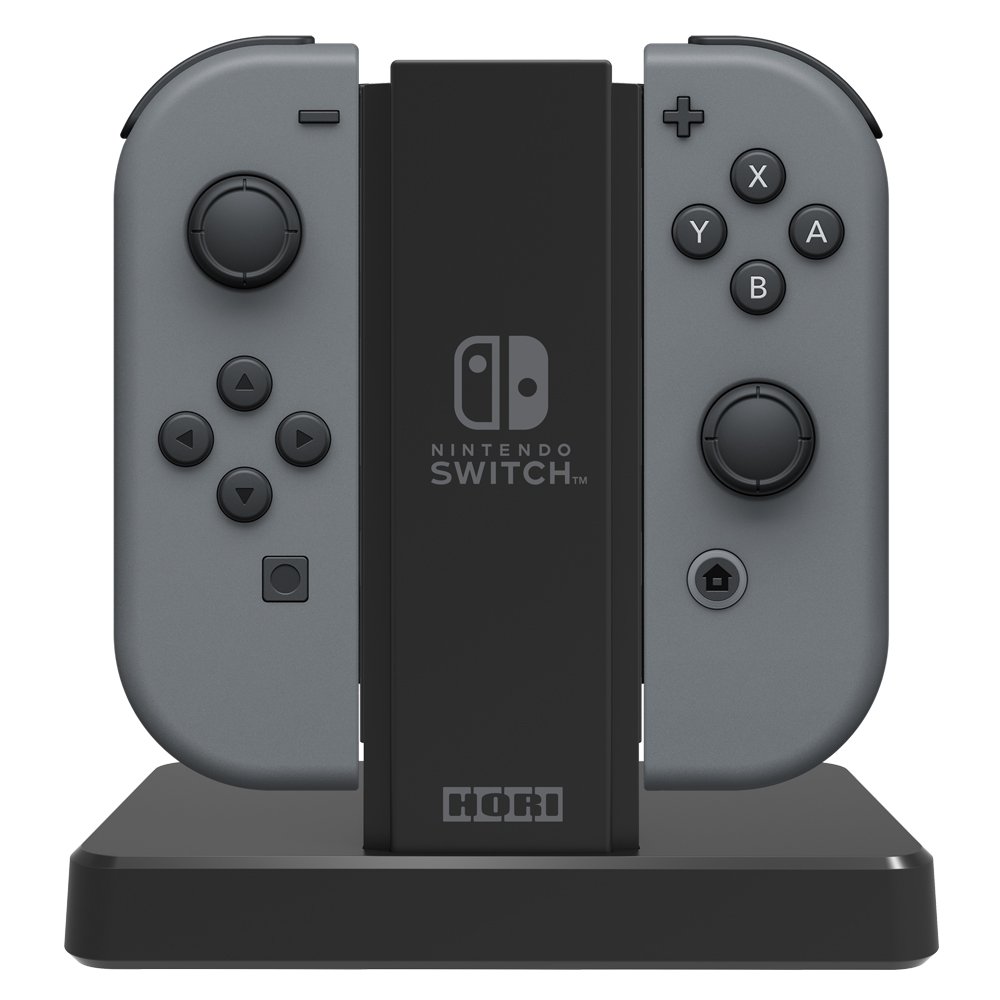
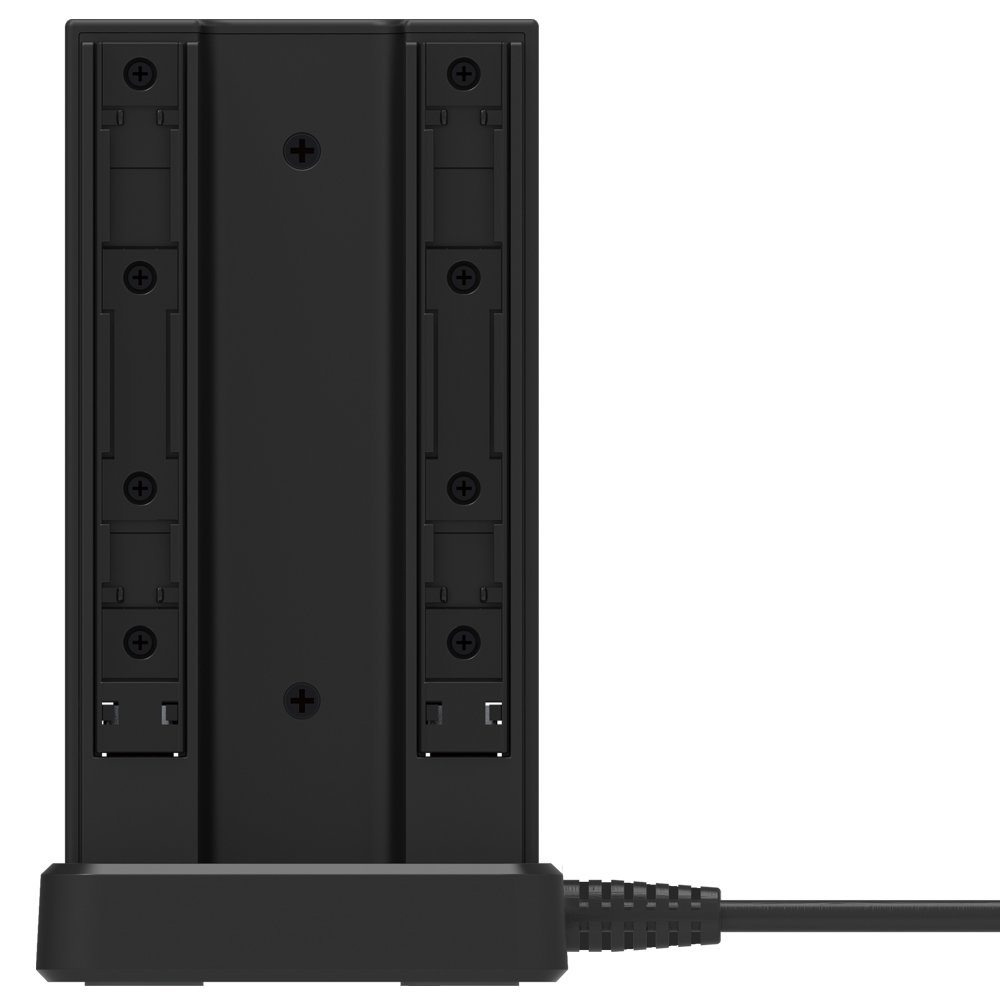
🎮 Keep your squad ready—charge all your Joy-Cons in one sleek stand!
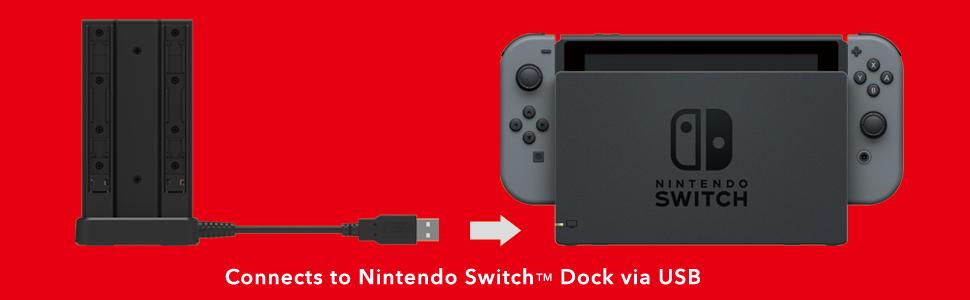
The HORI Joy-Con Cradle Charge Stand is an officially licensed Nintendo accessory that charges up to four Joy-Cons simultaneously via the Nintendo Switch Dock USB port. Featuring LED indicators for clear charging status and a matte black finish, it offers a compact, tidy solution to keep your controllers powered and ready for multiplayer sessions.


| ASIN | B01MZAUN5E |
| Best Sellers Rank | 16,120 in PC & Video Games ( See Top 100 in PC & Video Games ) 90 in Nintendo Switch Chargers |
| Country of origin | China |
| Customer reviews | 3.9 3.9 out of 5 stars (7,591) |
| Is discontinued by manufacturer | No |
| Item model number | NSW-003U |
| Language | Italian |
| Product Dimensions | 16.5 x 8.9 x 15.2 cm; 150 g |
| Rated | Not PEGI rated |
| Release date | 20 April 2017 |
F**E
Useful product, having 4 Joy-Con fully charged
I bought the product rather than charging in pairs (family of four) and swapping around. Its small and compact and easy to use and keeps the gaming area tidy. Family and friends are pleased when the joy-con’s are fully charged and ready to go!
E**N
Works well
Bought it for our son to charge his Joycons. Works well and charges via the switch docks USB port
J**K
Fine if you charge it from your Switch dock
The charger is study, works as intended, and the charging LEDs are thankfully not glaringly bright! Two small problems to make it 4/5 instead of 5/5: 1) It's quite stiff inserting/removing joycons from the charger, meaning you have to steady it with your hand. 2) The supplied cable is very short. Fine if you charge it from your Switch dock, perhaps. But something of a pain if you have it anywhere else.
J**B
Great, better than PowerA version imo
Great! Looks good & works perfectly. This Hori version has much better build quality than the PowerA joy-con charger. Unlike the PowerA version, I like the fact that when charged the Hori charger LEDs turn OFF. If like me, you hate those annoying LEDs which stay on all the time (especially when in a dark room watching a movie etc), then this is the one to go for.
M**M
Perfect ! Exactly as described
Product is exactly as it says it is, works perfectly to charge 4 of my Nintendo joy stick controls with its built in usb charge cable , each control point flashes red when charging and stops when fully charged,
J**N
Good quality
Not the cheapest option, but works really well. Status light comes on the top of each port when charging to indicate it’s in progress, then goes off when fully charged. Nice little accessory
K**H
Only worked after I applied an update
Initially this would not work when hooked up to my (original release) switch dock, but it did work when hooked up to wall socket USB ports. When plugged into the dock the lights would flash on then stay off, but would stay on when plugged into the wall. I wanted to use this plugged directly into the switch so planned to return it. I was boxing this up to send it back to Amazon when I noticed the instruction leaflet that comes in the box had a link/QR code to the full instructions on the Hori website. When I checked them out I discovered there was a firmware update that could be applied via a PC. Once I had downloaded that and applied it to the dock (the tool is 1 button click) I can confirm that it's now lighting up and charging the joy-cons that need it. The light goes off when the controller is fully charged. The top review (from 2017) commented that it's difficult to get the controllers off the dock, but that's not my experience. I don't know if they changed the design since then, but there is literally no resistance when pulling the joy-cons off with the version I have.
J**E
It does the job but would have prefer the other one.
On comparison to the other Nintendo licensed Power A dock (I tried my friend’s one), I think this this fell short. The Power A version allows cable tidy under the base, which may or may not appeal to some. The main drawback for me on the Hori version is on the light indicators, it only shows red whereas the Power A version shows green when it has finished. One might argue that as long as the red light goes on full charge then it is ok. But if it was not slot in to the dock fully the lights won’t come on too ... so it is definitely not perfect. The docking slot connections on the Power A feels smoother too but that might be my bias! Overall I wish I had pick the other one but it is still doing what it meant to do so can’t complain.
E**A
Cuando compre mi primer par extra de Joy Con también adquirí el grip adicional que tiene una entrada USB C para conectarlo directamente de tu Dock y cargar los joycon. No tarde mucho en darme cuenta que por más que lo intentaba nunca quedaba satisfecho dejando a la vista el grip sobre una superficie, no se veía bien y además me daba ansiedad dejarlos así. Cuando adquirí mi segundo par adicional todo empeoro, ya que poner a cargar todos mis joycons a la vez era casi imposible. Este cargador vino a solucionar todo. Tiene un gran diseño estético y funcional, te permite cargar 4 joycons a la vez con un indicador independiente por cada uno, el material es de excelente calidad tal y como si fuera un articulo fabricado por NINTENDO, y el precio es muy bueno. No necesitas más te aseguro que este es el cargador que necesitas junto a tu DOCK. Caracteristicas *Excelente diseño y materiales, el color va perfecto con los accesorios originales. *Cable Usb C integrado, solo necesitas conectarlo al DOCK *Indicador led para cada control insertado *Calidad HORI, excelente precio
A**A
O Suporte carrega com maestria..os Joy cons apagam os seus leds ao fim do carregamento total ...ótimo para levar em viagens ou evententos ,para carregar os joy cons e jogar modo multiplayer.
L**.
Super bien. Fais le job. Manettes chargées par 4 plutôt rapidement 1h / 1h30. Les led s'éteignent au fur et à mesure qu'elles s'éteignent. Trés pratique
D**D
Livré en parfait état et dans les temps. Excellent produit. Je le conseil 😉
R**4
I've had this for a few weeks now, and I like it a lot. I have 3-4 pairs of Joy-Cons, so it's nice to be able to keep them all charged together. The build quality is really nice and there's no locking mechanism involved. Joy-Cons slide in and slide off. The red light comes on if they're charging and stays off if they aren't. There is not a wall plug included, but they charge by a non-detatchable USB cord. The cord is short, so it's obviously intended on being plugged into the Switch dock. Here's the kicker: So I've had mine plugged into my Switch's dock until recently. And for awhile, I thought maybe something was wrong with my charger (or at least the charge-indicator lights.) The red lights for each Joy-Con rail would light up, then off, then on, then off - all very intermittently and seemingly arbitrarily. I thought that was weird and shrugged it off, because as far as I could tell, my Joy-Cons have always had ample charge. HOWEVER - on a hunch, I recently bought a USB extension cable and a generic (Amazon branded) charging brick and tried plugging it into the wall instead. And boom, just like that, all Joy-Con charging lights lit up solid red and they stayed red until each individual Joy-Con was fully charged. After a little more testing, I learned that the Switch's dock doesn't seem to deliver reliable power via the front USB ports unless the Switch is inside the dock, AND ON in TV mode. If the Switch is asleep, the Hori charger didn't work properly through the front USB ports. I didn't try testing it with the dock's rear USB port, because that is where my Ethernet adapter is plugged in. Maybe (MAYBE) the rear USB port *does* deliver reliable power during sleep mode? I don't know; I didn't test it, because my rear port is never free. Anyway, consider grabbing a wall outlet brick (the Amazon branded one works fine) and plugging it in that way. All my other controller chargers (Wiimote chargers, Dualshock 4 charger, etc.) get their juice from the wall, so no reason to keep it tethered to the dock just because Hori didn't include a wall adapter.
TrustPilot
vor 2 Wochen
vor 1 Monat