

Desert Online General Trading LLC
Dubai, United Arab Emirates
Desert Online General Trading LLC
Dubai, United Arab Emirates


Navigate Your World with Ease! 🌟
The TomTom Go 620 is a cutting-edge 6-inch GPS navigation device that offers real-time traffic updates, worldwide maps, and seamless smartphone integration. With features like voice control, hands-free calling, and lane assist, it ensures a safe and efficient driving experience. Stay connected and informed with built-in Wi-Fi for easy updates, making every journey a breeze.



| Touch Screen Type | Capacitive |
| Display Type | LCD |
| Human-Interface Input | Touchscreen, Microphone |
| Compatible Devices | Compatible with Siri and google now: Activate and talk to Siri or google now by tapping a button and using the microphone on your TomTom GO 620 GPS navigation device |
| Are Batteries Included | Yes |
| Supported Satellite Navigation System | GPS |
| Connectivity Protocol | Bluetooth, Wi-Fi |
| Audio Output Mode | Spoken Instructions |
| Battery Average Life | 1 Hours |
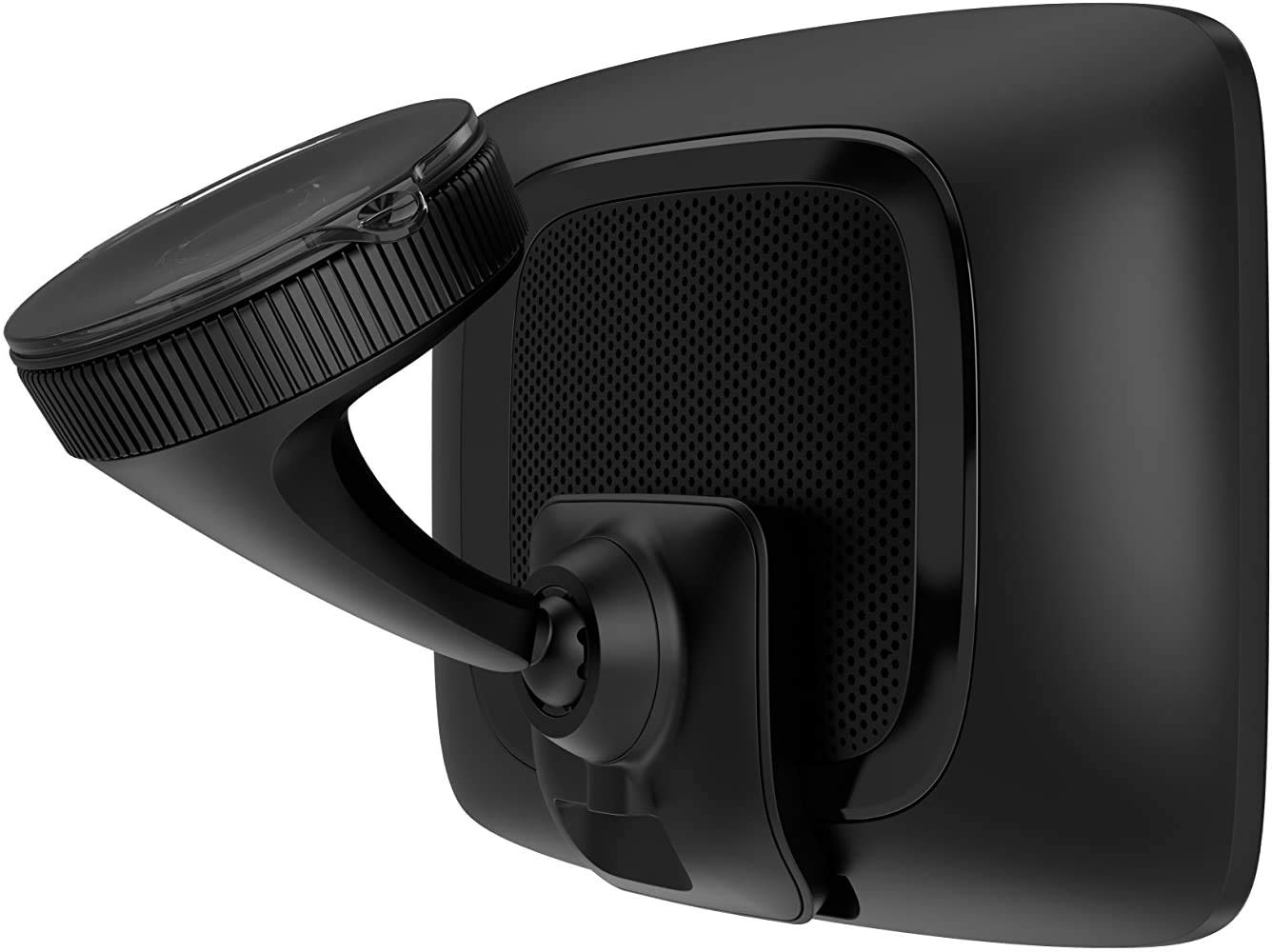
| Mount Type | Dashboard Mount, found in image |
| Resolution | 800 x 480 |
| Compatible with Vehicle Type | Car |
| Screen Size | 6 Inches |
| Additional Features | Touchscreen, Bluetooth, Text-to-Speech, Lane Assist |
| Connectivity Technology | Bluetooth, Wi-Fi, USB |
| Map Types | Worldwide |
| Item Weight | 9.12 ounces |
| Item Dimensions L x W x H | 6.41"L x 4.15"W x 0.73"H |
B**Y
Works great for me. Efficient routing.
There are many reviewers complaining about certain features, so I want to provide tips about things people are having trouble with. Hopefully, you will have good luck like I did.To link a smartphone, you must precisely follow the sequence in the instructions. Do not assume you know how to link it just because you have connected other Bluetooth devices. It is more complicated because linking to the app is involved, and you will also end up with two Bluetooth connections (one is low energy). Once linked, the phone usually does not appear to be connected until the TomTom is out of range of its familiar Wi-fi network. So, do not assume bluetooth is not working if the device is connected to Wi-fi. Following these tips and connecting with an iPhone XR (iOS 13 or 14 so far), mine is working reliably. If you cannot get Bluetooth to work, they give you an option to use your phone’s Wi-fi hotspot to link. You could also buy an optional RDS traffic receiver cable (or use one from an older unit you may own), which will provide less-detailed traffic, but still reasonably good, and trouble-free. If none of those are working, but you park at home within range of your Wi-fi network, the unit will connect to Wi-fi upon start-up and get an initial traffic data download before you start your trip from home. The app does not use much data or battery in my experience.Voice control works if you use the allowed commands exactly as documented. For example, if you speak an address and include the state, it will not understand. It also has trouble with background noise and background conversation, which I think is to be expected. Voice control cannot be used to search for points of interest (it can display saved places). Staying within the limitations, it can work. If your phone is connected, it may be easier to use the MyDrive app to input destinations, which can use your phone’s built-in voice recognition for POI searches. It is very easy and quick to send destinations from the MyDrive phone app or the MyDrive web page.This is a good GPS. Compared to a Garmin, there are various small differences, and Garmin has some extra features, but overall, they are roughly equal, except that this provides better routing. This to me is vital, and the reason to buy one. I am very glad to have found this, and it will retire my still-relatively-new Garmin units (Garmin DriveSmart 51 and 55), which work great, except often provide poor routes. The biggest thing I will miss from Garmin is the audible and visible alerts it gives when a speed limit drops.I was reluctant to buy this after reading other reviews, but I am glad I gave it a try.
R**.
Good product
We got this model to replace an old Magellan GPS and definitely gives it a thumbs up, excellent product & price Tom Tom. The lifetime map update is great for us. We used in the USA - a little delay with distance & stop (about 200 feet delay of actual location - noticeable at turns or stops). European maps are quite accurate and easy to download and use. Got us to where we need to go and reroute as needed. Good complement to Google Maps, can skip one or the other if no cell service on phone. Did not have any issue in remote areas such as the German Alps or certain midwest USA locations. Have not used other continents maps. Good job Tom Tom.
S**E
A little slow, only fully functional when set to american english
Great screen, easy to operate, self explaining. The wifi functionality is awesome!Biggest bummer for me personaly: the voice command only works in english! No other language possible, although it is beeing sold in many other countries with the local language, I can not download any other language packs or anything to make this device, purchased in the US, understand any other language than english. When I change the language, it will deactivate voice command and not read roadnames etc. to me anymore.Ather fact I don't like much: it responds pretty slow sometimes... After saying the whake up phrase (hello tomtom by default), it takes several seconds before it answeres. Same when you tap the screen in map mode, to go to the main menu.Other than that, it works really well.
D**D
Great Tom Tom
This is a very good Tom Tom. It is the third one owned since 2008. Last one, was the Tom Tom VIA 1535. This Tom Tom Go 620 is better in many ways. It has bigger screen. Graphics look better. Downloading updates is much faster with WIFI. Previousely, had to download updates by computer over USB to older Tom Toms. This also has bluetooth, so phone can be paired with it. As most cars have bluetooth also, see no point using Tom Tom to control phone. Maybe if you have older car no bluetooth, it will be useful. This Tom Tom Go 620 is faster than the older Via 1535 which was very good for many years and still receiving updates. This one can download worldwide maps which is great if you want to use it travelling which I do not. I prefer google maps when travelling to other places. This Tom Tom just stays in my car. It is great when driving to an area with no mobile signals. GPS just works everywhere.
R**N
Love It
This is the best car GPS I have used. I've used it in the US, France and Iceland and had no problems loading the maps I want via Wifi. I always save addresses for traveling in Google Maps. Now I copy and paste them into my TomTom MyDrive account and they are automatically added to the GPS. The interface is easy to use and routing is very good. I connect it to my phone via bluetooth while driving for live traffic updates. It does take several hours to upload maps due to the size, but it's all done via wifi so not a big deal.
TrustPilot
vor 1 Woche
vor 3 Wochen
vor 2 Monaten
vor 3 Wochen