




🎨 Elevate your art game with precision, color, and power — don’t just create, captivate!
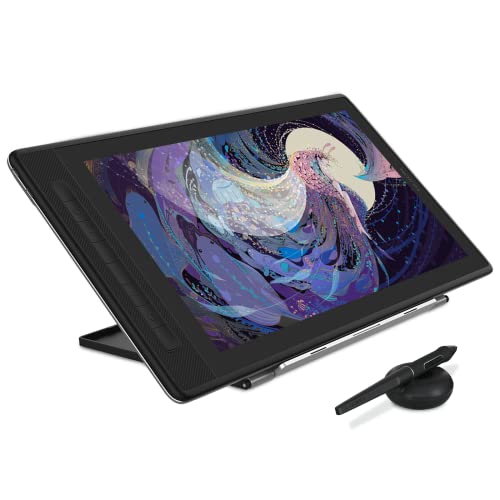
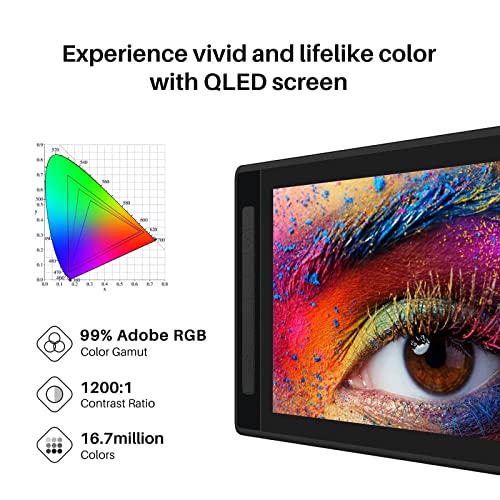
The HUION KAMVAS Pro 16 2.5K is a 15.8-inch QHD drawing tablet featuring a full-laminated QLED screen with 2560x1440 resolution and 99% Adobe sRGB color accuracy. It includes a battery-free stylus with 8192 pressure levels and tilt support, ensuring precise and natural input. Compatible across Mac, PC, Android, and Linux, it offers versatile USB-C connectivity and comes with an adjustable stand and premium accessories, making it a professional-grade tool for digital artists seeking vibrant visuals and seamless workflow.






| ASIN | B09FDZG55G |
| Are Batteries Included | No |
| Best Sellers Rank | #5,547 in Computers & Accessories ( See Top 100 in Computers & Accessories ) #34 in Graphic Tablets |
| Brand | HUION |
| Colour | Black |
| Country of Origin | China |
| Customer Reviews | 4.4 4.4 out of 5 stars (4,900) |
| Date First Available | 1 January 2022 |
| Generic Name | Display Graphic Tablet |
| Hardware Platform | Mac, Windows & Linux PC, Certain Android Mobiles & Tablets |
| Importer | Origin Marketing Pvt. Ltd. Contact: 9870294946, [email protected] |
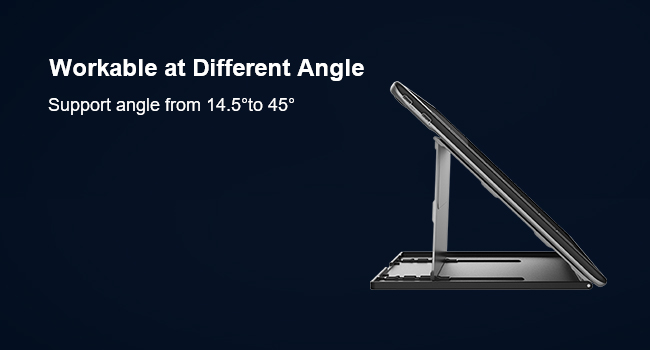
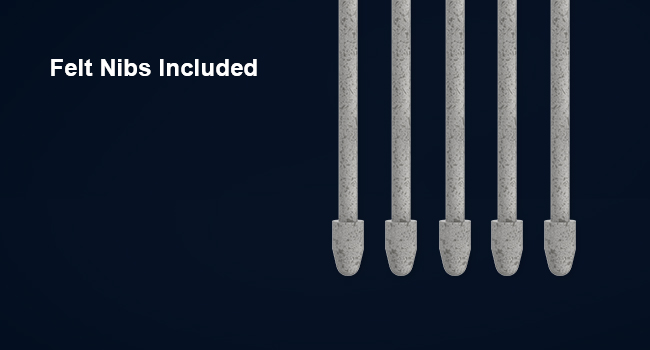
| Included Components | Pen Display, Digital Pen PW517, 3-in-2 Cable, USB Extension Cable, USB-C to USB-C cable, USB Power cable, USB Power Adapter, Foldable Stand ST200, Pen Holder PH05F, Standard Nib x 5, Felt Nib x 5, Nib Clip, Glove, Cleaning Cloth, Quick Start Guide |
| Item Dimensions LxWxH | 43.2 x 25.4 x 10.2 Centimeters |
| Item Height | 10.2 Centimeters |
| Item Weight | 1 kg 270 g |
| Item Width | 25.4 Centimeters |
| Item model number | GT1602 |
| Manufacturer | ShenZhen Huion Animation Technology Co., LTD |
| Net Quantity | 1 Count |
| Operating System | Windows 7 or later, macOS 10.12 or later, Android(USB3.1 DP1.2 or later) |
| Packer | Origin Marketing Pvt. Ltd. Contact: 9870294946, [email protected] |
| Product Dimensions | 43.2 x 25.4 x 10.2 cm; 1.27 kg |
| Screen Resolution | 2560x1440 |
| Series | Kamvas Pro 16 |
| Standing screen display size | 15.8 Inches |
N**R
The best device I have used so far.
To tell you about my background and experience I have used Wacom products for more than 15 years and full time digital artist. Beginning from the Intuos pen tablet to my last device Cintiq 27. So here is my honest review about this device. After using 27 inches monitor I was not very sure about 16 inches. But since this is 4K resolution I still wanted to try it out. And now I am feeling much better than my previous 27 inches device. I have checked many reviews before buying this device. What most of the people tell you is bigger screen is the better. But for me this monitor size did good justice to beat all my previous experience. As the resolution is much higher than any of the bigger monitor and for that reason it gives really crisp clear images. And the brush parallax is zero. So it gives the traditional painting feel when you use it. Another thing is the pen pressure. The 8192 pen pressure is damn good. It is so sensitive your whole pen handling experience will be much better. Let’s talk about the colour, this is definitely the best colour display I have seen in my entire life. I had to adjust the colour calibration to match it with my iMac because apple couldn’t match the colours as much as this device. Now my workspace is much more tidier and more spacious yet my drawing experience is much better. Now coming to the driver part. Huion has improved their drivers very well. it is very convenient and it detects the monitor immediately and even the settings are very easy to handle. The monitor has on-screen adjustments which can be controlled with the pen. Along with this I also bought KD 100 device seperately as there are no on-screen keys, but most of the people don’t use express keys. Whereas I use keyboard along with the express keys so KD 100 is a perfect match along with this monitor. After I purchased this monitor the main distributor of Huion contacted me to congratulate. And he also assured me he would support in case I face any problem with this device which was an additional assurance. This simple gesture gained more of my trust towards this brand. Now coming to the packaging part you can say that the quality can be matched with Apple. I was very much impressed with the product quality as well. it is very sturdy and has very premium feel to it. Amazon delivered it much before the promised date so I am happy with that as well. when I couldn’t see my order updates online I contacted the customer care and they gave me clear details about where my product has reached which was very impressive. I have not come across any cons so far so I would give this product five star rating hundred out of hundred.
A**A
Perfect purchase
Loving it!!! It is so fun to draw on it and works perfectly well. A worth it purchase!!
S**N
Good product
Nice packing, customer friendly
J**I
Product is good, but Amazon delivery in bangalore too pathetic
working very well, if you are from bangalore, you may experience delivery related issue. this was a one day delivery but i got after 1 week almost. please avoid prepaid mode, instead go for COD mode.
M**I
Great value
Worth every penny and it’s a must buy if you’re an artist 😁
S**A
Good
Good
A**R
Poor build, constant driver issues- not worth it
UPDATE: After a few months of light use, this tablet died completely. Wouldn't turn on no matter how it was plugged in. Even tried it on different computers- it just went dead without any warning, didn't drop it or anything. That's 60K INR down the drain, and Huion is never seeing a penny of my money again. I originally gave this 4 stars because having tried the Cintiq Pro as well as the iPad Pro, this compared pretty well. But issues began to crop up within months. Firstly, you should be aware that the tip of the Huion pen is very bulbous- if you're looking down and drawing, you can't see the nib, which really affects accuracy. Now that I know more about the tablet, I wonder if this was intentional design to disguise the cursor offset that's so common with Wacom alternatives. It's not just at the edges of the screen- unless you're prepared to recalibrate every time you shift positions, you'll have cursor offset. And then there's the drivers. The drivers are just plain terrible. I install the new ones every time I want to work on this tablet, and even then it's hit or miss. Sometimes you have to delete it completely and set up like the first time. Also, the screen began to physically pop out after a couple months. Don't think it affects functionality but it feels really cheap. On paper this seems like a much better deal than Wacom tablets, but they're really not. Even the basic non Pro Cintiq will take you farther than this one. If you want something reliable go for a Cintiq and if you can't afford it, get used to an Intuos tablet or get an iPad. This brand isn't worth the risk.
P**R
Excellent
Excellent
Z**E
I love this thing! It feels a lot more natural to draw on a screen rather than the disassociation between The computer screen and regular pen tablets. You pay for what you get and this is a very high quality built product. However, text on the screen is a little blurry, but you are likely not buying it to replace your monitor. It does its job and it does it very well, the colours are a lot more true and vibrant than my laptop screen and the viewing angles of said screen are amazing.The included stylus is also lovely to use, it glides across the screen and the pressure sensitivity allows you to really vary line strokes. I do recommend getting a “Artist Tablet Glove” with this to stop smudges on the screen and limit your hand gripping the screen whilst using it. I’m left handed and flipping the screen to make the express keys On the right side of the device was fairly simple. However you will need to use the Huion driver to also flip where the sensors track the stylus so you won’t have the cursor moving in the opposite direction of the stylus. Overall very happy with my purchase and use it almost daily to draw. EDIT: If your pen’s pressure sensitivity isn’t working you need to update the drivers using the Huion application. The pen isn’t broken it just needs to update. Hope this helps anyone with this issue!
E**A
excelente me gustas mucho
P**K
Initially I wanted to buy an iPad Pro 12.9 and I'm glad I didn't. I only draw at home and portability is not an issue. This is my first pen display so I cannot compare it with others. Beautiful colours and because it's 4k theres no pixelation. Everything looks so crisp, its like drawing on paper. I only use Clip studio paint and Photo shop and I didn't experience any lag or parallax. Nothing negative to say. I'm only used to traditional drawing and it takes a while to get adjusted to digital as you can tell from the pic. I'm 100% satisfied with the purchase.
A**O
Aquisição maravilhosa. Incrível trabalhar nela
A**R
This is my first display tablet and really debated on whether to even splurge on one since I have grown well adept to using my trusty Wacom Intuous 5 Touch Medium non-display tablet. Needless, to say, I am glad I did, though. The transition went as well as I could hope for in that I like the pen, I like the screen and drawing/painting on it seems to be working very well. I, initially, did have an "Oh-No-Moment" when I fired up Clip Studio Paint Pro and the pen wouldn't register my strokes. I searched online and found a solution. I had to go to File > Preference > Tablet... and change the "Using Tablet Service" from "Wintab" to "Tablet PC." My computer is a desktop and not a "Tablet PC" but this seems to have done the trick. Anyway, after using a non-display tablet for so many years and getting over the hand-eye-coordination thing, the transition to the display tablet was a bit jarring at first. But, I think, the transition will be much easier this time around because having a screen does make drawing more intuitive and fun. I even like the posture of hunching over the drawing, now, with the display tablet and harkens back to drawing on actual paper. Even, if it's not necessarily good for posture, it makes one feel more "focused." LOL! Speaking of hunching over, the new drawing position of the display tablet does introduce something I didn't encounter with a non-display tablet and that is my hand and pen does get in the way of what I am drawing a little bit. But, I think, my brain is just not used to this, yet. Also, the pen does squeak when pressed hard. And, pressing hard on the screen does create those "ripple effects" from the pen pressure, which gave me pause at first. But, I think that is just inherent of LCD tech.... Other thoughts are... and not in any order... build quality is nice; feels solid since the front and back are made of aluminum; the default/out-of-the-box color of the display did not look out of whack and looked "normal" to my naked eye; I did tweak the colors a little bit to make it look closer to my reference monitor, which is an Asus PA238Q ProArt Monitor and supposedly "factory-calibrated;" so, just by eyeing it, I was able to get the Huion's screen to "match" my Asus monitor, which is possible due to the display's array of OSD settings, allowing one to adjust Gamma, Temperature, Color, etc... More, thoughts... Installing the driver was semi-painless; the UI of the driver is at least easy to navigate and clearly labeled; I like that one can bind the 6 keys on the side of the tablet to whatever one wants; I wish the buttons did have an LED of some kind, though, because it is hard to see when drawing at night (but, that would probably add to the cost); the touch slider-strip thingy is cool and works and I use it to zoom-in-out of my canvas; but, it is very "touchy" and "sensitive" and gets activated, unintentionally, when sliding fingers to and fro from the other side buttons; my Wacom Intuous 5 pen and the Kamvas 16 Pro Pen are very similar in feeling to me, which is great; I do wish Huion supplied different nibs as Wacom does; and, not the same hard plastic nib times 8 or what-have-you (My Wacom Intuous 5 came with different style/material nibs; so, my preferred nib on my Wacom is actually made of some rubbery substance, so it's kinda soft when drawing).... What else... that is all, for now... I have only had this for a day, but, wanted to post my initial impression in the hope that it can be of use to ppl out there making the same decision that I did. Thank you!
TrustPilot
vor 2 Wochen
vor 1 Monat



